Best Text Expander for Mac in 2026: Free and Paid Compared
If you type the same phrases, emails, or code blocks more than once a day, a text expander will save you hours every week. But with so many options on macOS, it can be hard to know which one actually fits your workflow.
We tested six popular text expanders on Mac in 2026 - covering price, features, sync, and day-to-day usability. Here is how they stack up.

What is a text expander?
A text expander lets you type a short abbreviation (like ;sig) and instantly expand it into a full block of text - your email signature, a support reply, a code snippet, or anything else you type repeatedly. The best ones support rich text, dynamic tokens like dates and clipboard content, and sync across devices.
The contenders
1. TypeFire - Best free text expander for Mac
Price: Free (no subscription, no premium tier)
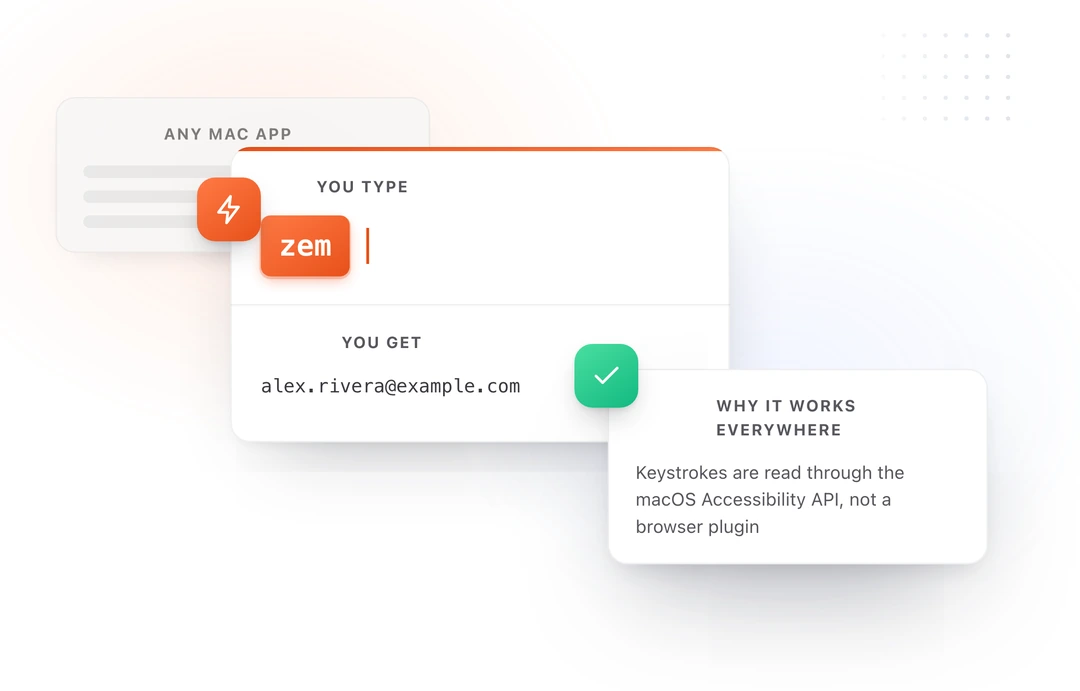
TypeFire is a native macOS app that gives you everything you need without charging a cent. It supports Markdown-formatted snippets, dynamic tokens (date, time, clipboard), collections for organizing your library, and iCloud sync across all your Macs.
The app lives in your menu bar and expands snippets instantly in any application. There are no usage limits and no features locked behind a paywall.
Strengths: Completely free, modern native UI, Markdown support, iCloud sync, dynamic tokens, AI tokens (run Claude, OpenAI, or Gemini inside any snippet), fast expansion Also worth knowing: A free Chrome extension covers browser use on Windows, Linux and ChromeOS, and an iOS app is coming soon.
Also in Chrome: TypeFire for Chrome covers everything you type in a browser (Gmail, Slack, Linear, ChatGPT, GitHub, anywhere with a text field) and adds Markdown notes and clips. Same sign-in and snippet format as the Mac app. Install it from the Chrome Web Store or read about TypeFire for Chrome.
2. TextExpander: most established, five snippets free, then a subscription
Price: Free for five active snippets, then $60/year
TextExpander has been around for over a decade and offers a polished experience with team sharing, fill-in forms, and cross-platform support. The subscription model means you are paying indefinitely, and the app requires an account to function.
Strengths: Cross-platform, team sharing, mature ecosystem Weaknesses: Subscription pricing adds up fast, requires account, can feel heavy for individual users
For a deeper look, check out our TypeFire vs TextExpander comparison.
3. aText - Budget option, but showing its age
Price: $4.99 a year, or $29.99 lifetime
aText is a popular budget alternative that is still updated, with a Mac release in 2024 and a Windows version too. It covers rich text, fill-in fields and scripts, and syncs through a cloud folder you choose. It is a classic text expander, without a clipboard manager or notes in the same app.
Strengths: Low price, rich text and scripts, a Windows version Weaknesses: A license you renew yearly (or $29.99 once), a dated interface
Read more in our TypeFire vs aText breakdown.
4. Typinator - Powerful but expensive
Price: $49.99 once (Basic), or $29.99 a year (Advanced)
Typinator is a solid native Mac app with fast expansion and good feature depth. It supports regular expressions, auto-correction sets, and image snippets. The catch is the price: $49.99 upfront, or $29.99 a year for Advanced.
Strengths: Fast expansion, regex support, auto-correction, native Mac app Weaknesses: $49.99 upfront cost, no iCloud sync
See our full TypeFire vs Typinator comparison.
5. Espanso - Free and open source, but CLI-only
Price: Free (open source)
Espanso is a cross-platform text expander configured entirely through YAML files. It is powerful and extensible, but there is no graphical interface. You edit config files in a text editor and manage everything from the command line.
Strengths: Free, open source, cross-platform, highly configurable Weaknesses: No GUI, steep learning curve, YAML configuration, not beginner-friendly
We compare both free options in our TypeFire vs Espanso guide.
6. Raycast Snippets - Basic expansion inside Raycast
Price: Free (part of Raycast)
If you already use Raycast as your launcher, its built-in snippets feature handles basic text expansion. You can define abbreviations and expansions, but there is no Markdown support, no dynamic tokens beyond simple date formatting, and no dedicated snippet management interface.
Strengths: Already built into Raycast, simple to set up Weaknesses: Basic feature set, no Markdown, limited tokens, requires Raycast as your launcher
Our Raycast vs TypeFire comparison goes deeper.
Feature comparison table
| Feature | TypeFire | TextExpander | aText | Typinator | Espanso | Raycast |
|---|---|---|---|---|---|---|
| Price | Free, unlimited | Free (5), then $60/yr | $4.99/yr | $49.99 | Free | Free |
| Native Mac app | Yes | Yes | Yes | Yes | No | Yes |
| Markdown support | Yes | No | No | No | Partial | No |
| Dynamic tokens | Yes | Yes | Limited | Yes | Yes | Limited |
| iCloud sync | Yes | No (own cloud) | No | No | No | No |
| Collections | Yes | Yes | Yes | Yes | Via folders | No |
| GUI editor | Yes | Yes | Yes | Yes | No | Basic |
| Rich text editor | Yes | No | No | No | No | No |
| AI tokens | Yes (BYOK) | Paid add-on | No | No | No | Paid (Raycast AI) |
Which text expander should you pick?
Choose TypeFire if you want a modern, full-featured text expander without paying anything. It covers all the core features - Markdown snippets, dynamic tokens, collections, iCloud sync - in a clean native Mac app.
Choose TextExpander if you need team sharing or cross-platform support and do not mind the ongoing subscription cost.
Choose Espanso if you are comfortable with CLI tools and YAML configuration, and you want something that works on Linux too.
Choose Typinator if you need regex-based expansion or auto-correction sets and prefer a one-time purchase.
Skip aText unless you need the same text expander on Windows. TypeFire does the core job for free and adds clips, notes and AI.
Use Raycast snippets only if your expansion needs are very basic and you already live in Raycast.
The bottom line
For most Mac users in 2026, TypeFire hits the best balance of features, simplicity, and price. It is genuinely free - not freemium, not a trial - and it handles every common text expansion use case. If you are typing the same things over and over, install it and start saving time today.
Templates you might want
- Email Signatures: Personal Productivity
- Quick Reply Templates: Personal Productivity
- Rewrite & Polish: AI Workflows
- Failed Payment Response: Customer Support
Loved by people who type all day.
Unprompted reactions from users, in their own words.
Used by people at
Company names are places where our users work. They do not imply endorsement or affiliation.