25 AI Prompts for Code Review, Ready to Copy
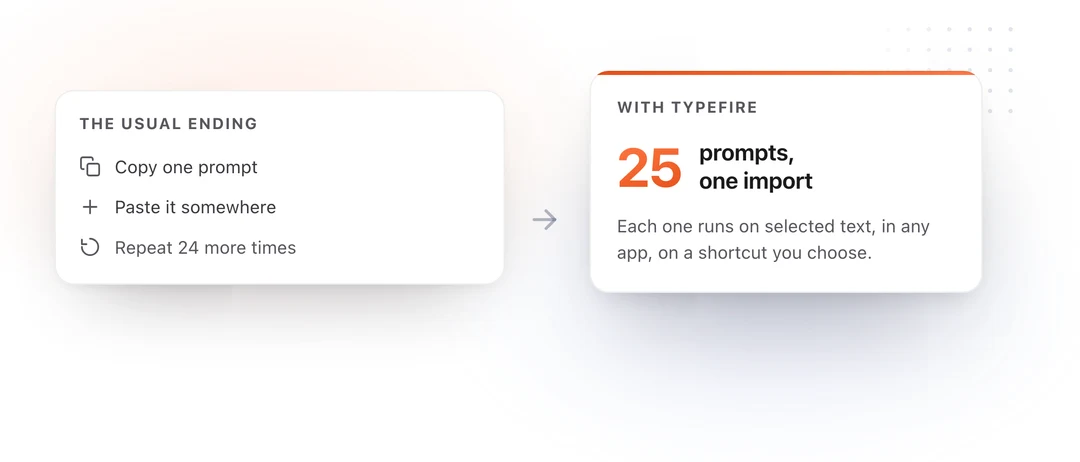
Twenty-five prompts for reviewing code, each one written for a single job. Copy any of them into ChatGPT, Claude or Gemini, or save them as Selection Prompts and run them on highlighted code in any Mac app.
Most code review prompts you find are one sentence long. "Review this code and suggest improvements." You get back a numbered list of things you already knew, written in a tone of mild concern, and you close the tab.
The prompts here are longer on purpose. Each one names the specific failure class it is hunting, fixes the shape of the output so you can paste the result straight into a review, and tells the model not to rewrite your code unless rewriting is the point. That last instruction alone is the difference between a review you can use and a wall of regenerated source.
How to run these
Every prompt is written to work two ways.
Pasted into a chat window. Copy the prompt, paste your code underneath it, send. Each prompt ends by referring to the code that follows, so nothing else needs editing.
On a selection, without a chat window. Save the prompt once, highlight code anywhere on your Mac, press a shortcut. The result comes back in place of what you highlighted. No copying, no switching to a browser tab, no losing your place in the file.
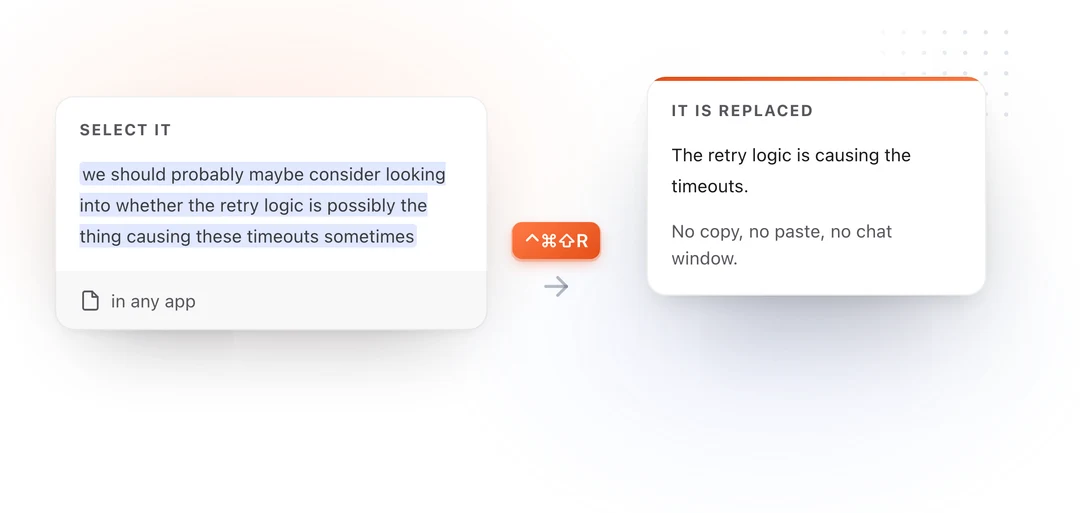
For the review prompts, the ones that return findings rather than code, highlight the code in a scratch file or a note first. The review then appears where you can read it instead of over the file you are working in. For the transform prompts, the rewrites and the description generators, running them directly on the real thing is the point.
If you would rather keep your code off the internet entirely, these run on a model hosted on your own Mac through Apple Intelligence, Ollama or LM Studio, which is the setup most people reviewing proprietary code end up on. There is more on that in running Claude in any Mac app and running ChatGPT in any Mac app.
The prompts
Reviewing a change end to end
1. The first pass on a pull request · 2. The reviewer's summary · 3. Explain what this diff actually changes
Finding the bugs a reader skims past
4. The edge case sweep · 5. Error paths and failure modes · 6. Race conditions and shared state
Security
7. Untrusted input, traced to the sink · 8. Secrets, tokens and what reaches the logs · 9. The authorization check
Performance
10. Complexity and allocation · 11. Database access patterns · 12. The hot path, ranked by cost
Readability, naming and structure
13. Names that lie · 14. The comment pass · 15. Split this function
Tests
16. What this code lets you ship untested · 17. Write the missing test cases · 18. Review the tests, not the code
Writing the pull request, not just reviewing it
19. The pull request description, from the diff · 20. The changelog entry · 21. The self review
Reviewing across a codebase, not a file
22. Does this match the rest of the codebase · 23. The backwards compatibility check · 24. The API contract review · 25. Make this review comment land
Reviewing a change end to end
Start here when a pull request lands and you have no context on it yet. These three run before you form an opinion.
1. The first pass on a pull request
The one to run before you read the diff properly. It sorts findings by whether they should block the merge, which is the decision you actually have to make.
You are a senior engineer reviewing a pull request. Review the code
that follows and report what you find.

Sort every finding into exactly one of three buckets:

BLOCKING - a correctness, security or data-loss problem. The merge
should not happen until this is addressed.
SHOULD FIX - a real issue that is not urgent. Maintainability,
missing error handling, a test gap, a performance problem that is not
yet hurting anyone.
NIT - style, naming, formatting. Mark these clearly as optional.

For each finding, give me:
- the file and the line or function it is in
- one sentence on what is wrong
- one sentence on what happens if it ships as written

Rules:
- Do not rewrite the code. Describe the problem, not the fix, unless
  the fix is a single obvious line.
- If a bucket is empty, say so in one line rather than inventing
  findings to fill it.
- Do not comment on formatting a linter would catch.
- If the change looks correct, say that plainly and stop.
2. The reviewer's summary, before you write a comment
Run this on a large diff you did not write. It gives you the shape of the change in thirty seconds, which is what makes the rest of the review fast.
Summarize the change in the code that follows, for a reviewer who has
never seen this codebase.

Give me, in this order:

1. WHAT CHANGED. Two or three sentences, plain language, no
   implementation detail.
2. WHY IT PROBABLY CHANGED. Your best reading of the intent behind it.
   Mark this as an inference, not a fact.
3. THE RISKY PART. The single place in this change most likely to
   cause a production incident, and why.
4. WHAT I SHOULD CHECK MANUALLY. Three to five specific things a human
   reviewer should verify that reading the diff cannot tell them.

Do not review the code. Do not suggest improvements. This is
orientation only.
3. Explain what this diff actually changes
For the change that looks larger than it is, or smaller. Separates behavior changes from noise.
Read the code that follows and separate it into two lists.

Behavior CHANGES: anything that changes what the program does at
runtime. Different output, different timing, different error,
different side effect, different data written.

NON-Behavior CHANGES: renames, reformatting, moved code, comments,
type annotations that do not affect runtime, refactors that are
provably equivalent.

For every item in the first list, state the observable difference in
the form "before, X happened; now, Y happens".

If you are not certain an item is behavior preserving, put it in the
first list and say why you are unsure. A false negative here is much
worse than a false positive.
Finding the bugs a reader skims past
The mechanical pass. These three catch the things that are boring to hunt for and expensive to miss.
4. The edge case sweep
The highest value prompt on this page, in the sense that it finds real bugs most often. Run it on any function that takes input.
Find the inputs and states that break the code below.

Work through this list explicitly and report on each one that applies:

- empty input: empty string, empty array, empty map, zero rows
- null, nil, undefined, or a missing optional
- one element, when the code was written assuming many
- the maximum: very large input, very long string, deep nesting
- boundaries: first element, last element, off-by-one on any index
  or slice
- duplicates, when uniqueness is assumed
- unicode, emoji, combining characters, right-to-left text, and
  anything where byte length and character length differ
- negative numbers, zero, and floating point values where an integer
  is assumed
- a value that arrives in a different order than expected
- the operation running twice

For each one that breaks, give me the concrete input and what happens.
Skip the ones that are genuinely handled. Do not list a case unless
you can name the input that triggers it.
5. Error paths and failure modes
Most reviews check that the happy path works. This checks the other one.
Review only the failure handling in the code that follows. Ignore the
happy path entirely.

For every operation that can fail, tell me:

1. What happens to the error. Is it handled, logged, wrapped,
   swallowed, or allowed to propagate?
2. What state the program is left in. Is anything half written, half
   committed, or left locked?
3. What the caller can tell. Can they distinguish "it failed" from
   "it succeeded and there was nothing to do"?
4. What the user sees.

Flag every one of these specifically:
- an empty catch block, or an error assigned and never read
- a resource opened and not closed on the failure path
- a retry with no limit and no backoff
- an error message that does not say which input caused it
- a partial write with no rollback
- a failure that is logged and then treated as success

Report findings only. Do not rewrite the code.
6. Race conditions and shared state
Run this on anything concurrent. It is looking for the class of bug that never reproduces locally.
Analyze the code that follows for concurrency problems.

Identify, in order:

1. Every piece of state shared across threads, tasks, goroutines,
   requests or processes.
2. For each one, whether every read and every write is protected, and
   by what.
3. Any check-then-act sequence where the state can change between the
   check and the act.
4. Any place where two locks can be acquired in different orders.
5. Any assumption that two operations happen atomically when they are
   two separate statements.
6. Anything that would break if this function ran twice at the same
   time with the same arguments.
7. Anything that would break if it ran twice in sequence, which is
   what a retry does.

For each finding, describe the interleaving that causes the problem.
Two threads, step by step, in the order that breaks it. A finding
without an interleaving is a guess, so mark it as one.
Security
Three narrow passes rather than one broad one. A prompt that asks for "security issues" returns a lecture about input validation.
7. Untrusted input, traced to the sink
The taint analysis pass. This is the one that finds injection.
Perform a taint analysis on the code that follows.

Step 1. List every source of data that a user or an external system
controls. Request bodies, query parameters, headers, cookies, file
uploads, filenames, environment variables, database rows that were
written from user input, and responses from third party APIs.

Step 2. For each source, trace where the value ends up. Follow it
through assignments and function calls as far as the code lets you.

Step 3. Report every case where tainted data reaches one of these
without being validated, escaped or parameterized first:

- a database query
- a shell command or process invocation
- a file path
- an HTML response or template
- a redirect target or a URL that gets fetched
- deserialization
- a log line that is later parsed
- a regular expression

For each one, give me the source, the path it took, the sink it
reached, and the concrete input that would exploit it. If a value is
properly handled, do not report it.
8. Secrets, tokens and what reaches the logs
Cheap to run, and it catches the mistake that shows up in a breach report six months later.
Review the code that follows for anything that leaks sensitive data.

Look for:

- credentials, API keys, tokens or connection strings written as
  literals in the source
- a whole request, response, user object, config object or exception
  logged in full, where any field of it might be sensitive
- passwords, tokens, session identifiers, card numbers or personal
  data appearing in a log line, an error message, a URL, a query
  string, or an analytics event
- an error returned to the user that reveals a stack trace, a file
  path, a table name, a version number or whether a given account
  exists
- sensitive values in a cache key, a filename or a metrics label
- a secret compared with == rather than a constant-time comparison

For each finding, name the value, name where it escapes to, and say
who would be able to see it. Do not report a value as sensitive unless
you can say why.
9. The authorization check
Authentication tells you who someone is. Authorization tells you what they are allowed to touch, and it is the one that gets forgotten.
Review the code that follows for authorization problems. Assume the
caller is authenticated and is a real, legitimate user of the system.
The question is only what they are permitted to do.

For every operation that reads or writes data, answer:

1. Is there a check that this specific user may act on this specific
   record, or only a check that they are logged in?
2. Is the record looked up by an identifier the caller supplied? If
   so, is ownership verified after the lookup?
3. Could changing one identifier in the request reach another user's
   data?
4. Is the permission checked on the server, or is the code relying on
   the interface not offering the option?
5. On a list or search endpoint, is the result filtered by what this
   user may see, or filtered afterwards in the client?
6. Do the bulk, batch, export and admin paths carry the same check as
   the single-record path?

Report every operation with a missing or partial check. State the
request a user would make to exploit it.
Performance
Only worth running when you have a reason to. These three cover the reasons.
10. Complexity and allocation
Analyze the runtime and memory behavior of the code that follows.

Report:

1. The time complexity of each significant function, in terms of the
   inputs that actually vary in production. Not just big O, but what
   n is in practice.
2. Every nested loop, and whether the inner loop's cost depends on
   the outer loop's size.
3. Every allocation inside a loop that could be hoisted out or
   preallocated.
4. Every place a collection is copied when it could be referenced,
   iterated or streamed.
5. Every repeated computation of a value that does not change.
6. Anything that reads a whole file, response or result set into
   memory when it could be processed incrementally.
7. Any string built by repeated concatenation in a loop.

For each finding, say what input size makes it matter. A quadratic
loop over three items is not a finding. Say so if that is what you
find.
11. Database access patterns
The N+1 query prompt. Worth running on every change that touches a data layer.
Review the database access in the code that follows.

Find and report:

- N+1 queries: a query inside a loop, or a lazily loaded relation
  accessed while iterating a collection
- a query with no limit, on a table that grows
- a filter, sort or join on a column that is unlikely to be indexed
- SELECT * where a few columns would do, especially with large or
  binary columns
- a read-modify-write sequence with no transaction or no optimistic
  concurrency check
- a transaction held open across a network call, a file operation or
  anything slow
- a write with no unique constraint behind it, where the same request
  arriving twice would create two rows
- pagination by OFFSET on a large table
- a migration or backfill that touches every row in one statement

For each finding, give me the query pattern, the number of round trips
it costs as written, and what it would cost fixed.
12. The hot path, ranked by cost
For when something is slow and you do not yet know why.
Identify the most expensive work in the code that follows, and rank
it.

For each of the top five costs, give me:

1. What the work is.
2. Why it is expensive: I/O, network, allocation, CPU, lock
   contention, or serialization.
3. Roughly what it costs relative to the others. Order of magnitude
   is enough.
4. Whether it happens once, per request, or per item.
5. What would remove or reduce it, in one sentence.

Then tell me the single change with the best ratio of speed gained to
risk taken, and say what could break if I made it.

Rank by measured cost where the code makes that inferable, and say
clearly when you are estimating.
Readability, naming and structure
The findings people leave out of reviews because they feel petty, and that cost the most over a year.
13. Names that lie
A name that is merely bad is a nit. A name that is wrong is a bug waiting for the next person.
Review only the names in the code that follows. Variables, functions,
parameters, types, constants, files.

Report a name only if one of these is true:

- it says something different from what the thing does or holds
- it says the opposite, for example a boolean whose true means the
  negative of its name
- it hides a unit, a currency, a timezone or a scale that the caller
  has to know
- it hides that the value can be null, empty or absent
- it is the same word used for a different thing elsewhere in this
  code, or a different word for the same thing
- it is abbreviated in a way that has more than one plausible
  expansion
- it is a function name that does not mention its side effect

For each one, give me the current name, why it misleads, and two
alternatives. Skip names that are merely short or merely plain. Do
not report a name you would only change for taste.
14. The comment pass
Not "add comments". A prompt that adds comments to every line makes code worse. This finds the two or three places that genuinely need one.
Look at the code that follows and find the places where a reader will
have to stop and work something out.

Report only:

1. Non-obvious decisions. Somewhere the code does something that looks
   wrong, or looks like the harder option, and there is a reason.
2. Constants with no explanation. Any number, timeout, retry count,
   buffer size or threshold whose value came from somewhere.
3. Workarounds. Code shaped by a bug, a limitation or a quirk in
   something external.
4. Implicit contracts. Anything the caller must do, or must not do,
   that the signature does not express. Call order, lifetime,
   ownership, thread safety.
5. Anything deliberately not handled, where a reader would otherwise
   assume it was an oversight.

For each, write the comment you would add, in one or two lines, as a
plain statement of the fact.

Do not comment anything the code already states clearly. Do not
describe what a line does. If nothing here needs a comment, say so.
15. Split this function
A rewrite prompt rather than a review prompt, so this one is worth running directly on the selection.
The function below does too much. Break it up.

Rules:

- Every function you produce does one thing and is named after that
  thing.
- Extract the deepest nesting first. Most long functions are one
  loop and three conditions wearing a coat.
- Separate the decisions from the work. Pure logic in one place,
  I/O and side effects in another.
- Do not change any observable behavior, including error messages,
  log output and the order side effects happen in.
- Keep the original function as the entry point, with the same
  signature, now calling the pieces.
- Do not add abstraction that is used once and has no name of its
  own. Two well named functions beat five clever ones.

Return the rewritten code and nothing else. Then, after it, list in
one line each anything you were not certain preserved behavior.
Tests
16. What this code lets you ship untested
Coverage percentages tell you which lines ran. This tells you which behavior nobody checked.
Look at the code that follows and tell me what could be broken without
any existing test noticing.

Report, in order of how likely each is to bite:

1. Behavior with no test at all.
2. Behavior tested only on the happy path, where the failure path is
   untested.
3. Tests that would still pass if the code were wrong. An assertion
   that only checks a call happened, that the result is not null, or
   that the count is right without checking the contents.
4. Anything that depends on time, ordering, randomness, the network,
   the filesystem or the environment, and is therefore either
   untested or flaky.
5. Boundaries with no test: empty, one, many, maximum.
6. Error types and messages that callers depend on and nothing
   asserts.

For each gap, name the specific change I could make to the source
that no test would catch. That is the real measure of the gap.
17. Write the missing test cases
Write tests for the code that follows.

Before writing anything, list the cases you are going to cover, in
this order: the normal case, the boundaries, the failure paths, and
the cases that are easy to get wrong.

Then write the tests.

Rules:

- One behavior per test, named after the behavior and not after
  the function. "returns zero for an empty cart", not "test_total".
- Assert on the actual result, not on whether something was called.
- No shared mutable state between tests, and no ordering dependency.
- Mock only what crosses a boundary you do not own. Do not mock the
  thing under test.
- Where a test needs a fixture, build it in the test so the reader
  can see the input without scrolling.
- Match the testing framework, assertion style, naming convention and
  file layout already used in the code I gave you. If you cannot tell
  what it is, say so and pick one.

After the tests, list in one line each any case you deliberately did
not cover and why.
18. Review the tests, not the code
The pass almost nobody runs. A test suite is code, and it rots faster.
Review the test code that follows as code. Ignore whether the thing
being tested is correct.

Report:

- tests that pass regardless of the implementation
- assertions that check the shape of the result rather than its value
- a test whose name describes something different from what it
  asserts
- setup so large that the actual input is hard to find
- duplicated setup that hides a difference between two tests
- a test depending on another test having run
- sleeps, retries, real network calls, real filesystem access, or the
  system clock
- over-mocking, where the test verifies the mock rather than the code
- a test with no assertion at all
- a disabled or skipped test, and how long it has plausibly been off

For each, say what the test claims to prove and what it actually
proves.
Writing the pull request, not just reviewing it
Half of review time is spent on pull requests that were described badly. These three run on your own work before you request a review.
19. The pull request description, from the diff
Run this on your diff and paste the result. It is the single fastest way to make your reviewer faster.
Write a pull request description for the change that follows.

Use exactly this structure:

## What
Two or three sentences. What this change does, in the language of the
product, not the language of the code.

## Why
The problem this solves, or the reason it was needed. If the reason is
not visible in the diff, say "context needed" and leave it for me.

## How
The approach, in three to five bullets. Only the decisions a reviewer
could not infer from reading the code.

## Risk
What could go wrong in production, and what is covered by tests.

## Review focus
Two or three specific things you want the reviewer to look at
carefully, with file names.

Rules:
- Plain sentences. No filler, no "this PR aims to".
- Do not list every file changed. The diff already does that.
- Do not invent motivation. If you cannot tell why something changed,
  mark it rather than guessing.
20. The changelog entry
For the release notes that go out to users, written from the code that changed.
Write a changelog entry for the change that follows.

Write for someone who uses the product and does not read code.

Rules:
- Lead with what they can now do, or what now works. Not with what
  was refactored.
- One line, two at most. No paragraph.
- Present tense, active voice.
- Name the feature or the screen the way the interface names it, not
  the way the code names it.
- If this change is invisible to a user, say "internal, no user
  facing change" and stop.
- No version numbers, no ticket references, no thanks, no emoji.

Then give me a second version, one sentence, written for the
engineering team, that says what actually changed underneath.
21. The self review
Run it on your own diff before anyone else sees it. It catches the things you stop being able to see after two hours in a file.
You are reviewing my code before I send it to a colleague. Be direct.
I would rather hear it from you.

Tell me:

1. What a reviewer will ask about first, and whether I have an
   answer.
2. Anything left in that should not ship: debug output, commented
   code, a hardcoded value, a TODO with no owner, a temporary
   workaround, a test that is skipped, a stray file.
3. Anything inconsistent with the rest of the code I gave you.
4. The part of this change I would struggle to explain in a sentence,
   which is usually the part that needs to be simpler.
5. Whether the change does more than one thing, and where it should
   be split.

Then give me one honest sentence on whether this is ready to send.

Do not be encouraging. Do not soften anything. Do not rewrite the
code.
Reviewing across a codebase, not a file
The findings that only appear when you hold more than one file in your head.
22. Does this match the rest of the codebase
Give the model existing code alongside the new code. Consistency is worth more than local perfection.
I am going to give you existing code from a codebase, followed by a
new change to that codebase.

Tell me every place the new code does something differently from how
the existing code does it. Cover:

- error handling and how errors are returned or raised
- logging: level, format, structure, what gets included
- naming conventions for functions, variables, files and types
- how configuration and secrets are read
- how data access is done
- how validation happens, and where
- how tests are structured and named
- module boundaries and what is allowed to import what
- comment and documentation style

For each difference, say which is better and whether it is worth
changing. Consistency usually wins, but say when it should not, and
why.

Ignore formatting a linter would handle.
23. The backwards compatibility check
Run this on anything with a consumer you do not control. Databases, APIs, saved files, message queues.
Assume the code that follows is being deployed while the previous
version is still running, and while old data and old clients still
exist.

Tell me what breaks.

Check specifically:

1. Data written by the old version and read by the new one.
2. Data written by the new version and read by the old one, which is
   what happens during a rollout and during a rollback.
3. A field that was added, removed, renamed, or had its type,
   nullability or default changed.
4. An API response that lost a field, or gained a required request
   field.
5. An enum or status value that is new, and what an old reader does
   when it sees one.
6. A schema migration that locks, rewrites or cannot be reversed.
7. A stored format, cache key or serialization that changed shape.
8. A default that changed for existing records rather than only for
   new ones.

For each, tell me what the failure looks like and whether a rollback
would fix it or make it worse.
24. The API contract review
For the interface other people build against, where a mistake is permanent.
Review the public interface in the code that follows. Ignore the
implementation.

For every exposed function, endpoint or type, tell me:

1. What the caller has to know that the signature does not say. Units,
   timezone, whether it mutates, whether it is safe to call
   concurrently, what order things must happen in.
2. Whether nullability, optionality and emptiness are expressed in
   the types or left to documentation.
3. Whether errors are part of the contract or an implementation
   detail that leaked.
4. Which parameters could be made impossible to pass wrongly. Two
   booleans in a row, two strings of the same type, a stringly typed
   identifier.
5. What would be painful to change in a year, and whether it is worth
   changing now while nothing depends on it.
6. Anything exposed that did not need to be public.

Rank the findings by how expensive they get to fix later.
25. Make this review comment land
The one that has nothing to do with code. Run it on a comment you have written and are not sure about, before you press send.
Rewrite the review comment that follows so it is easier to receive,
without softening what it says.

Rules:
- Keep every technical point. Do not drop a concern to make it
  friendlier.
- Say what the problem causes, not that the code is wrong.
- Comment on the code, not on the person who wrote it.
- Ask a question where you are genuinely unsure, and state a fact
  where you are not. Do not disguise a firm opinion as a question.
- If it is optional, say so explicitly.
- Cut hedging: "maybe", "I think", "just", "a bit", "sorry". They
  make the point harder to read, not gentler.
- Keep it short. One point per comment.

Return only the rewritten comment.
Getting these out of a browser tab
The prompts are the easy part. The friction is everything around them: finding the tab, pasting the code, copying the answer back, losing your place in the file.
TypeFire removes that step. A prompt saved as a Selection Prompt runs on whatever you have highlighted, in any Mac application, on a keyboard shortcut you choose. Xcode, VS Code, JetBrains, Terminal, Zed, or the pull request review box in a browser. It works through the macOS Accessibility API rather than an editor plugin, so there is nothing to install per editor.
It runs on your own Claude, OpenAI or Gemini key, or entirely on your Mac through Apple Intelligence, Ollama or LM Studio. There is no TypeFire AI subscription and no token allowance.
The text expander and the Markdown notes are free with no limits, and Pro is $18 once for three Macs, which is where Selection Prompts and Prompt Chains live. A Prompt Chain runs several of these in sequence from one trigger, so a single shortcut can run the edge case sweep, then the error path pass, then the security check, each one receiving the last one's output.
Download TypeFire or read getting started first.
Related reading
- Running Claude in any Mac app
- Running ChatGPT in any Mac app
- AI text transforms on any selection
- Text expansion for developers
- A code snippet expander for Mac
- The free AI text expander for Mac
- Snippet templates and packs
Twenty-five prompts for reviewing code, each one written for a single job. Copy any of them into ChatGPT, Claude or Gemini, or save them as Selection Prompts and run them on highlighted code in any Mac app.
Most code review prompts you find are one sentence long. "Review this code and suggest improvements." You get back a numbered list of things you already knew, written in a tone of mild concern, and you close the tab.
The prompts here are longer on purpose. Each one names the specific failure class it is hunting, fixes the shape of the output so you can paste the result straight into a review, and tells the model not to rewrite your code unless rewriting is the point. That last instruction alone is the difference between a review you can use and a wall of regenerated source.
How to run these
Every prompt is written to work two ways.
Pasted into a chat window. Copy the prompt, paste your code underneath it, send. Each prompt ends by referring to the code that follows, so nothing else needs editing.
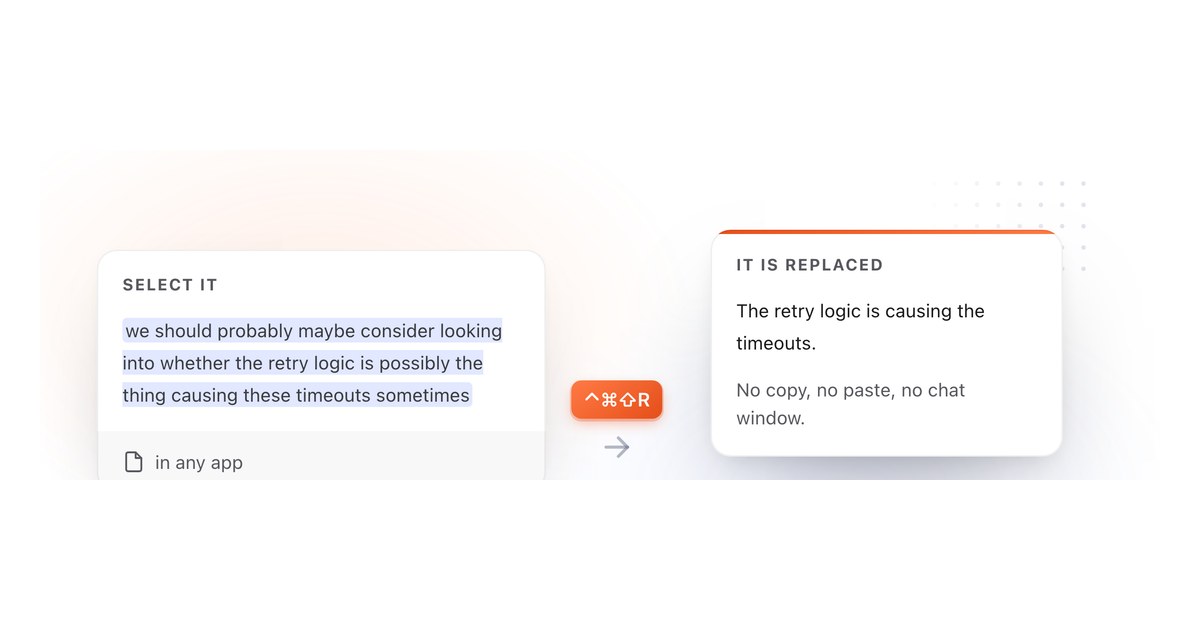
On a selection, without a chat window. Save the prompt once, highlight code anywhere on your Mac, press a shortcut. The result comes back in place of what you highlighted. No copying, no switching to a browser tab, no losing your place in the file.
For the review prompts, the ones that return findings rather than code, highlight the code in a scratch file or a note first. The review then appears where you can read it instead of over the file you are working in. For the transform prompts, the rewrites and the description generators, running them directly on the real thing is the point.
If you would rather keep your code off the internet entirely, these run on a model hosted on your own Mac through Apple Intelligence, Ollama or LM Studio, which is the setup most people reviewing proprietary code end up on. There is more on that in running Claude in any Mac app and running ChatGPT in any Mac app.
The prompts
Reviewing a change end to end
1. The first pass on a pull request · 2. The reviewer's summary · 3. Explain what this diff actually changes
Finding the bugs a reader skims past
4. The edge case sweep · 5. Error paths and failure modes · 6. Race conditions and shared state
Security
7. Untrusted input, traced to the sink · 8. Secrets, tokens and what reaches the logs · 9. The authorization check
Performance
10. Complexity and allocation · 11. Database access patterns · 12. The hot path, ranked by cost
Readability, naming and structure
13. Names that lie · 14. The comment pass · 15. Split this function
Tests
16. What this code lets you ship untested · 17. Write the missing test cases · 18. Review the tests, not the code
Writing the pull request, not just reviewing it
19. The pull request description, from the diff · 20. The changelog entry · 21. The self review
Reviewing across a codebase, not a file
22. Does this match the rest of the codebase · 23. The backwards compatibility check · 24. The API contract review · 25. Make this review comment land
Reviewing a change end to end
Start here when a pull request lands and you have no context on it yet. These three run before you form an opinion.
1. The first pass on a pull request
The one to run before you read the diff properly. It sorts findings by whether they should block the merge, which is the decision you actually have to make.
You are a senior engineer reviewing a pull request. Review the code
that follows and report what you find.

Sort every finding into exactly one of three buckets:

BLOCKING - a correctness, security or data-loss problem. The merge
should not happen until this is addressed.
SHOULD FIX - a real issue that is not urgent. Maintainability,
missing error handling, a test gap, a performance problem that is not
yet hurting anyone.
NIT - style, naming, formatting. Mark these clearly as optional.

For each finding, give me:
- the file and the line or function it is in
- one sentence on what is wrong
- one sentence on what happens if it ships as written

Rules:
- Do not rewrite the code. Describe the problem, not the fix, unless
  the fix is a single obvious line.
- If a bucket is empty, say so in one line rather than inventing
  findings to fill it.
- Do not comment on formatting a linter would catch.
- If the change looks correct, say that plainly and stop.
2. The reviewer's summary, before you write a comment
Run this on a large diff you did not write. It gives you the shape of the change in thirty seconds, which is what makes the rest of the review fast.
Summarize the change in the code that follows, for a reviewer who has
never seen this codebase.

Give me, in this order:

1. WHAT CHANGED. Two or three sentences, plain language, no
   implementation detail.
2. WHY IT PROBABLY CHANGED. Your best reading of the intent behind it.
   Mark this as an inference, not a fact.
3. THE RISKY PART. The single place in this change most likely to
   cause a production incident, and why.
4. WHAT I SHOULD CHECK MANUALLY. Three to five specific things a human
   reviewer should verify that reading the diff cannot tell them.

Do not review the code. Do not suggest improvements. This is
orientation only.
3. Explain what this diff actually changes
For the change that looks larger than it is, or smaller. Separates behavior changes from noise.
Read the code that follows and separate it into two lists.

Behavior CHANGES: anything that changes what the program does at
runtime. Different output, different timing, different error,
different side effect, different data written.

NON-Behavior CHANGES: renames, reformatting, moved code, comments,
type annotations that do not affect runtime, refactors that are
provably equivalent.

For every item in the first list, state the observable difference in
the form "before, X happened; now, Y happens".

If you are not certain an item is behavior preserving, put it in the
first list and say why you are unsure. A false negative here is much
worse than a false positive.
Finding the bugs a reader skims past
The mechanical pass. These three catch the things that are boring to hunt for and expensive to miss.
4. The edge case sweep
The highest value prompt on this page, in the sense that it finds real bugs most often. Run it on any function that takes input.
Find the inputs and states that break the code below.

Work through this list explicitly and report on each one that applies:

- empty input: empty string, empty array, empty map, zero rows
- null, nil, undefined, or a missing optional
- one element, when the code was written assuming many
- the maximum: very large input, very long string, deep nesting
- boundaries: first element, last element, off-by-one on any index
  or slice
- duplicates, when uniqueness is assumed
- unicode, emoji, combining characters, right-to-left text, and
  anything where byte length and character length differ
- negative numbers, zero, and floating point values where an integer
  is assumed
- a value that arrives in a different order than expected
- the operation running twice

For each one that breaks, give me the concrete input and what happens.
Skip the ones that are genuinely handled. Do not list a case unless
you can name the input that triggers it.
5. Error paths and failure modes
Most reviews check that the happy path works. This checks the other one.
Review only the failure handling in the code that follows. Ignore the
happy path entirely.

For every operation that can fail, tell me:

1. What happens to the error. Is it handled, logged, wrapped,
   swallowed, or allowed to propagate?
2. What state the program is left in. Is anything half written, half
   committed, or left locked?
3. What the caller can tell. Can they distinguish "it failed" from
   "it succeeded and there was nothing to do"?
4. What the user sees.

Flag every one of these specifically:
- an empty catch block, or an error assigned and never read
- a resource opened and not closed on the failure path
- a retry with no limit and no backoff
- an error message that does not say which input caused it
- a partial write with no rollback
- a failure that is logged and then treated as success

Report findings only. Do not rewrite the code.
6. Race conditions and shared state
Run this on anything concurrent. It is looking for the class of bug that never reproduces locally.
Analyze the code that follows for concurrency problems.

Identify, in order:

1. Every piece of state shared across threads, tasks, goroutines,
   requests or processes.
2. For each one, whether every read and every write is protected, and
   by what.
3. Any check-then-act sequence where the state can change between the
   check and the act.
4. Any place where two locks can be acquired in different orders.
5. Any assumption that two operations happen atomically when they are
   two separate statements.
6. Anything that would break if this function ran twice at the same
   time with the same arguments.
7. Anything that would break if it ran twice in sequence, which is
   what a retry does.

For each finding, describe the interleaving that causes the problem.
Two threads, step by step, in the order that breaks it. A finding
without an interleaving is a guess, so mark it as one.
Security
Three narrow passes rather than one broad one. A prompt that asks for "security issues" returns a lecture about input validation.
7. Untrusted input, traced to the sink
The taint analysis pass. This is the one that finds injection.
Perform a taint analysis on the code that follows.

Step 1. List every source of data that a user or an external system
controls. Request bodies, query parameters, headers, cookies, file
uploads, filenames, environment variables, database rows that were
written from user input, and responses from third party APIs.

Step 2. For each source, trace where the value ends up. Follow it
through assignments and function calls as far as the code lets you.

Step 3. Report every case where tainted data reaches one of these
without being validated, escaped or parameterized first:

- a database query
- a shell command or process invocation
- a file path
- an HTML response or template
- a redirect target or a URL that gets fetched
- deserialization
- a log line that is later parsed
- a regular expression

For each one, give me the source, the path it took, the sink it
reached, and the concrete input that would exploit it. If a value is
properly handled, do not report it.
8. Secrets, tokens and what reaches the logs
Cheap to run, and it catches the mistake that shows up in a breach report six months later.
Review the code that follows for anything that leaks sensitive data.

Look for:

- credentials, API keys, tokens or connection strings written as
  literals in the source
- a whole request, response, user object, config object or exception
  logged in full, where any field of it might be sensitive
- passwords, tokens, session identifiers, card numbers or personal
  data appearing in a log line, an error message, a URL, a query
  string, or an analytics event
- an error returned to the user that reveals a stack trace, a file
  path, a table name, a version number or whether a given account
  exists
- sensitive values in a cache key, a filename or a metrics label
- a secret compared with == rather than a constant-time comparison

For each finding, name the value, name where it escapes to, and say
who would be able to see it. Do not report a value as sensitive unless
you can say why.
9. The authorization check
Authentication tells you who someone is. Authorization tells you what they are allowed to touch, and it is the one that gets forgotten.
Review the code that follows for authorization problems. Assume the
caller is authenticated and is a real, legitimate user of the system.
The question is only what they are permitted to do.

For every operation that reads or writes data, answer:

1. Is there a check that this specific user may act on this specific
   record, or only a check that they are logged in?
2. Is the record looked up by an identifier the caller supplied? If
   so, is ownership verified after the lookup?
3. Could changing one identifier in the request reach another user's
   data?
4. Is the permission checked on the server, or is the code relying on
   the interface not offering the option?
5. On a list or search endpoint, is the result filtered by what this
   user may see, or filtered afterwards in the client?
6. Do the bulk, batch, export and admin paths carry the same check as
   the single-record path?

Report every operation with a missing or partial check. State the
request a user would make to exploit it.
Performance
Only worth running when you have a reason to. These three cover the reasons.
10. Complexity and allocation
Analyze the runtime and memory behavior of the code that follows.

Report:

1. The time complexity of each significant function, in terms of the
   inputs that actually vary in production. Not just big O, but what
   n is in practice.
2. Every nested loop, and whether the inner loop's cost depends on
   the outer loop's size.
3. Every allocation inside a loop that could be hoisted out or
   preallocated.
4. Every place a collection is copied when it could be referenced,
   iterated or streamed.
5. Every repeated computation of a value that does not change.
6. Anything that reads a whole file, response or result set into
   memory when it could be processed incrementally.
7. Any string built by repeated concatenation in a loop.

For each finding, say what input size makes it matter. A quadratic
loop over three items is not a finding. Say so if that is what you
find.
11. Database access patterns
The N+1 query prompt. Worth running on every change that touches a data layer.
Review the database access in the code that follows.

Find and report:

- N+1 queries: a query inside a loop, or a lazily loaded relation
  accessed while iterating a collection
- a query with no limit, on a table that grows
- a filter, sort or join on a column that is unlikely to be indexed
- SELECT * where a few columns would do, especially with large or
  binary columns
- a read-modify-write sequence with no transaction or no optimistic
  concurrency check
- a transaction held open across a network call, a file operation or
  anything slow
- a write with no unique constraint behind it, where the same request
  arriving twice would create two rows
- pagination by OFFSET on a large table
- a migration or backfill that touches every row in one statement

For each finding, give me the query pattern, the number of round trips
it costs as written, and what it would cost fixed.
12. The hot path, ranked by cost
For when something is slow and you do not yet know why.
Identify the most expensive work in the code that follows, and rank
it.

For each of the top five costs, give me:

1. What the work is.
2. Why it is expensive: I/O, network, allocation, CPU, lock
   contention, or serialization.
3. Roughly what it costs relative to the others. Order of magnitude
   is enough.
4. Whether it happens once, per request, or per item.
5. What would remove or reduce it, in one sentence.

Then tell me the single change with the best ratio of speed gained to
risk taken, and say what could break if I made it.

Rank by measured cost where the code makes that inferable, and say
clearly when you are estimating.
Readability, naming and structure
The findings people leave out of reviews because they feel petty, and that cost the most over a year.
13. Names that lie
A name that is merely bad is a nit. A name that is wrong is a bug waiting for the next person.
Review only the names in the code that follows. Variables, functions,
parameters, types, constants, files.

Report a name only if one of these is true:

- it says something different from what the thing does or holds
- it says the opposite, for example a boolean whose true means the
  negative of its name
- it hides a unit, a currency, a timezone or a scale that the caller
  has to know
- it hides that the value can be null, empty or absent
- it is the same word used for a different thing elsewhere in this
  code, or a different word for the same thing
- it is abbreviated in a way that has more than one plausible
  expansion
- it is a function name that does not mention its side effect

For each one, give me the current name, why it misleads, and two
alternatives. Skip names that are merely short or merely plain. Do
not report a name you would only change for taste.
14. The comment pass
Not "add comments". A prompt that adds comments to every line makes code worse. This finds the two or three places that genuinely need one.
Look at the code that follows and find the places where a reader will
have to stop and work something out.

Report only:

1. Non-obvious decisions. Somewhere the code does something that looks
   wrong, or looks like the harder option, and there is a reason.
2. Constants with no explanation. Any number, timeout, retry count,
   buffer size or threshold whose value came from somewhere.
3. Workarounds. Code shaped by a bug, a limitation or a quirk in
   something external.
4. Implicit contracts. Anything the caller must do, or must not do,
   that the signature does not express. Call order, lifetime,
   ownership, thread safety.
5. Anything deliberately not handled, where a reader would otherwise
   assume it was an oversight.

For each, write the comment you would add, in one or two lines, as a
plain statement of the fact.

Do not comment anything the code already states clearly. Do not
describe what a line does. If nothing here needs a comment, say so.
15. Split this function
A rewrite prompt rather than a review prompt, so this one is worth running directly on the selection.
The function below does too much. Break it up.

Rules:

- Every function you produce does one thing and is named after that
  thing.
- Extract the deepest nesting first. Most long functions are one
  loop and three conditions wearing a coat.
- Separate the decisions from the work. Pure logic in one place,
  I/O and side effects in another.
- Do not change any observable behavior, including error messages,
  log output and the order side effects happen in.
- Keep the original function as the entry point, with the same
  signature, now calling the pieces.
- Do not add abstraction that is used once and has no name of its
  own. Two well named functions beat five clever ones.

Return the rewritten code and nothing else. Then, after it, list in
one line each anything you were not certain preserved behavior.
Tests
16. What this code lets you ship untested
Coverage percentages tell you which lines ran. This tells you which behavior nobody checked.
Look at the code that follows and tell me what could be broken without
any existing test noticing.

Report, in order of how likely each is to bite:

1. Behavior with no test at all.
2. Behavior tested only on the happy path, where the failure path is
   untested.
3. Tests that would still pass if the code were wrong. An assertion
   that only checks a call happened, that the result is not null, or
   that the count is right without checking the contents.
4. Anything that depends on time, ordering, randomness, the network,
   the filesystem or the environment, and is therefore either
   untested or flaky.
5. Boundaries with no test: empty, one, many, maximum.
6. Error types and messages that callers depend on and nothing
   asserts.

For each gap, name the specific change I could make to the source
that no test would catch. That is the real measure of the gap.
17. Write the missing test cases
Write tests for the code that follows.

Before writing anything, list the cases you are going to cover, in
this order: the normal case, the boundaries, the failure paths, and
the cases that are easy to get wrong.

Then write the tests.

Rules:

- One behavior per test, named after the behavior and not after
  the function. "returns zero for an empty cart", not "test_total".
- Assert on the actual result, not on whether something was called.
- No shared mutable state between tests, and no ordering dependency.
- Mock only what crosses a boundary you do not own. Do not mock the
  thing under test.
- Where a test needs a fixture, build it in the test so the reader
  can see the input without scrolling.
- Match the testing framework, assertion style, naming convention and
  file layout already used in the code I gave you. If you cannot tell
  what it is, say so and pick one.

After the tests, list in one line each any case you deliberately did
not cover and why.
18. Review the tests, not the code
The pass almost nobody runs. A test suite is code, and it rots faster.
Review the test code that follows as code. Ignore whether the thing
being tested is correct.

Report:

- tests that pass regardless of the implementation
- assertions that check the shape of the result rather than its value
- a test whose name describes something different from what it
  asserts
- setup so large that the actual input is hard to find
- duplicated setup that hides a difference between two tests
- a test depending on another test having run
- sleeps, retries, real network calls, real filesystem access, or the
  system clock
- over-mocking, where the test verifies the mock rather than the code
- a test with no assertion at all
- a disabled or skipped test, and how long it has plausibly been off

For each, say what the test claims to prove and what it actually
proves.
Writing the pull request, not just reviewing it
Half of review time is spent on pull requests that were described badly. These three run on your own work before you request a review.
19. The pull request description, from the diff
Run this on your diff and paste the result. It is the single fastest way to make your reviewer faster.
Write a pull request description for the change that follows.

Use exactly this structure:

## What
Two or three sentences. What this change does, in the language of the
product, not the language of the code.

## Why
The problem this solves, or the reason it was needed. If the reason is
not visible in the diff, say "context needed" and leave it for me.

## How
The approach, in three to five bullets. Only the decisions a reviewer
could not infer from reading the code.

## Risk
What could go wrong in production, and what is covered by tests.

## Review focus
Two or three specific things you want the reviewer to look at
carefully, with file names.

Rules:
- Plain sentences. No filler, no "this PR aims to".
- Do not list every file changed. The diff already does that.
- Do not invent motivation. If you cannot tell why something changed,
  mark it rather than guessing.
20. The changelog entry
For the release notes that go out to users, written from the code that changed.
Write a changelog entry for the change that follows.

Write for someone who uses the product and does not read code.

Rules:
- Lead with what they can now do, or what now works. Not with what
  was refactored.
- One line, two at most. No paragraph.
- Present tense, active voice.
- Name the feature or the screen the way the interface names it, not
  the way the code names it.
- If this change is invisible to a user, say "internal, no user
  facing change" and stop.
- No version numbers, no ticket references, no thanks, no emoji.

Then give me a second version, one sentence, written for the
engineering team, that says what actually changed underneath.
21. The self review
Run it on your own diff before anyone else sees it. It catches the things you stop being able to see after two hours in a file.
You are reviewing my code before I send it to a colleague. Be direct.
I would rather hear it from you.

Tell me:

1. What a reviewer will ask about first, and whether I have an
   answer.
2. Anything left in that should not ship: debug output, commented
   code, a hardcoded value, a TODO with no owner, a temporary
   workaround, a test that is skipped, a stray file.
3. Anything inconsistent with the rest of the code I gave you.
4. The part of this change I would struggle to explain in a sentence,
   which is usually the part that needs to be simpler.
5. Whether the change does more than one thing, and where it should
   be split.

Then give me one honest sentence on whether this is ready to send.

Do not be encouraging. Do not soften anything. Do not rewrite the
code.
Reviewing across a codebase, not a file
The findings that only appear when you hold more than one file in your head.
22. Does this match the rest of the codebase
Give the model existing code alongside the new code. Consistency is worth more than local perfection.
I am going to give you existing code from a codebase, followed by a
new change to that codebase.

Tell me every place the new code does something differently from how
the existing code does it. Cover:

- error handling and how errors are returned or raised
- logging: level, format, structure, what gets included
- naming conventions for functions, variables, files and types
- how configuration and secrets are read
- how data access is done
- how validation happens, and where
- how tests are structured and named
- module boundaries and what is allowed to import what
- comment and documentation style

For each difference, say which is better and whether it is worth
changing. Consistency usually wins, but say when it should not, and
why.

Ignore formatting a linter would handle.
23. The backwards compatibility check
Run this on anything with a consumer you do not control. Databases, APIs, saved files, message queues.
Assume the code that follows is being deployed while the previous
version is still running, and while old data and old clients still
exist.

Tell me what breaks.

Check specifically:

1. Data written by the old version and read by the new one.
2. Data written by the new version and read by the old one, which is
   what happens during a rollout and during a rollback.
3. A field that was added, removed, renamed, or had its type,
   nullability or default changed.
4. An API response that lost a field, or gained a required request
   field.
5. An enum or status value that is new, and what an old reader does
   when it sees one.
6. A schema migration that locks, rewrites or cannot be reversed.
7. A stored format, cache key or serialization that changed shape.
8. A default that changed for existing records rather than only for
   new ones.

For each, tell me what the failure looks like and whether a rollback
would fix it or make it worse.
24. The API contract review
For the interface other people build against, where a mistake is permanent.
Review the public interface in the code that follows. Ignore the
implementation.

For every exposed function, endpoint or type, tell me:

1. What the caller has to know that the signature does not say. Units,
   timezone, whether it mutates, whether it is safe to call
   concurrently, what order things must happen in.
2. Whether nullability, optionality and emptiness are expressed in
   the types or left to documentation.
3. Whether errors are part of the contract or an implementation
   detail that leaked.
4. Which parameters could be made impossible to pass wrongly. Two
   booleans in a row, two strings of the same type, a stringly typed
   identifier.
5. What would be painful to change in a year, and whether it is worth
   changing now while nothing depends on it.
6. Anything exposed that did not need to be public.

Rank the findings by how expensive they get to fix later.
25. Make this review comment land
The one that has nothing to do with code. Run it on a comment you have written and are not sure about, before you press send.
Rewrite the review comment that follows so it is easier to receive,
without softening what it says.

Rules:
- Keep every technical point. Do not drop a concern to make it
  friendlier.
- Say what the problem causes, not that the code is wrong.
- Comment on the code, not on the person who wrote it.
- Ask a question where you are genuinely unsure, and state a fact
  where you are not. Do not disguise a firm opinion as a question.
- If it is optional, say so explicitly.
- Cut hedging: "maybe", "I think", "just", "a bit", "sorry". They
  make the point harder to read, not gentler.
- Keep it short. One point per comment.

Return only the rewritten comment.
Getting these out of a browser tab
The prompts are the easy part. The friction is everything around them: finding the tab, pasting the code, copying the answer back, losing your place in the file.
TypeFire removes that step. A prompt saved as a Selection Prompt runs on whatever you have highlighted, in any Mac application, on a keyboard shortcut you choose. Xcode, VS Code, JetBrains, Terminal, Zed, or the pull request review box in a browser. It works through the macOS Accessibility API rather than an editor plugin, so there is nothing to install per editor.
It runs on your own Claude, OpenAI or Gemini key, or entirely on your Mac through Apple Intelligence, Ollama or LM Studio. There is no TypeFire AI subscription and no token allowance.
The text expander and the Markdown notes are free with no limits, and Pro is $18 once for three Macs, which is where Selection Prompts and Prompt Chains live. A Prompt Chain runs several of these in sequence from one trigger, so a single shortcut can run the edge case sweep, then the error path pass, then the security check, each one receiving the last one's output.
Download TypeFire or read getting started first.
Loved by people who type all day.
Unprompted reactions from users, in their own words.
Used by people at
Company names are places where our users work. They do not imply endorsement or affiliation.