Your markdown vault, one keystroke away.
Opens the vault you already have
A folder of markdown, including a live Obsidian vault, opens in place. Nothing is imported.
One keystroke from any app
Search, capture or open today's note from inside Mail, Slack, Xcode or Figma.
Plain files, forever
A .md file each, readable in any editor. Leaving TypeFire leaves the library where it is.
A markdown editor with live preview, lossless on save.
Formatting renders as you type, in the manner of Obsidian's live preview. There is no view and edit mode to switch between, and no point at which the rendered document and the file on disk diverge. What you see on the right is what is in the file on the left.
Formatting as you type
Headings, bold, lists, links and images render in place while you write, and the file on disk stays plain markdown that any other app reads the same way.
Tables you edit in place
Grips beside a row or column select it, drag it, or open a menu that sorts, aligns and deletes. Paste a spreadsheet on an empty line and it becomes a table. Task lists and highlights as before.
Slash commands and callouts
Type / on an empty line and pick any block. Callouts, footnotes, a contents block and folding, in the same syntax Obsidian reads.
Find your way around a long note
Jump by heading, write against a cleared screen, fold a section, and find and replace inside the note you are in.
AI that lands where you say
Summarize, continue, rewrite or pull out the tasks, and put the result at the top, the bottom, in a new note or over the text. One undo reverts it.
Every version kept
Every save is a snapshot you can go back to, and sync between your Macs keeps up with you as you write. Pro.
# Q3 pricing rework
Renewal terms move to **annual by default**.
- [x] Draft the new tier table
- [ ] Review with [[Pricing objections]]
==Ship date: 14 Sept==
| Tier | Before | After |
Q3 pricing rework
Renewal terms move to annual by default.
Draft the new tier table
Review with Pricing objections
Ship date: 14 Sept
| Tier | Before | After |
|---|---|---|
| Team | $12 | $18 |
One tab bar for every note and every Markdown file.
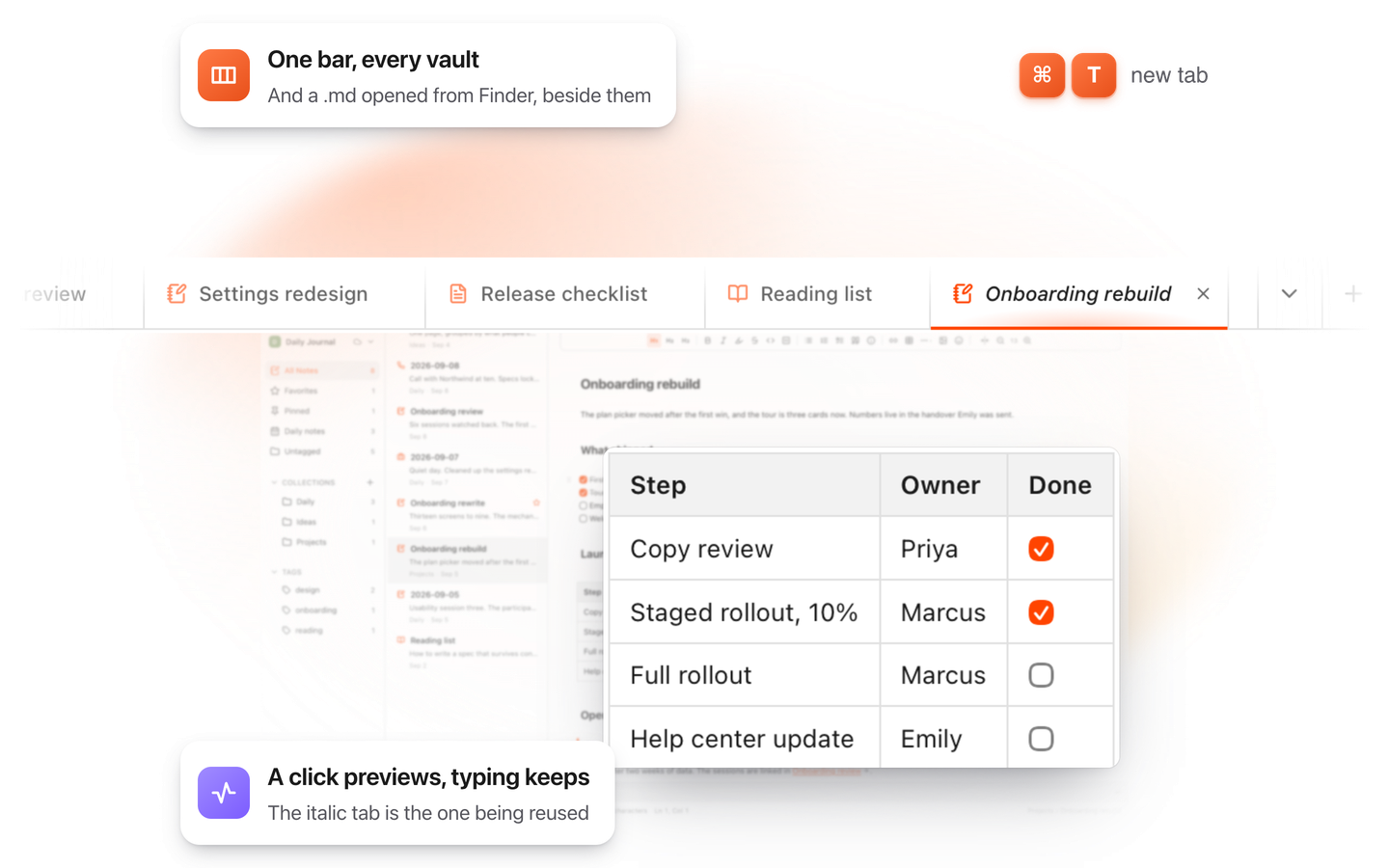
Writing is comparative work: you draft against last week's notes, you answer a document while reading it, you keep a README open beside the spec. Tabs in TypeFire are not scoped to a vault, so all three can be open at once in one window.
Every vault, and files from anywhere
A note from your work vault, a note from your personal one, and a README from a folder that is not a vault at all, side by side in the same bar. A tab holds a file, so where the file lives does not decide whether it can be open.
A click previews, typing keeps
Clicking through the list reuses one preview tab instead of leaving a trail of thirty. Type in it, or double-click the note, and it becomes a kept tab. Command-click opens a new one straight away.
Command T, drag to reorder, tab search
Command T for a new note in a new tab, tabs dragged into the order you think in, and Command Shift A for a search that lists what is open and what you recently closed. Command Shift T brings back the last one. Every tab shortcut is in the app under Help, Shortcuts.
They survive the day
Quit and reopen and the tabs are where you left them. Hover one for a card naming its vault, its collection and when it last changed, which is what tells two similar filenames apart.
Built to run alongside Obsidian, on the same vault.
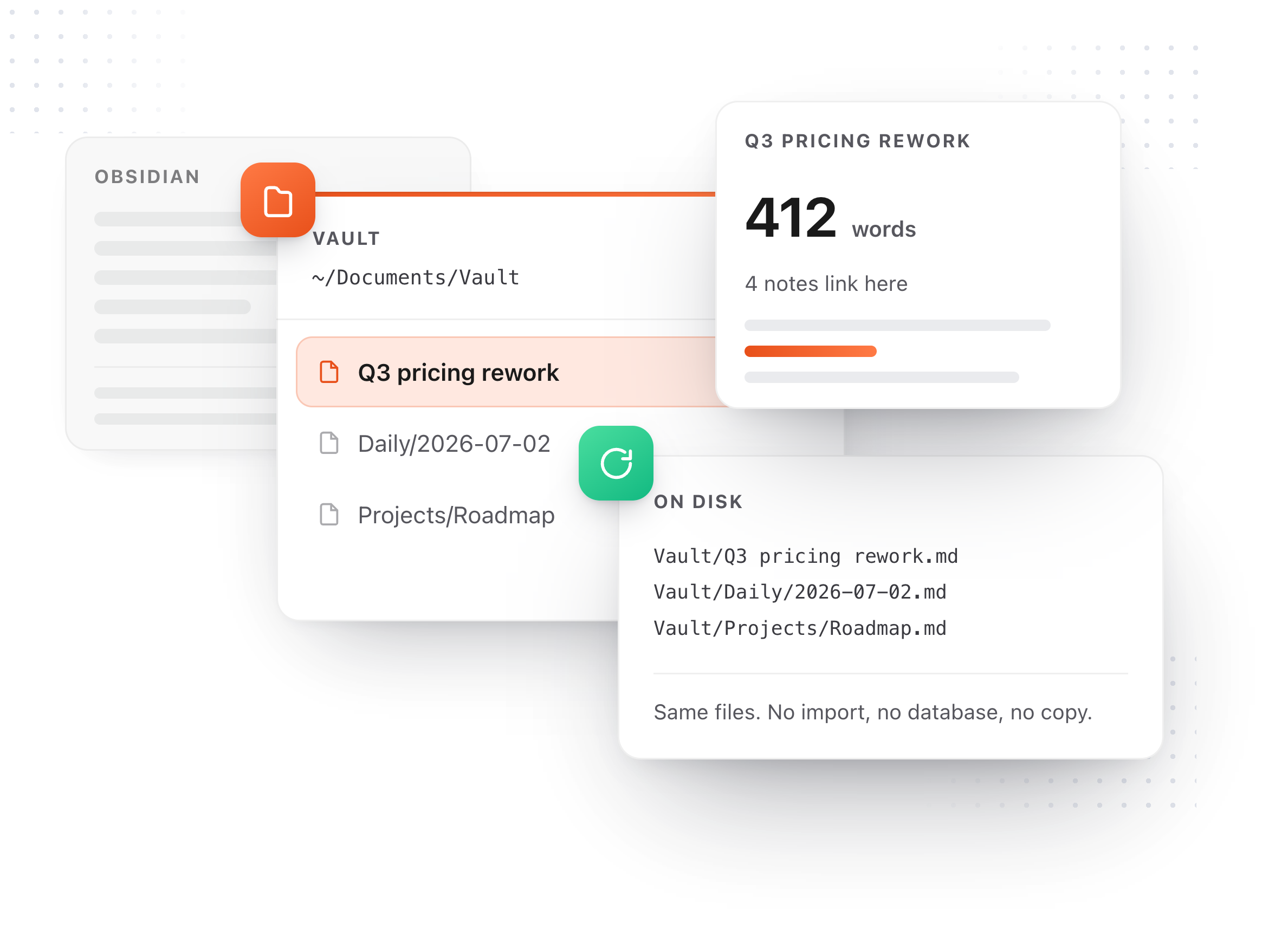
Running alongside Obsidian is a claim most applications in this category make. These are the mechanisms that implement it, each built on the assumption that the folder you point at is a working library rather than a test directory.
Nothing gets overwritten
Edit a note in Obsidian while it is open here and TypeFire asks which version you want. Neither side is lost silently.
Your daily notes, your way
It finds the daily notes folder and date format you already use and adopts both. No second journal appears beside the one you keep.
Rename a note and every link follows
Every reference across the vault is retargeted, in whatever link style you wrote it. [[Note#Heading]] links and ![[embeds]] render, and hovering a link previews the note.
Several vaults, even a git repo
Work in one folder and personal in another. A repository of docs opens as a vault and nothing TypeFire creates shows up in git status.
Tested against a vault built to break it
The test vault held unusual encodings, unicode and dotted filenames, plugin frontmatter and a 60,000 word note. Every file was listed and opened on a release build, and not one of them came back changed. No dotfile was added and no index folder appeared inside the vault.
- 10,012files
- in the test vault
- 0modified
- zero files changed
- 0added
- nothing written into it
- 214ms
- to list 10,000 notes
Search, capture and open notes from any app on your Mac.
A note app is usually a destination. This one comes to you. The same library is searchable, capturable and insertable from inside Mail, Slack, Xcode or Figma, and any markdown file on your Mac is readable in Finder with a press of Space.
Search the vault from any app
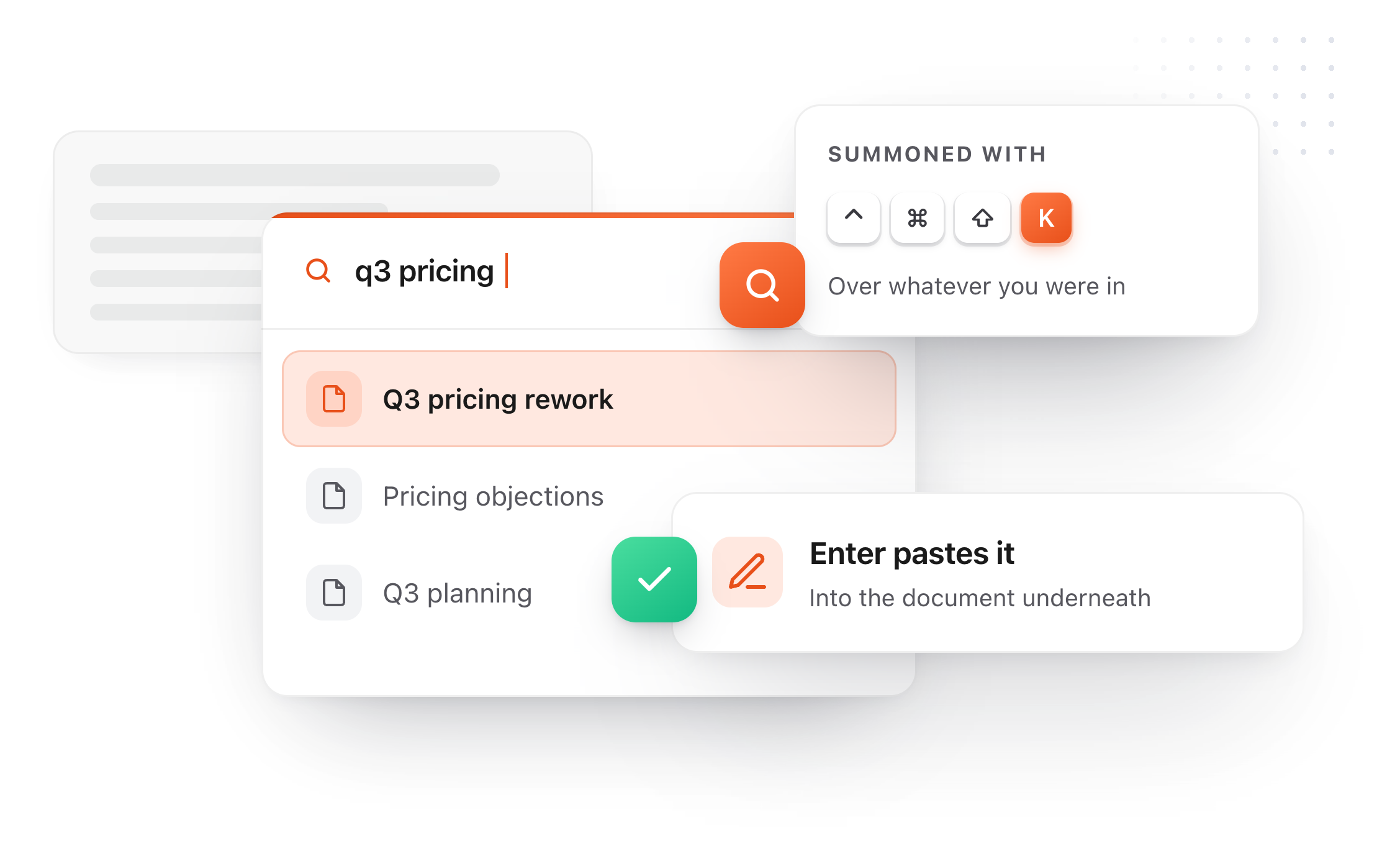
One shortcut opens your notes over Mail, Slack or Xcode, and the one you pick drops straight into what you were writing.
Capture without opening anything
A thought goes into today's note, or a note of its own with a title, from wherever you are. A pasted picture lands in the vault with it.
Today's note, one keystroke away
In your own daily notes folder, in your own date format.
Read any markdown file in Finder
Press Space on a .md file and see it rendered, tables and task lists included, without opening an app.
Your notes, in Claude, Cursor and Codex.
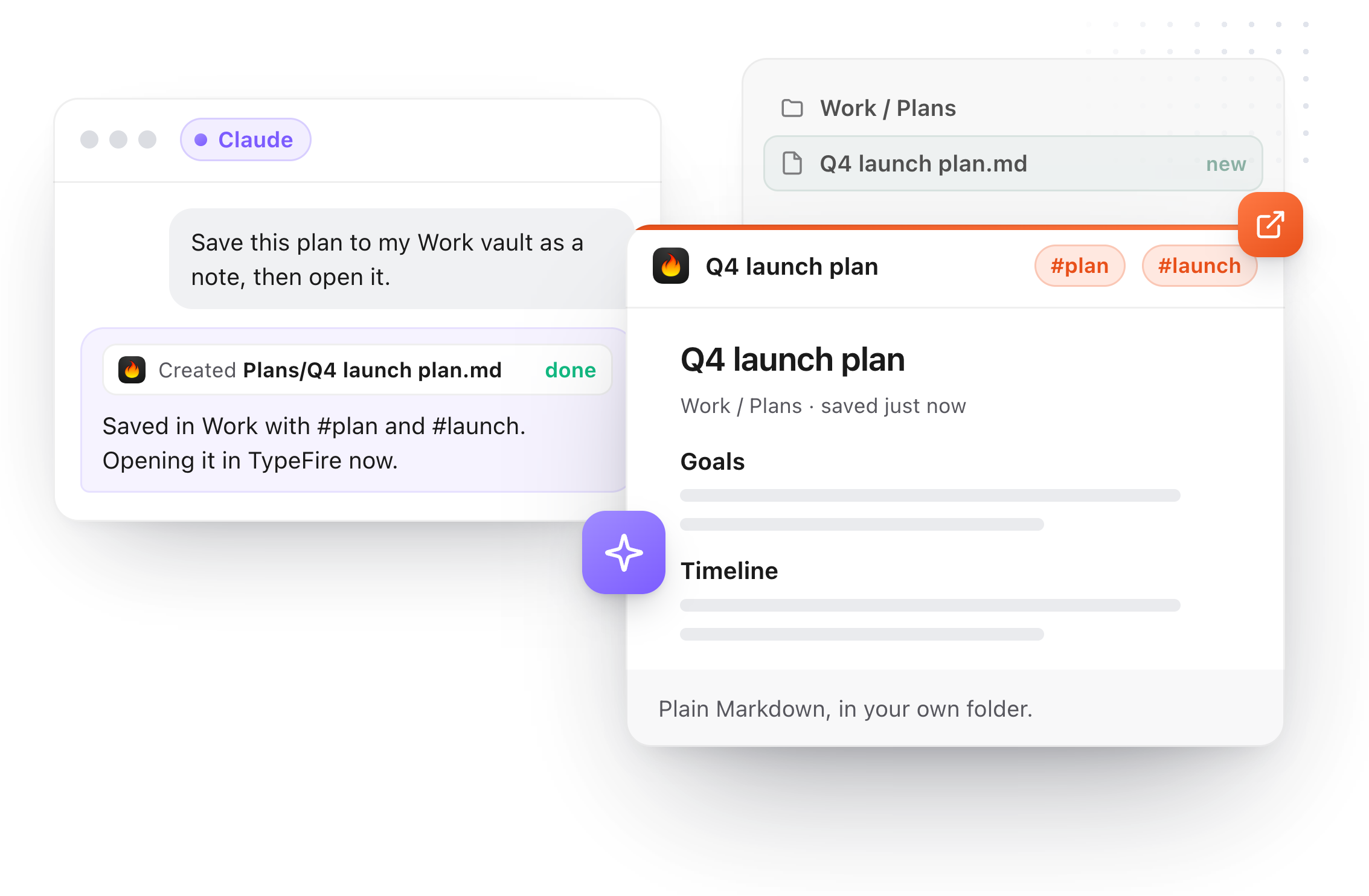
AI apps on your Mac can search, read and save notes in every vault through MCP, Obsidian vaults included. One click per app in Settings, no API key, and the connection stays on your Mac.
Connect in one click
Connect is built for Claude, Claude Code, Cursor, Codex, VS Code, LM Studio and Windsurf.
Search and read, free
Words, tag: and in:folder across every vault, a whole note or one section, links and backlinks.
Save and edit with Pro
"Save this plan to my Work vault" makes a real Markdown note, tagged, then offers to open it.
Your edit wins
If you changed a note since the AI read it, its edit is refused. Deletes go to the Trash.
The rest of Notes.
Capture, organization and the conversions between surfaces cover how a vault is used day to day.
The graph, and Weave
Every note, snippet and clip drawn as one map, sorted into themes you can name, built from what is already in your files. Weave adds search by meaning when you turn it on, and all of it is free.
Snippets expand inside a note
An abbreviation works in the editor exactly as it does in Mail or Slack, out of the same library. A paragraph you keep rewriting can become a snippet.
Import from Apple Notes and more
Apple Notes, .txt, .rtf, .doc, .docx and .html come in as markdown. A preview never overwrites what is already there.
Nested tags and collections
A note in several contexts without a copy in each.
Pinned, favorites, recent
Standing views, four sort orders, export any folder as a .zip.
Images and embeds
Standard paths and Obsidian's ![[embed]] both render. A file from Finder becomes a card.
A clip becomes a note
And a note becomes a snippet, with the original left in place.
Your own instruction, on any note
The note's AI menu takes a custom prompt: write it once, run it on the selection or the whole note, and choose where the answer lands. Selection Prompts work inside a note too, and one undo puts the original back.
Checkboxes inside tables
Type [ ] in a cell and it becomes a box you can click.
Back through your links
Follow a wikilink, then Command [ to return the way you came.
Eighteen dollars. Once.
TypeFire Pro is a single payment that unlocks unlimited clips, Selection Prompts, Prompt Chains, notes sync, note version history and saving from AI apps through MCP. There is no subscription and no per-seat pricing.
Free tier, then one payment
No free tier at all
One time
No free tier
One time
Lifetime, or $3.99/mo
Five snippets free, then a subscription
Notes is free, all of it. Pro adds notes sync, version history and the clipboard features for $18 once, which is less than four months of Obsidian Sync.
Questions about TypeFire Notes
Vault safety, what it costs, and how it sits alongside Obsidian.
Still not answered?
Yes. TypeFire Notes points at a folder of markdown files you already have, including a real Obsidian vault, and reads it in place.
There is no import step, no copy, and no conversion, so the same files stay open in Obsidian at the same time. A 10,012 file test vault, including plugin frontmatter and a 60,000 word note, was listed and opened with zero files modified. Not one file came back different, and after.
Only the notes you actually edit, and only the parts you changed.
Saving a note leaves the rest of the file exactly as it was. Callouts, embeds, footnotes, raw HTML and your own choice of bullet character and emphasis style all survive a round trip untouched.
Press ⌘⌃3 anywhere on your Mac. A Spotlight style overlay appears on top of whatever you are doing, searches every note in your vault, and pressing Enter puts that note's text into the document you were already typing in.
Escape returns you to exactly where you were, with the cursor preserved.
Notes is free. That includes the vault, the global overlay, quick capture, daily notes, wikilinks, backlinks, the live markdown editor, and AI on your notes.
TypeFire Pro is a one time $18 purchase covering up to three Macs, and it adds notes sync, note version history, unlimited clipboard history, Selection Prompts and Prompt Chains.
No, and it is not meant to. TypeFire is a layer on the same files.
Obsidian keeps its plugin ecosystem, its community and its mobile apps, and TypeFire gives the vault a global hotkey, instant capture and text expansion inside your notes. Most people run both against one folder.
A 10,000 note vault lists in 214 milliseconds on a release build, measured against a two second budget.
The list is windowed and search runs in two tiers, so typing stays responsive at that size.
Yes. Typing two opening square brackets autocompletes a link to another note, and every note shows the notes that link to it in a backlinks strip.
Renaming a note retargets every reference to it across the vault and preserves whichever link style the original author used. Since 5.0 a graph view shows how every note, snippet and clip connects, free and always available.
Yes. Type an abbreviation inside a note and it expands exactly as it would in Mail or Slack.
It also runs the other way: a paragraph you keep rewriting in your notes can be promoted to a snippet in one click and is then available in every application on your Mac.
Yes, from TypeFire 6.0. AI apps on your Mac connect through MCP with one click in Settings, AI apps (MCP), and can search every vault, read a note or one section, and follow links and backlinks for free.
With Pro they can also create, edit, rename, move and delete notes, to the Trash. It works with Obsidian vaults too, and Obsidian doesn't need to be open. The connection stays on your Mac and needs no API key.
Keep reading
One vault, two apps
Quick capture into ObsidianNo plugin needed
Obsidian Sync alternative$18 once, not $4 a month
Markdown editor for MacThe live editor
Markdown viewer for MacRead a .md without opening it
WeaveThe graph, and search by meaning
AI apps (MCP)Your notes in Claude and Cursor
Obsidian MCPNo plugin, no API key
Claude Code memoryPlans kept in your vault
Loved by people who type all day.
Unprompted reactions from users, in their own words.
Used by people at
Company names are places where our users work. They do not imply endorsement or affiliation.