Codex MCP for your notes. One click to connect.
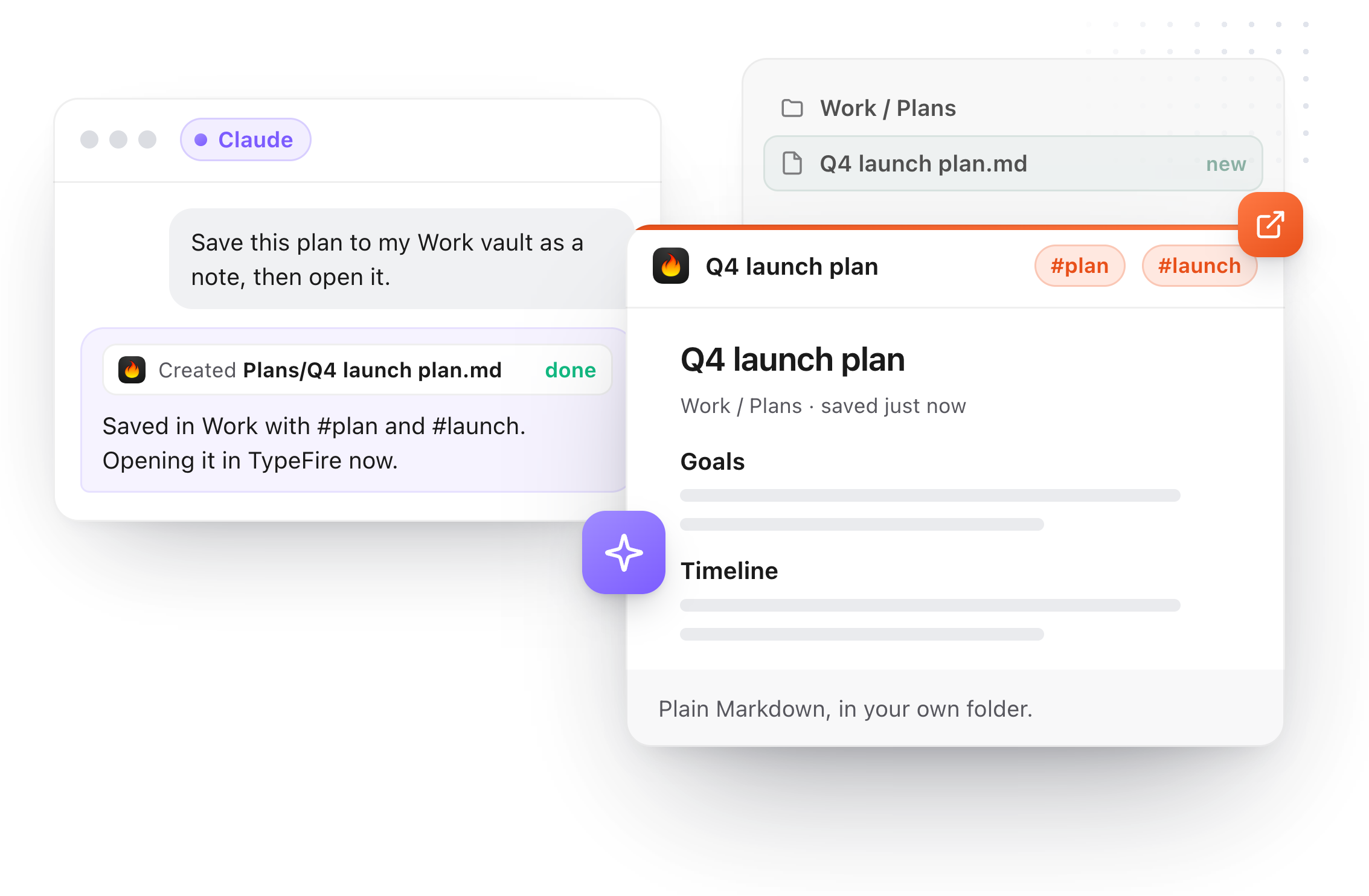
How do I add an MCP server for my notes to Codex?
Install TypeFire, open Settings, AI apps (MCP), and click Connect beside Codex. Quit and reopen Codex once so it reads its settings. One Connect covers both the Codex CLI and the Codex IDE extension, because they share the same settings file.
Codex can then search, read and save your notes and snippets, in every vault.
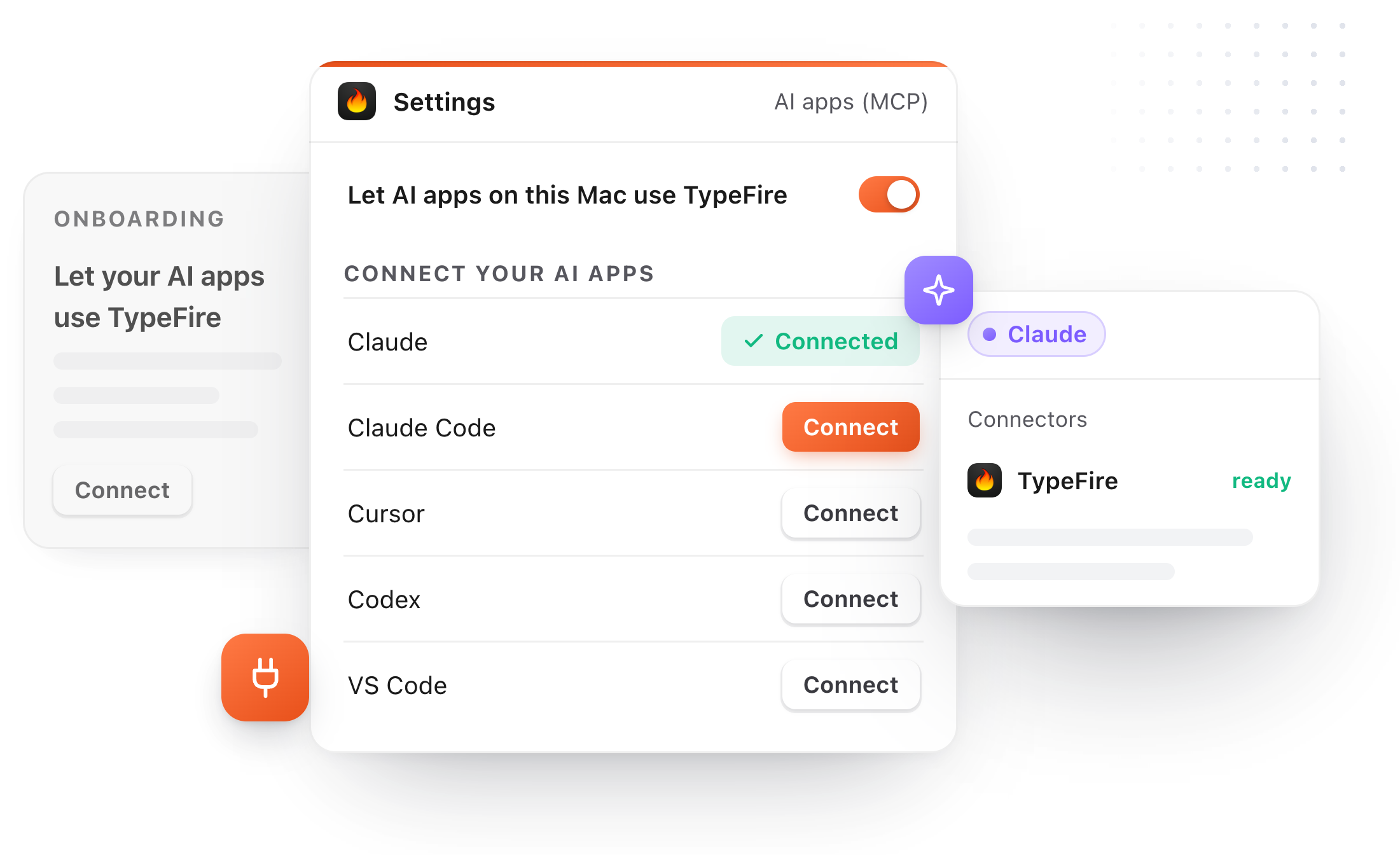
No config file
Connect adds TypeFire to Codex's settings for you, and backs the file up first.
No API key
No key to copy and no extra account. Connecting is the permission.
TypeFire starts itself
If it's quit when the AI asks, it starts in the menu bar on its own.
How to add TypeFire to Codex as an MCP server
About a minute, the first time.
- 01
Install TypeFire and add a vault
A folder of Markdown notes, or an Obsidian vault you already have.
- 02
Click Connect beside Codex
Settings, AI apps (MCP). TypeFire adds one entry to Codex's settings and backs the file up first.
- 03
Reopen Codex once
Codex reads its settings when it starts. Restart the CLI session, or reload the editor.
- 04
Add the notebook line to AGENTS.md
Optional: so Codex saves plans and decisions to your vault and checks there first.
What to ask Codex, once it can reach your notes.
Codex is good at the code. Your vault knows why the code is the way it is.
"save this plan to my Work vault"
A note in your vault, tagged, findable after the branch is merged.
"check my notes for how we handled rate limits"
Codex searches before it designs, and cites the note.
"read the Deploy section of my runbook"
One heading's section, not the whole file.
"add a snippet ;migr for this command"
With Pro, a new snippet you can type anywhere on your Mac.
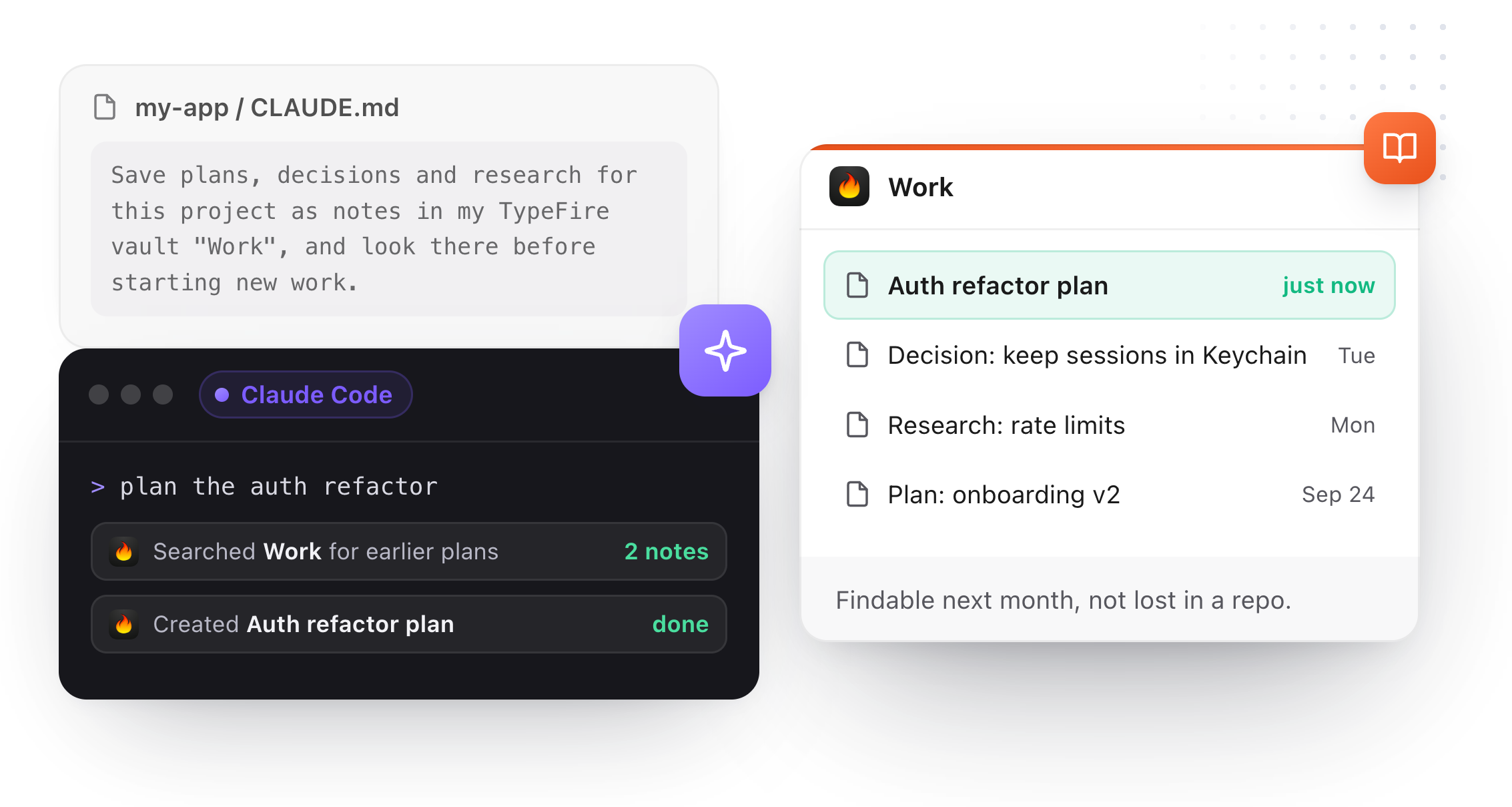
Make TypeFire the notebook in AGENTS.md.
Codex reads AGENTS.md at the start of every task. One line there sends its plans and decisions to your vault and has it check there first.
A line per vault
Copy it from Settings, AI apps (MCP), Make TypeFire your agent's notebook.
Decisions that outlive the branch
Plans live in your vault, searchable in TypeFire, not in a folder that gets deleted.
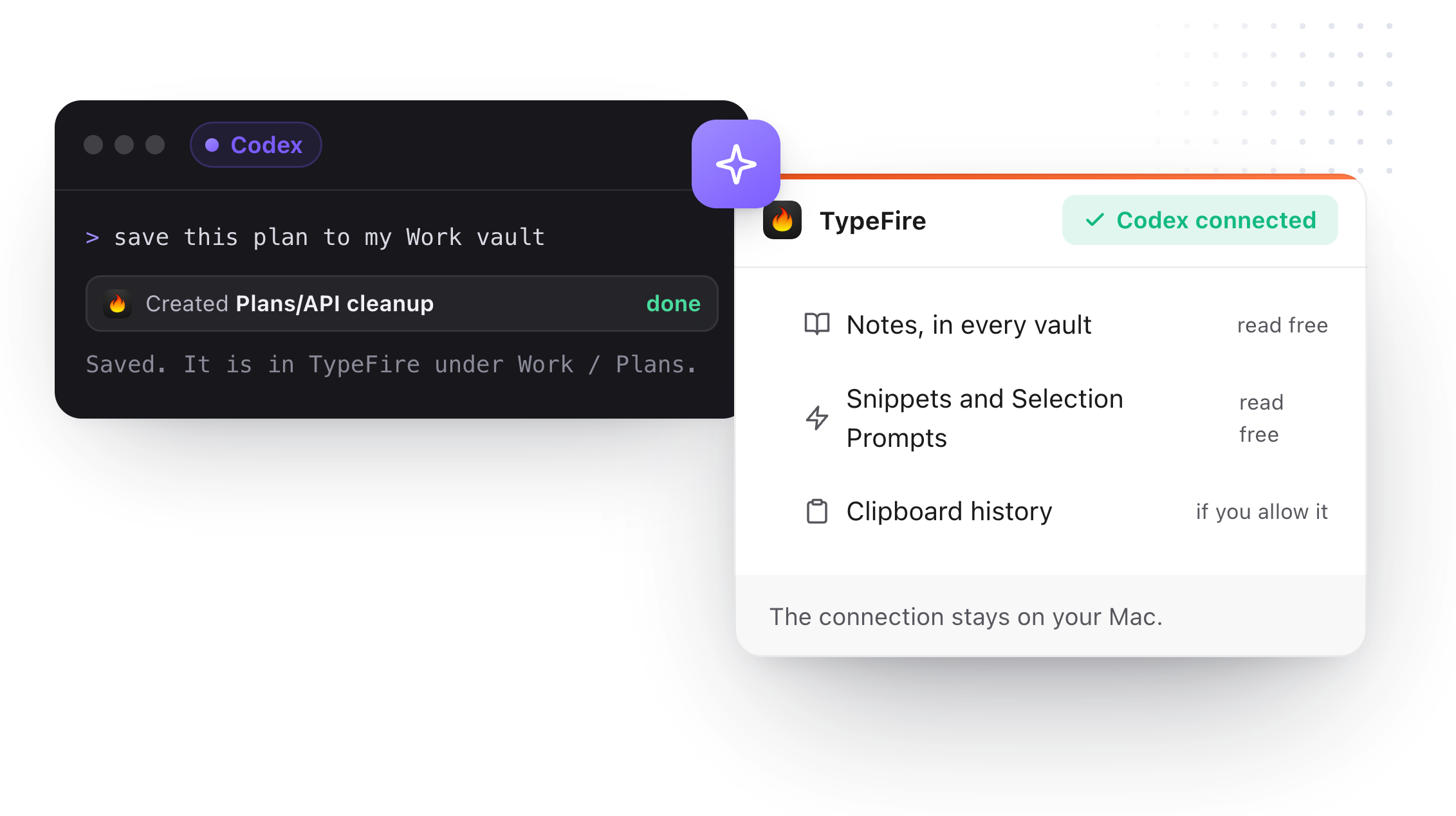
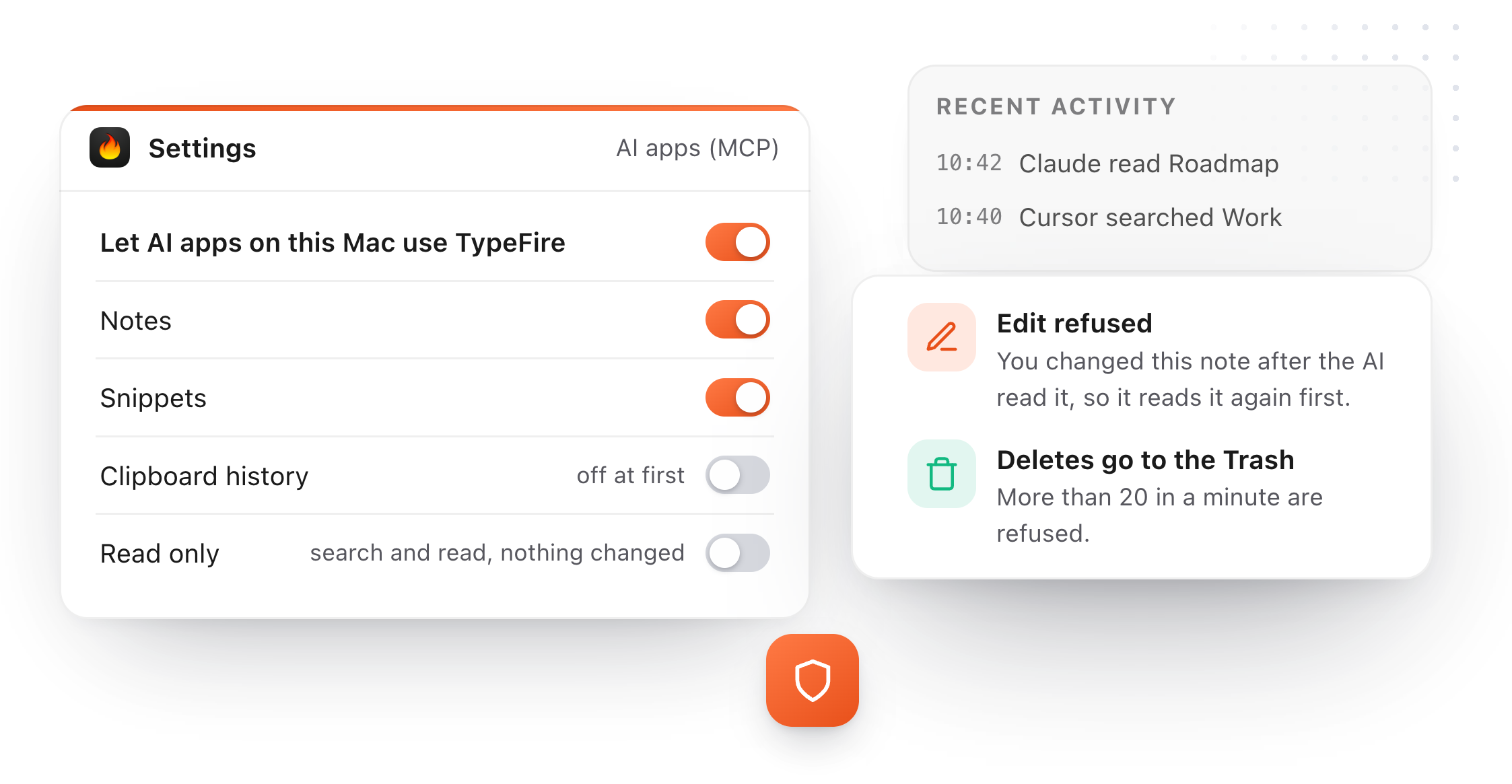
Notes, snippets, and clipboard history if you allow it.
Searching and reading are free. Creating, editing, moving and deleting need Pro or the trial.
Notes, in every vault
Search with your operators or by meaning (Weave, Apple silicon), read the note you have open or any note, links and backlinks; with Pro, create, make exact edits, rename, move, add to today's note and delete to the Trash.
Snippets
Search and read; with Pro, create or edit any type, Selection Prompts and chains included.
Clipboard history
Off at first. Turn it on and the AI can search it, screenshots included, and put a clip back.
Your edit wins
If a note changed since the AI read it, the edit is refused. Deletes go to the Trash.
Codex MCP questions
Still not answered?
Yes. Both read the same Codex settings file, so connecting once covers both.
Reopen Codex after connecting so it reads the new entry.
No. It works with Codex running on your Mac. Cloud agents can't reach apps on your Mac this way.
No. Connecting needs no API key and no extra account.
You use Codex as you already do.
Searching and reading are free. Creating, editing, moving and deleting from Codex need TypeFire Pro, $18 once, or the free trial.
It can't type or paste into other apps, expand a snippet for you, or move a note between vaults.
It reads text notes, not canvases, PDFs or images.
Loved by people who type all day.
Unprompted reactions from users, in their own words.
Used by people at
Company names are places where our users work. They do not imply endorsement or affiliation.