Obsidian MCP server for Mac. No plugin, no API key.
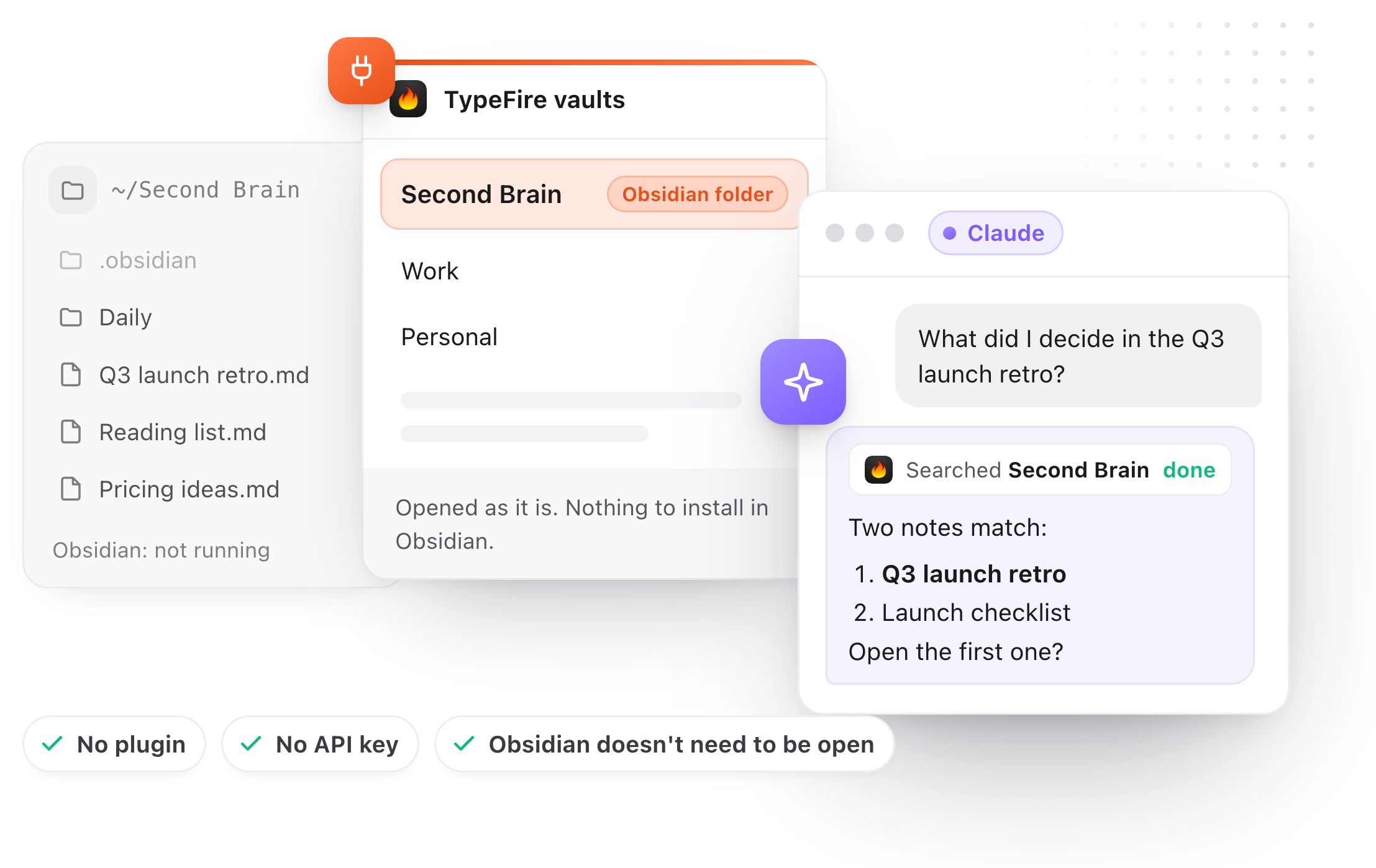
How do I connect my Obsidian vault to Claude with MCP?
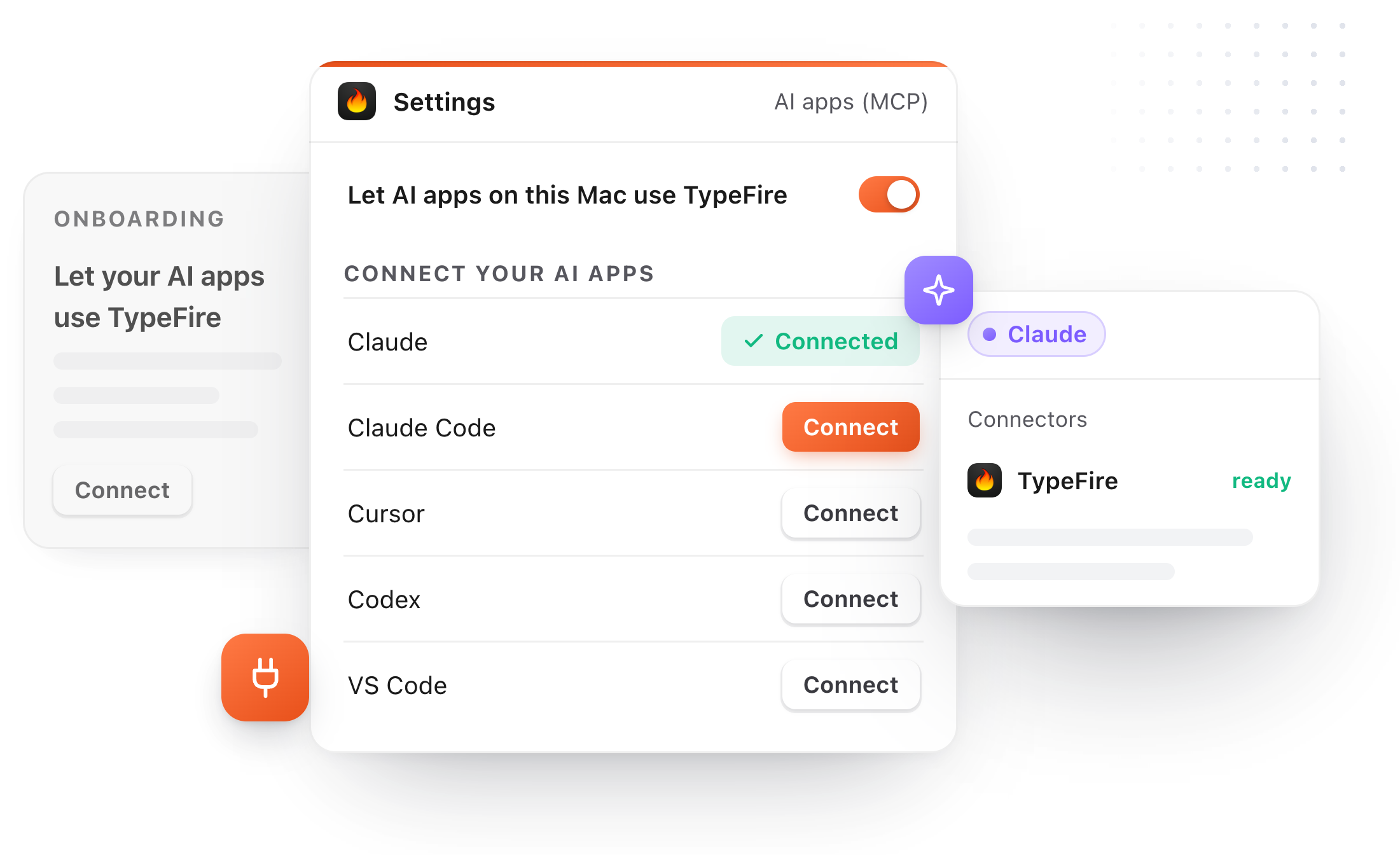
Add the vault folder to TypeFire, then open Settings, AI apps (MCP), and click Connect beside Claude. Quit and reopen Claude once, and ask it about your notes. There's no plugin to install in Obsidian, no API key, and Obsidian doesn't have to be running.
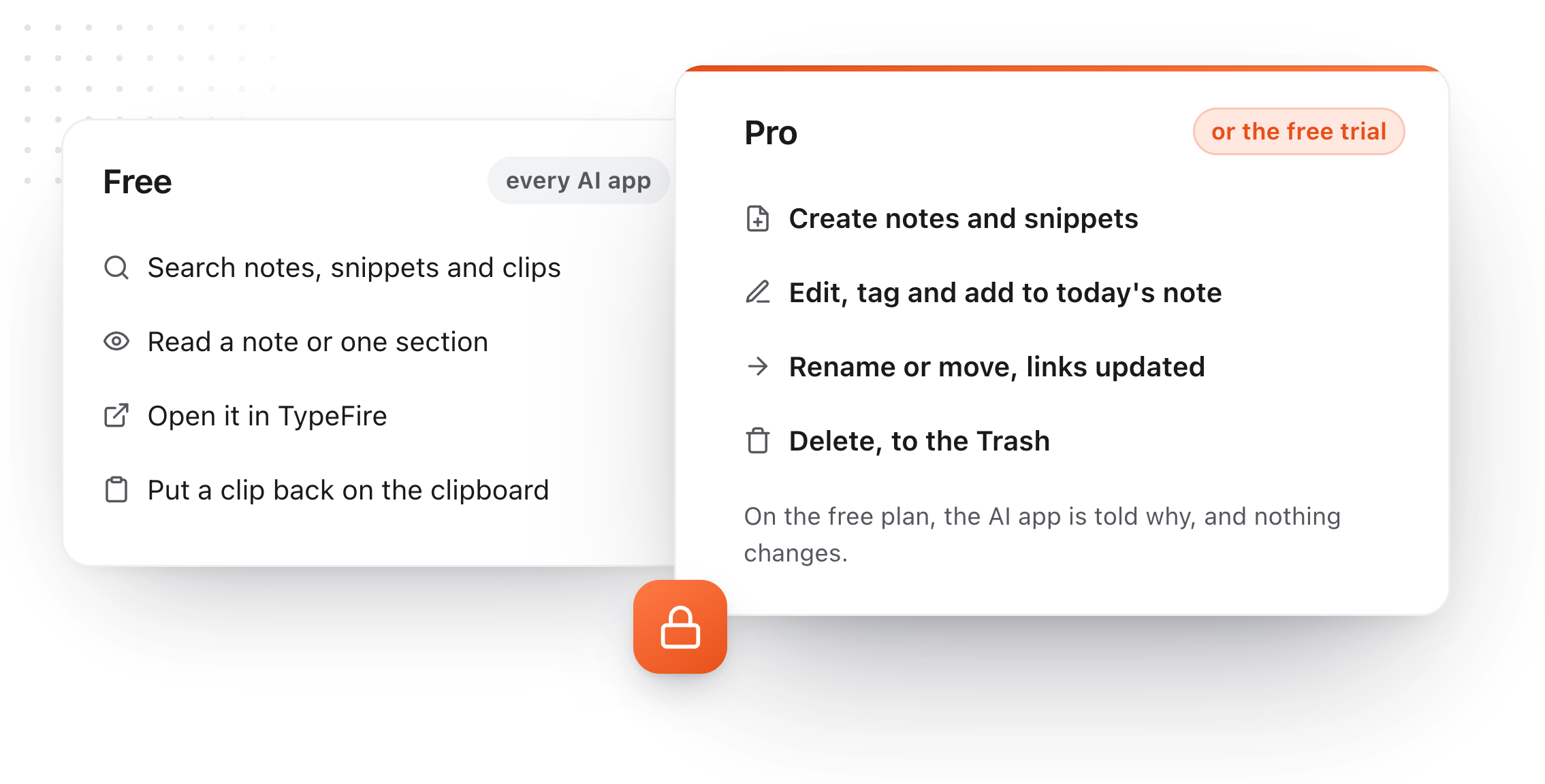
The same button connects Claude Code, Cursor, Codex, VS Code, LM Studio and Windsurf. Searching and reading are free; saving and editing need Pro.
No plugin
TypeFire opens your vault as the folder of Markdown it already is. Nothing gets installed inside Obsidian.
No API key
Click Connect beside Claude, Cursor or Codex. No key to copy, no settings file to edit.
Obsidian can stay closed
TypeFire reads the files, so Obsidian doesn't need to be open. If TypeFire is quit, it starts itself in the menu bar.
Ask your Obsidian vault through MCP.
An AI app that can search your vault stops making things up about your own projects. It looks first, tells you which notes it found, and quotes what you actually wrote.
Search the way you already do
"Phrases", tag:, in:, is:, after: and before:, [property] and -exclude, across every vault. With Weave on, it can search by meaning too (Apple silicon).
The note you have open
"Summarize this note" or "turn this into tasks" works on whatever is open in TypeFire, with no path to spell out.
A whole note, or one section
An AI app can read just the part under one heading, so a long project note doesn't flood the conversation.
Links and backlinks
Your [[wikilinks]] are followed both ways, so the AI can walk from a project to the meeting notes that mention it.
A list you pick from
When a search finds several notes, the AI shows a short numbered list and offers to open the one you choose in TypeFire.
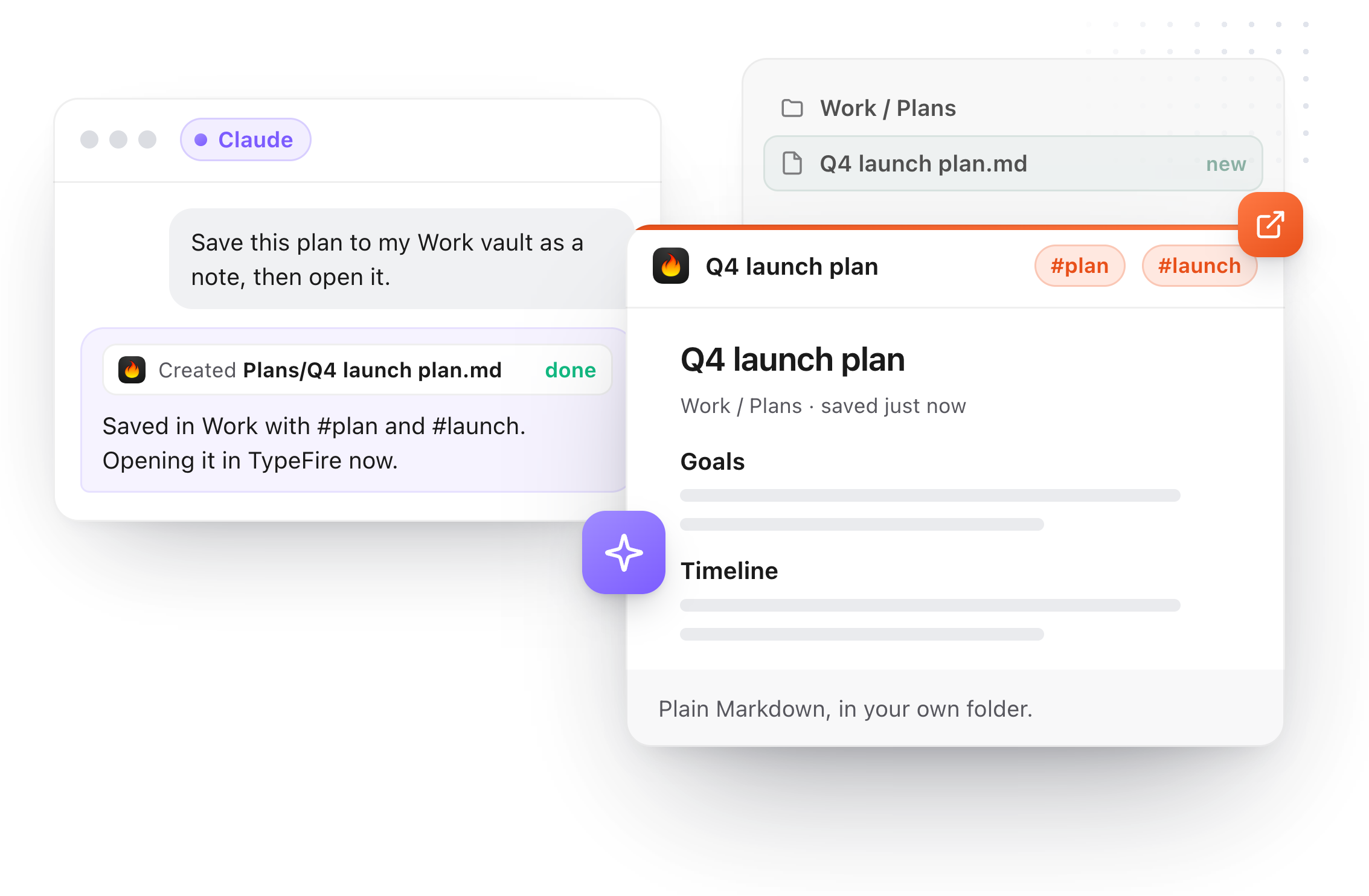
Ask Claude to save it. It lands in Obsidian's folder.
A plan, a meeting summary, a research dump: the AI writes it as a Markdown note in your vault, with tags, where Obsidian will show it the next time you open it.
New notes, with tags and properties
"Save this plan to my vault" lands as a real Markdown file in the folder you'd expect, as if you wrote it.
Edits that respect the file
Change just the words you ask for, add under a heading, rewrite one section, or append to today's daily note. Frontmatter is left exactly as it was unless a property was the thing you asked to change.
Rename or move, links follow
Renaming or moving a note updates the [[wikilinks]] that point to it, the same as when you do it yourself in TypeFire.
An AI that can't trample your notes.
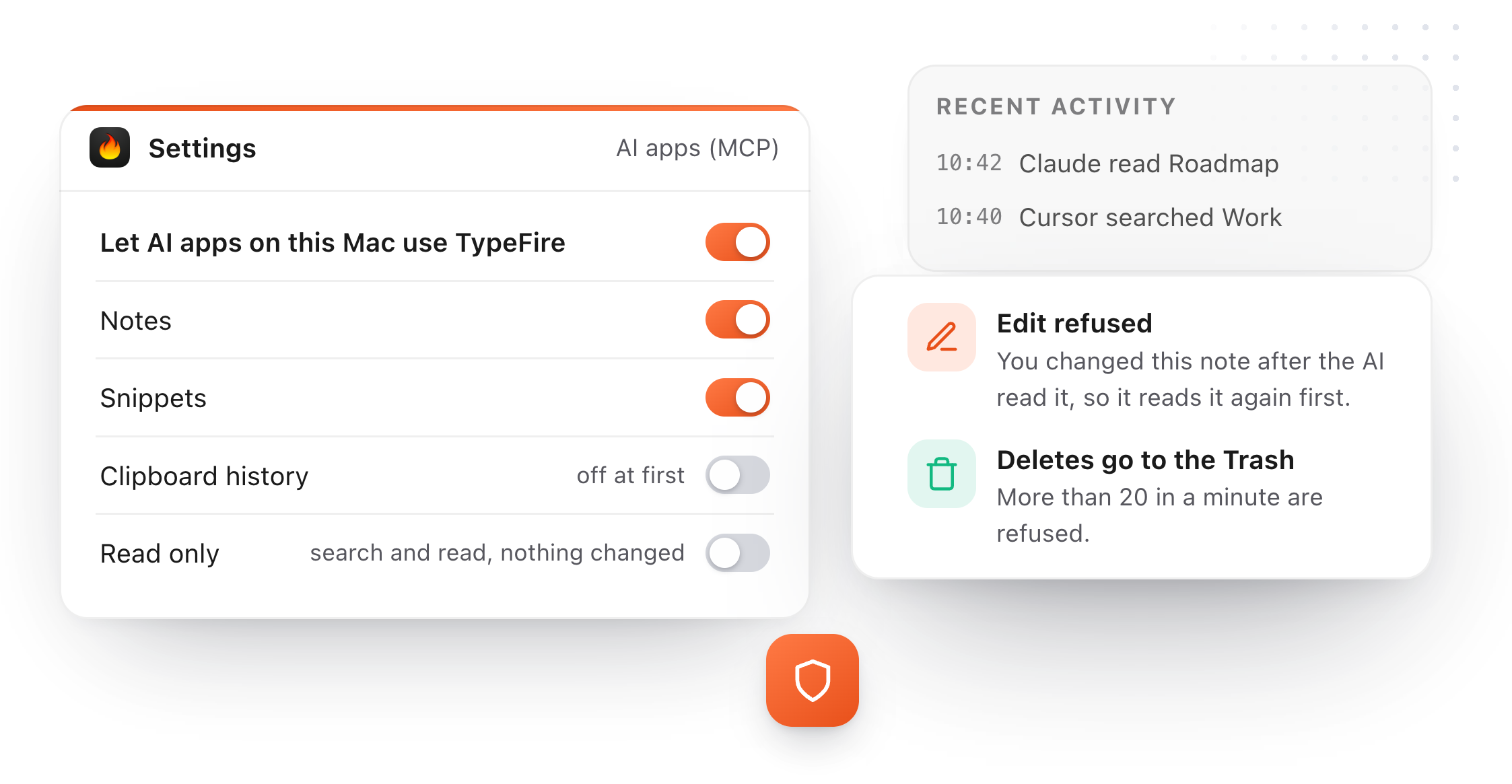
Giving an AI write access to a vault you've built for years should come with brakes. These are on by default.
Your edit wins
If you changed a note after the AI read it, its edit is refused and it reads the note again. It can't overwrite what you just wrote.
Deletes go to the Trash
And more than 20 in a minute are refused, with the AI told to check with you first.
.obsidian is never touched
Your Obsidian settings, plugins, themes and every other dot folder are left alone. Reading a note never writes to it.
A switch for everything
Turn AI access off in one click, limit it to notes, or set it to read only so nothing can be created or changed.
Obsidian MCP servers compared: every way to connect a vault
Obsidian doesn't ship an MCP server of its own. These are the routes people use, read on each project's own page on 30 September 2026.
The Local REST API plugin, with its MCP endpoint
The common route today. A community plugin that runs inside Obsidian and in recent versions serves MCP itself. You install it, copy its API key into each AI app, and keep Obsidian open while you work, because the plugin is part of Obsidian.
A community server on top of that plugin
Projects like mcp-obsidian add their own tools over the same plugin. Same plugin, same API key, Obsidian still open, plus a runtime to install for the server.
Servers that read the folder directly
A few open source servers skip the plugin and read the Markdown files. They work without Obsidian open, and you install and configure them by hand in each AI app's settings file.
TypeFire, a Mac app with it built in
Reads the folder directly too, so no plugin and Obsidian can stay closed. The difference is the setup: a Connect button per AI app, a Settings tab with switches and a read only mode, edits that refuse to overwrite yours, and the same app also holds your snippets and clipboard history for the AI to use.
| TypeFire | the plugin route | |
|---|---|---|
| Works without a plugin in Obsidian | Yes | No, needs the Local REST API plugin |
| Works without an API key | Yes | No, a key in each AI app |
| Works with Obsidian closed | Yes | No, Obsidian must be open |
| Setup per AI app | One Connect button | Edit a settings file |
| Several vaults | Every vault you add | One plugin per vault |
| Also snippets and clipboard history | Yes | No |
| Price | Reads free, writes with Pro ($18 once) | Free |
Make your vault the agent's notebook.
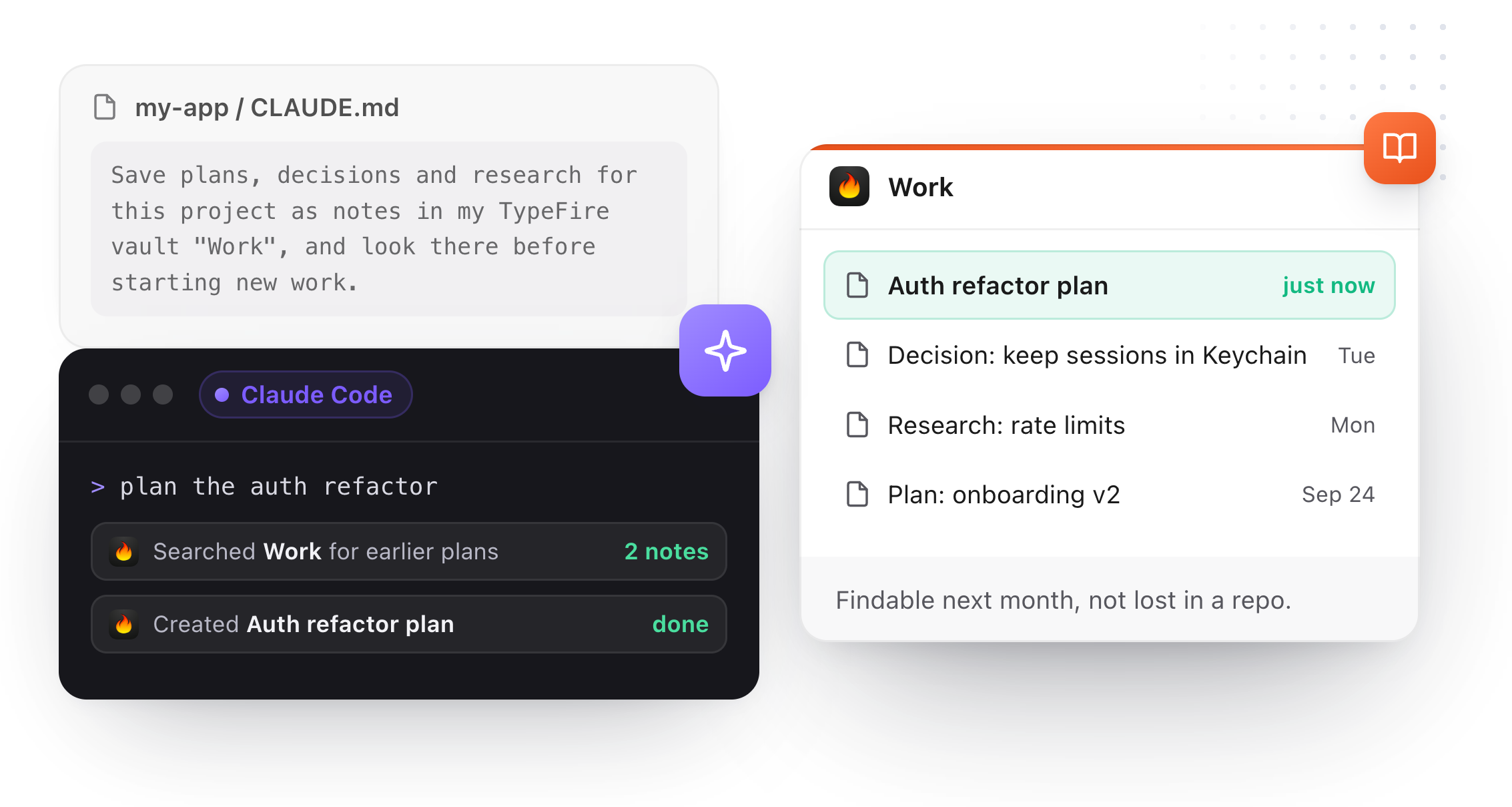
Claude Code and Cursor write plans all day, usually as loose files in the repo. One line in a project's CLAUDE.md or AGENTS.md sends them to your vault instead, where you'll find them next month.
A ready line per vault
Settings, AI apps (MCP), has the line to paste for each vault. A vault per project works well.
It looks before it starts
The same line tells the agent to check the vault for earlier plans and decisions before starting new work.
Obsidian MCP questions
Still not answered?
MCP, the Model Context Protocol, is the standard way AI apps like Claude, Cursor and Codex reach data in other apps.
An Obsidian MCP server is whatever sits between those AI apps and your vault, so you can ask Claude to search your notes or save a new one. Obsidian doesn't ship one itself.
TypeFire is one, built into a Mac app: add your vault folder, click Connect beside each AI app, and it works.
No. TypeFire opens your vault as the folder of Markdown files it already is, so there's nothing to install inside Obsidian and no key to copy into a settings file.
The usual community route is different: the Local REST API plugin running inside Obsidian, its API key, and often a separate server on top. TypeFire skips all three.
No. Obsidian doesn't need to be running at all.
TypeFire reads the files directly, and if TypeFire itself isn't open when an AI app asks, it starts in the menu bar on its own. Plugin based setups only work while Obsidian is open, because the plugin lives inside it.
Connect is built for Claude (the Mac app), Claude Code, Cursor, Codex, VS Code (GitHub Copilot agent mode), LM Studio and Windsurf.
Any other Mac app that supports MCP can be added by hand with the setup shown in TypeFire's help. It works with AI apps running on your Mac, not with Claude in a browser or on a phone.
Search with the operators you already type "phrases"tagsfoldersdatesproperties-exclude, search by meaning when Weave is on (Apple silicon), list what changed this week, read the note open in TypeFire, read a whole note or just one heading's section, and follow links and backlinks through [[wikilinks]].
With Pro it can also create notes with tags and properties, change exact words without rewriting the note, add to a note or to today's daily note, rewrite a section, rename or move a note with its [[wikilinks]] updated, and delete to the Trash. It works across every vault you've added, not only one.
Searching and reading your vault from an AI app is free, and so is opening a note in TypeFire.
Creating, editing, moving and deleting from an AI app need TypeFire Pro, which is $18 once, or the free trial. On the free plan the AI app is told why a save didn't happen and nothing is changed.
Reading never writes anything. TypeFire never touches the .obsidian folder or any other dot folder, and edits leave frontmatter exactly as it was unless the AI was asked to change a property, in which case only that line changes.
If you edited a note after the AI read it, its edit is refused and it has to read the note again, so it can't overwrite your work. Deletes go to the Trash.
The connection between the AI app and TypeFire stays on your Mac, and nothing goes through TypeFire's servers.
No API key is needed. What happens to text the AI reads is up to that AI app: a cloud AI like Claude sends it to its own servers the way it does with anything you paste in, while a local model in LM Studio keeps everything on your Mac.
TypeFire scans about 20,000 files per vault, and you can add several vaults.
It runs on any Mac TypeFire runs on, macOS 13 or later, Intel or Apple silicon. AI apps reach text notes (.md, .markdown and .txt files); canvases, PDFs and images aren't read through MCP.
Loved by people who type all day.
Unprompted reactions from users, in their own words.
Used by people at
Company names are places where our users work. They do not imply endorsement or affiliation.