AGENTS.md Example: One Notes Vault for Every AI Project
Most AGENTS.md examples stop at build commands and code style. That's the right start, but it leaves out the part that makes an agent useful on day thirty: where it finds the PRD, last week's plan, and the decision you made about billing.
Here is a complete AGENTS.md built for that, then a worked example of one person running five AI projects from one notebook.
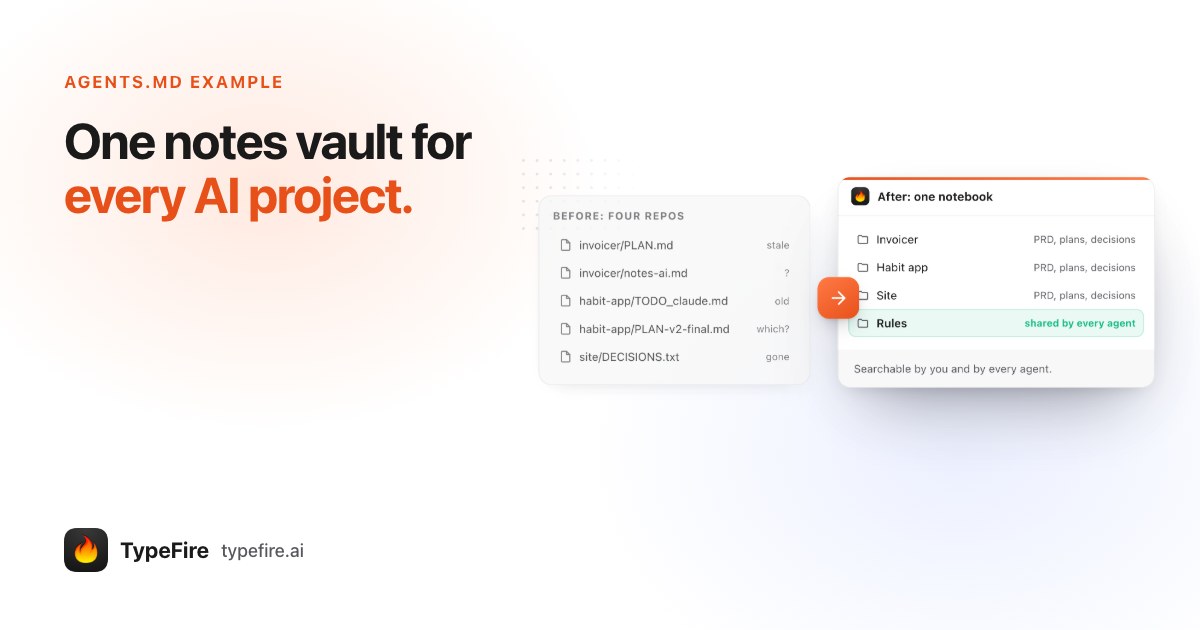
The short version
- Keep AGENTS.md short: overview, commands, conventions, and a Memory section.
- The Memory section points at a notes vault, one per project, where the agent reads the PRD and earlier decisions and writes its plans.
- Shared rules live in one Rules vault that every project's AGENTS.md tells the agent to read.
- On a Mac, TypeFire connects the vaults to Codex, Cursor and Claude Code over MCP, one click per app.
The AGENTS.md example
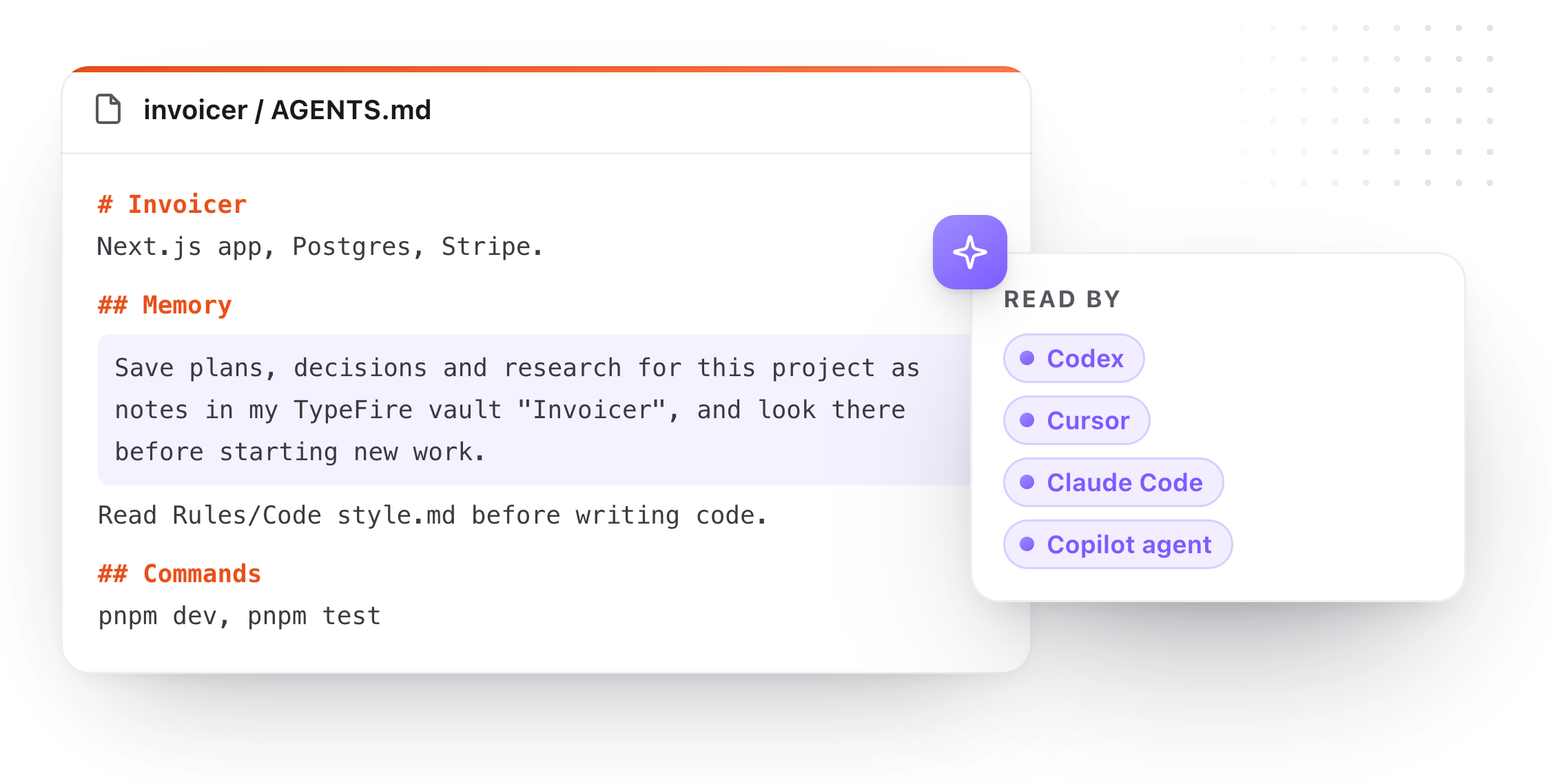
Copy this into the root of your repository and change the names:
# Invoicer

Invoicing for freelancers. Next.js, Postgres, Stripe.

## Commands
- `pnpm dev` runs the app, `pnpm test` runs the tests.
- Run the tests before every commit.

## Conventions
- TypeScript everywhere, no default exports.
- Small pull requests, one change each.

## Memory
- Save plans, decisions and research for this project as notes in my
  TypeFire vault "Invoicer", and look there before starting new work.
- Before writing code, read the notes in my TypeFire vault "Rules".
- Write one plan note per task before you start, and wait for my OK.
- When we decide something, save it as a note titled "Decision: ..."
  with the reason in the first line.
Why each part of the Memory section is there:
| Line | What it does |
|---|---|
| Save plans, decisions and research… | Moves long material out of the repo and into a vault you can read |
| …look there before starting new work | Turns past decisions into context, so the agent stops re-proposing them |
| Read the notes in "Rules" | One shared set of rules across every project |
| One plan note per task | A plan you can review before any code is written |
| "Decision: ..." with the reason | The why survives the branch, the PR and your own memory |
The first line comes from TypeFire: Settings, AI apps (MCP) has it ready for each vault under "Make TypeFire your agent's notebook".
A worked example: five AI projects, one notebook
Sam is an example, not a real person: a composite indie builder running five side projects with Claude Code, Cursor and Codex. Plenty of developers work this way, and it is the setup TypeFire was built for.
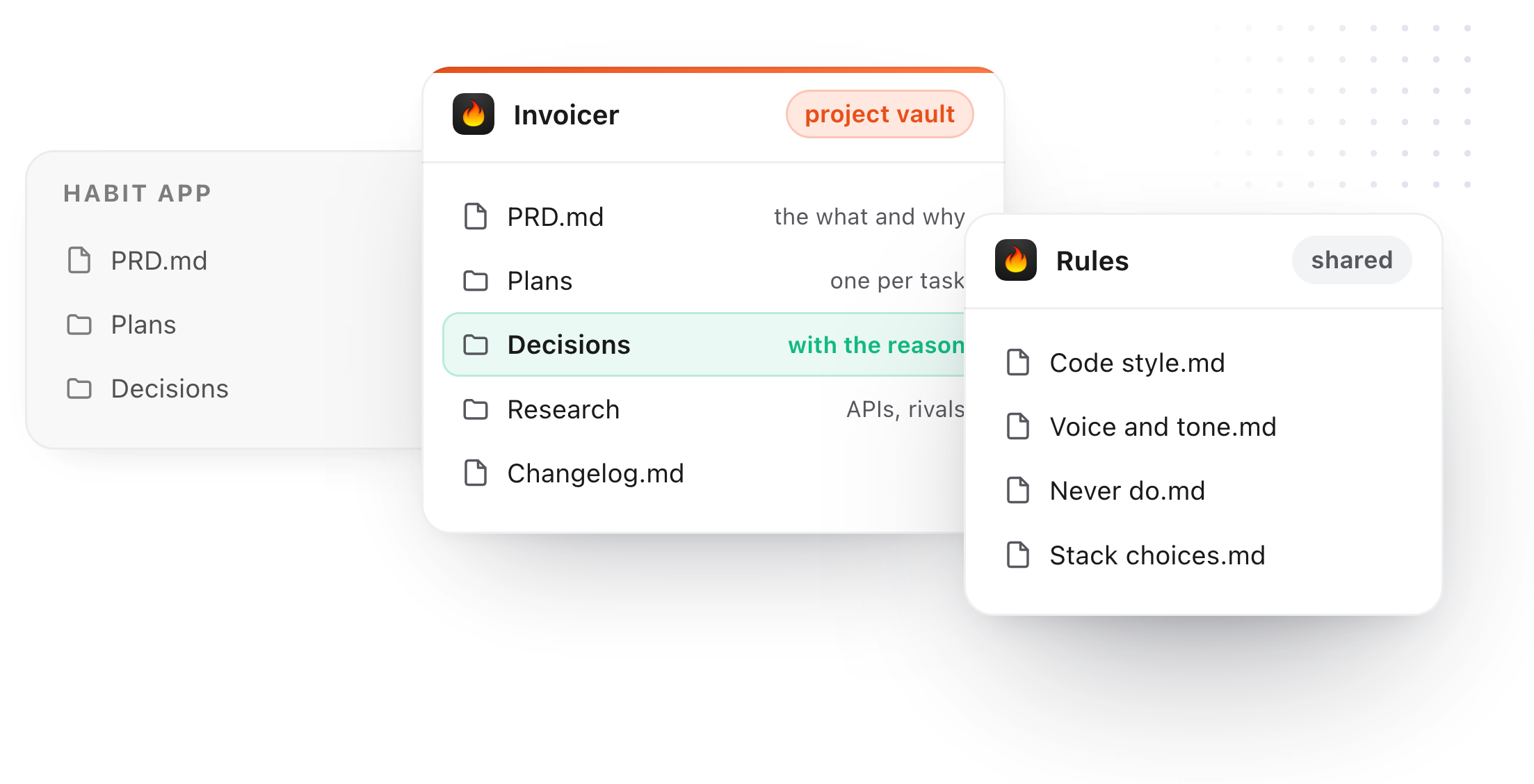
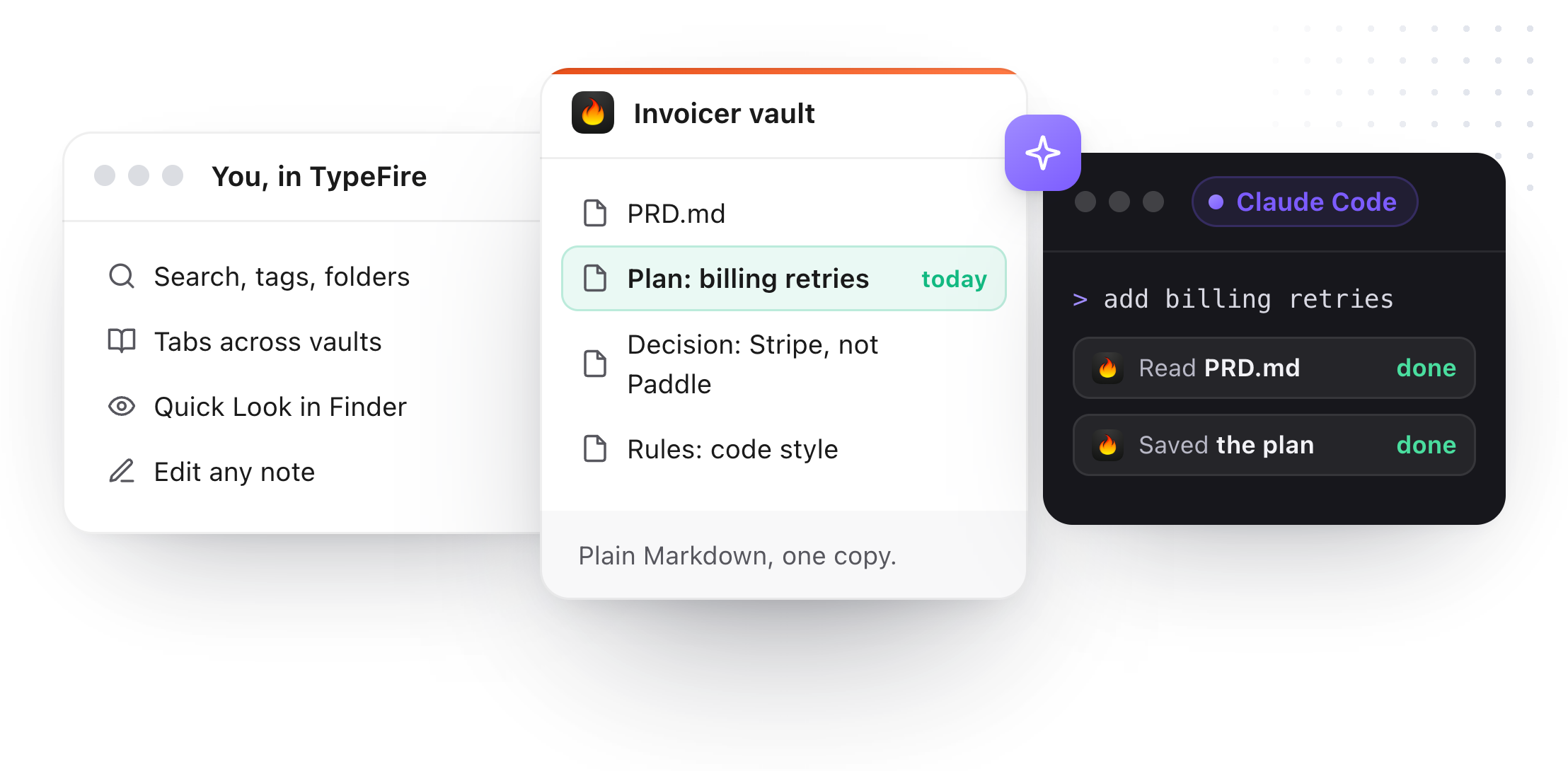
The vaults. Sam has one vault per project (Invoicer, Habit app, Site, Newsletter, Chrome extension) and one called Rules. Every project vault has the same shape: a PRD note, a Plans folder, a Decisions folder and a Research folder. Rules holds Code style, Voice and tone, Stack choices and a short Never do list.
The files. Each repository has the AGENTS.md above, with its own vault name. The Chrome extension repo is mostly worked on in Cursor and the Invoicer in Claude Code, but because both read AGENTS.md and both connect to the same TypeFire vaults, it doesn't matter which agent Sam opens.
A Monday. Sam asks Claude Code to add billing retries to Invoicer.
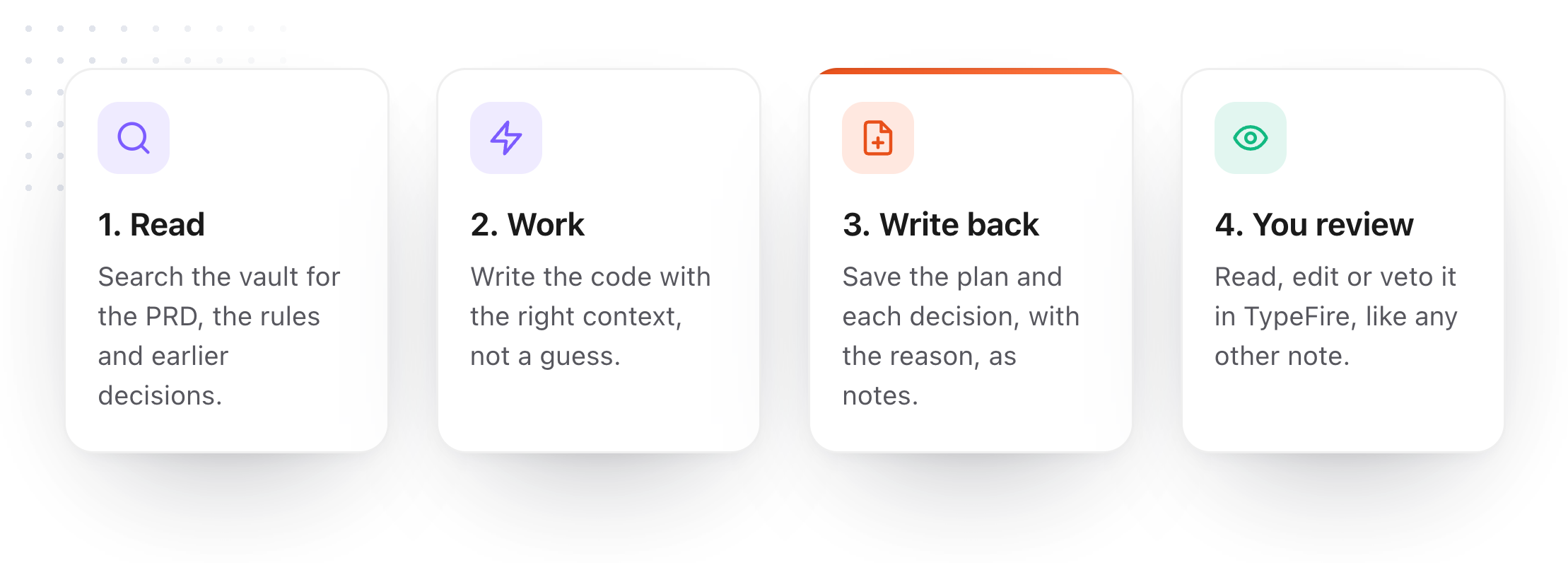
- Read. Claude Code searches the Invoicer vault, reads the PRD, and finds "Decision: Stripe, not Paddle", so it doesn't suggest switching. It reads Code style from Rules.
- Plan. It writes "Plan: billing retries" as a note and stops. Sam opens it in TypeFire, cuts one step, and says go.
- Work. It builds the feature with that context instead of a guess.
- Write back. It saves "Decision: retry three times over 72 hours" with the reason, and adds a line to the Changelog note.
A Thursday. Sam switches to the Chrome extension in Cursor and asks it to reuse the retry logic. Cursor searches every vault, finds Monday's decision in Invoicer, and applies the same rule. Nothing was copied between projects; both agents read the same notebook.
The review. Every Friday Sam spends ten minutes in TypeFire's search: finished plans get archived, a rule nobody follows gets deleted. The agents read the cleaner version on Monday.
Setting it up on a Mac
- Install TypeFire and add a vault for each project, plus one for Rules. Any folder of Markdown works, including an Obsidian vault you already have.
- Connect your agents in Settings, AI apps (MCP): Claude Code, Cursor, Codex, VS Code (GitHub Copilot agent mode), LM Studio and Windsurf each have a Connect button. Claude and Codex need reopening once.
- Paste the Memory section into each repository's AGENTS.md with its own vault name. If a project also has a CLAUDE.md, add
@AGENTS.mdat its top so Claude Code reads both. - Ask for a plan. The first time an agent writes a plan note into your vault, you'll see it appear in TypeFire.
A few guardrails come built in. If you changed a note after an agent read it, the agent's edit is refused. Deletes go to the Trash. Read only lets agents search and read without changing anything, which is useful while one is exploring a new codebase. The connection stays on your Mac, with no API key.
Searching and reading notes from an AI app are free. Creating and editing them need TypeFire Pro, $18 once.
Common AGENTS.md mistakes
- Pasting the PRD into AGENTS.md. It loads every session and goes stale. Link to the vault instead.
- One giant file for every agent and every project. Shared rules belong in one place every project points to.
- No memory section at all. The agent then writes PLAN.md files into your repo, and next month nobody remembers which one was final.
- Decisions without reasons. An agent will follow "use Postgres" until it has a reason to change it. "Use Postgres because we need row-level security" tells it when that reason no longer holds.
For the habits behind this setup, see AI agent memory best practices.
Download TypeFire for Mac, see TypeFire for Claude, for Cursor and for Codex, or read how TypeFire works as an MCP server.
Loved by people who type all day.
Unprompted reactions from users, in their own words.
Used by people at
Company names are places where our users work. They do not imply endorsement or affiliation.