Free · No sign-up · Nothing uploaded

Free online Markdown viewer

Drop a .md file here and read it formatted, with tables, code blocks and task lists. Edit it, open more files in tabs, then download it or export HTML or a PDF.

Welcome.md
FileEditViewInsertFormatHelp
Welcome.md

Spring launch plan

Open your own file
Drop any .md file on this page, or use File > Open. It opens here as a new tab and never leaves your computer.

We ship the spring update on May 12. The one thing that matters is a smooth upgrade, so the old config.json keeps working and the April date is gone for good. Full notes are on the team wiki.

Goals

  1. Faster search
    • Results in under 100 ms
    • Typo tolerant
  2. Tabs for every open file
  3. A cleaner export

Checklist

  • Freeze features
  • Write the release notes
  • Record the demo

Budget

Item Owner Cost
Design Maya $1,200
Video Sam $800
Ads Priya $450

Ship it when it feels boring. The exciting launches are the ones that break.

How it looks
The editor with three files open in tabs

Release script

npm run build && npm run release -- --tag spring

Before you close this tab
Your tabs stay in this browser. Download anything you want to keep with File > Download.
Loading the editor…Your files stay in your browser
  • Your files never leave your browser
  • Free, no sign-up
  • Download as Markdown, a web page or a PDF

This editor comes from TypeFire, free for Mac

Your whole folder of Markdown notes in tabs, Quick Look previews in Finder, plus a text expander and a clipboard manager.

How it works

Open a Markdown file in three steps

  1. 01

    Drop it in

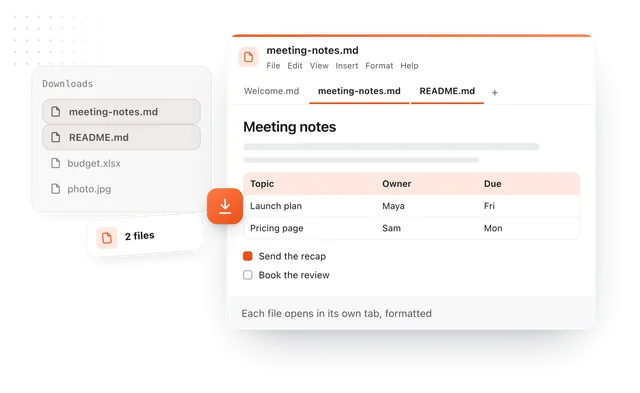
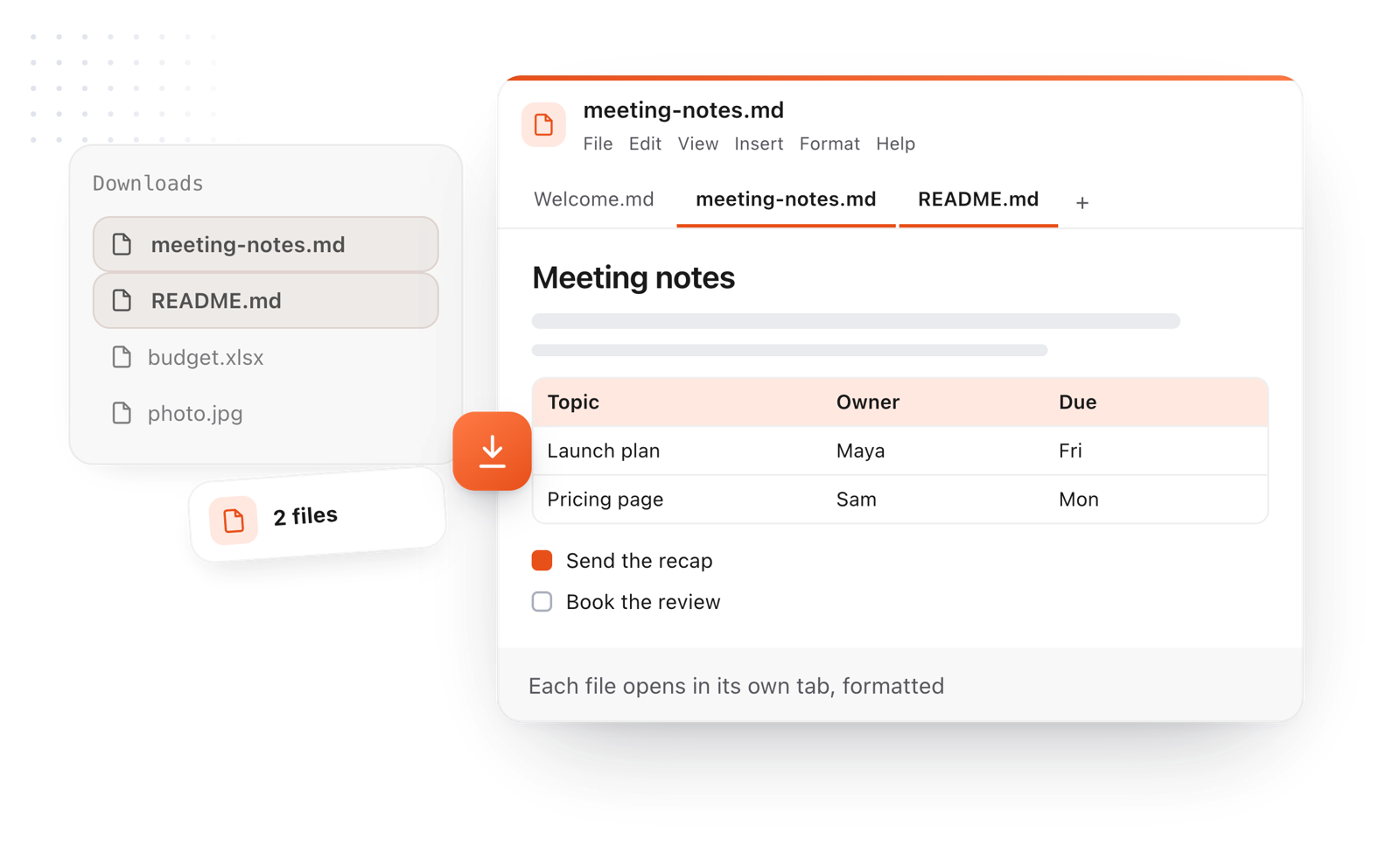
    Drag one or more .md files anywhere onto this page, or choose File > Open. Each file opens in its own tab.

  2. 02

    Read it, or change it

    Everything is formatted as you read: headings, tables, code, task lists and links. Click anywhere to edit, and the formatting follows as you type.

  3. 03

    Take it with you

    File > Download saves it as Markdown, a web page or a PDF, and File > Copy > As rich text pastes it cleanly into an email or a doc.

Two Markdown files dropped onto the page open as tabs in the editor, formatted, with a table and a task list
Free for Mac and Chrome

Like this editor? Get TypeFire.

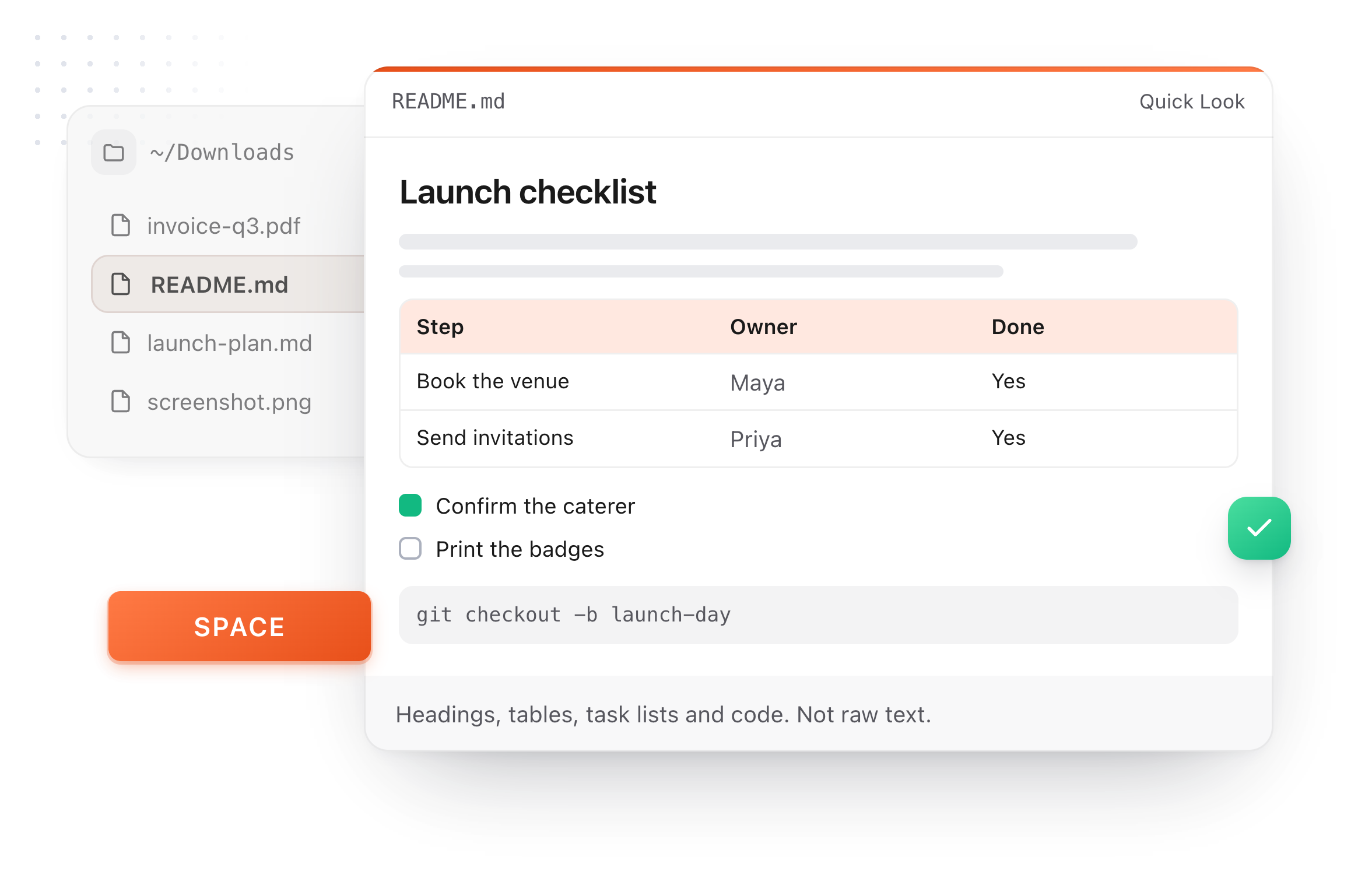
The same editor on your whole folder of Markdown notes, plus a text expander and a clipboard manager. On a Mac, every .md file previews in Finder when you press Space.

Download free for MacAdd to Chrome7 day Pro trial, no card required.

Free text expander, clipboard manager and markdown notes. $18 once for unlimited clips, notes sync and AI prompts.

A README.md previewed in Finder with Quick Look on a Mac, after pressing Space
What it does

A Markdown viewer that's also a real editor

The same editor that ships in the TypeFire app, here in a tab, free.

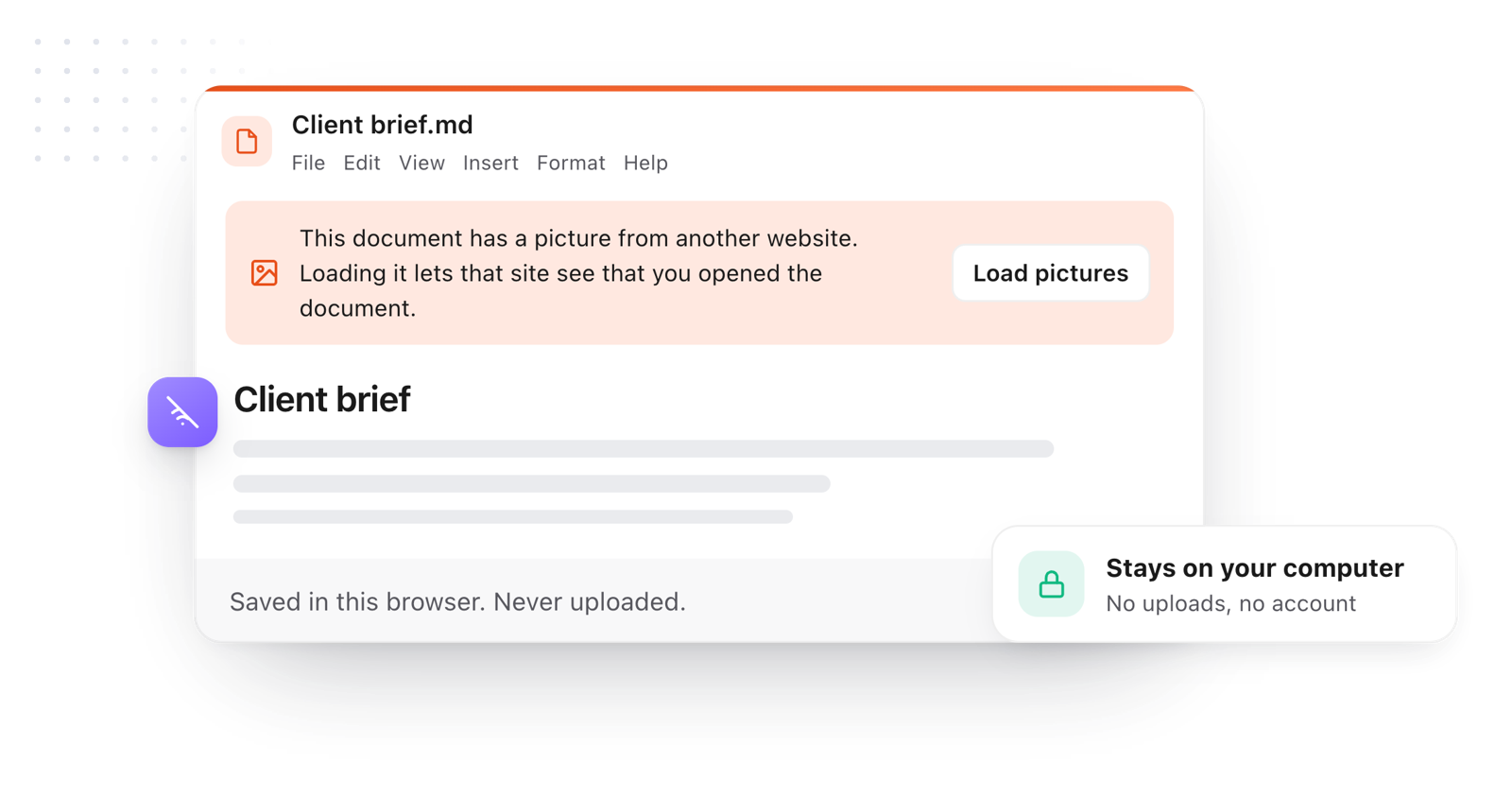
A document open in the editor, saved in the browser and never uploaded, with pictures from other websites waiting for Load pictures
  1. Everything renders

    Headings, tables, task lists you can tick, callouts, code blocks with syntax colors and a copy button, images and emoji.

  2. Tabs, like a browser

    Open several files at once and switch between them. Your tabs are saved in this browser, so closing the page or refreshing loses nothing.

  3. Tables you can actually edit

    Drag rows and columns by their handles, add one with a click, and type straight into the cells.

  4. Private by design

    Your files are read by your browser and never uploaded. Pictures from other sites wait until you click Load pictures, so opening a file can't track you.

  5. Light, dark and focus

    The editor follows this site's theme, or pick Light, Dark or Dim from the View menu. Full screen and focus mode clear everything else away.

Take it further

The same editor, without the browser tab

This editor comes from TypeFire, a free app for Markdown notes, a text expander and a clipboard manager. Here it works on the files you open. In the app, it opens your whole folder.

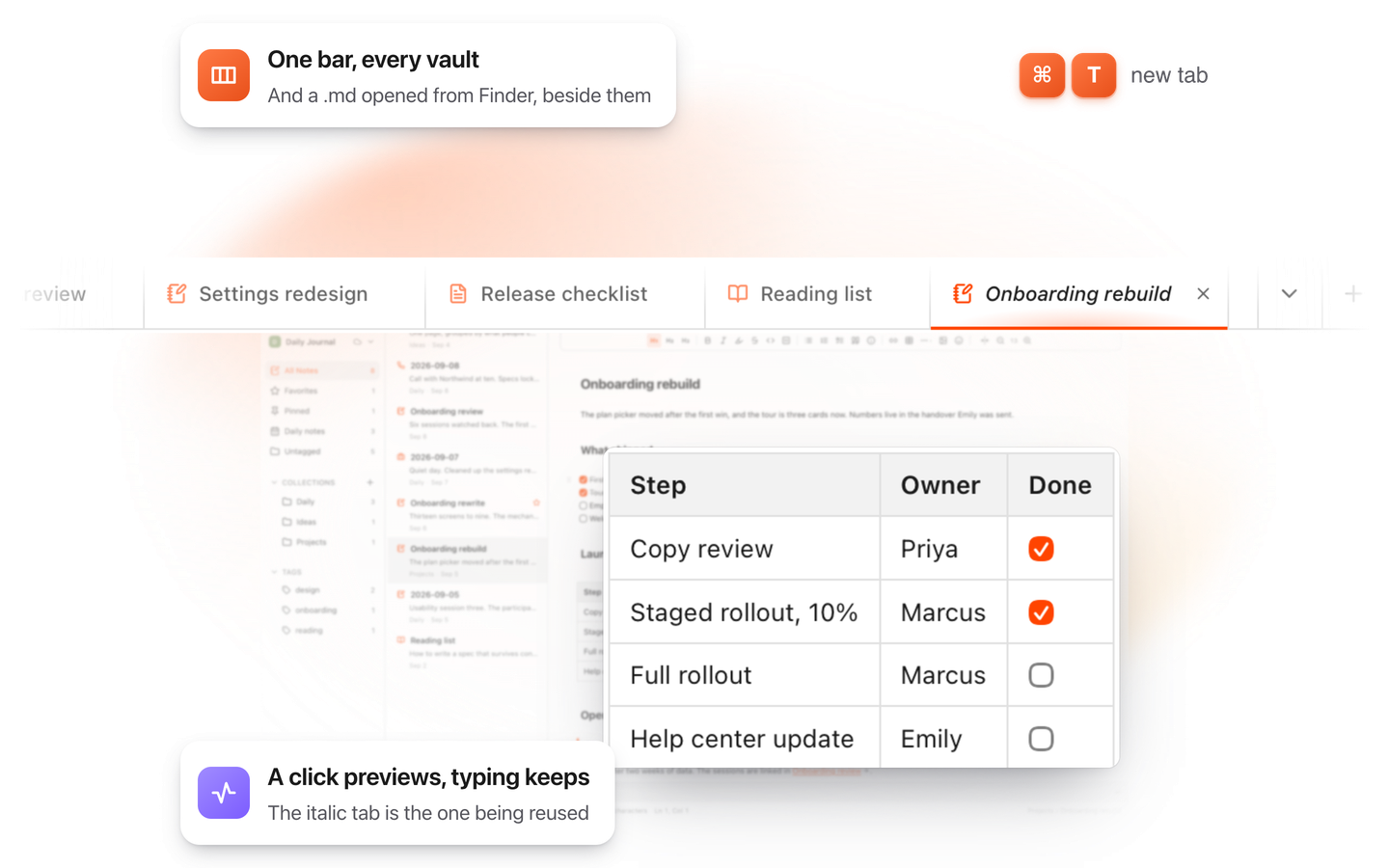
TypeFire for Mac with several Markdown notes open in one tab bar

TypeFire for Mac

  • Press Space on any .md file in Finder and read it rendered, with Quick Look.
  • Open a folder of Markdown, an Obsidian vault included, with tabs, search and links.
  • A text expander and a clipboard history in the same free app.
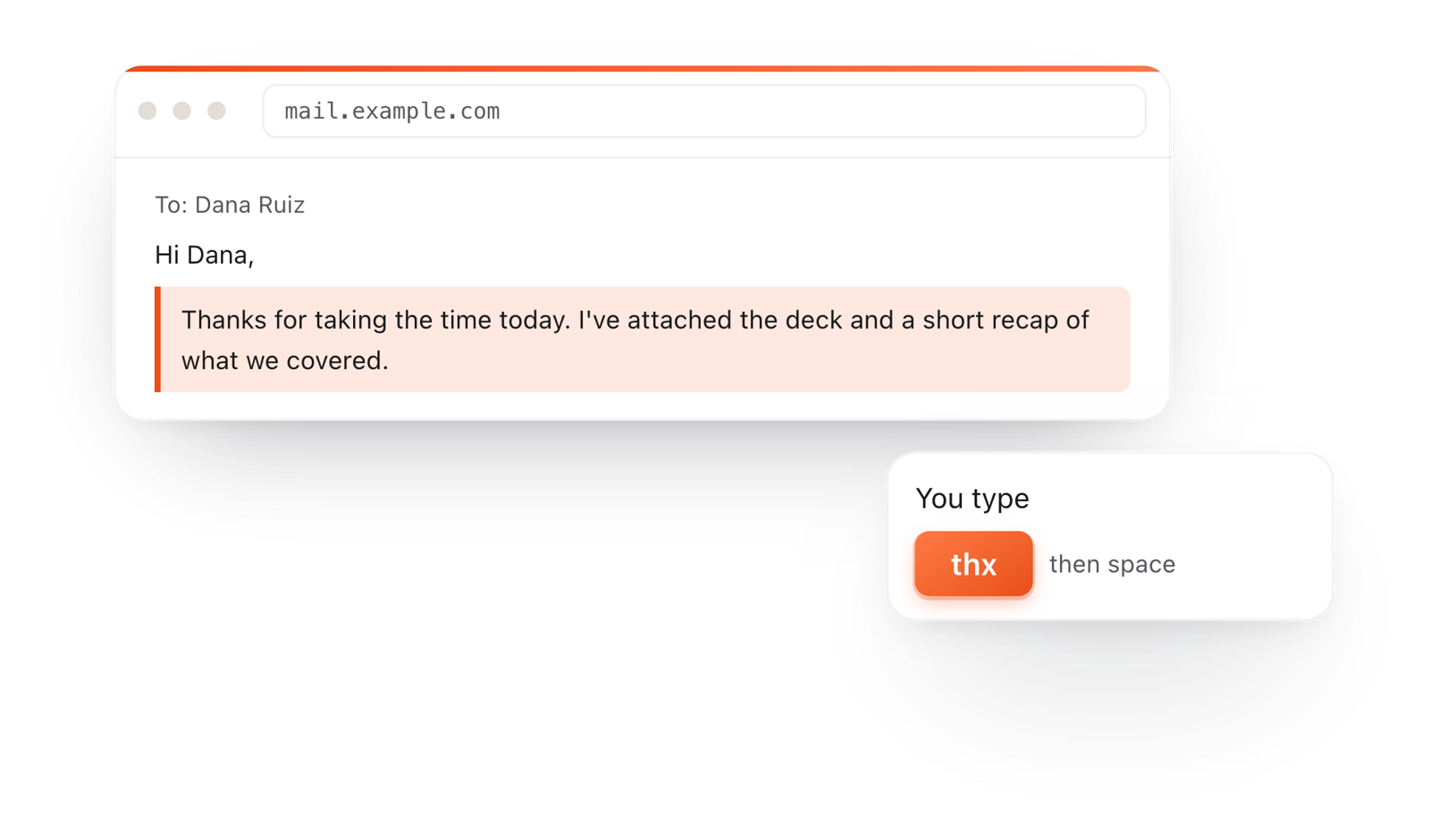
In a browser email, typing thx and a space expands into a whole thank-you reply

TypeFire for Chrome

  • A free text expander for Chrome, Edge and Brave.
  • Type a few letters and get the whole reply, on any site.
  • Works on Windows, Linux, ChromeOS and Mac.

Frequently asked questions

Still not answered?

Drag the .md file onto this page, or choose File > Open, and it opens in a tab, formatted: headings, tables, task lists, code blocks and links.

You can open several files at once and switch between them like browser tabs. Nothing is uploaded; the file is read by your browser on your own computer.

Yes. Viewing, editing, opening several files in tabs, downloading, exporting HTML and printing to PDF are all free, with no account and no sign-up.

No. The viewer runs entirely in your browser and makes no network requests with your files.

Your open tabs are saved in this browser so a refresh doesn't lose your work, and they stay on this computer. On a shared computer, File > Clear saved documents removes them when you're done.

Pictures from other websites only show after you click Load pictures, so a file can't track you by opening it.

Yes. It's a full Markdown editor: click anywhere and type.

Formatting appears as you write, tables have handles for adding and moving rows and columns, and the toolbar and the / menu insert headings, lists, tables, callouts and code blocks. When you're done, File > Download > Markdown (.md) saves your copy.

Yes. File > Download > Web page (.html) saves a standalone HTML page, and File > Download > PDF uses your browser's print dialog to make a PDF.

File > Copy > As rich text pastes the document into an email or a doc with its formatting kept.

Yes. It runs in any modern browser on Windows, Linux, ChromeOS and macOS, with nothing to install.

File > Download saves your changes as a file, in every browser.

On a Mac, TypeFire's free app renders Markdown right in Finder: select a .md file and press Space to read it with Quick Look, or open a whole folder of notes with tabs, search and links.

See the Markdown viewer for Mac.

Want every .md file on your Mac to open like this?

TypeFire for Mac renders Markdown right in Finder, opens a whole folder of notes in tabs, and adds a text expander and a clipboard manager. Free.

Download free for MacAdd to ChromeSee what $18 adds7 day Pro trial, no card required.

Free text expander, clipboard manager and markdown notes. $18 once for unlimited clips, notes sync and AI prompts.

your clips your snippets