Unfold alternative for Markdown. Free Quick Look, and an editor behind it.
Is there a free alternative to Unfold for Markdown Quick Look?
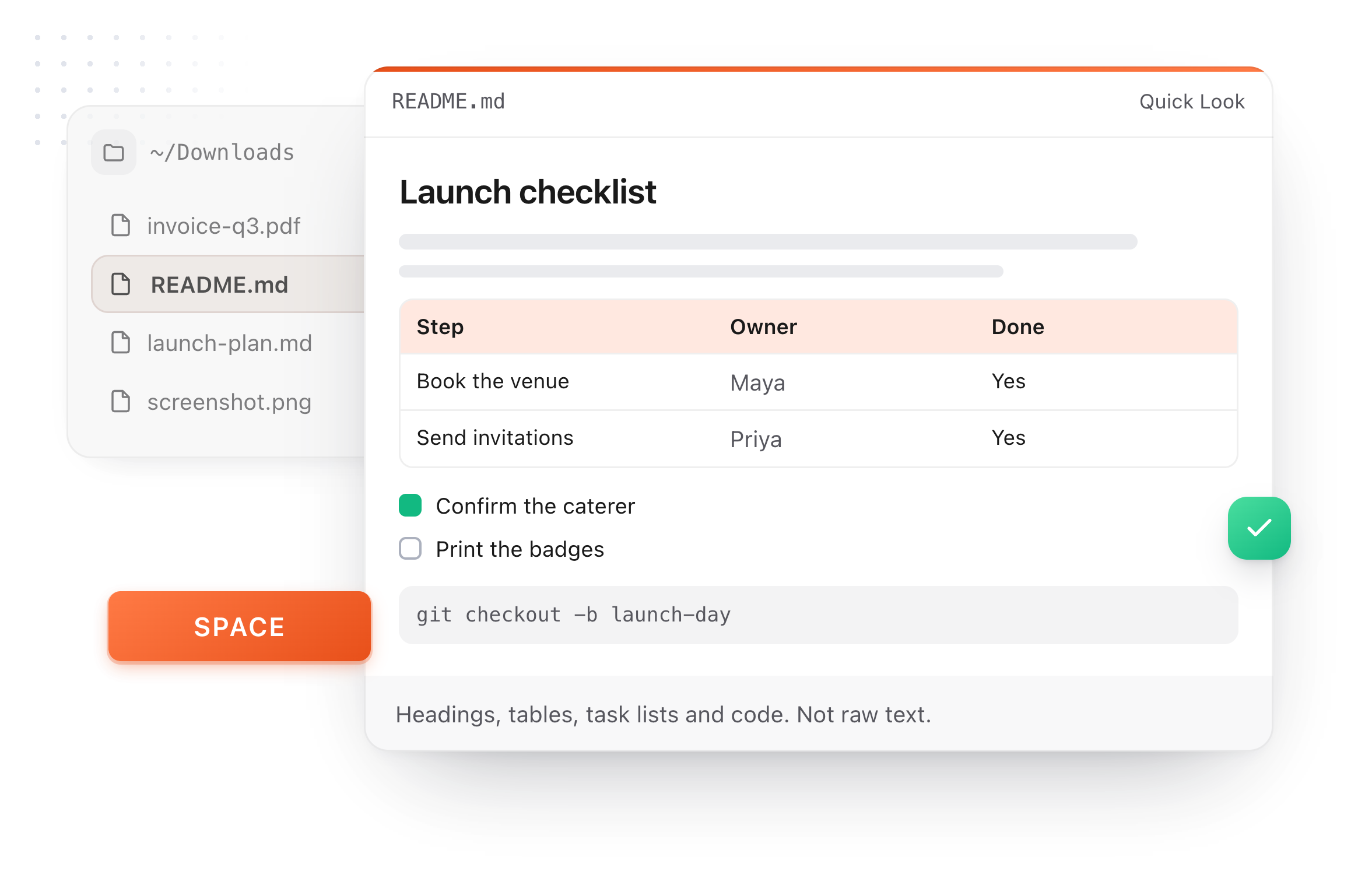
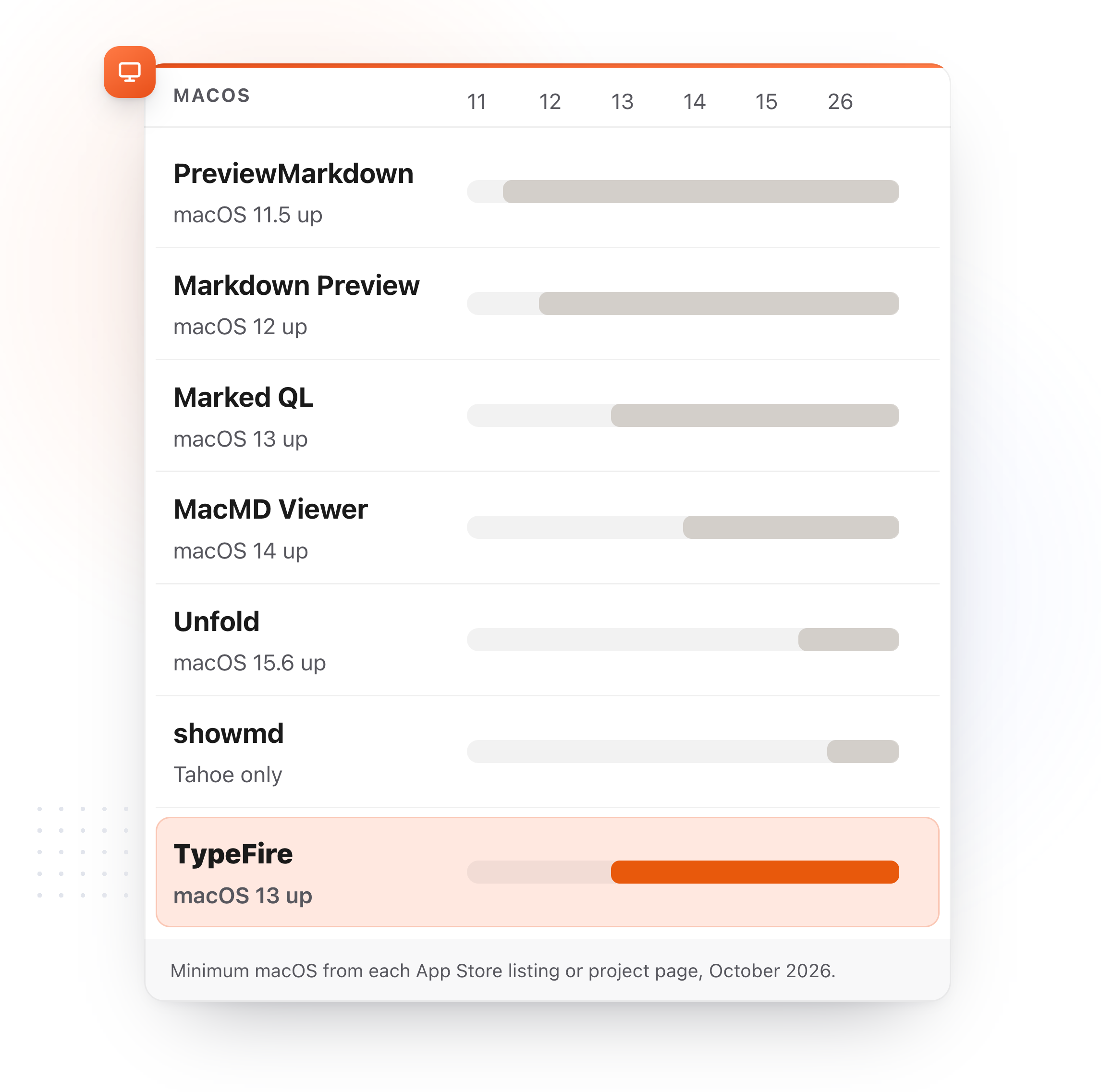
Yes. TypeFire previews Markdown in Finder with Quick Look for free, on macOS 13 and later, and opens the file in a live editor on double click. Unfold is $9.99 and needs macOS 15.6.
Unfold covers 140 file types, archives and folders included. TypeFire focuses on Markdown and adds an editor, a notes app that adopts the folder, a clipboard manager and a text expander, from one install.
What changes when the Markdown preview comes with an app
Unfold previews. These are the things Markdown users wanted next.
Free, on the Macs you already have
Unfold is $9.99 and needs macOS 15.6 or later. TypeFire's Quick Look preview is free and runs on macOS 13 Ventura and later, as one universal build for Intel and Apple silicon.
Double click opens the file, rendered, editable
Space shows the document. Double click opens the same file in a Markdown editor that renders as you type and saves it byte for byte, so reading turns into editing without another app.
The folder can become a vault
A folder of .md files opens in place as notes, with wikilinks, backlinks, tags, daily notes and a graph. Nothing is imported or copied.
Keep Unfold for everything else
TypeFire never switches Unfold off, so archives, folders, code and ebooks keep previewing in Unfold while Markdown files get an editor on double click.
A preview that runs no script and fetches nothing
Markdown can carry HTML, and HTML can carry a script or a remote image. TypeFire's preview runs none of it and makes no network request, so a file from anyone renders as a document and does nothing else.
A clipboard manager and a text expander in the same install
Clipboard history and snippets come with the same app, under one Accessibility permission.
TypeFire compared with Unfold
Prices and capabilities as of October 2026.
| TypeFire | Unfold | |
|---|---|---|
| Price | Free | $9.99 once |
| macOS floor | 13 Ventura | 15.6 |
| Where to get it | Direct download | Mac App Store |
| Headings, lists, tables, code, task lists | Yes | Yes |
| Runs no script, fetches nothing | Yes | Processes files locally |
| Opens and edits the file | Yes, live preview editor | No, preview only |
| Notes vault over the folder | Yes | No |
| Clipboard manager and text expander | Yes | No |
| Other file types | Markdown | 140, including archives, folders, code, comics and ebooks |
Unfold's price and requirements checked 10 October 2026 on its App Store listing.
What TypeFire adds
Not available in Unfold at any price.
Free
The preview and the editor are free, and Quick Look is not part of Pro.
macOS 13 and later
Ventura, Sonoma and Sequoia Macs included.
An editor on double click
The same file, rendered as you type, saved byte for byte.
Notes, clipboard and snippets
The folder as a vault, plus the two installs that usually come next.
Turn anything you copy into something you type
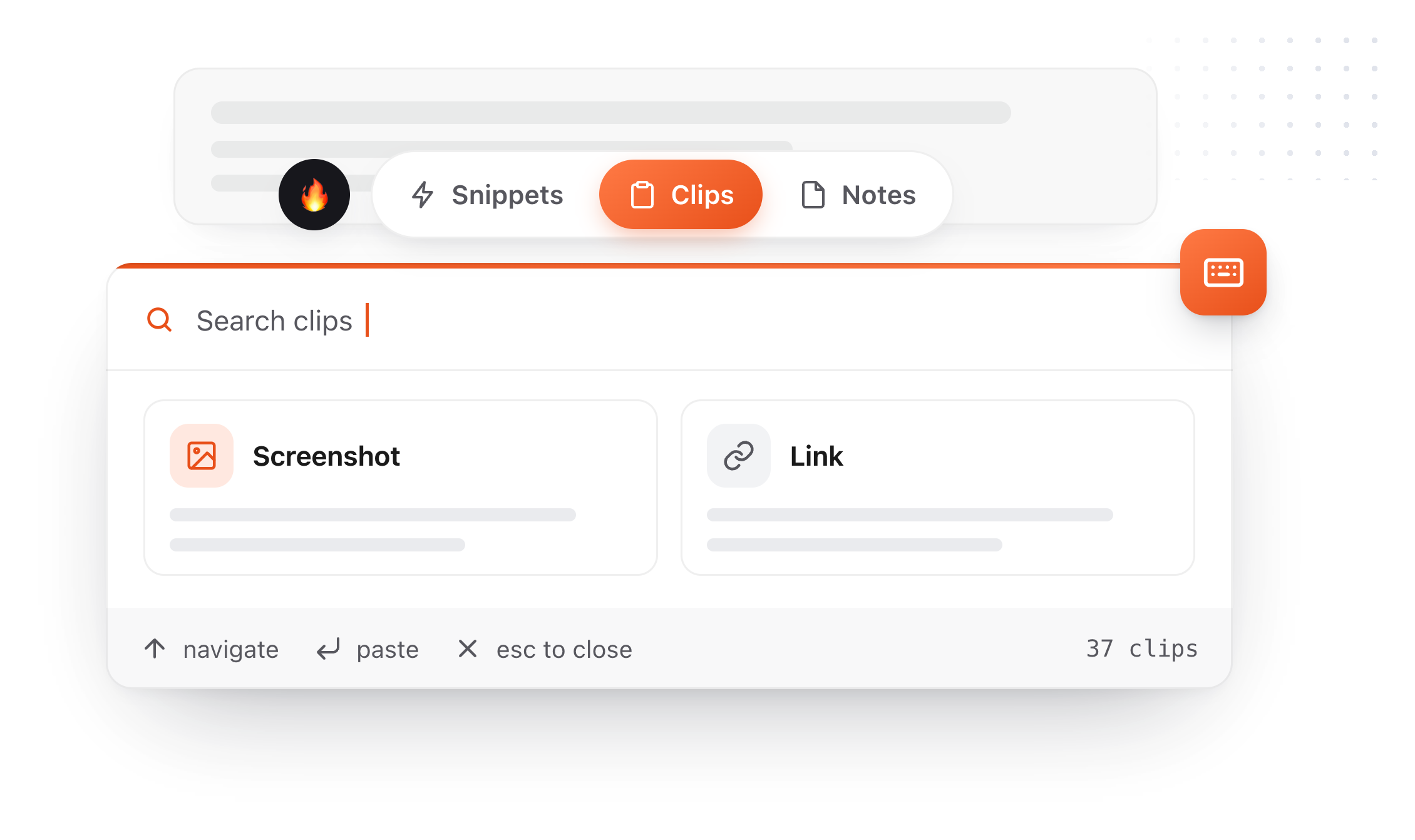
Right-click a clip, choose Save as snippet, give it an abbreviation. The thing you copied once becomes something you type three characters to get, forever. The same conversions run across all three surfaces: a clip becomes a note, and a note you keep rewriting becomes a snippet. Snippets, notes and clips live in one app, which is what makes each of those a single click rather than an export and an import.
- 01
Copy something
It lands in Clips alongside everything else you copied today.
- 02
Save as snippet
It leaves your rolling history and enters your permanent library.
- 03
Give it a trigger
Type
invfrom then on and never look it up again.
A clipboard manager you can tell what to ignore
A clipboard manager sees everything you copy, so TypeFire gives you the controls: switch image capture off, name apps to skip, and see the password managers it always ignores. None of them is behind Pro.
Turn image capture off
One switch. Text keeps being captured and pictures stop, and the images you already saved stay where they are.
Name apps to skip
Add any application and TypeFire ignores what you copy in it. Choose from the apps it has already seen, with clip counts, or browse to any app on your Mac. Each app gets one of three settings: allow it, block images only, or block everything you copy there. The middle one is what most people want for a work tool, keeping the text and losing the screenshots.
The password managers, now visible
TypeFire has always ignored password managers. That list is in Settings now, twenty-three apps including 1Password, Bitwarden, KeePassXC, Dashlane and Apple Passwords, blocked by bundle ID in code rather than by a setting you have to find. It shows which of them you have installed, and any one can be overridden.
Encrypted on your Mac
Clips are stored in an encrypted database on your Mac. The key is generated on your machine and kept in the macOS Keychain. Images sit beside it, readable only by your own account.
Secrets expire in minutes
Card numbers and high-entropy strings are detected and deleted after five minutes by default, adjustable in Settings. Everything else follows the retention you choose.
An on-device AI option
Apple Intelligence and local models through Ollama or LM Studio run entirely on your machine. If you pick Claude, OpenAI, or Gemini instead, text goes to that provider directly; TypeFire operates no server in that path.

Eighteen dollars. Once.
TypeFire Pro is a single payment that unlocks unlimited clips, Selection Prompts, Prompt Chains, notes sync, note version history and saving from AI apps through MCP. There is no subscription and no per-seat pricing.
Free tier, then one payment
No free tier at all
One time
No free tier
One time
Or $29.99 a year, or $99.99 lifetime
Five snippets free, then a subscription
Quick Look, the editor, notes, the clipboard and snippets are all free. Pro is $18 once, and Quick Look is not in it.
The graph is free, and it needs nothing
Press ` and TypeFire draws every note, snippet and clip on one canvas, using the links, tags and folders already in your files. Nothing to download and nothing to switch on. A connection you made is drawn solid, one TypeFire worked out is drawn dashed.
Turn on Weave and search starts matching what you meant rather than the exact words you typed. It runs on your Mac, with no account and nothing uploaded.
Moving from Unfold
Still not answered?
$9.99 once on the Mac App Store, from flew llc, with no in-app purchases listed.
It needs macOS 15.6 or later. TypeFire's Quick Look preview and Markdown editor are free.
Yes. TypeFire never switches Unfold off, so Unfold keeps previewing archives, folders, code and ebooks.
Both stay on, and Finder may show either app's preview for a Markdown file. Double click any .md file and it opens in TypeFire's editor.
Yes. It runs on macOS 13 Ventura and later, Intel or Apple silicon.
Unfold requires macOS 15.6.
Headings, lists, nested lists, tables, task lists, code blocks, blockquotes, links and the pictures beside the file, styled like TypeFire's own editor in light and dark.
Yes. It runs no script, makes no network request, and reads only the file being previewed and the pictures beside it.
Loved by people who type all day.
Unprompted reactions from users, in their own words.
Used by people at
Company names are places where our users work. They do not imply endorsement or affiliation.