A Copy’em alternative
with a free tier
Is there a Copy'em alternative with a free tier?
Copy'em is paid up front. TypeFire is free to start, with your 10 most recent clips and every feature switched on, including on device OCR and AI actions.
Pro lifts the limit and adds Selection Prompts and Prompt Chains for $18 once, on up to three Macs.
Why people move from Copy'em
The specific reasons people give for switching.
You pay before you know
Copy'em is a paid app. TypeFire's free tier is permanent rather than a countdown: run the text expander uncapped and the clipboard at 10 clips for as long as you like before deciding.
No text expansion
Copy'em stores and organizes what you copied. It does not turn an abbreviation into a paragraph as you type in any Mac app, which is the other half of the same daily problem.
No OCR on your screenshots
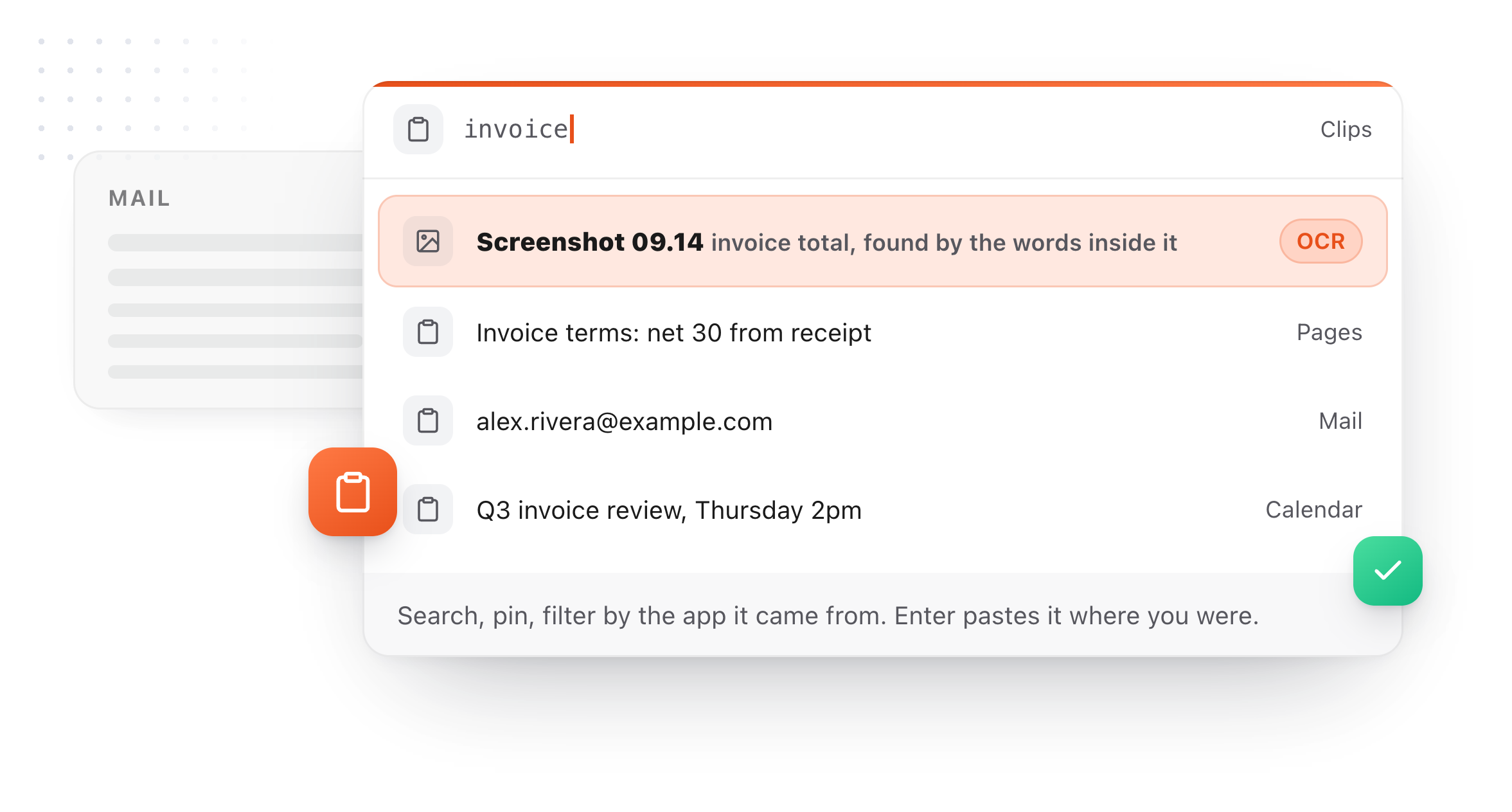
TypeFire reads the words inside every image you copy, using on-device text recognition, so a screenshot is findable by a phrase it contains. Free tier, offline.
No AI on your clips
Summarize a long thread you copied, rewrite it, or translate it, using Apple Intelligence, a local model, or your own key.
A clip stays a clip
TypeFire promotes any clip into a permanent snippet with an abbreviation. Copy'em has no snippet engine, so the thing you paste weekly stays in a list you scroll.

TypeFire compared with Copy'em
Prices and capabilities as of September 2026.
| TypeFire | Copy'em | |
|---|---|---|
| Entry price | $0, then $18 once | Paid, see their site |
| Free tier | Yes, 10 clips, permanent | Trial only |
| Text expander included | Yes, unlimited, free | No, clipboard only |
| OCR search inside images | Yes, on-device, free tier | No |
| AI actions on clips | Yes, free tier | No |
| Save a clip as a reusable snippet | Yes, with an abbreviation | No |
| Lists and filters | Type, source app, tag, date, size | Yes, and deeper |
| Images, files, colors | Yes, with previews | Yes |
| Encrypted storage | Yes, on your Mac | Local |
| Chrome extension for web apps | Yes, free | No |
Copy’em details from its App Store listing, August 2026. Check their current price directly, as store pricing changes. Both apps keep clipboard history locally.
What Copy'em does better
Three of them, named plainly, with what TypeFire does instead directly below.
Deeper list and filter controls
Copy'em has spent its development on organizing a large clipboard history, with custom lists, saved filters and fine-grained sorting. If you are managing hundreds of clips as a working set rather than a rolling history, it is ahead of us there.
Long track record
It is a mature, actively maintained Mac app from a developer who has been at this a long time.
A clipboard manager and nothing else
No text expander to ignore, no AI you did not ask for. If you want one tool doing one job, that focus is a legitimate preference.
What TypeFire adds
Not available in Copy'em at any price.
A permanent free tier
Judge it for as long as you like. The clipboard works free at 10 clips with every feature available, including OCR search and AI actions.
Screenshots you can search
On-device text recognition reads every image at capture, so you can find one by a word you saw in it. No provider, no internet, no cost.
A full text expander
Unlimited abbreviations expanding in every native Mac app and every website, with rich text, Markdown, dynamic tokens, fill-in placeholders and script snippets.
AI on clips and on your selection
Summarize, rewrite or translate a clip, or highlight text anywhere and transform it in place. Chain several prompts onto one trigger.
The clip-to-snippet loop
One right-click turns something you copied once into three characters you type forever. No clipboard-only app can do this.
Turn anything you copy into something you type
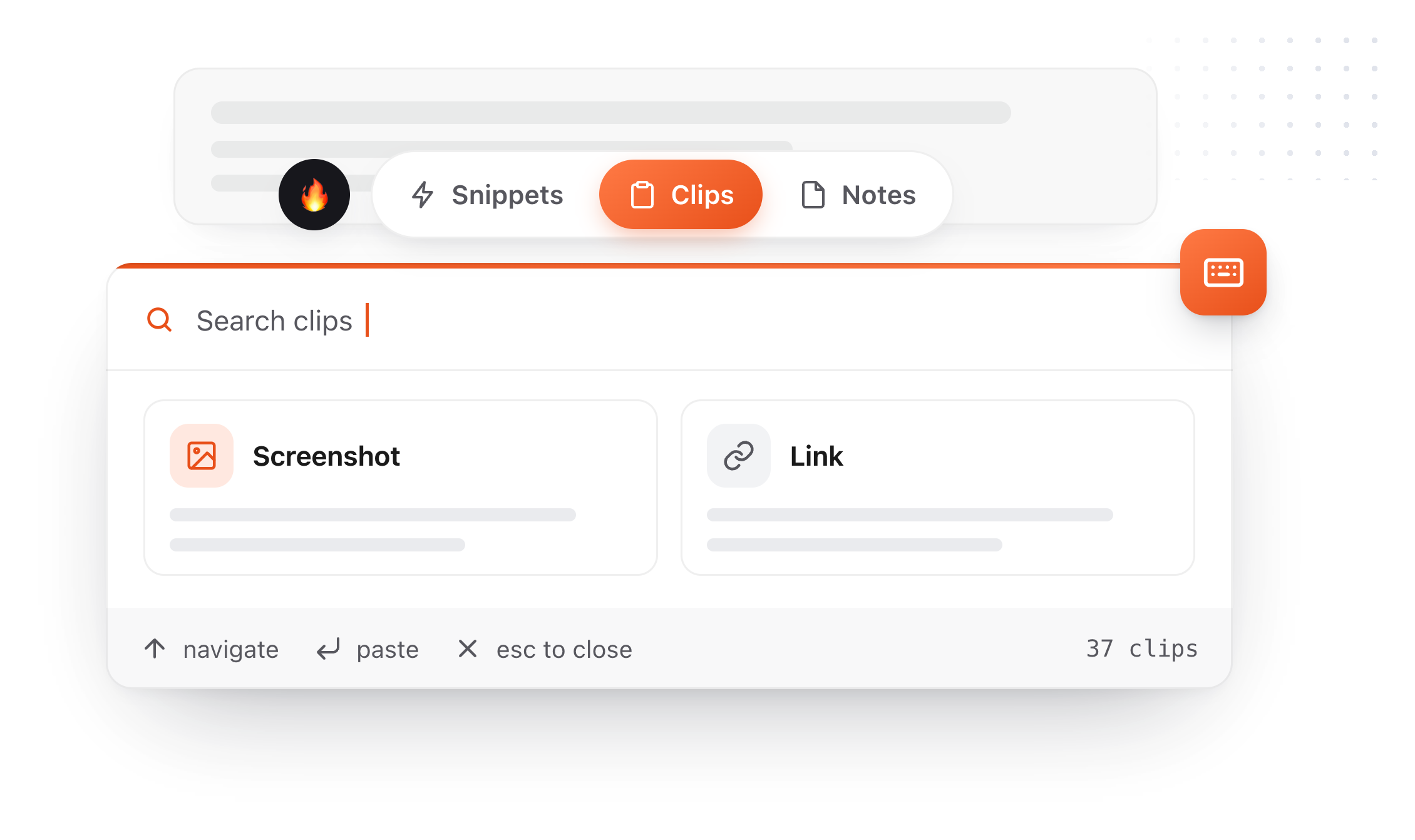
Right-click a clip, choose Save as snippet, give it an abbreviation. The thing you copied once becomes something you type three characters to get, forever. The same conversions run across all three surfaces: a clip becomes a note, and a note you keep rewriting becomes a snippet. Snippets, clips and notes live in one app, which is what makes each of those a single click rather than an export and an import.
- 01
Copy something
It lands in Clips alongside everything else you copied today.
- 02
Save as snippet
It leaves your rolling history and enters your permanent library.
- 03
Give it a trigger
Type
invfrom then on and never look it up again.
A clipboard manager you can tell what to ignore
A clipboard manager sees everything you copy. Until 4.0 the only control over that was a password-manager exclusion you could not see. There are three now, none of them gated, and the limits of the strongest one are stated rather than buried.
Turn image capture off
One switch. Text keeps being captured and pictures stop. Images you have already saved are kept rather than deleted, which is not what most people expect a privacy toggle to do, so it is worth saying.
Name apps to skip
Add any application and TypeFire ignores what you copy in it. Choose from the apps it has already seen, with clip counts, or browse to any app on your Mac. Each app gets one of three settings: allow it, block images only, or block everything you copy there. The middle one is what most people want for a work tool, keeping the text and losing the screenshots.
The password managers, now visible
TypeFire has always ignored password managers. That list is in Settings now, twenty-three apps including 1Password, Bitwarden, KeePassXC, Dashlane and Apple Passwords, blocked by bundle ID in code rather than by a setting you have to find. It shows which of them you have installed, and any one can be overridden.
Encrypted on your Mac
Clips are stored in an encrypted database on your Mac. The key is generated on your machine and kept in the macOS Keychain. Images sit beside it, readable only by your own account.
Secrets expire in minutes
Card numbers and high-entropy strings are detected and deleted after five minutes by default, adjustable in Settings. Everything else follows the retention you choose.
An on-device AI option
Apple Intelligence and local models through Ollama or LM Studio run entirely on your machine. If you pick Claude, OpenAI, or Gemini instead, text goes to that provider directly; TypeFire operates no server in that path.
Where blocking by app stops being a guarantee
macOS does not tell an application which other application wrote to the clipboard. TypeFire matches on the app that was in front at the time, plus any app that identifies itself using the standard convention. That covers the overwhelming majority of real cases and it is not absolute. The protection that does not depend on a guess is the concealed-content marker: password managers mark what they copy, and TypeFire never stores it whatever else is set.
The app list also covers what you copy, not screenshots you save as a file. A PNG on your desktop records nothing about what was on screen, so TypeFire matches those to an app where it can and skips them when it does. It is right in the ordinary case and it is not a promise: to keep saved screenshots out entirely, turn off Save screenshots to Clips.
Eighteen dollars. Once.
TypeFire Pro is a single payment that unlocks unlimited clips, Selection Prompts, Prompt Chains, notes sync, note version history and saving from AI apps through MCP. There is no subscription and no per-seat pricing.
Free tier, then one payment
No free tier at all
One time
No free tier
One time
Lifetime, or $3.99/mo
Five snippets free, then a subscription
Copy’em is paid up front. TypeFire is $0 to start and $18 once, with the text expander free either way.
The graph is free, and it needs nothing
Press ` and TypeFire draws every note, snippet and clip on one canvas, using the links, tags and folders already in your files. Nothing to download and nothing to switch on. A connection you made is drawn solid, one TypeFire worked out is drawn dashed.
Turn on Weave and search starts matching what you meant rather than the exact words you typed. It runs on your Mac, with no account and nothing uploaded.
Moving from Copy'em
Still not answered?
TypeFire is $0 to start and $18 once for unlimited clips, with the text expander free either way.
Copy'em is a paid app; check their App Store listing for the current price, as store pricing changes and we would rather not quote a stale figure. The structural difference is the free tier: you can use TypeFire indefinitely without paying.
Not in the same form, and Copy'em is ahead here.
TypeFire has pinning, tags, renaming, collections for snippets, and filters by type, source app, date range, size and use count. What it does not have is Copy'em's saved custom lists as a first-class organizing concept. If you manage a large curated working set, that is a real reason to stay.
No, and that is true between any two clipboard managers.
Clipboard history is transient by nature and neither app imports the other's database. Run both for a week, then let the old one go.
Anything you would genuinely hate to lose is a sign it should be a snippet rather than a clip.
Clips are encrypted on your Mac and the key never leaves it, with images beside it that only your own account can read.
Nothing is transmitted anywhere, and content that password managers mark as confidential is never captured at all.
Other comparisons
13 apps, prices checked
Unclutter alternativeClipboard done properly
CopyQ alternativeA native Mac app
CleanClip alternativeFree to start
PastePal alternativeMac and iOS
ClipBook alternativeWith a free tier
Clipboard manager for MacThe full feature tour
Free clipboard managerWhat $0 gets you
PricingPro is exactly six things
Loved by people who type all day.
Unprompted reactions from users, in their own words.
Used by people at
Company names are places where our users work. They do not imply endorsement or affiliation.