A text expander for Chrome with AI inside it.
Works in Chrome
 Edge
Edge Brave
Brave
Inside a snippet
{{ai:rewrite}} runs as the snippet expands, in the field you are typing in.
On selected text
Pick a prompt from the Spotlight and the selection is rewritten where it sits.
Your key, straight to the provider
Nothing passes through TypeFire. No AI subscription, no markup.
Snippets that finish themselves.
Put an AI token in a snippet and the model runs over the text as it expands: a reply template comes out in the tone you asked for, a rough note comes out as a summary, an English paragraph lands in French. The fixed text, the date, a fill-in field and the AI step live in one snippet.
Rewrite, summarize, translate
Plus improve, shorter, longer and your own prompts.
{{ai:rewrite}}{{ai:summarize}}{{ai:translate:fr}}With every other token
{{fill:Name}} asks first, {{date}} fills in, then the AI step runs on the result.
In any text field
Gmail, Slack, Notion, a support console, an AI chat, anywhere you type.
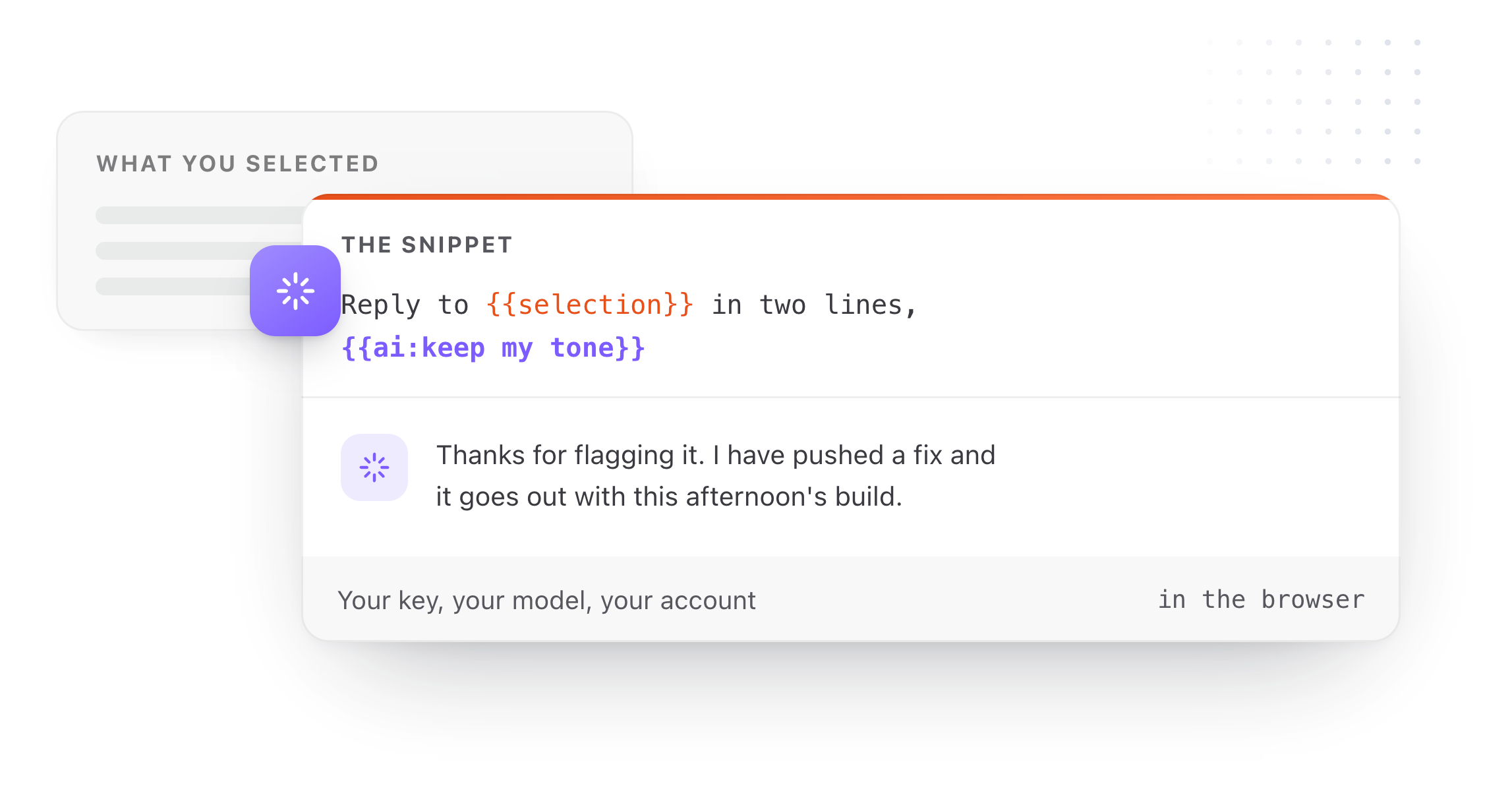
AI on the text you already wrote, on the page you wrote it on.
Select text on a page, press the Spotlight shortcut, pick a prompt, and the selection is replaced in place: a blunt message becomes a calmer one inside the same box. A Prompt Chain runs several prompts in order, each fed the last one's result, on one pick. Both are Pro, one purchase for the Mac app and the extension.
Selection Prompts
Your saved prompts, run on any selection, in place. Pro.
Prompt Chains
Summarize, then extract the actions, then translate, on one pick. Pro.
Three providers, your key
See Settings, AI for the current list. Calls go from your browser to the provider you chose, only when you use an AI feature, with only the text you asked about.
Eighteen dollars. Once.
TypeFire Pro is a single payment that unlocks unlimited clips, Selection Prompts, Prompt Chains, notes sync, note version history and saving from AI apps through MCP. There is no subscription and no per-seat pricing.
Free tier, then one payment
No free tier at all
One time
No free tier
One time
Or $29.99 a year, or $99.99 lifetime
Five snippets free, then a subscription
Free at its core, in Chrome and on the Mac. Pro is one $18 purchase for both, up to three Macs and three browsers, and adds Selection Prompts, Prompt Chains, note version history and the clipboard extras.
Questions
What it does, what it costs, where your data goes.
Still not answered?
A snippet carries a token like {{ai:rewrite}} beside its fixed text.
When you type the abbreviation, the snippet expands and the model runs over that text before it lands, so the result arrives already rewritten, summarized or translated, in the field you were typing in.
Three, with your own API key; Settings, AI in the extension lists the current ones.
Calls go from your browser straight to the provider, only when you use an AI feature, and only with the snippet, selection or note you asked about. TypeFire never sees your prompts, results or keys.
TypeFire charges nothing for AI. You pay your provider directly for what you use, at their rates, with no markup.
AI tokens are free in the extension; Selection Prompts and Prompt Chains are part of Pro, one $18 purchase for the Mac app and the extension.
Yes. Select the text, open the Spotlight, pick a Selection Prompt, and the selection is rewritten in place.
A Prompt Chain runs several prompts in order on the same selection.
Yes. An AI chat's input box is a text field like any other, so a saved prompt expands into it from a short abbreviation, with fill-in fields and the clipboard filled in, and a {{note:Title}} token can carry a note's text into the prompt.
Loved by people who type all day.
Unprompted reactions from users, in their own words.
Used by people at
Company names are places where our users work. They do not imply endorsement or affiliation.