A prompt manager for Chrome that types the prompt for you.
Works in Chrome
 Edge
Edge Brave
Brave
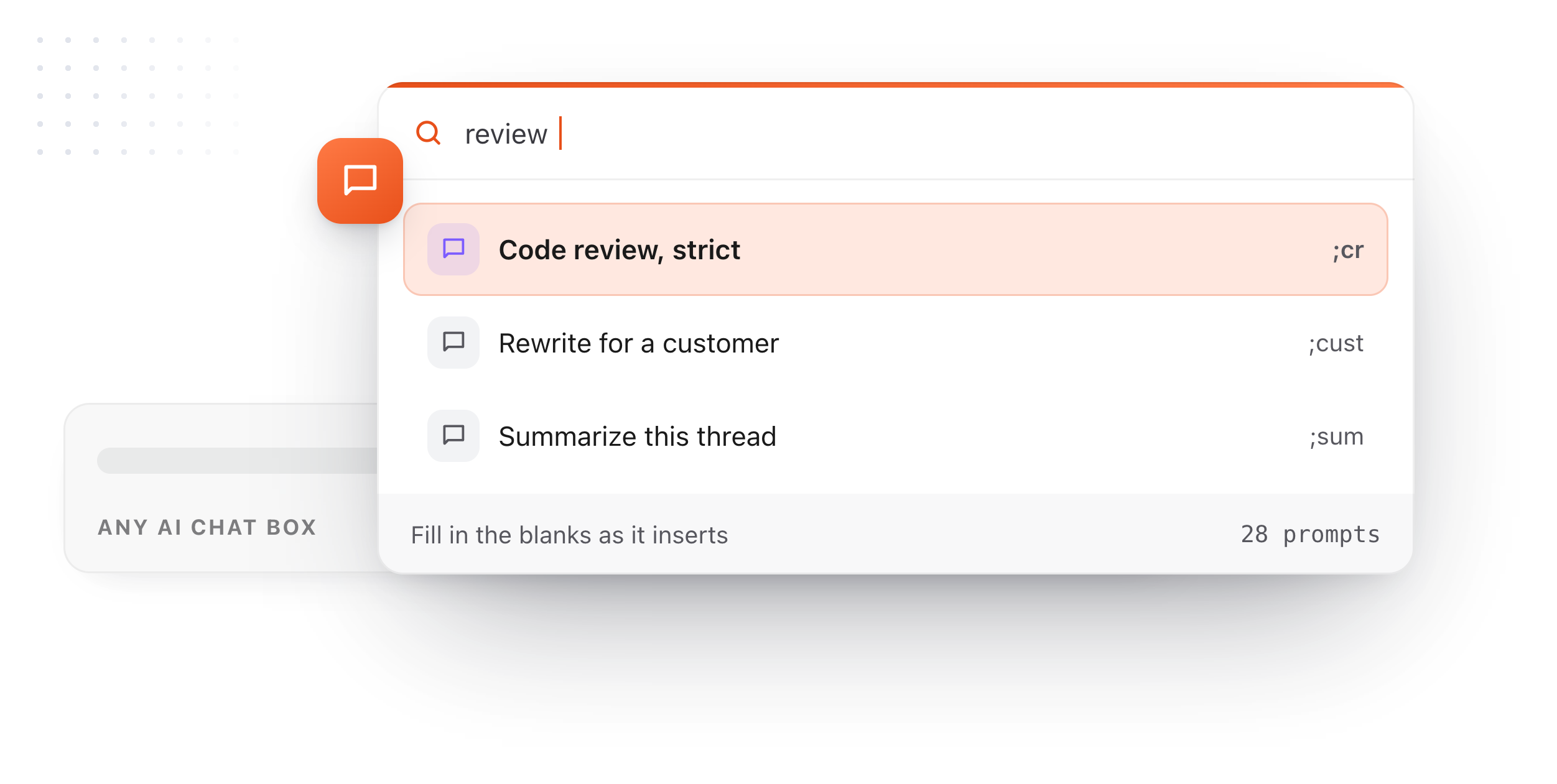
Type ;review, get the prompt
A short abbreviation becomes the full prompt in the chat box, every time.
Find it from any page
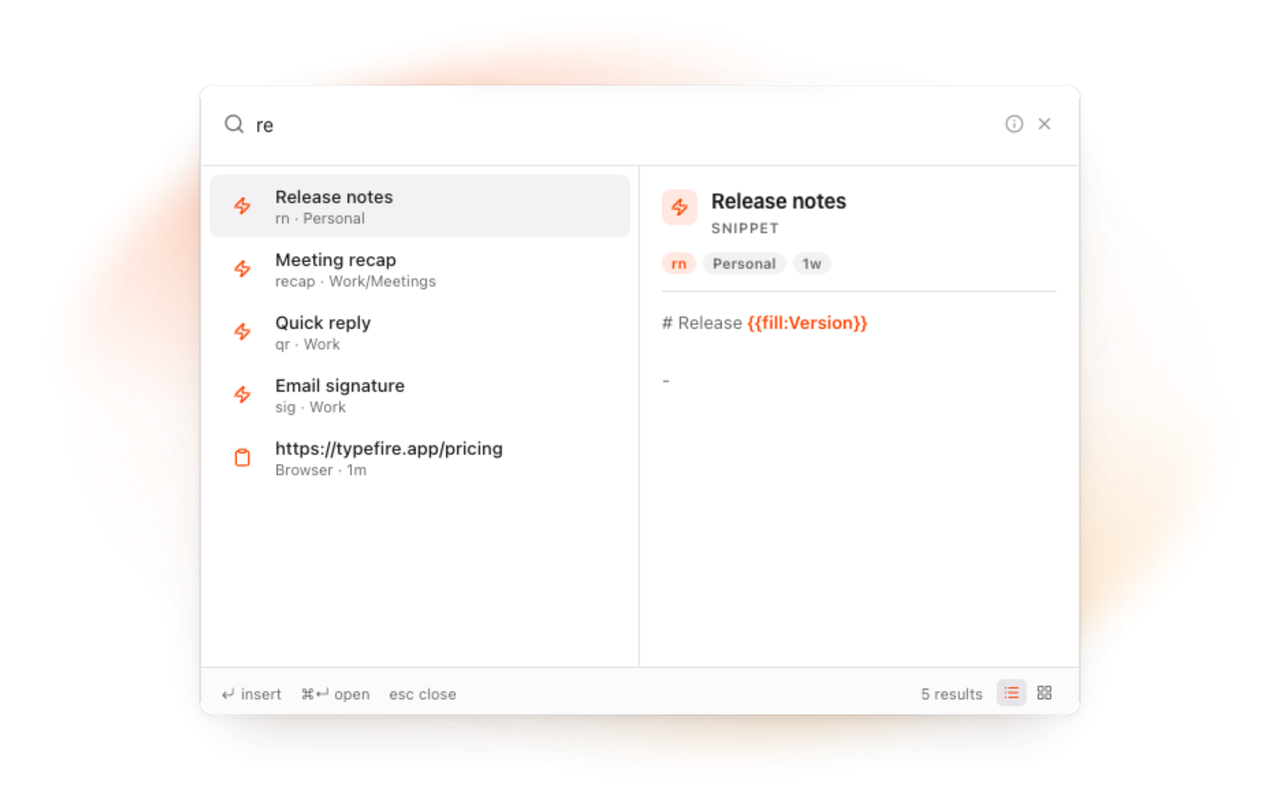
The Spotlight searches your prompts by title, contents and tag.
Prompts you keep
Stored in your browser, exportable as JSON any time, with restore points before every deletion.
Write the prompt once. Fill in what changes.
A good prompt is mostly fixed text with two or three parts that change: the audience, the tone, the thing being reviewed. A {{fill:Audience}} field pauses the expansion and asks. {{clipboard}} drops in what you just copied. {{note:Style guide}} pulls a note's current text into the prompt, so the context never goes stale.
Fill-in fields
{{fill:Tone}} asks as the prompt expands.
{{fill:Tone}}{{clipboard}}{{note:Style guide}}Collections, tags, favorites
A folder per project, tags across them, the daily ones pinned.
Bring your prompts in
A TextExpander CSV, or a TypeFire export from the Mac app or another browser.
Run a saved prompt on the page itself.
Beyond pasting into a chat, TypeFire can run a prompt with your own key. Select text on any page, open the Spotlight, pick a Selection Prompt, and the selection is rewritten in place. A Prompt Chain runs several prompts in order. That is a prompt manager that executes, not just stores. Pro, one purchase for the Mac app and the extension.
Selection Prompts
Any saved prompt, on any selection, in place. Pro.
Prompt Chains
Several prompts in order, each fed the last result. Pro.
Your key, your provider
Calls go from your browser straight to the provider; TypeFire never sees them.
Eighteen dollars. Once.
TypeFire Pro is a single payment that unlocks unlimited clips, Selection Prompts, Prompt Chains, notes sync, note version history and saving from AI apps through MCP. There is no subscription and no per-seat pricing.
Free tier, then one payment
No free tier at all
One time
No free tier
One time
Or $29.99 a year, or $99.99 lifetime
Five snippets free, then a subscription
Free at its core, in Chrome and on the Mac. Pro is one $18 purchase for both, up to three Macs and three browsers, and adds Selection Prompts, Prompt Chains, note version history and the clipboard extras.
Questions
What it does, what it costs, where your data goes.
Still not answered?
ChatGPT has no prompt library of its own. With TypeFire, save the prompt as a snippet with a short abbreviation, and type the abbreviation in the ChatGPT box: the full prompt expands in place, with fill-in fields asking for the parts that change.
The same prompt works in Claude, Gemini or any text box.
Yes. Saving, organizing, searching and expanding prompts, fill-in fields and AI tokens with your own key are free.
Pro is one $18 purchase for the Mac app and the extension together, and adds running a saved prompt on selected text and chaining prompts.
In your browser's storage, on your computer. Export the lot as JSON any time, and the Mac app reads the same format.
A restore point is kept before every deletion.
Yes, with your own API key. A Selection Prompt runs a saved prompt on text you select on any page and replaces it in place; a Prompt Chain runs several in order.
Calls go from your browser to the provider you chose.
Yes. A prompt is a snippet, and snippets expand in every text field on every site: Claude, Gemini, an AI assistant inside another product, a code editor in the browser, a form.
TypeFire also runs on the Mac, in every native app.
Loved by people who type all day.
Unprompted reactions from users, in their own words.
Used by people at
Company names are places where our users work. They do not imply endorsement or affiliation.