A command palette for Chrome that types for you.
Works in Chrome
 Edge
Edge Brave
Brave
One shortcut, any page
Pick the key that suits you in Chrome, and it opens over any page.
Three worlds, one box
All, Snippets, Clips and Notes tabs, and each tab can have its own shortcut.
Enter does the work
The result lands in the field you were typing in. No copy, no tab switch.
Find it by anything you remember.
Titles, contents, tags, the text of a clip, the body of a note. Operators narrow it: tag:, in:, is:, type:, before:, after:, a quoted phrase, a minus to exclude. A vault or a collection is a result too: search it by name, read its preview, press Enter to open the app on it.
Operators in every box
tag:work in:meetings before:2026-09 recap
tag:workin:meetingsbefore:2026-09Places are results
A collection or a vault opens with its counts, last change and recent items.
Drag it out of the way
The panel moves by its mark if it covers what you are reading.
Snippets, notes and clips, without leaving the page.
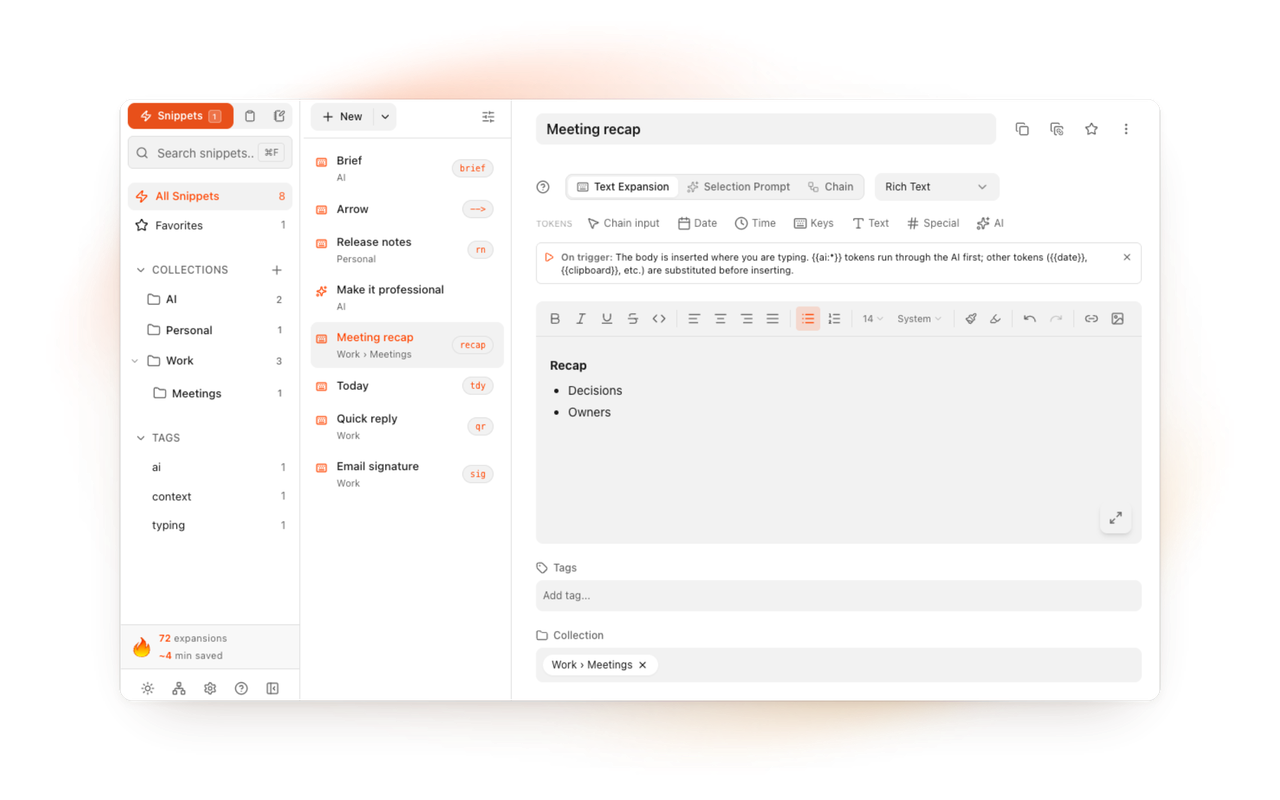
The palette is the front door to the whole app. Type three letters of a snippet and it expands where your cursor was. Copy a link on one tab and paste it from Clips on another. Keep a note called Standup in your vault and put its text into the call's chat in two keystrokes.
Clips
The last twenty things you copied on web pages, plus the Mac's synced clips if you connect the folder.
Notes
Markdown files in a folder you own, an Obsidian vault included.
The same palette on the Mac
System-wide, over every native app, with the same library.
Eighteen dollars. Once.
TypeFire Pro is a single payment that unlocks unlimited clips, Selection Prompts, Prompt Chains, notes sync, note version history and saving from AI apps through MCP. There is no subscription and no per-seat pricing.
Free tier, then one payment
No free tier at all
One time
No free tier
One time
Or $29.99 a year, or $99.99 lifetime
Five snippets free, then a subscription
Free at its core, in Chrome and on the Mac. Pro is one $18 purchase for both, up to three Macs and three browsers, and adds Selection Prompts, Prompt Chains, note version history and the clipboard extras.
Questions
What it does, what it costs, where your data goes.
Still not answered?
A search box that opens over any page on a shortcut and acts on what you pick.
TypeFire's Spotlight searches your snippets, notes and clips, and Enter puts the result where you were typing: a snippet expands, a clip pastes, a note's text goes in.
Chrome suggests Ctrl+Shift+T on a Mac and Ctrl+Shift+E on Windows, Linux and ChromeOS.
If another extension already has it, or you want something else, set your own on Chrome's shortcuts page (chrome://extensions/shortcuts). Each tab (Snippets, Clips, Notes) can have a shortcut of its own.
Yes. Snippet titles, contents and tags, the text of every clip, and the body of every note, with operators like tag:, in:, type:, before: and after:, quoted phrases and a minus to exclude.
Yes. The Spotlight, snippets, tokens, notes in full and the browser's twenty clips are free.
Pro is one $18 purchase for the Mac app and the extension together.
A launcher opens apps and files. TypeFire's palette is about text: it finds something you wrote or copied and puts it into the page you are on, so you never leave the field you were typing in.
Loved by people who type all day.
Unprompted reactions from users, in their own words.
Used by people at
Company names are places where our users work. They do not imply endorsement or affiliation.