SKILL.md Explained: How to Write Agent Skills Your AI Will Use
Every AI coding agent now reads the same kind of file for teaching it a new job. It's called SKILL.md, it's plain Markdown with a few lines of YAML on top, and the same file works in Claude Code, Codex, Cursor, GitHub Copilot and Antigravity CLI.
Write it once and every agent you use learns the job. Write a weak description and no agent ever uses it. Both halves are below.
The short version
- A skill is a folder with a
SKILL.mdinside, plus optionalscripts/,references/andassets/. - Two fields are required:
name(lowercase, matches the folder) anddescription(what it does and when to use it). - The description is the trigger. Agents read only names and descriptions at startup and load the full file when a task matches.
- Keep SKILL.md under 500 lines and move long reference material into files it links to.
What is a SKILL.md file?
A SKILL.md is the instructions file of an Agent Skill, a folder that packages one procedure an agent can pick up when it needs it: how your team writes release notes, how to fill in a specific PDF form, how to run your data pipeline.
The format was created by Anthropic and released as an open standard at agentskills.io. That's why one folder works across tools: Codex, Cursor, GitHub Copilot in VS Code and Antigravity CLI all read the same file, and Claude Code extends it with a few extra fields of its own.
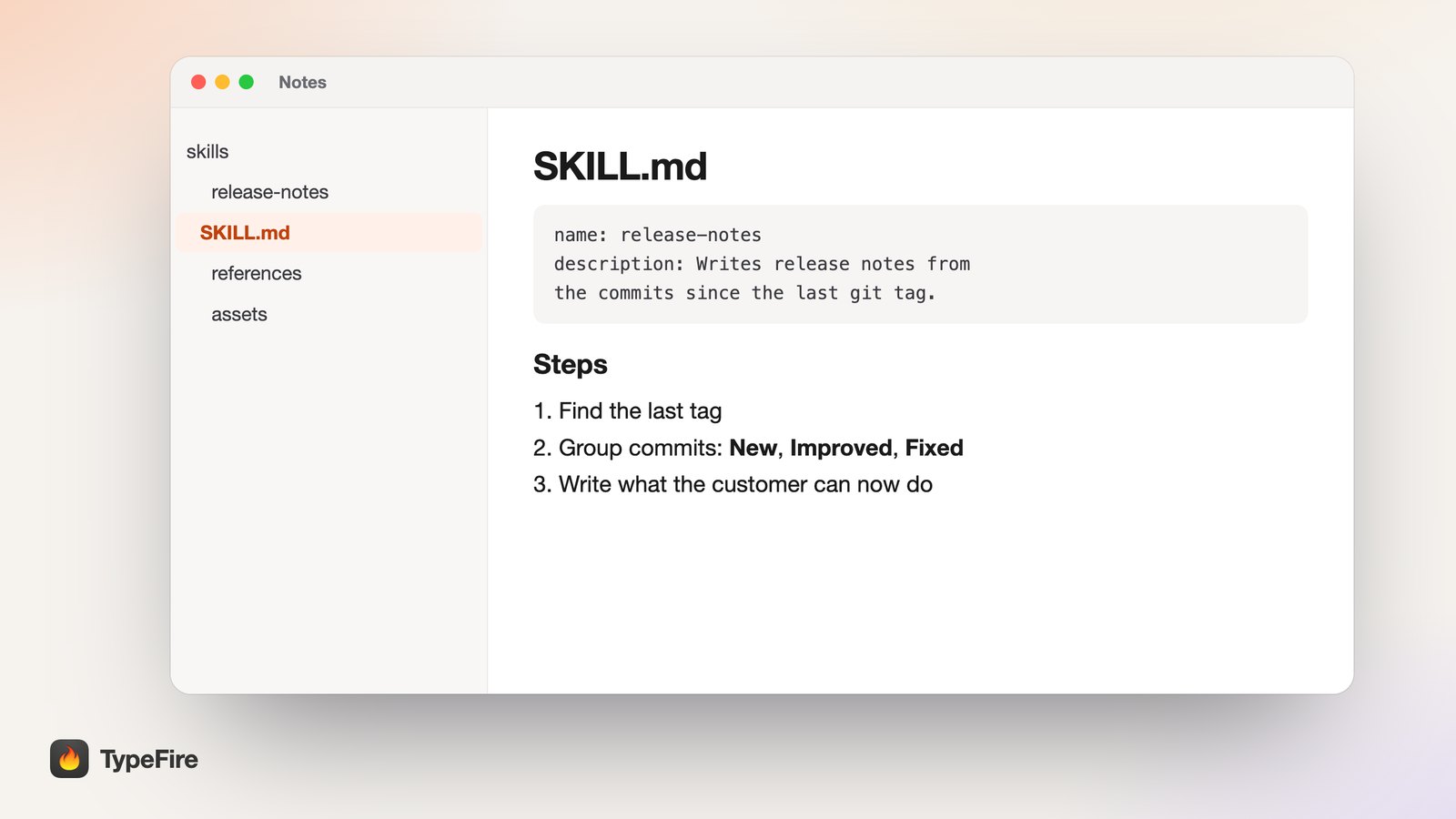
The smallest valid skill is a folder with one file:
release-notes/
└── SKILL.md
How an agent loads a skill
Skills are cheap to keep around because an agent doesn't read them all at once. The standard calls this progressive disclosure, and it happens in three steps:
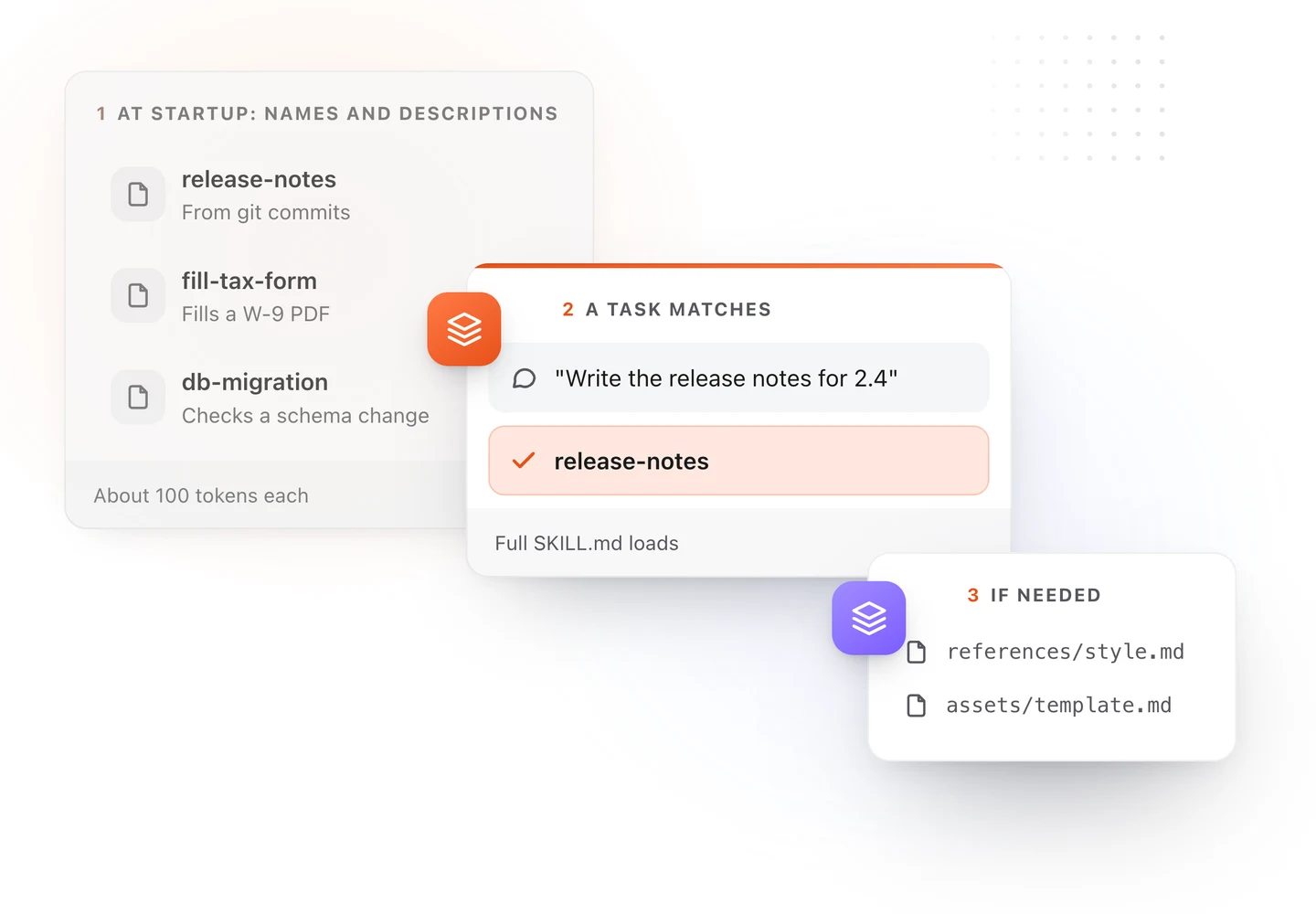
| Step | What the agent loads | When |
|---|---|---|
| Discovery | The name and description of every skill, about 100 tokens each |
At startup |
| Activation | The full SKILL.md body (the spec suggests under 5,000 tokens) |
When a task matches the description |
| Execution | Files the skill points to: references, templates, scripts | Only if the task needs them |
So you can install fifty skills and the agent carries only fifty short descriptions until one is needed. It also means the description does all the work of getting a skill chosen. More on that below.
The SKILL.md format
A SKILL.md has two parts: YAML frontmatter between --- lines, then Markdown instructions. The frontmatter must start on the very first line of the file.
These are the fields the open standard defines:
| Field | Required | Rules |
|---|---|---|
name |
Yes | 1 to 64 characters. Lowercase letters, numbers and hyphens. No leading, trailing or double hyphens. Must match the folder name. |
description |
Yes | 1 to 1,024 characters. What the skill does and when to use it. |
license |
No | A license name, or the name of a bundled license file. |
compatibility |
No | Up to 500 characters on what the skill needs, such as git, Python or network access. |
metadata |
No | Any extra key and value pairs, such as author and version. |
allowed-tools |
No | Tools the skill may run without asking. Experimental, and support varies by agent. |
Claude Code adds fields on top. The most useful ones:
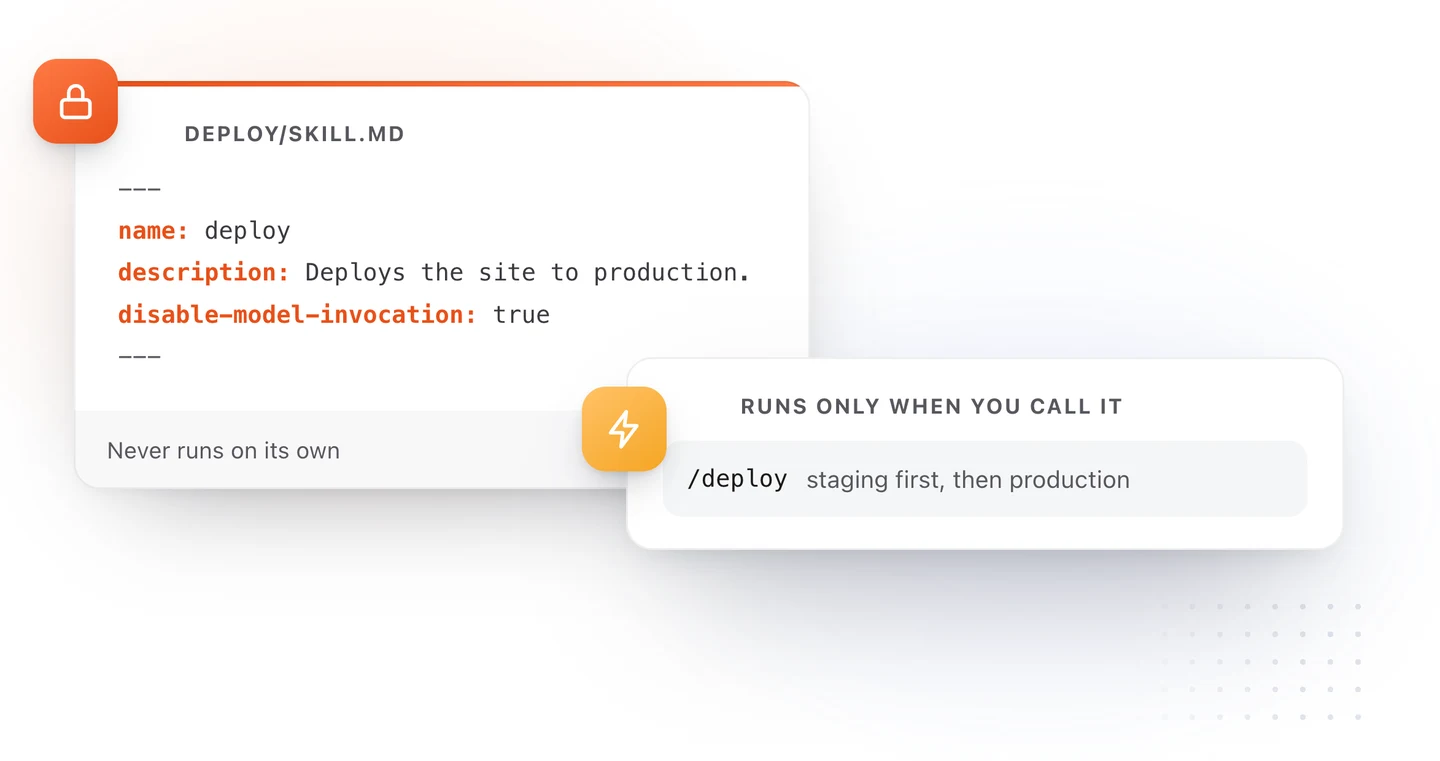
disable-model-invocation: truemeans Claude never runs the skill by itself, only when you type/skill-name. Use it for anything with side effects, like a deploy.user-invocable: falsehides the skill from the/menu, leaving it to Claude to load when relevant.argument-hintshows what to type after the command, for example[version], and$ARGUMENTSin the body receives it.context: forkruns the skill in a separate subagent.
Claude Code will fill in a missing name from the folder and a missing description from the first line of the body. Other agents won't, so write both every time.
A complete SKILL.md example
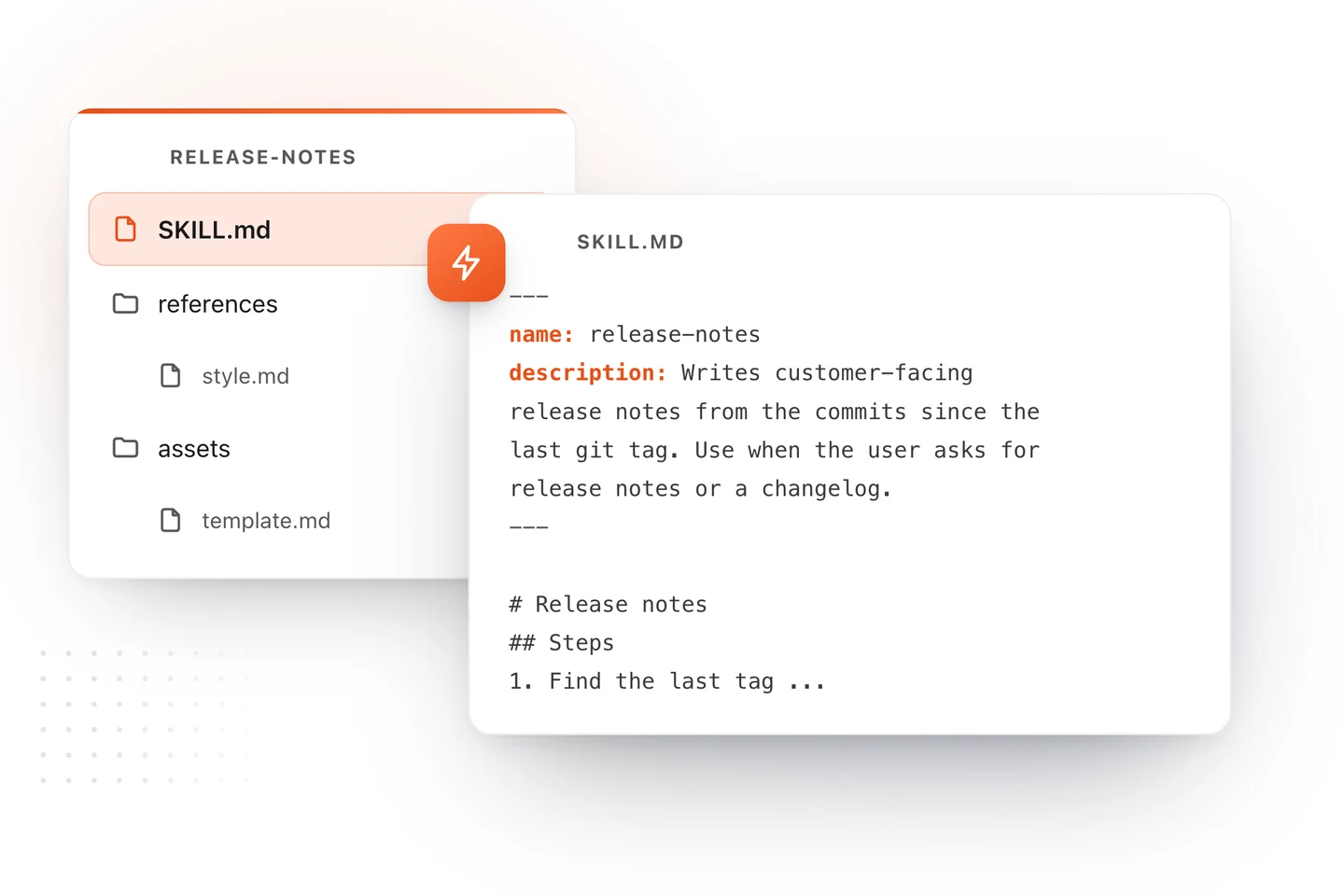
Here is a skill that writes customer-facing release notes from the commits since the last tag. The project is a made-up invoicing app called Harbor Ledger.
release-notes/
├── SKILL.md
├── references/
│   └── style.md
└── assets/
    └── template.md
SKILL.md:
---
name: release-notes
description: Writes customer-facing release notes for Harbor Ledger from the commits since the last git tag. Use when the user asks for release notes, a changelog, "what's new", or is preparing a version for release.
metadata:
  author: harbor-ledger-team
  version: "1.2"
---

# Release notes

## Steps

1. Find the last tag with `git describe --tags --abbrev=0`.
2. List the commits since it with `git log <tag>..HEAD --oneline`.
3. Drop commits that change nothing a customer can see:
   refactors, tests, CI, dependency bumps.
4. Group what's left under **New**, **Improved** and **Fixed**.
5. Write each line as what the customer can now do, in plain words.
   Never name files, functions or internal ticket numbers.
6. Fill in [the template](assets/template.md) and follow
   [the style guide](references/style.md).

## Example

Commit: `fix(pdf): totals row clipped when invoice has 30+ lines`

Release note: "Long invoices now print their totals row in full."

## Edge cases

- No tag yet: use the first commit and say so.
- Only internal commits: reply that there is nothing to announce.
A few things this example gets right:
- The description names the trigger words people actually type: release notes, changelog, what's new.
- The steps are numbered and concrete, with the exact commands.
- One worked example shows the transformation better than a paragraph of rules.
- Long material lives in other files, linked one level deep, so it loads only when the agent reaches that step.
Where to put skills in each tool
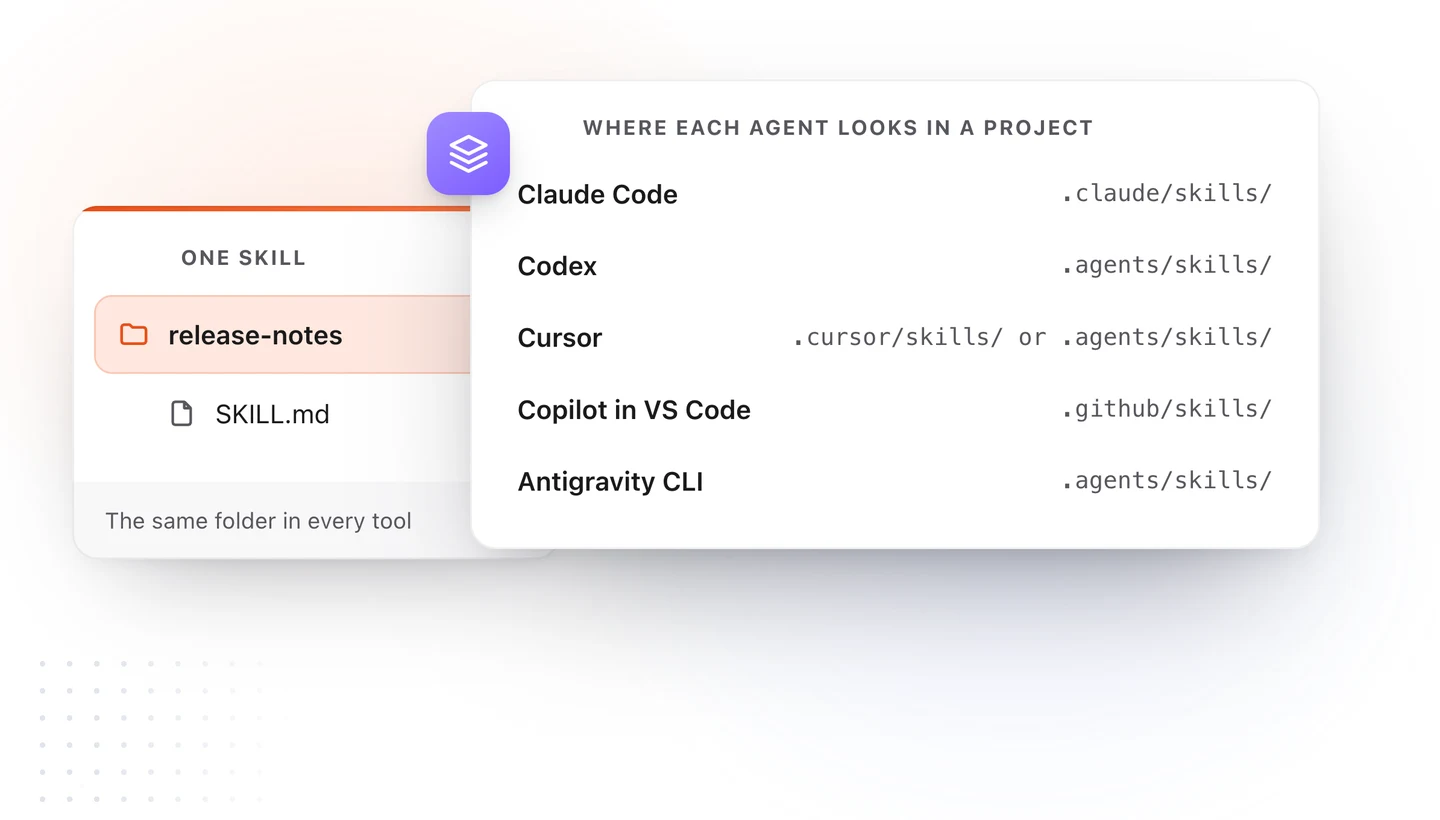
The folder is the same everywhere. Only the parent directory changes.
| Agent | In a project | For you, across projects |
|---|---|---|
| Claude Code | .claude/skills/<name>/SKILL.md |
~/.claude/skills/<name>/SKILL.md |
| Codex | .agents/skills/<name>/SKILL.md |
~/.agents/skills/<name>/SKILL.md |
| Cursor | .cursor/skills/ or .agents/skills/ |
~/.cursor/skills/ or ~/.agents/skills/ |
| GitHub Copilot in VS Code | .github/skills/<name>/SKILL.md |
~/.copilot/skills/<name>/SKILL.md |
| Antigravity CLI (formerly Gemini CLI) | .agents/skills/<name>/SKILL.md |
~/.gemini/skills/<name>/SKILL.md |
Two shortcuts worth knowing. .agents/skills/ is read by Codex, Cursor and Antigravity CLI, so it's the closest thing to a shared home. And Cursor also loads skills from .claude/skills/ and .codex/skills/, so a team on Claude Code and Cursor can share one folder.
Project skills get committed with the repo, so the whole team picks them up on the next pull. Personal skills stay on your machine.
To run a skill by hand: type /release-notes in Claude Code, Cursor or Copilot, or $release-notes in Codex. Otherwise the agent picks it when your request matches the description.
How to write a description that triggers
When a skill never runs, the description is almost always the cause. The agent compares your request to every description it holds, so the description has to contain the words you'll use.
A description that rarely fires:
description: Helps with release stuff.
One that fires when it should:
description: Writes customer-facing release notes from the commits since the last git tag. Use when the user asks for release notes, a changelog, "what's new", or is preparing a version for release.
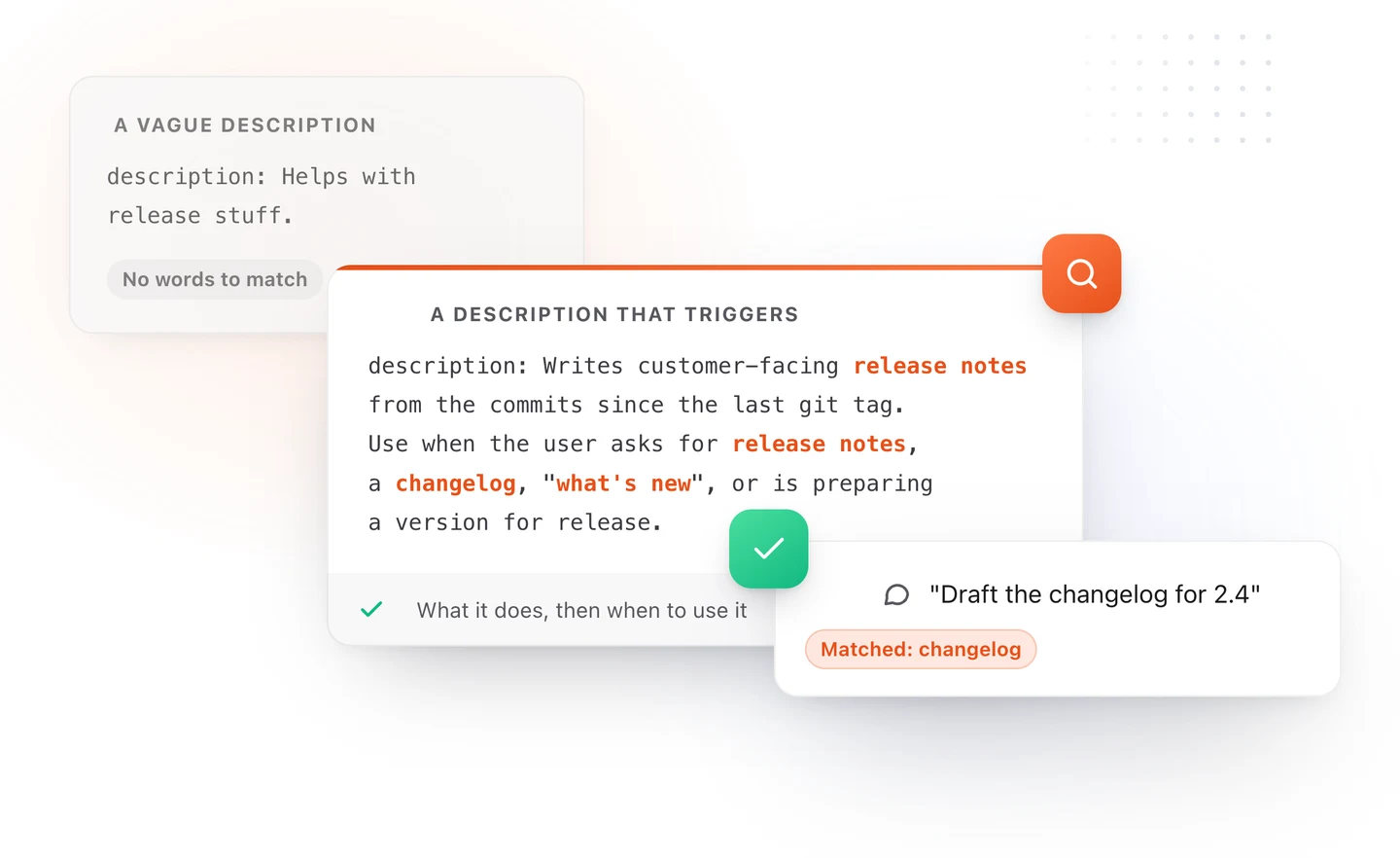
The pattern is two sentences. First, what it does, with the specific nouns (release notes, git tag). Then, when to use it, with the phrases and situations that should trigger it. Codex's own docs put it well: explain exactly when the skill should and should not trigger.
In Claude Code, the description and the optional when_to_use field together are cut off at 1,536 characters in the skill list, so put the main use case first.
SKILL.md vs AGENTS.md vs CLAUDE.md
All three are Markdown files for agents. They do different jobs.
| AGENTS.md | CLAUDE.md | SKILL.md | |
|---|---|---|---|
| What it holds | How to work in this project | The same, for Claude Code | One procedure, in depth |
| When it loads | Every session | Every Claude Code session | Only when a task matches |
| Read by | Codex, Cursor, Copilot and more | Claude Code | Claude Code, Codex, Cursor, Copilot, Antigravity CLI |
| Good for | Commands, conventions, rules | Claude-specific rules | Release notes, migrations, reviews, forms |
A simple rule: if every task needs it, it goes in AGENTS.md or CLAUDE.md. If one kind of task needs it, make it a skill and keep the always-loaded file short. Our AGENTS.md example and Claude Code memory guide cover the other two in depth.
In Claude Code, the old custom commands in .claude/commands/ now work as skills too. A deploy.md there and a .claude/skills/deploy/SKILL.md both give you /deploy. The skill version adds a folder for supporting files and lets Claude load it on its own.
Tips for skills that work
- One job per skill. "Release notes" is a skill. "Everything about releases" is three.
- Keep SKILL.md under 500 lines. Both the standard and Claude Code recommend it. Past that, split detail into
references/. - Link files one level deep. SKILL.md links to
references/style.md, and that file doesn't send the agent somewhere else. - Put fragile steps in scripts. If a step has to be exact, like parsing a file, a script in
scripts/runs the same way every time. - Turn off auto-run for side effects. A skill that deploys, sends or deletes should only run when you call it. In Claude Code and Cursor that's
disable-model-invocation: true. - Validate before sharing. The reference tool runs
skills-ref validate ./release-notesand checks the frontmatter and naming rules.
Write and reuse skills faster on a Mac
Skills are Markdown, which is what TypeFire is built around.
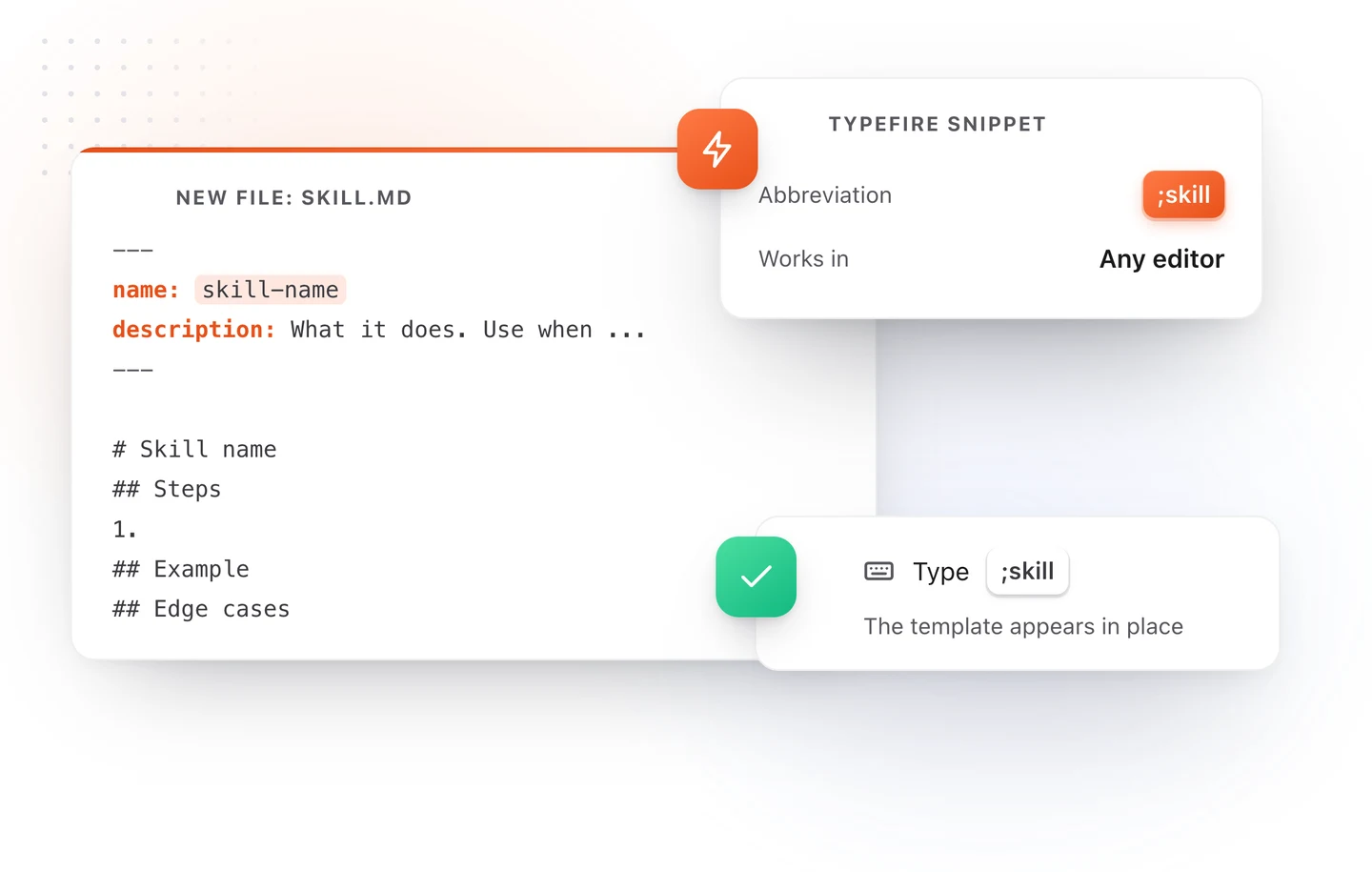
- Start every skill from a snippet. Save the skeleton above as a TypeFire snippet with the abbreviation
;skill, and typing it in any editor, from VS Code to Cursor, fills in the frontmatter and the Steps, Example and Edge cases headings. - Give skills a memory. With TypeFire connected to Claude Code, Codex or Cursor over MCP, a skill can say "Search my TypeFire vault for the last release's notes before writing new ones," and the agent reads them from your own Markdown notes on your Mac.
- Keep the long material as notes. A style guide or a list of past decisions is easier to maintain as a note you open every week than as a file buried in a dot folder.
Download TypeFire for Mac, free. Or see how it works with Claude Code and other AI apps.
Loved by people who type all day.
Unprompted reactions from users, in their own words.
Used by people at
Company names are places where our users work. They do not imply endorsement or affiliation.