Halloween sale. Pro for $12 instead of $18 with code TRICKORTF at checkout, until October 31.
Free · No upload · No sign-up

Word to Markdown, free

Copy from your Word document and paste it here. Headings, lists, links and tables turn into clean Markdown as they land, ready to copy or download as a .md file.

From Word.md
FileEditViewInsertFormatHelp
From Word.md

Paste from Word here

Open your Word document, select what you need (or press Ctrl A to select it all), copy, then paste over this text.

What comes across

  • Headings become # and ##
  • Bold, italic and links are kept
  • Bulleted and numbered lists stay lists
  • Tables keep their rows and columns

See the Markdown
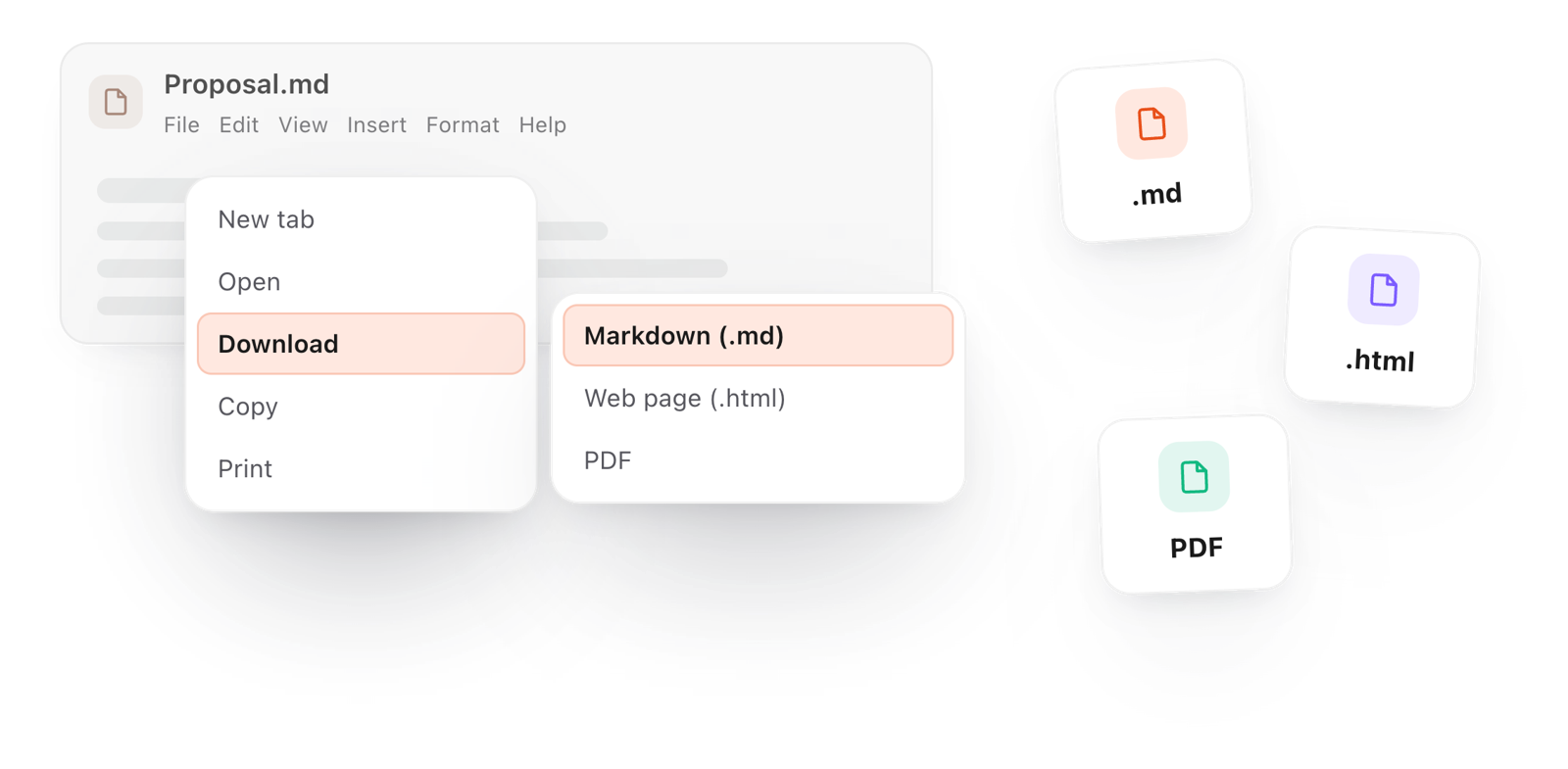
Turn Formatting off in the View menu to read the Markdown source, then File > Download > Markdown to save the .md file.
Loading the editor…Your files stay in your browser
  • Your files never leave your browser
  • Free, no sign-up
  • Download as Markdown, Word, a web page or a PDF

Keep this editor one click away

TypeFire for Chrome: your Markdown notes in tabs, a text expander and your clipboard history, free in Chrome, Edge and Brave.

How it works

Convert Word to Markdown in three steps

  1. 01

    Copy from Word

    Open the document, press Ctrl A (⌘ A on a Mac) to select it all, and copy.

  2. 02

    Paste it here

    Click into the document above and paste. It arrives as Markdown, formatted on screen.

  3. 03

    Save the .md

    File > Download > Markdown saves the file, or File > Copy > As Markdown puts it on your clipboard.

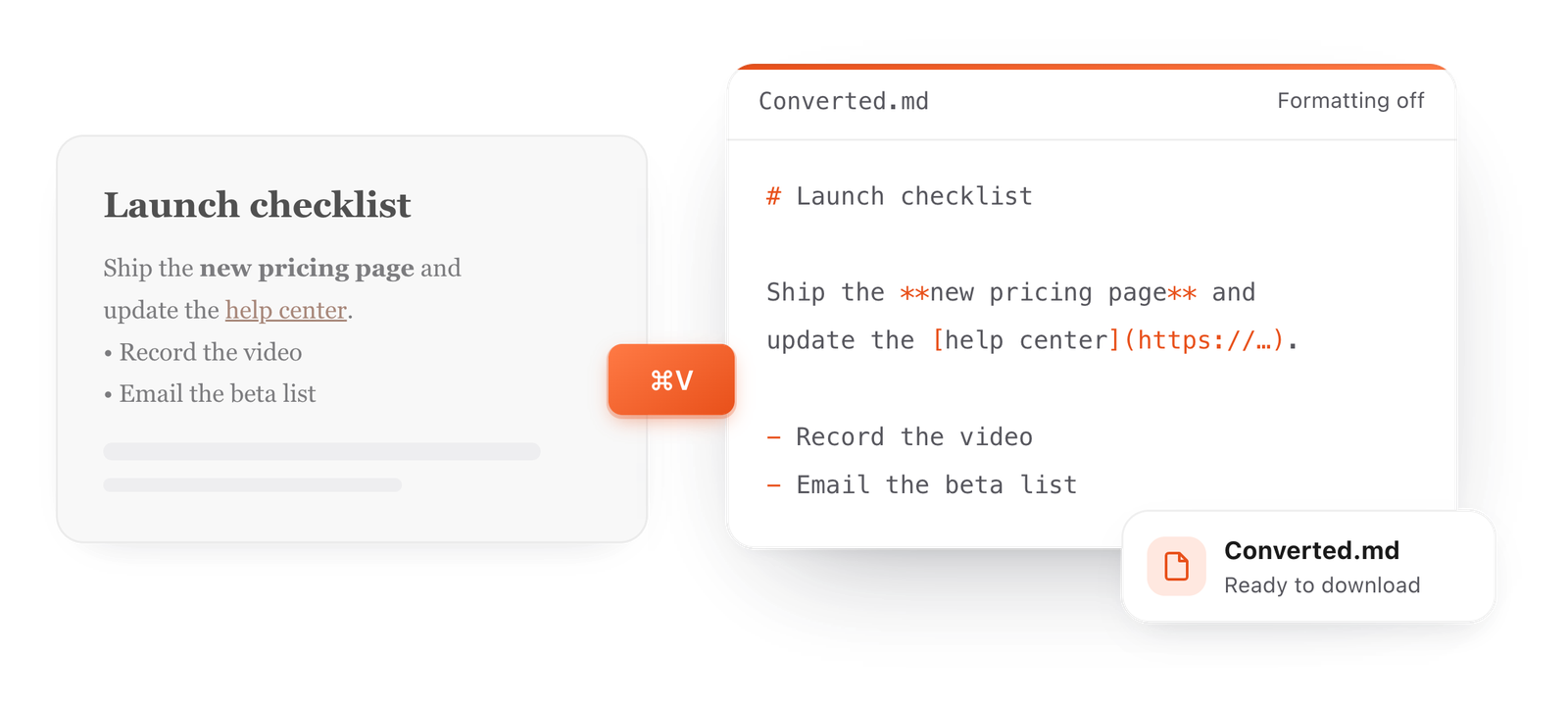
A formatted paragraph pasted from a document turns into the Markdown source it became
Free for Mac and Chrome

Like this editor? Get TypeFire.

The same editor on your whole folder of Markdown notes, plus a text expander and a clipboard manager. On a Mac, every .md file previews in Finder when you press Space.

Download free for MacAdd to Chrome7 day Pro trial, no card required.

Free text expander, markdown notes and a clipboard manager. $18 once for unlimited clips, notes sync and AI prompts.

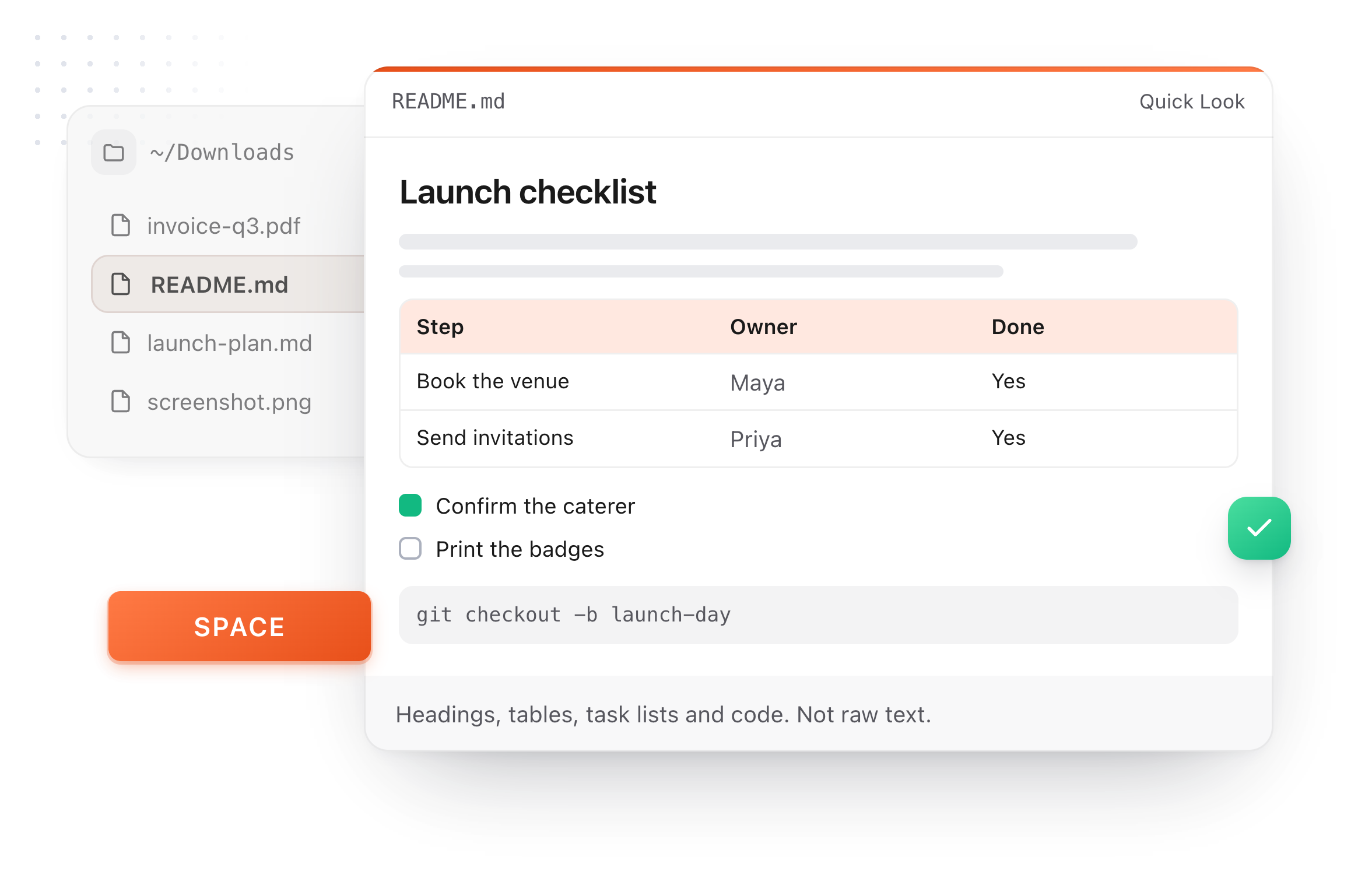
A README.md previewed in Finder with Quick Look on a Mac, after pressing Space
What it converts

Paste formatted text, get clean Markdown

Paste from another app and the formatting is turned into Markdown as it lands. Then File > Copy > As Markdown, or download the .md.

Google Docs
How:Select and copy, then paste here.
What comes through:Headings, bold, italic, lists, links and tables.
Word or Pages
How:Copy from the document, then paste.
What comes through:The same, as clean Markdown.
A web page
How:Copy the part you want, then paste.
What comes through:Text and links, without the page's styling.
An email
How:Copy the message body, then paste.
What comes through:Quotes and lists keep their shape.

Or format it here, and read the Markdown

Every button on the toolbar writes standard Markdown into the document. Turn Formatting off in the View menu to see exactly what it wrote.

Bold
**text**
Heading 2
## Heading
Bullet list
- item
To-do list
- [ ] task
Quote
> quoted text
Callout
> [!note] Title
Highlight
==text==
Table
| a | b |
Footnote
[^1]
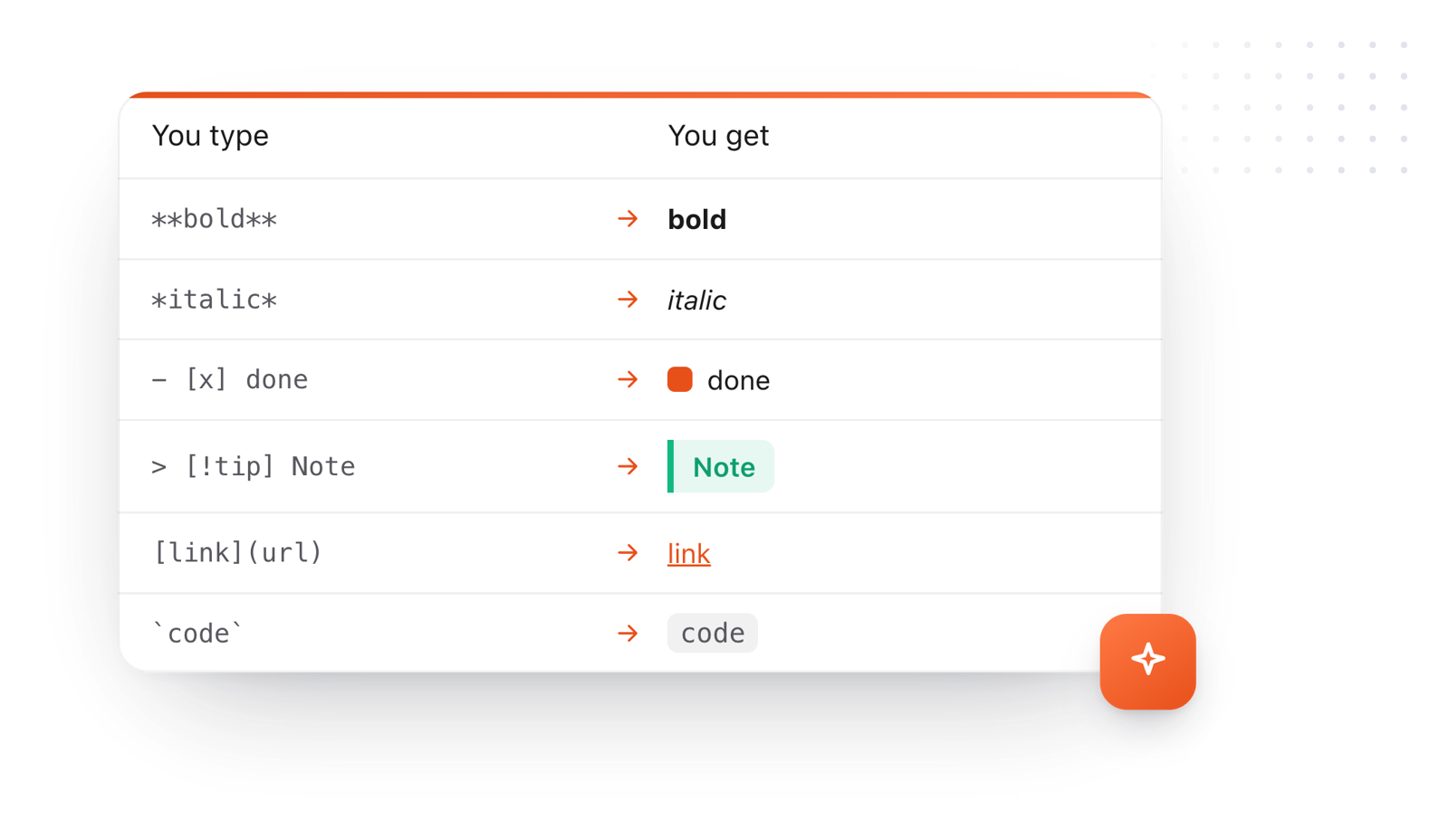
Markdown syntax and what it makes: bold, italic, a done task, a callout, a link and inline code
What it does

Markdown you can check before you save it

You see the document formatted, and the Markdown behind it whenever you want to check.

The File menu, saving the converted document as a Markdown file
  1. Structure kept

    Headings, bold, italic, links, lists and tables all come across.

  2. Check the source

    Turn Formatting off in the View menu to read the exact Markdown it wrote.

  3. Tidy it in place

    Fix a heading or a list right there before you save.

  4. One tab per document

    Press + and paste the next document, then download each one.

  5. Private

    Your document never leaves your browser. Nothing is uploaded.

Take it further

The same editor, without the browser tab

This editor comes from TypeFire, a free app for Markdown notes, a text expander and a clipboard manager. Here it works on the files you open. In the app, it opens your whole folder.

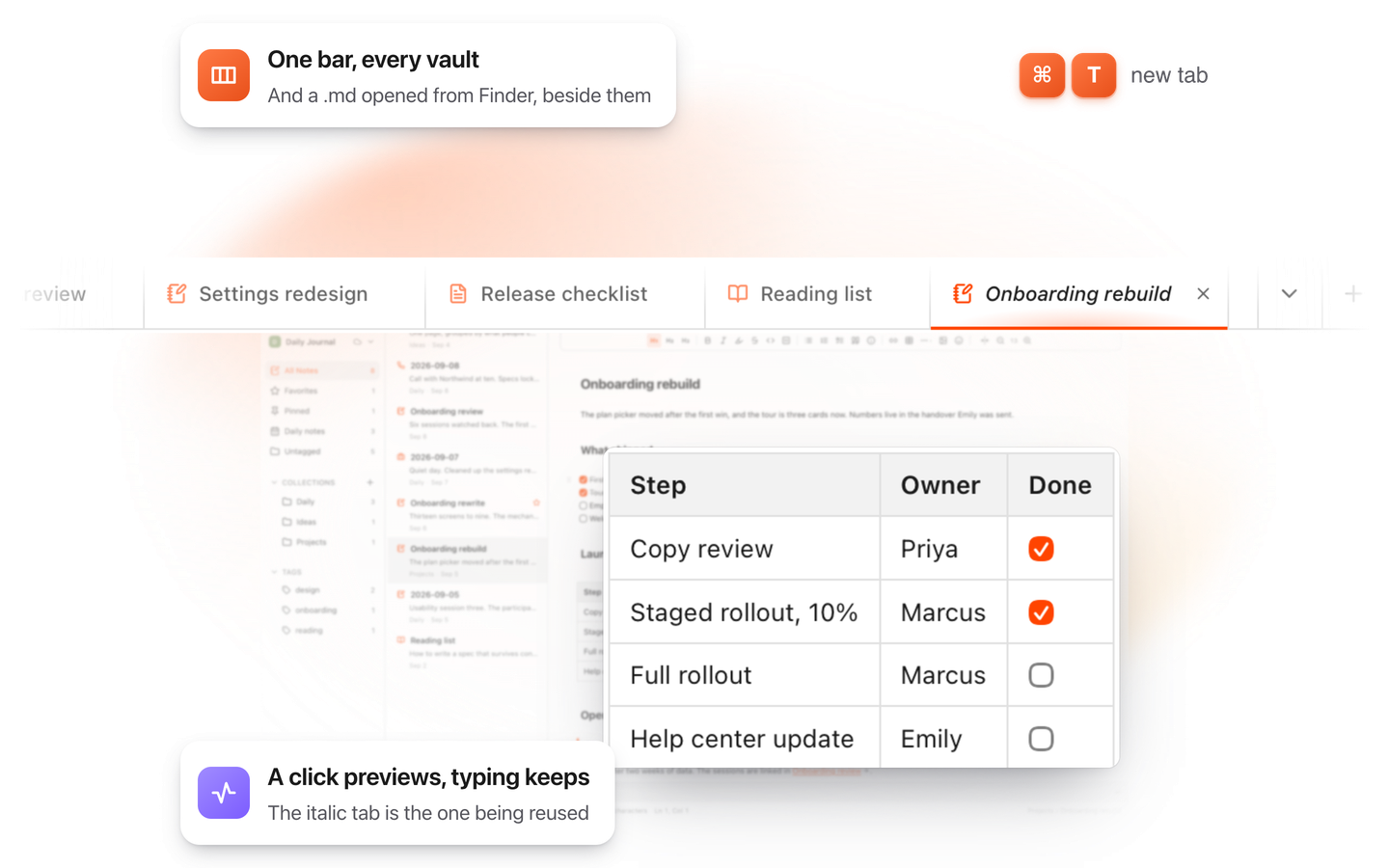
TypeFire for Mac with several Markdown notes open in one tab bar

TypeFire for Mac

  • Press Space on any .md file in Finder and read it rendered, with Quick Look.
  • Open a folder of Markdown, an Obsidian vault included, with tabs, search and links.
  • A text expander and a clipboard history in the same free app.
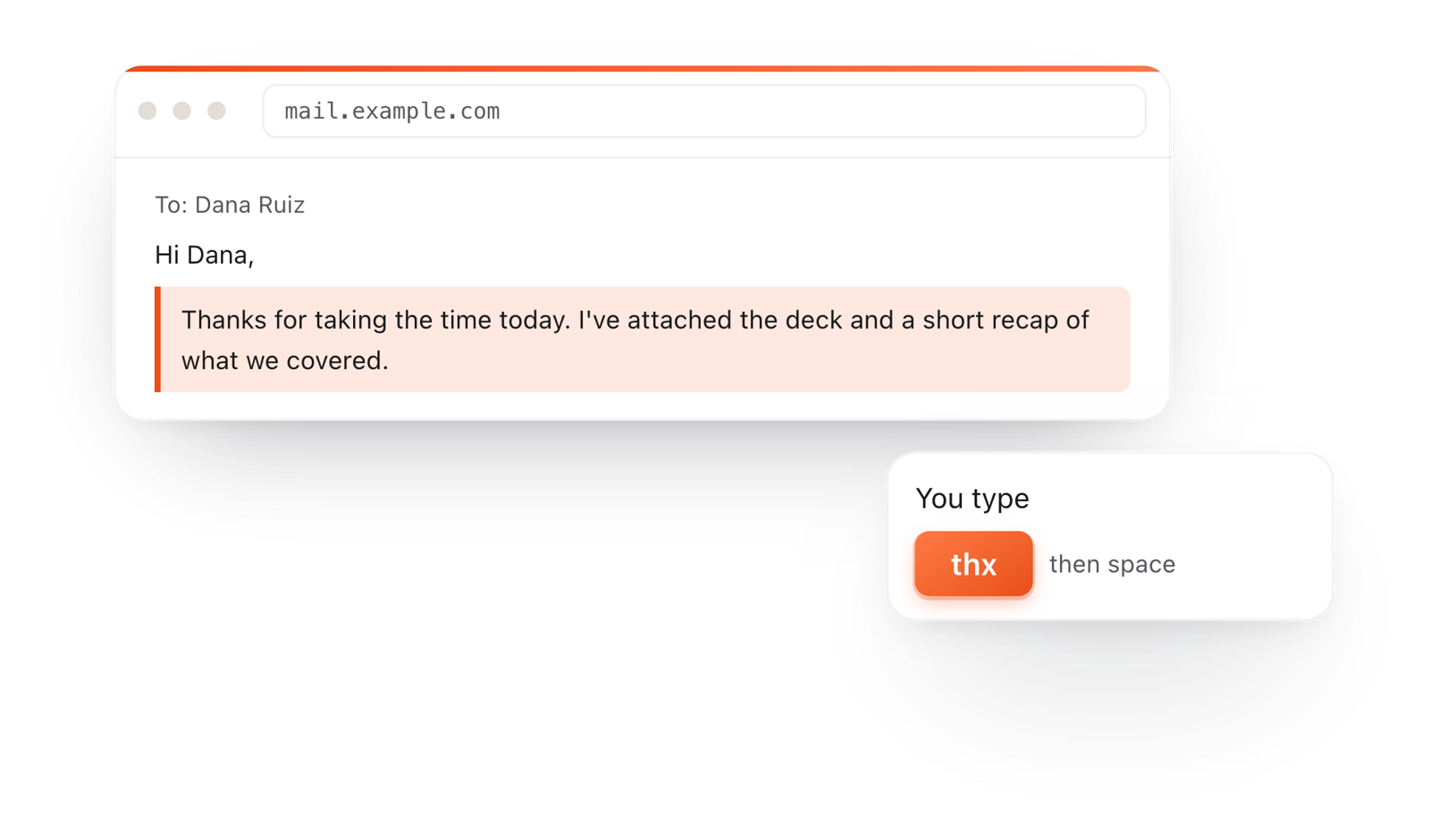
In a browser email, typing thx and a space expands into a whole thank-you reply

TypeFire for Chrome

  • This editor in its own tab, one click from the toolbar.
  • Your folder of .md notes in tabs, with search and links.
  • A text expander and your clipboard history on every site.

Frequently asked questions

Still not answered?

Open the document in Word, select the text (Ctrl A for all of it), copy, and paste it into the document on this page.

It becomes Markdown as it lands. File > Download > Markdown saves the .md file.

Yes. No account, no sign-up and no limit on how many documents you convert.

No. The conversion happens in your browser, on your own computer.

Nothing you paste is sent anywhere.

Yes. Headings, bold, italic, links, bulleted and numbered lists, and tables come across as Markdown.

Yes. Turn Formatting off in the View menu to read the Markdown source, and back on to see it formatted.

Yes. Open the file in any app that shows it formatted, copy the text, and paste it here.

Yes. Open or paste your Markdown, then File > Download > Word (.docx).

Markdown is plain text, so it works in GitHub, Obsidian, Notion, static site tools and AI apps, stays small, and never locks you into one program.

Keeping your documents in Markdown now?

TypeFire for Mac keeps your Markdown in a folder you own, opens it in this same editor, and previews any .md file in Finder. Free.

Download free for MacAdd to ChromeSee what $18 adds7 day Pro trial, no card required.

Free text expander, markdown notes and a clipboard manager. $18 once for unlimited clips, notes sync and AI prompts.

your clips your snippets