Chrome · Edge · Brave · No install

Markdown viewer for Chrome

Open .md files right in Chrome, formatted, with nothing to install. Drop them onto this tab, read and edit them, and save as Markdown, a web page or a PDF.

Welcome.md
FileEditViewInsertFormatHelp
Welcome.md

Markdown, right in Chrome

Drop a .md file onto this tab, or use File > Open. It opens formatted, with nothing to install.

  • Several files open as tabs
  • Your tabs are saved in Chrome, so closing the window loses nothing
  • File > Download saves Markdown, a web page or a PDF

Keep it handy
Bookmark this page and it's your Markdown viewer in Chrome, on Windows, Mac, Linux and Chromebook.
Loading the editor…Your files stay in your browser
  • Your files never leave your browser
  • Free, no sign-up
  • Download as Markdown, a web page or a PDF

This editor comes from TypeFire, free for Mac

Your whole folder of Markdown notes in tabs, Quick Look previews in Finder, plus a text expander and a clipboard manager.

How it works

View Markdown in Chrome in three steps

  1. 01

    Open this page

    Bookmark it and it's your Markdown viewer in Chrome, on any computer.

  2. 02

    Drop your files

    Drag .md files onto the tab, or use File > Open. Each opens formatted in its own tab.

  3. 03

    Keep working

    Your tabs are saved in Chrome, so closing the window loses nothing.

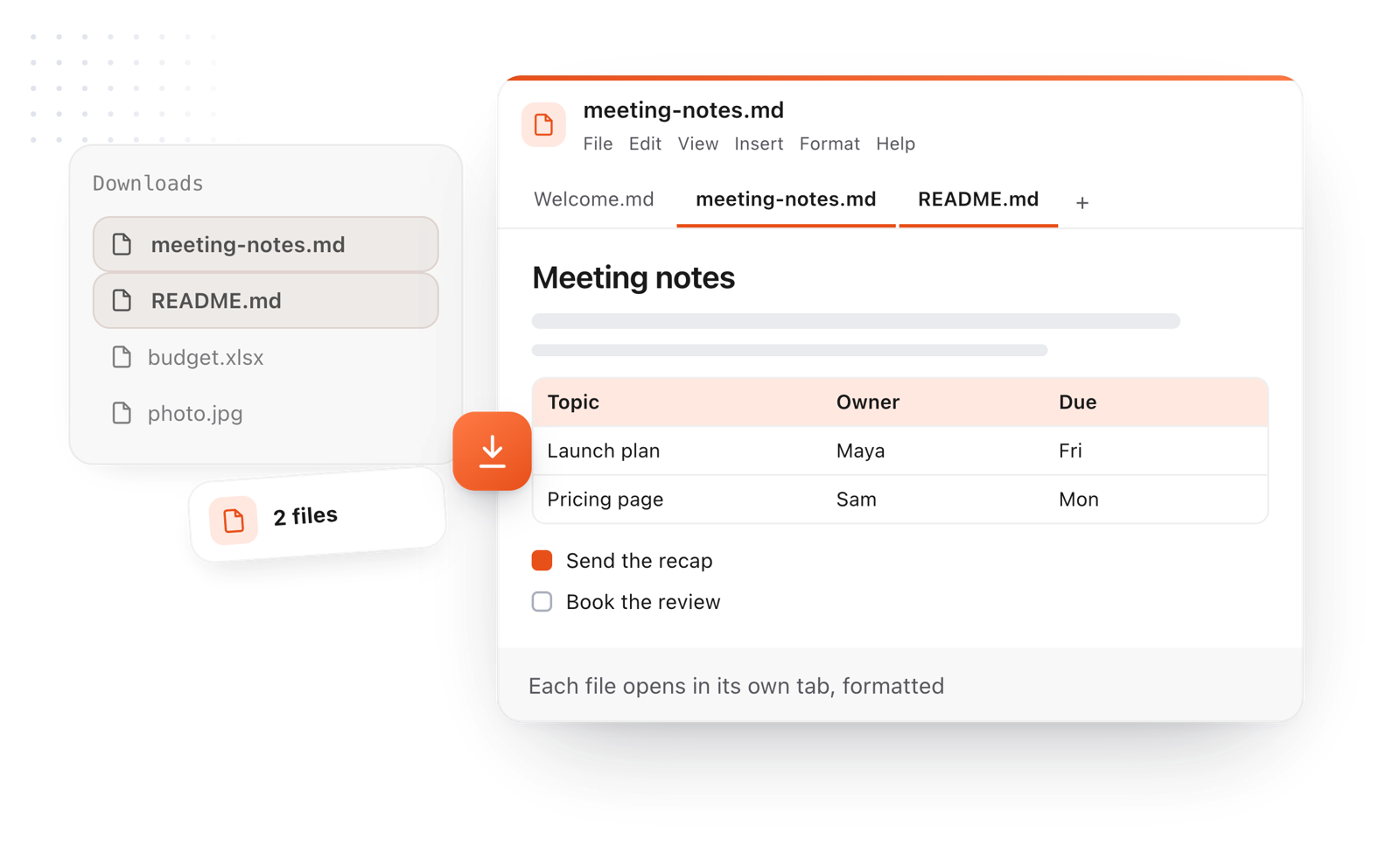
Markdown files dropped onto a Chrome tab open as formatted tabs
Free for Mac and Chrome

Like this editor? Get TypeFire.

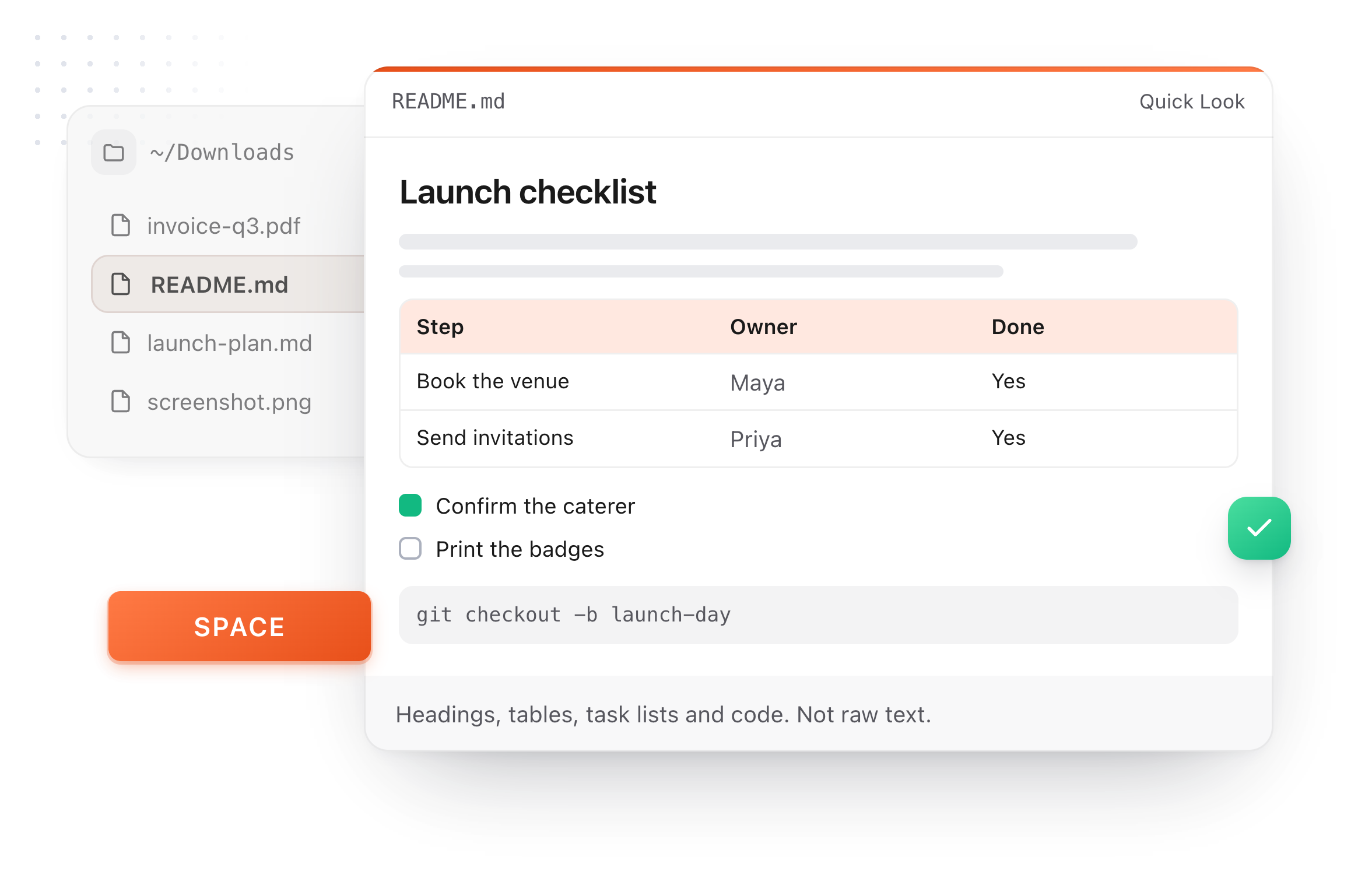
The same editor on your whole folder of Markdown notes, plus a text expander and a clipboard manager. On a Mac, every .md file previews in Finder when you press Space.

Download free for MacAdd to Chrome7 day Pro trial, no card required.

Free text expander, clipboard manager and markdown notes. $18 once for unlimited clips, notes sync and AI prompts.

A README.md previewed in Finder with Quick Look on a Mac, after pressing Space
What it does

A Markdown viewer that lives in a tab

No extension to install, no permissions to grant.

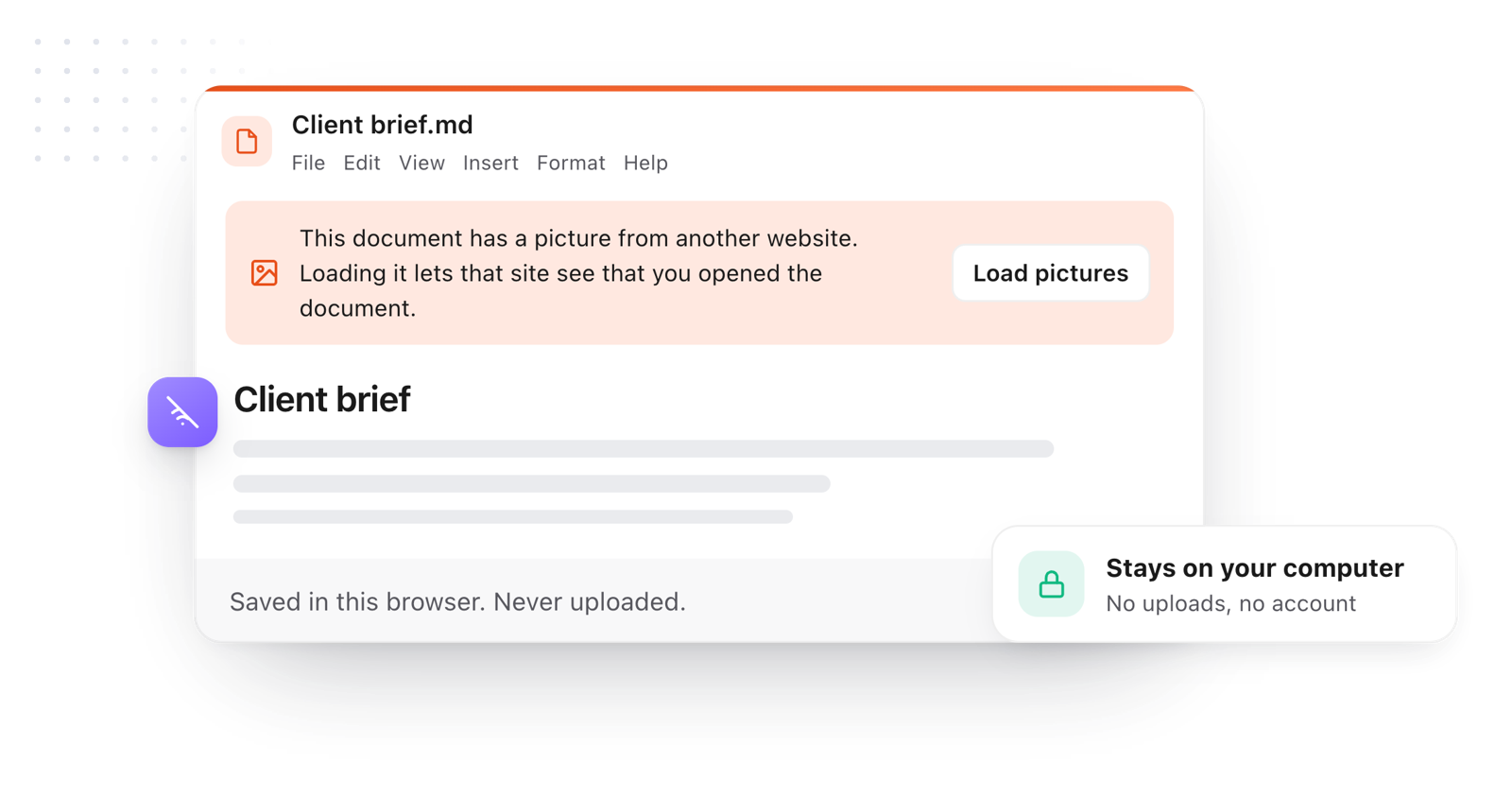
Your document stays in the browser; pictures from other websites wait for Load pictures
  1. Nothing to install

    It's a web page: open it, bookmark it, use it. Works the same in Chrome, Edge and Brave.

  2. Tabs, like Chrome

    Open several files and switch between them, and they're still there next time.

  3. Read and edit

    Tables, code, task lists and callouts render as you read, and you can edit any of them.

  4. Save anywhere

    Download as Markdown, a web page or a PDF.

  5. Private

    Files stay on your computer. Nothing is uploaded.

Take it further

The same editor, without the browser tab

This editor comes from TypeFire, a free app for Markdown notes, a text expander and a clipboard manager. Here it works on the files you open. In the app, it opens your whole folder.

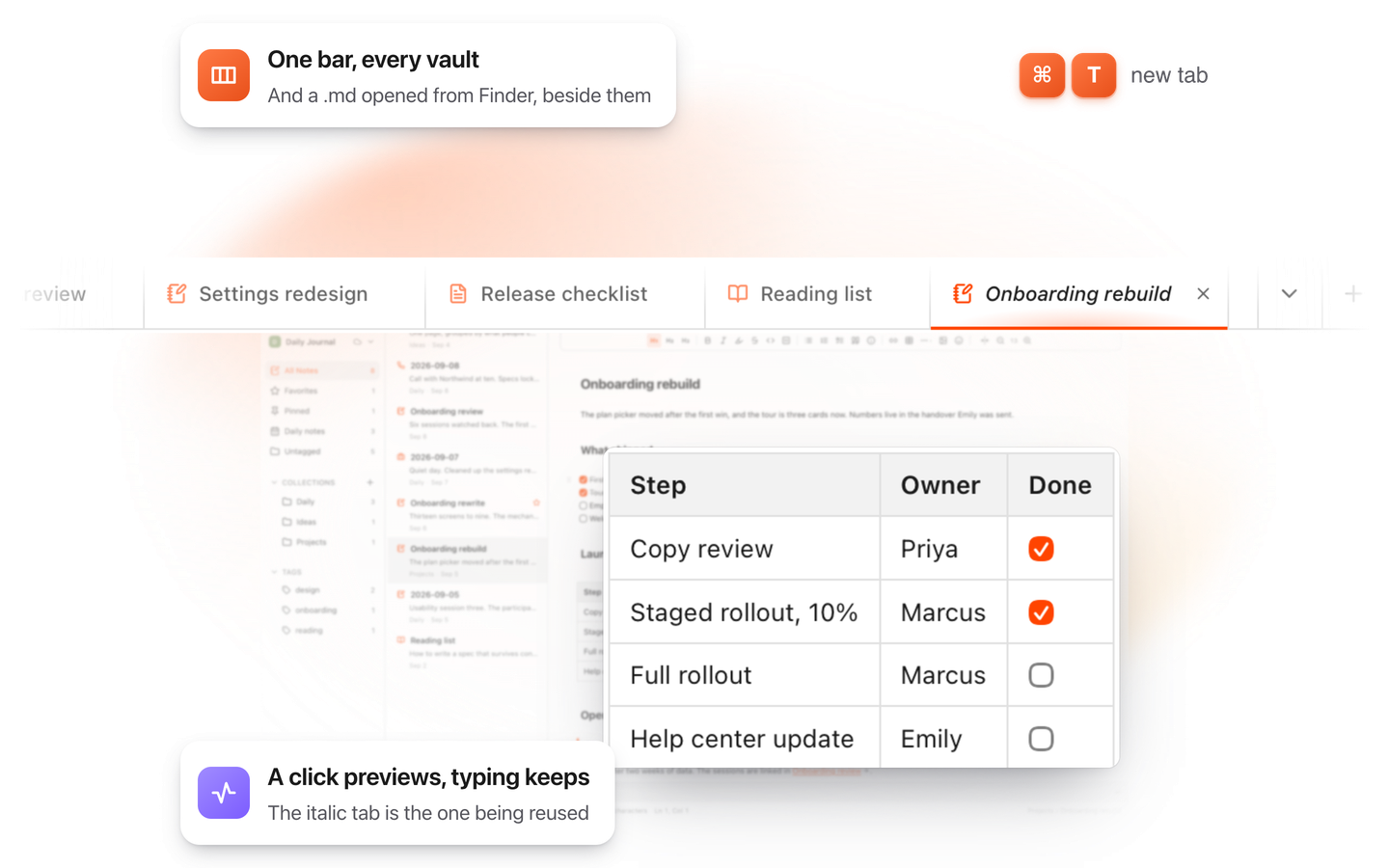
TypeFire for Mac with several Markdown notes open in one tab bar

TypeFire for Mac

  • Press Space on any .md file in Finder and read it rendered, with Quick Look.
  • Open a folder of Markdown, an Obsidian vault included, with tabs, search and links.
  • A text expander and a clipboard history in the same free app.
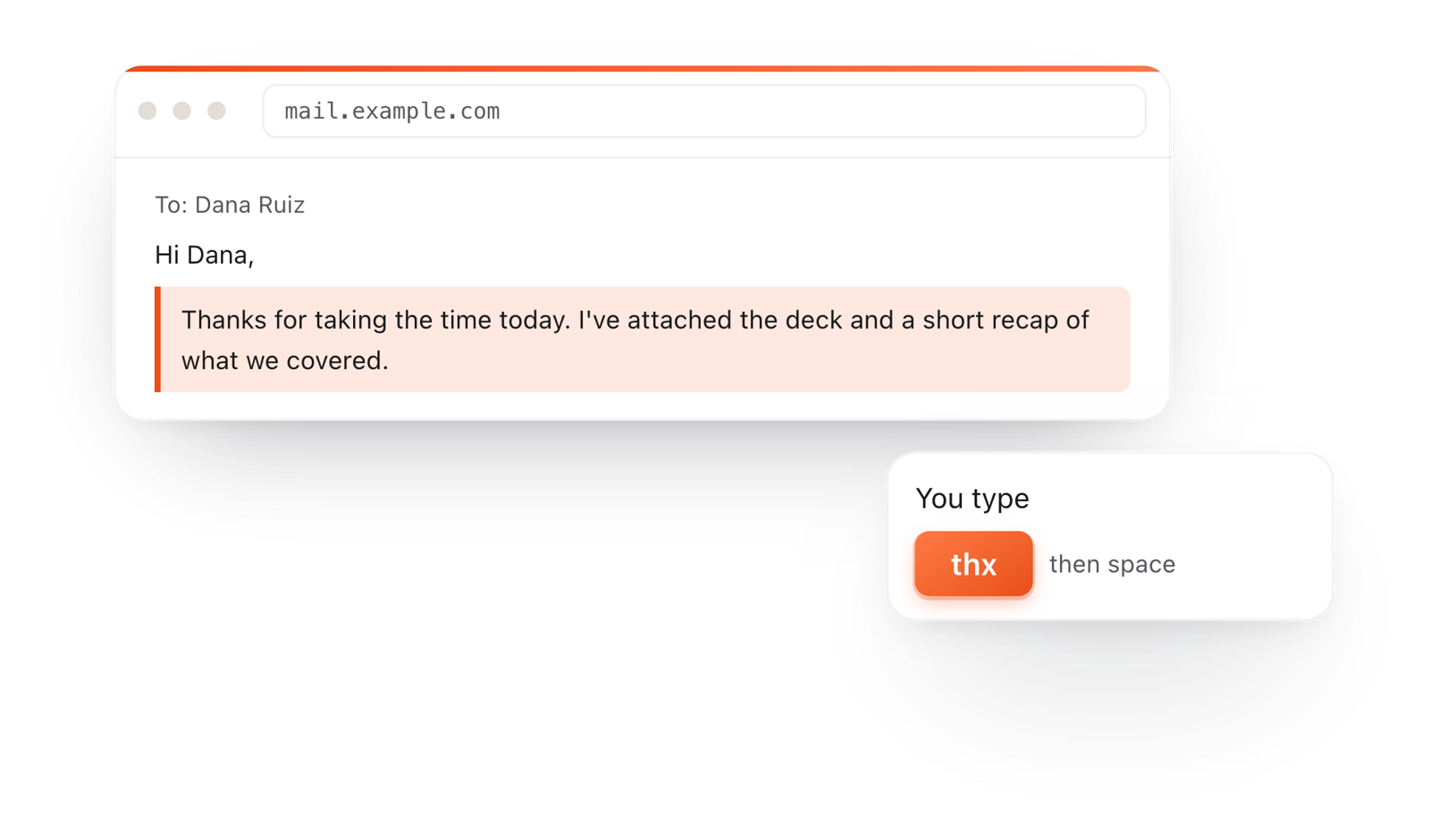
In a browser email, typing thx and a space expands into a whole thank-you reply

TypeFire for Chrome

  • A free text expander for Chrome, Edge and Brave.
  • Type a few letters and get the whole reply, on any site.
  • Works on Windows, Linux, ChromeOS and Mac.

Frequently asked questions

Still not answered?

Open this page and drag the .md file onto it, or use File > Open.

It opens formatted in a tab, with nothing to install.

No. This is a web page, so there's nothing to install and no permissions to grant.

Bookmark it to keep it handy.

Yes, and in any modern browser.

No. Chrome reads the file on your computer, and your open tabs are saved in Chrome, not on a server.

Yes. Drag them in from the Files app.

Type faster in Chrome too

TypeFire for Chrome is a free text expander for every site you type on, and TypeFire for Mac opens your whole notes folder in this editor.

Download free for MacAdd to ChromeSee what $18 adds7 day Pro trial, no card required.

Free text expander, clipboard manager and markdown notes. $18 once for unlimited clips, notes sync and AI prompts.

your clips your snippets