Halloween sale. Pro for $12 instead of $18 with code TRICKORTF at checkout, until October 31.
Free · No upload · No sign-up

Markdown to Word, free

Open or paste your Markdown, check how it looks, then take it into Word or Google Docs with the headings, lists and tables intact. Your file never leaves your computer.

Meeting notes.md
FileEditViewInsertFormatHelp
Meeting notes.md

Planning meeting, October 27

Written in Markdown, ready for a Word document.

Decisions

  1. Launch moves to November 12
  2. Maya owns the onboarding copy
  3. Support gets the FAQ a week early

Action items

  • Send the revised timeline (Sam)
  • Book the launch review (Priya)
  • Share these notes
Area Owner Due
Copy Maya Nov 3
Video Sam Nov 7

Into Word
Choose File > Download > Word (.docx). The headings, lists and table come with it, and it opens in Word, Pages and Google Docs.
Loading the editor…Your files stay in your browser
  • Your files never leave your browser
  • Free, no sign-up
  • Download as Markdown, Word, a web page or a PDF

Keep this editor one click away

TypeFire for Chrome: your Markdown notes in tabs, a text expander and your clipboard history, free in Chrome, Edge and Brave.

How it works

Convert Markdown to Word in three steps

  1. 01

    Open or paste

    Drop a .md file onto the page, or paste your Markdown into the document.

  2. 02

    Check it

    It's formatted as you look at it, so you see the Word version before you make it. Fix anything right there.

  3. 03

    Download as Word

    Choose File > Download > Word (.docx), then open it in Word, Google Docs or Pages.

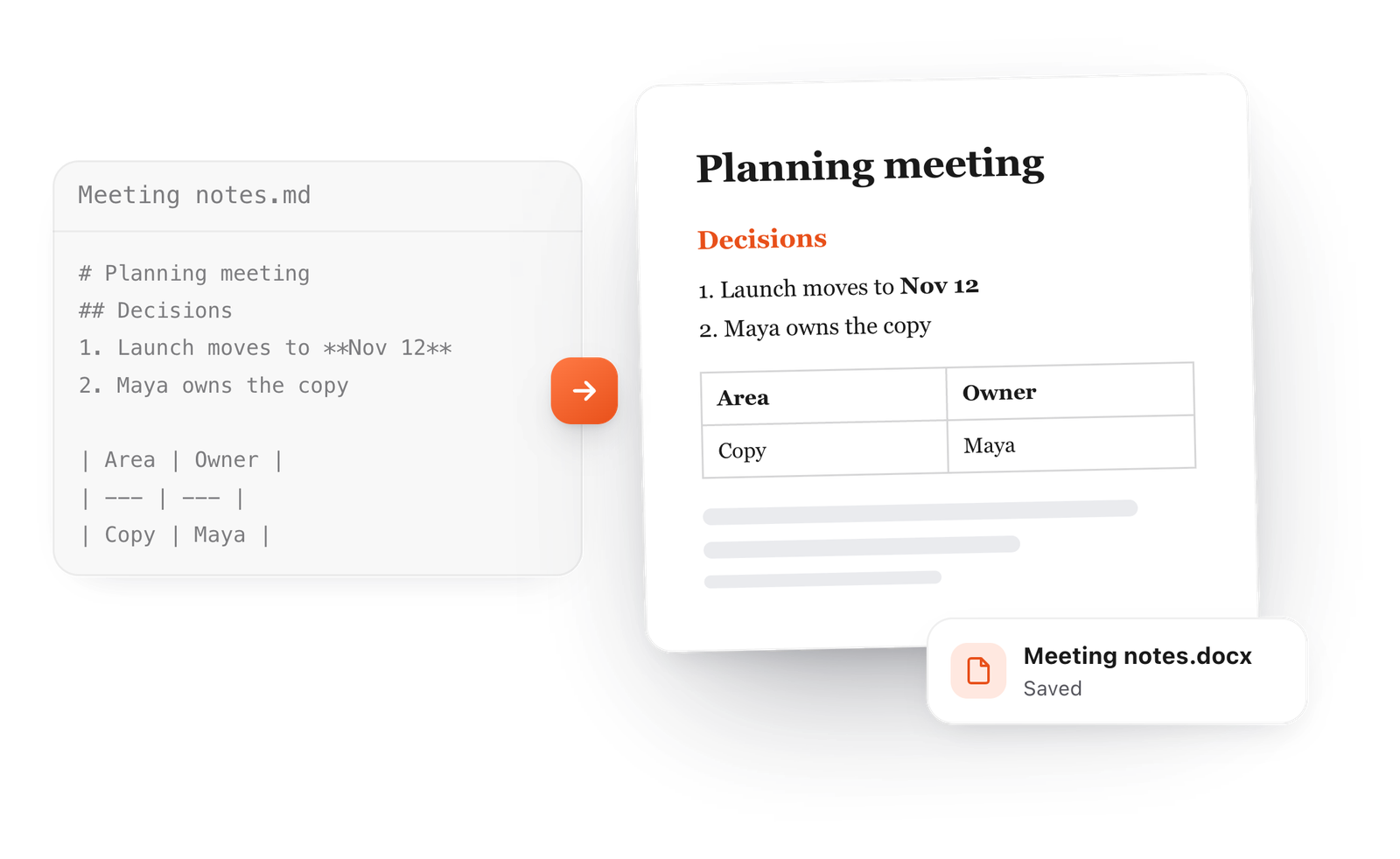
A Markdown meeting note with a table becomes a formatted Word document, saved as Meeting notes.docx
Free for Mac and Chrome

Like this editor? Get TypeFire.

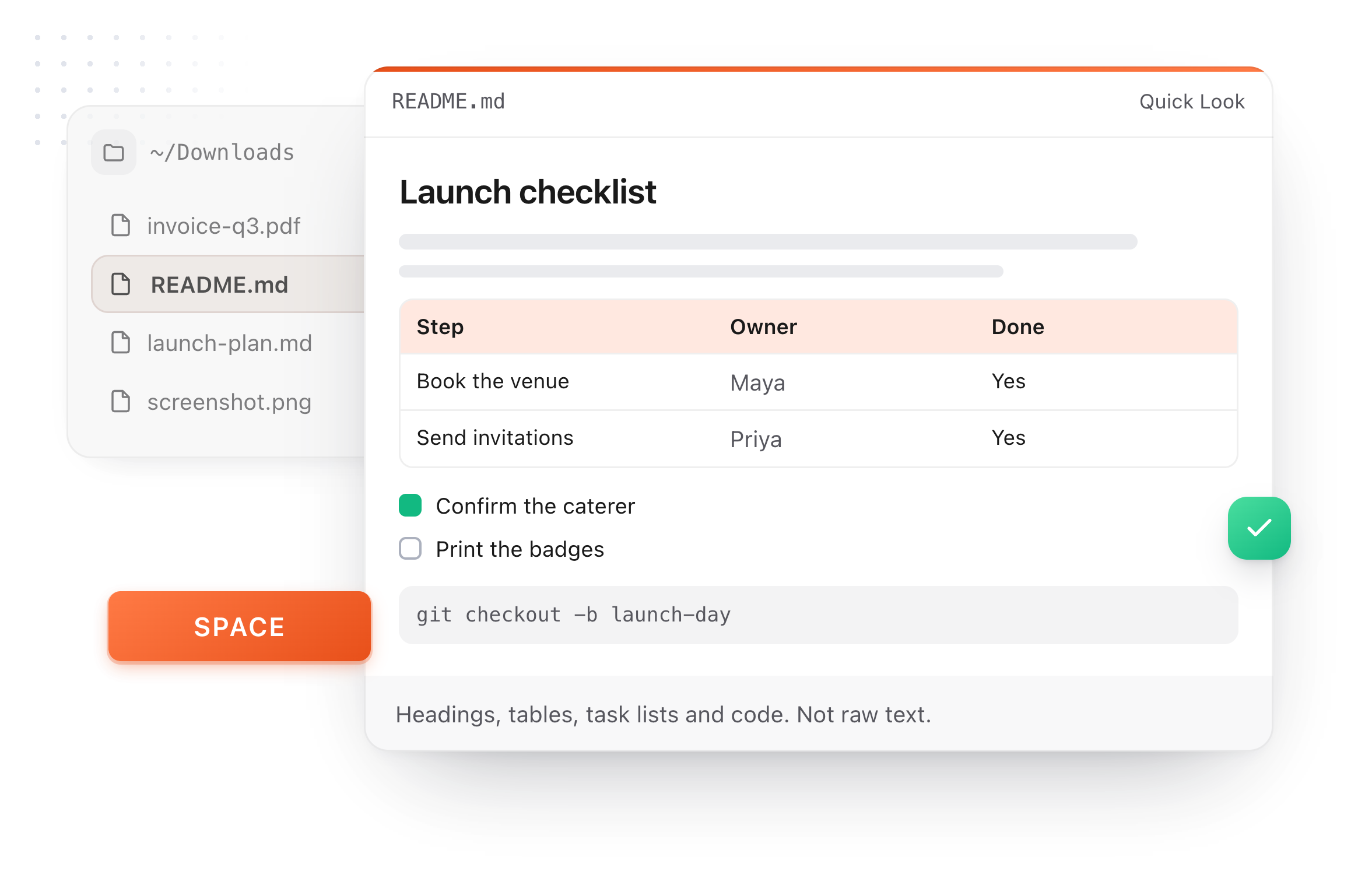
The same editor on your whole folder of Markdown notes, plus a text expander and a clipboard manager. On a Mac, every .md file previews in Finder when you press Space.

Download free for MacAdd to Chrome7 day Pro trial, no card required.

Free text expander, markdown notes and a clipboard manager. $18 once for unlimited clips, notes sync and AI prompts.

A README.md previewed in Finder with Quick Look on a Mac, after pressing Space
Where it goes next

Markdown into Word, Google Docs or Pages

The same document, in whichever app the people you work with use.

Microsoft Word
How:Open the .docx you downloaded.
Good to know:Headings, lists, links, tables and code come with it.
Word on the web
How:Upload the .docx to OneDrive and open it.
Good to know:Same file, in the browser.
Google Docs
How:Drag the .docx into Google Drive, then Open with Google Docs.
Good to know:Or paste: File > Copy > As rich text, then paste into the doc.
Pages on a Mac
How:Open the .docx in Pages.
Good to know:Pages reads Word files directly.
What it does

No symbols left behind

Pasting raw Markdown into Word leaves you deleting asterisks and pound signs. This hands Word the formatting instead.

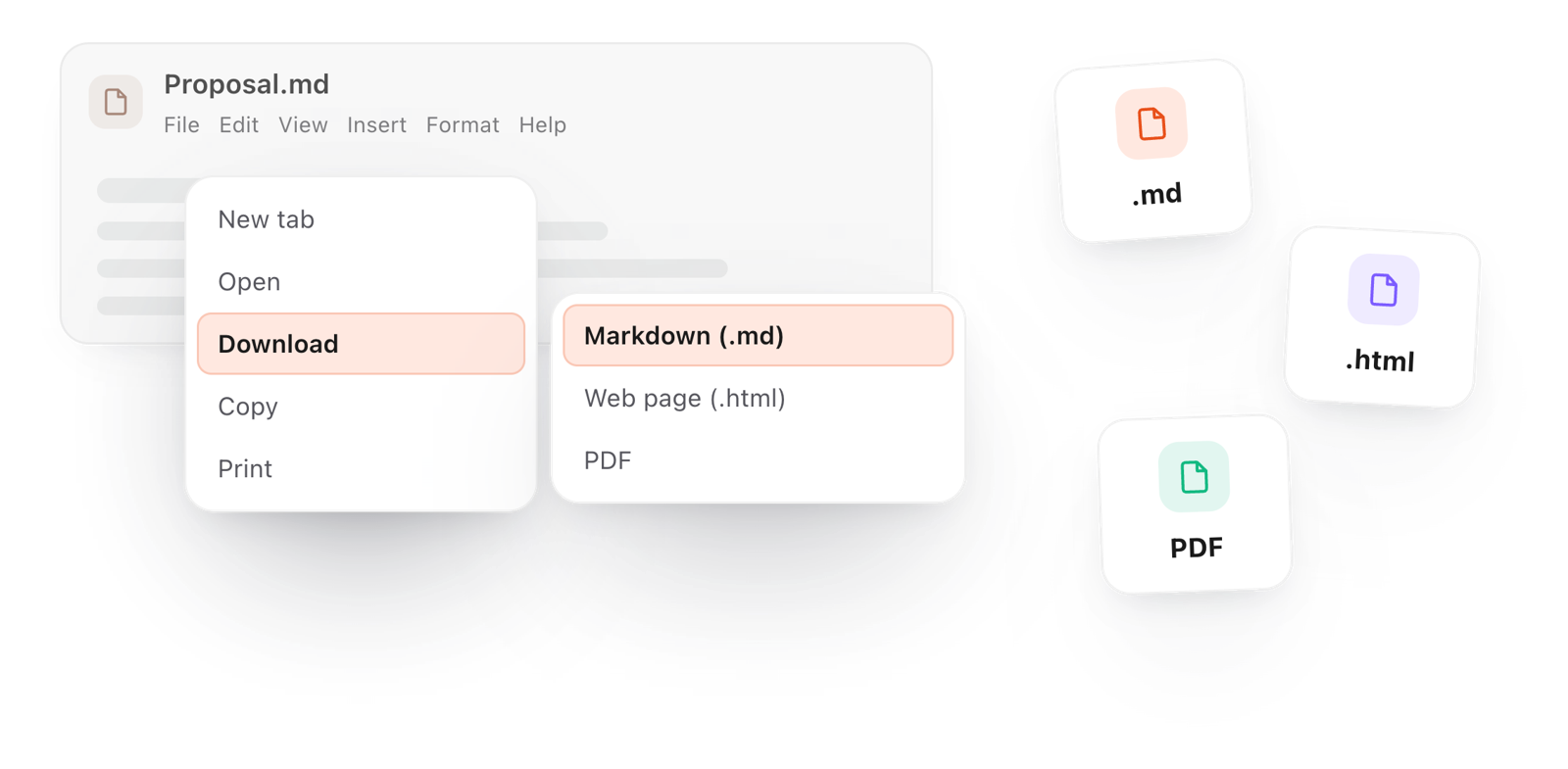
The File menu, where a document is downloaded or copied as rich text
  1. Tables stay tables

    Rows and columns arrive as a real table you can resize and style in Word.

  2. Lists keep their shape

    Numbered lists stay numbered, bullets stay bullets, and nested items keep their indent.

  3. Links still work

    Every link keeps its address, so the document is ready to share.

  4. Private

    The file is read by your browser and never uploaded.

  5. Google Docs and Pages too

    The same copy pastes cleanly into Google Docs, Pages, Apple Mail and Outlook.

Take it further

The same editor, without the browser tab

This editor comes from TypeFire, a free app for Markdown notes, a text expander and a clipboard manager. Here it works on the files you open. In the app, it opens your whole folder.

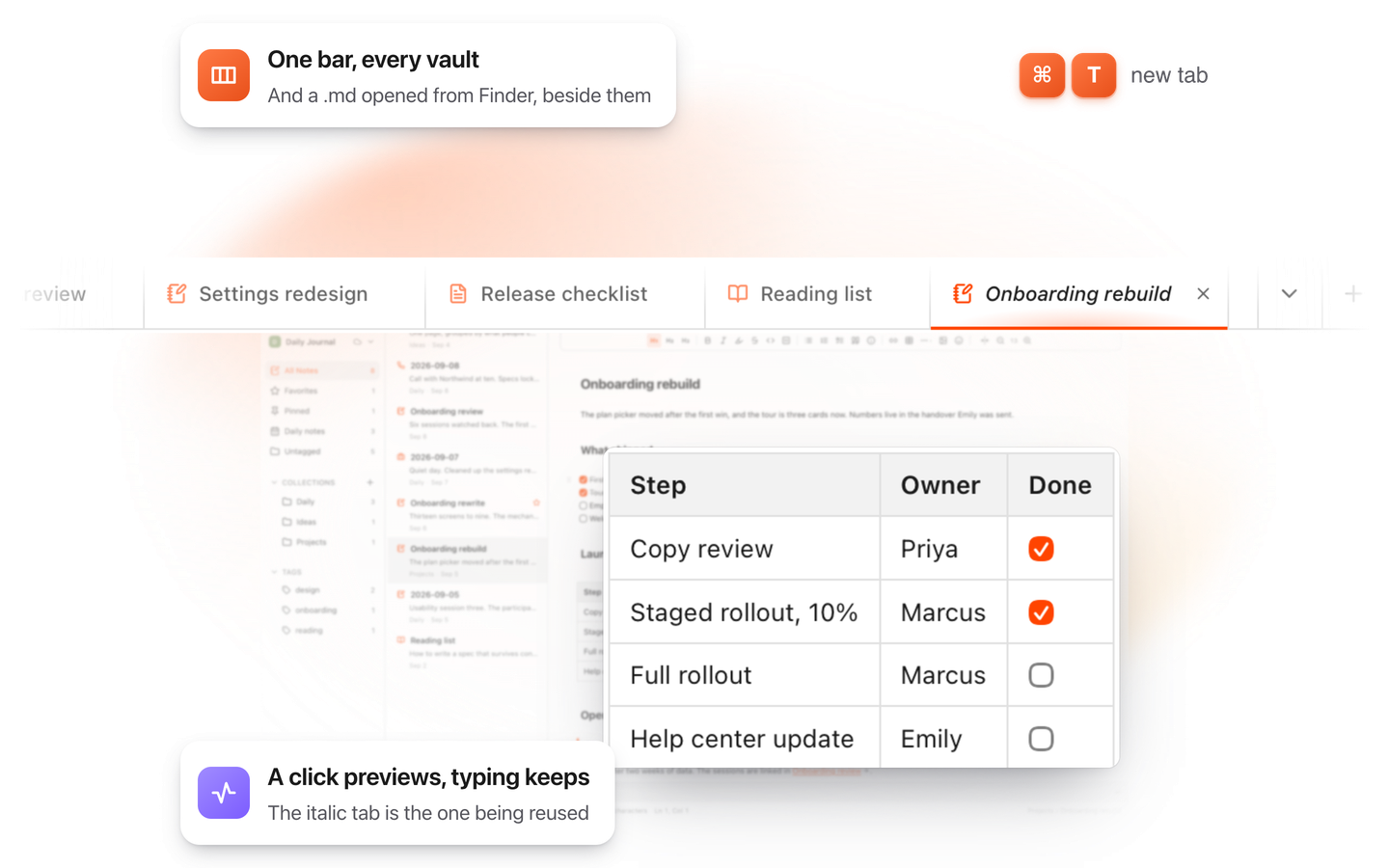
TypeFire for Mac with several Markdown notes open in one tab bar

TypeFire for Mac

  • Press Space on any .md file in Finder and read it rendered, with Quick Look.
  • Open a folder of Markdown, an Obsidian vault included, with tabs, search and links.
  • A text expander and a clipboard history in the same free app.
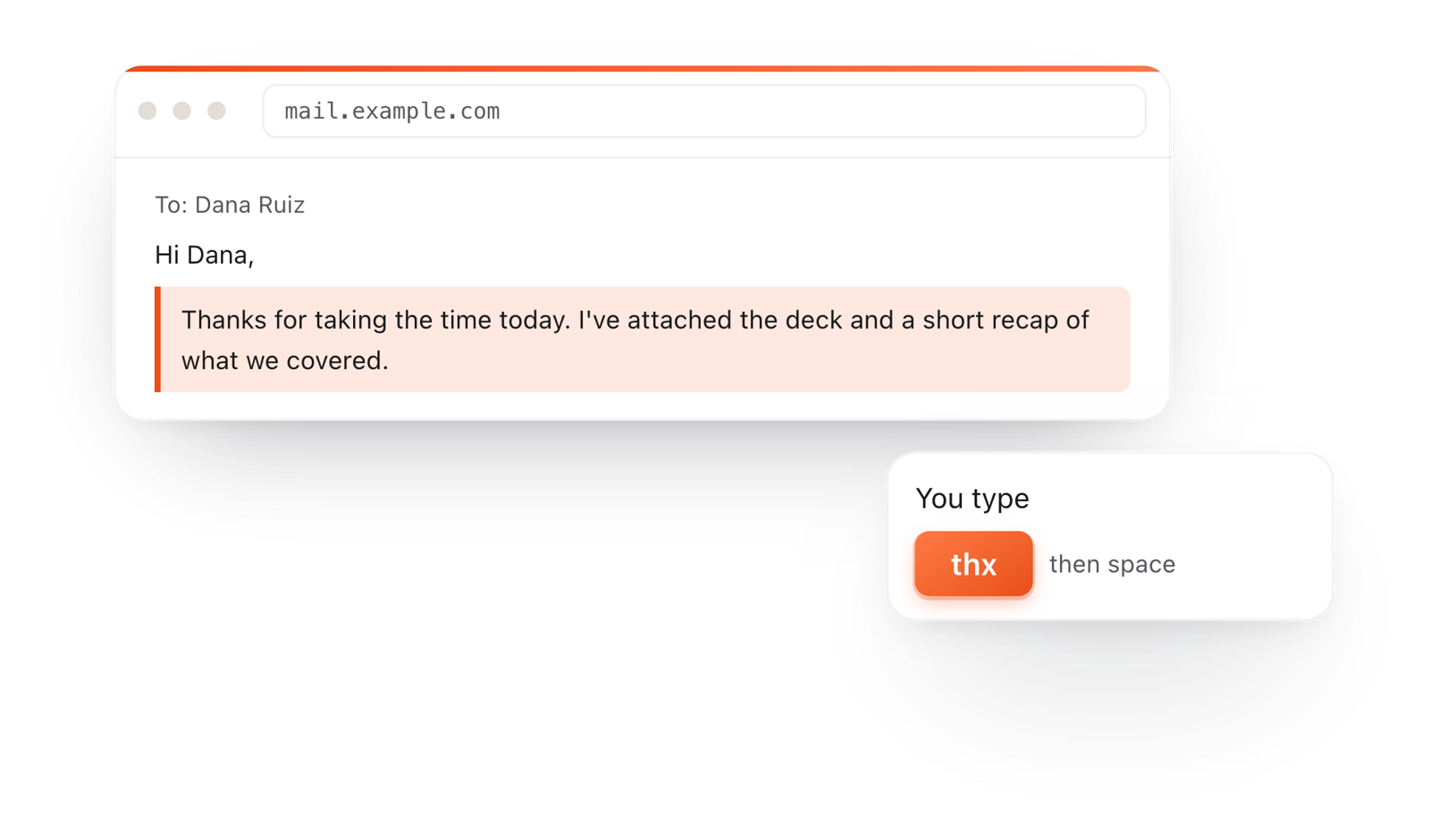
In a browser email, typing thx and a space expands into a whole thank-you reply

TypeFire for Chrome

  • This editor in its own tab, one click from the toolbar.
  • Your folder of .md notes in tabs, with search and links.
  • A text expander and your clipboard history on every site.

Frequently asked questions

Still not answered?

Open or paste the Markdown here, then choose File > Download > Word (.docx).

Open the file in Word, Google Docs or Pages.

Yes. No account, no sign-up and no watermark.

No. The file is read by your browser and converted on your own computer.

Yes. Tables keep their rows and columns, and lists keep their numbering and bullets.

Yes. Copy as rich text here and paste into the doc, and the formatting comes with it.

Yes. Copy from your Word document and paste into the free Markdown converter, and it becomes clean Markdown.

Yes. Open or paste the Markdown, then File > Download > Word (.docx).

No account, no watermark.

Yes. Markdown headings come through as Word headings, so the navigation pane and a table of contents work.

Yes. Paste the answer here, then File > Download > Word (.docx).

Writing in Markdown every day?

TypeFire for Mac opens your whole folder of .md files in this same editor, and previews any of them in Finder when you press Space. Free.

Download free for MacAdd to ChromeSee what $18 adds7 day Pro trial, no card required.

Free text expander, markdown notes and a clipboard manager. $18 once for unlimited clips, notes sync and AI prompts.

your clips your snippets