Windows 10 and 11 · No install

Markdown viewer for Windows

Drag a .md file from File Explorer onto this page and read it formatted, with tables, code and task lists. Open several in tabs. Nothing to install.

Notes.md
FileEditViewInsertFormatHelp
Notes.md

Opening Markdown on Windows

Drag any .md file from File Explorer onto this page, and it opens here as a tab.

What you get

  • Headings, bold, italic and links
  • Tables you can edit with handles
  • Task lists you can tick
  • Code blocks with syntax colors
Get-ChildItem *.md | Select-Object Name

Keep a copy
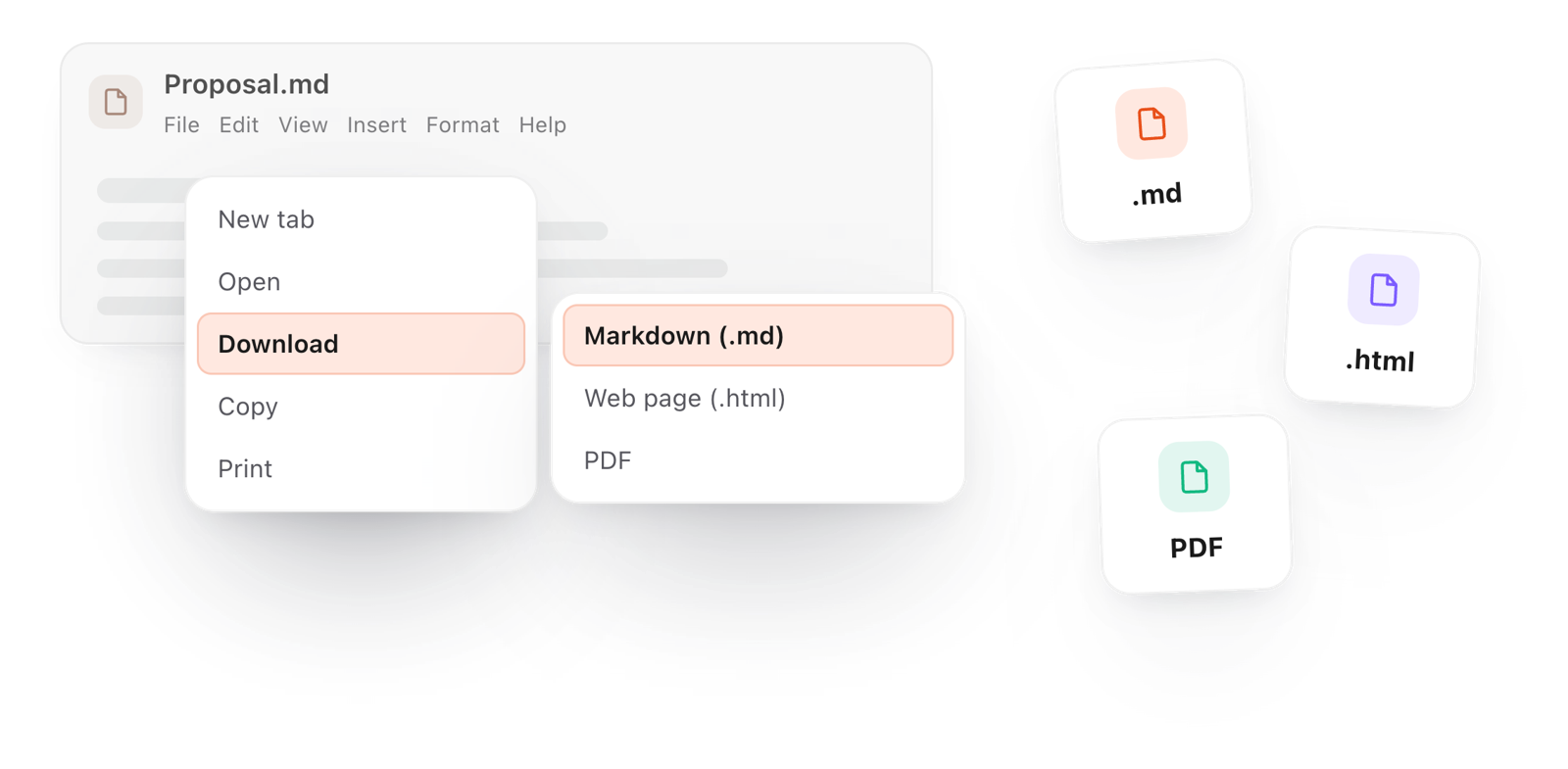
File > Download saves your changes as Markdown, a web page or a PDF.
Loading the editor…Your files stay in your browser
  • Your files never leave your browser
  • Free, no sign-up
  • Download as Markdown, a web page or a PDF

This editor comes from TypeFire, free for Mac

Your whole folder of Markdown notes in tabs, Quick Look previews in Finder, plus a text expander and a clipboard manager.

How it works

Open .md files on Windows in three steps

  1. 01

    Find it in File Explorer

    Any file ending in .md: a README, exported notes, or something an AI tool wrote.

  2. 02

    Drag it here

    Drop one or more files onto the page, or use File > Open. Each opens as a formatted tab.

  3. 03

    Read, edit, save

    Change anything, then File > Download saves it as Markdown, a web page or a PDF.

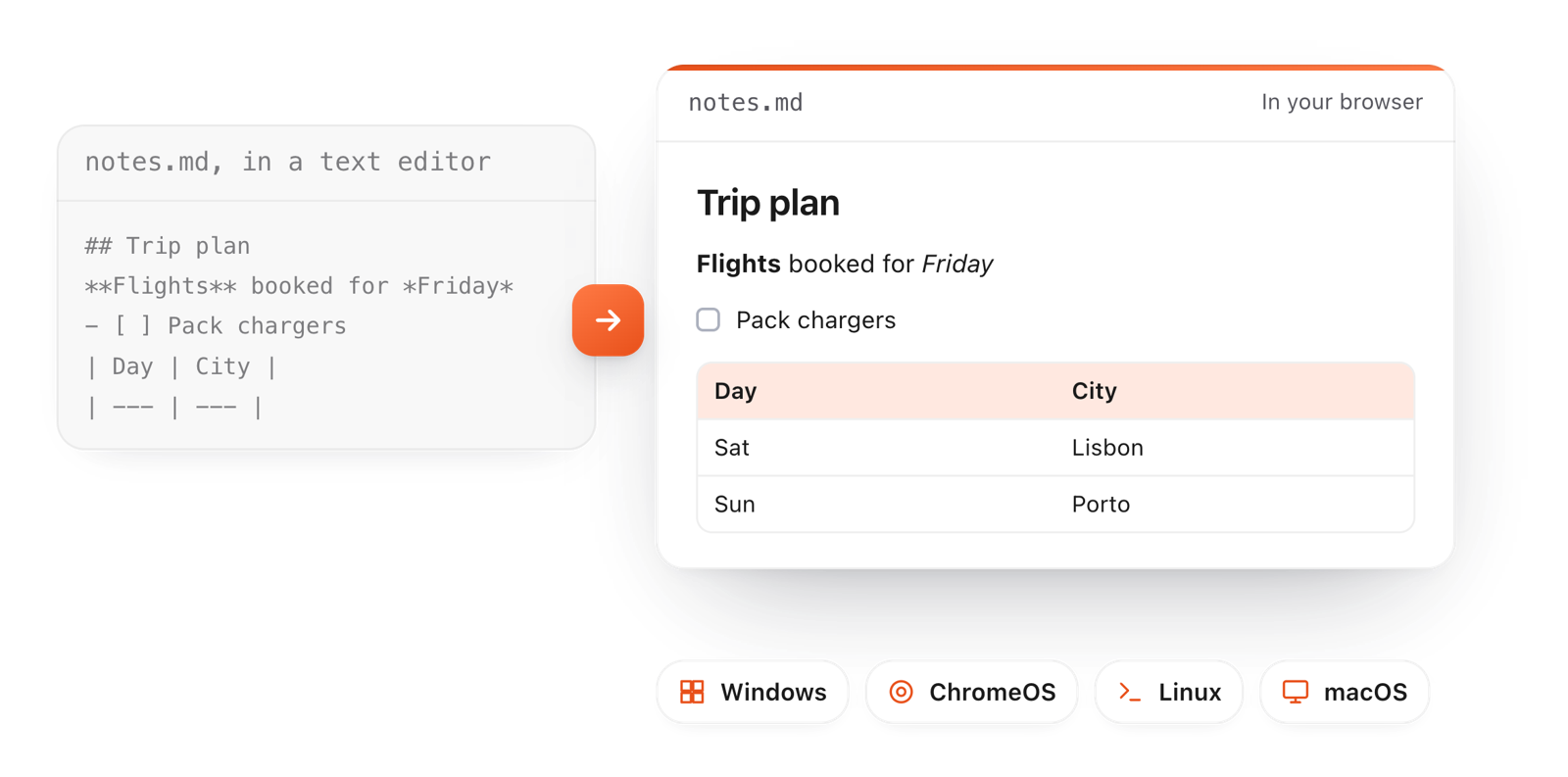
The same .md file as raw text and formatted in the browser, on Windows and other systems
Free for Mac and Chrome

Like this editor? Get TypeFire.

The same editor on your whole folder of Markdown notes, plus a text expander and a clipboard manager. On a Mac, every .md file previews in Finder when you press Space.

Download free for MacAdd to Chrome7 day Pro trial, no card required.

Free text expander, clipboard manager and markdown notes. $18 once for unlimited clips, notes sync and AI prompts.

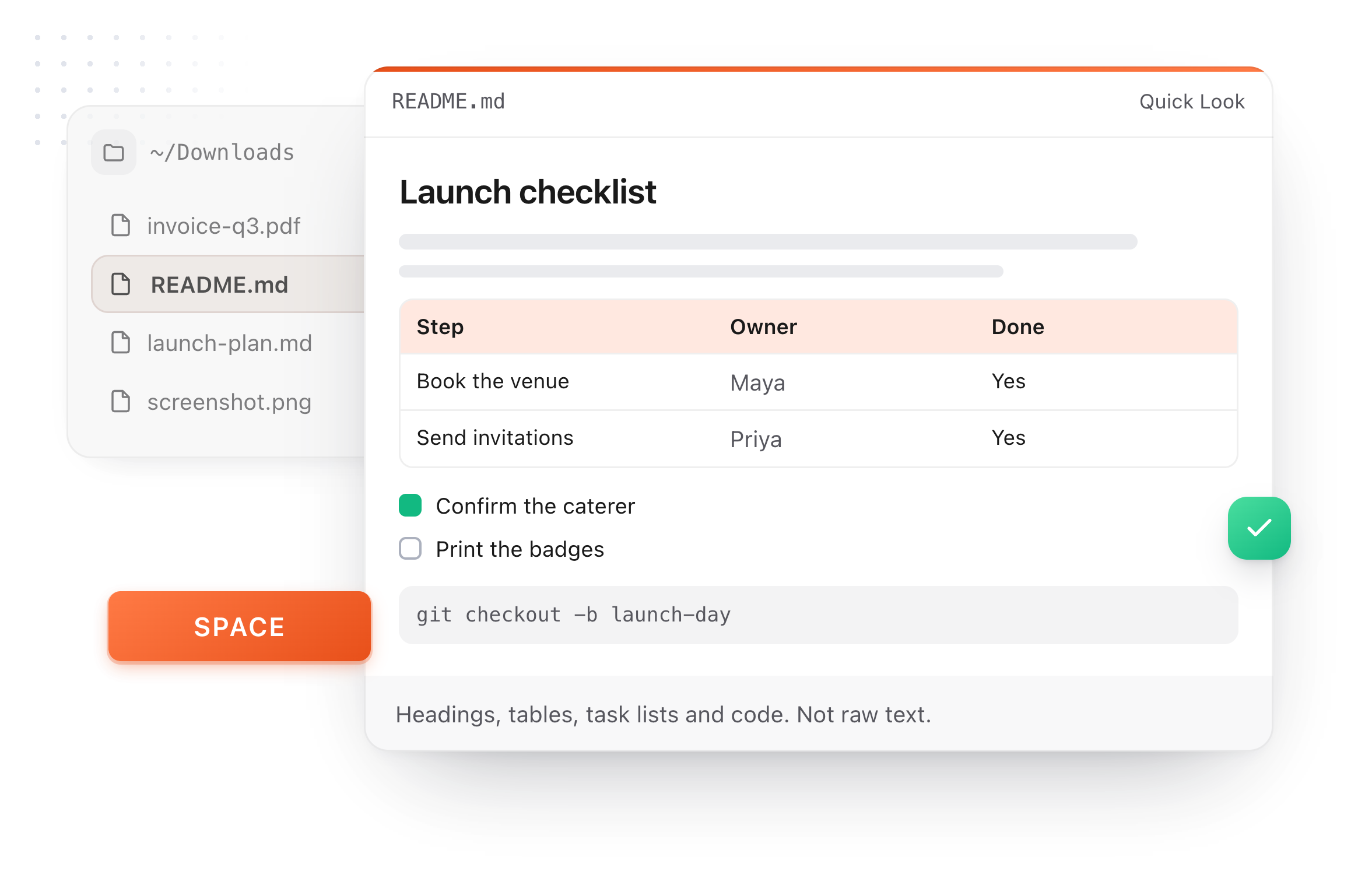
A README.md previewed in Finder with Quick Look on a Mac, after pressing Space
On Windows

Your options for .md files on Windows

Every one of these opens a Markdown file. They differ in what you see and what you can do next.

Notepad, Windows 11
What you see:Formats basic Markdown: headings, bold, lists, links, simple tables.
Good to know:Built in, and quick for a look.
Notepad, Windows 10
What you see:Shows the raw text, symbols and all.
Good to know:Fine for a quick look at the source.
A code editor
What you see:Shows the source, with a preview pane if you set one up.
Good to know:Built for code, more than reading.
This page
What you see:Fully formatted, with tabs, task lists, callouts and colored code.
Good to know:Saves as Markdown, a web page or a PDF.
What it does

More than a quick preview

Recent Windows 11 Notepad formats basic Markdown. This adds what it doesn't.

Download a document as Markdown, a web page or a PDF from the File menu
  1. Tabs for many files

    Open a whole batch of .md files and switch between them like browser tabs.

  2. Full Markdown

    Tables with handles, task lists you can tick, callouts, and code blocks with syntax colors.

  3. Save as PDF or HTML

    Turn any .md file into a PDF or a web page from the File menu.

  4. Works on Windows 10 too

    Any modern browser on Windows 10 or 11, nothing to install, no admin rights needed.

  5. Private

    Files are read by your browser and never uploaded.

Take it further

The same editor, without the browser tab

This editor comes from TypeFire, a free app for Markdown notes, a text expander and a clipboard manager. Here it works on the files you open. In the app, it opens your whole folder.

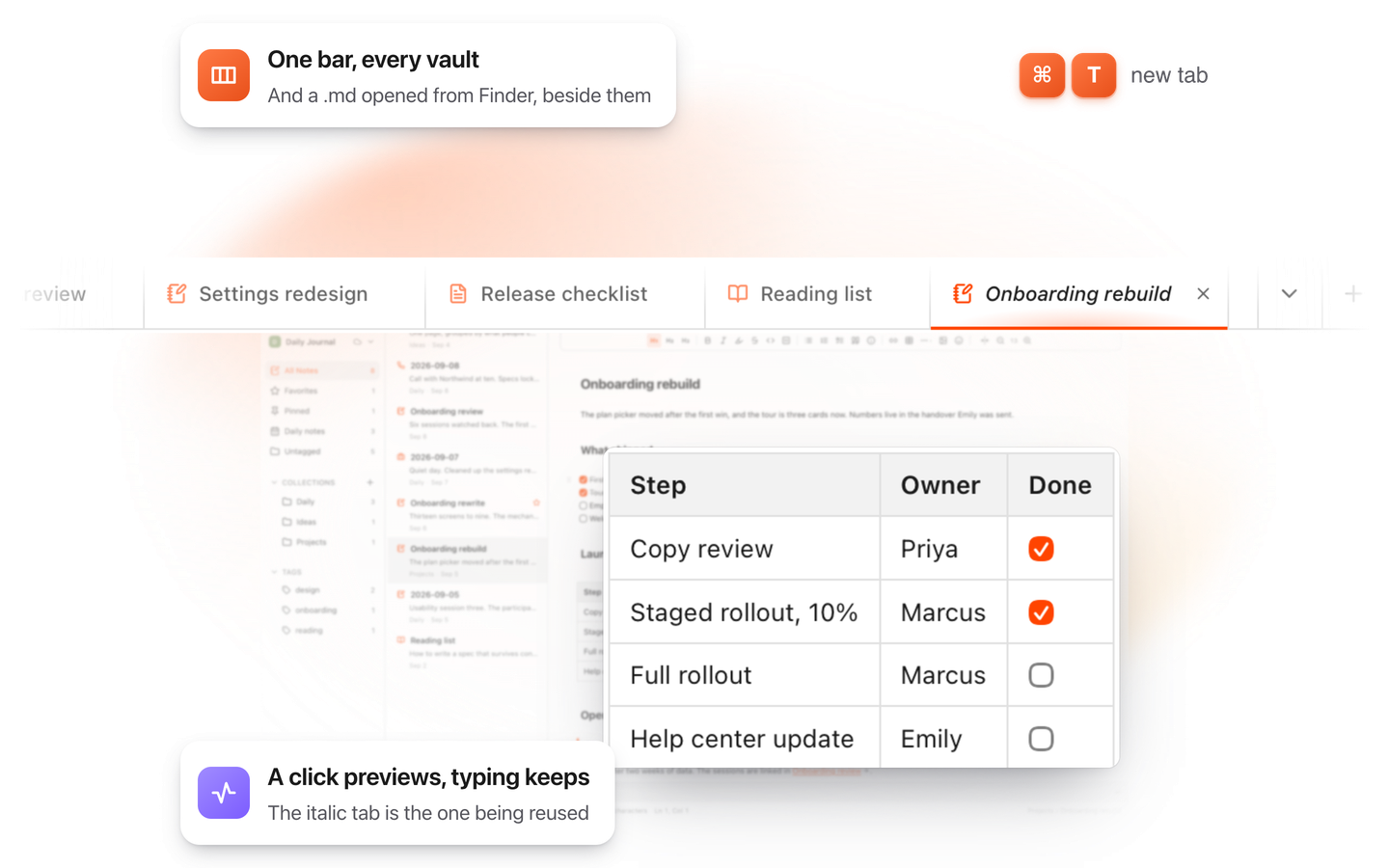
TypeFire for Mac with several Markdown notes open in one tab bar

TypeFire for Mac

  • Press Space on any .md file in Finder and read it rendered, with Quick Look.
  • Open a folder of Markdown, an Obsidian vault included, with tabs, search and links.
  • A text expander and a clipboard history in the same free app.
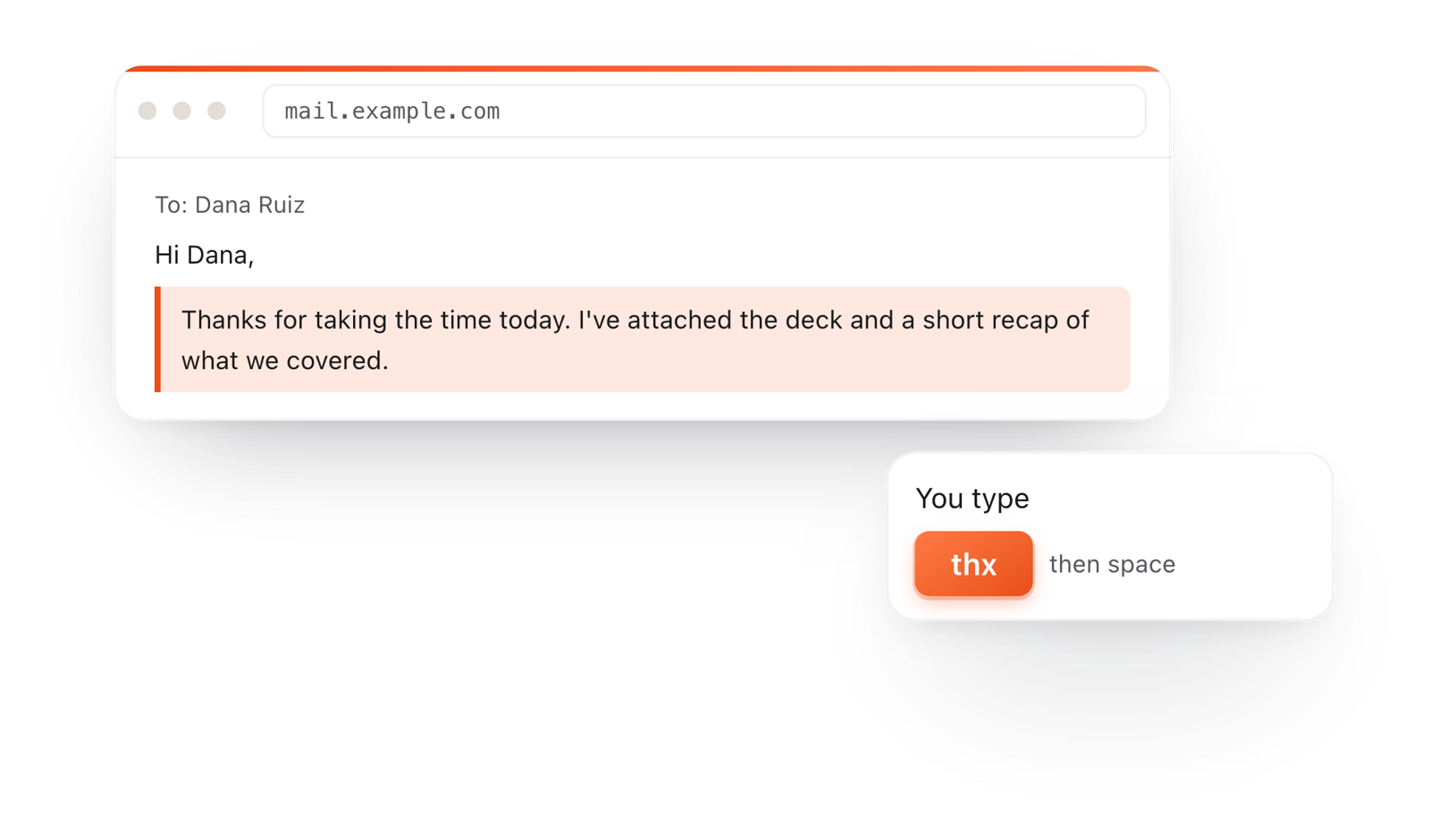
In a browser email, typing thx and a space expands into a whole thank-you reply

TypeFire for Chrome

  • A free text expander for Chrome, Edge and Brave.
  • Type a few letters and get the whole reply, on any site.
  • Works on Windows, Linux, ChromeOS and Mac.

Frequently asked questions

Still not answered?

Drag it onto this page or use File > Open, and it opens formatted in a tab.

Windows 11's Notepad can also open .md files and formats basic Markdown; this page adds tables you can edit, code with syntax colors, tabs and PDF or HTML export.

Yes, this one. It runs in your browser on Windows 10 and 11, with nothing to install and no account.

Yes. Select them in File Explorer and drop them onto the page together; each opens as a tab.

No. Nothing is installed, so it works on work computers where you can't add apps.

No. The files are read by your browser on your own computer.

On Windows? TypeFire works in your browser too

TypeFire for Chrome is a free text expander for every site you type on, on Windows, Linux and Chromebook.

Download free for MacAdd to ChromeSee what $18 adds7 day Pro trial, no card required.

Free text expander, clipboard manager and markdown notes. $18 once for unlimited clips, notes sync and AI prompts.

your clips your snippets