Windows · ChromeOS · Linux · macOS

Open a .md file in your browser

Got a file ending in .md that looks like code? It's Markdown. Drop it here and read it formatted, on any computer, with nothing to install.

What is a .md file.md
FileEditViewInsertFormatHelp
What is a .md file.md

What is a .md file?

A file ending in .md is a Markdown file: plain text with a few symbols that mean formatting. A # starts a heading, **two stars** make text bold, and a line that starts with - is a list item.

That's why it can look messy in a plain text editor, and clean here.

How to open one

  1. Drag the file onto this page, or choose File > Open.
  2. It opens as a tab, formatted.
  3. Edit it if you like, then File > Download to save your changes.

Where .md files come from
GitHub projects (README.md), note apps like Obsidian, documentation sites, and more and more often, AI tools that write their answers as Markdown.
Loading the editor…Your files stay in your browser
  • Your files never leave your browser
  • Free, no sign-up
  • Download as Markdown, a web page or a PDF

This editor comes from TypeFire, free for Mac

Your whole folder of Markdown notes in tabs, Quick Look previews in Finder, plus a text expander and a clipboard manager.

How it works

How to open a .md file

  1. 01

    Find the file

    It's the one ending in .md, often README.md or a note exported from an app or written by an AI tool.

  2. 02

    Drag it onto this page

    Or choose File > Open. It opens in a tab, formatted. Open several at once if you have them.

  3. 03

    Read, edit or save it

    Click to change anything, then File > Download to save it as Markdown or a PDF.

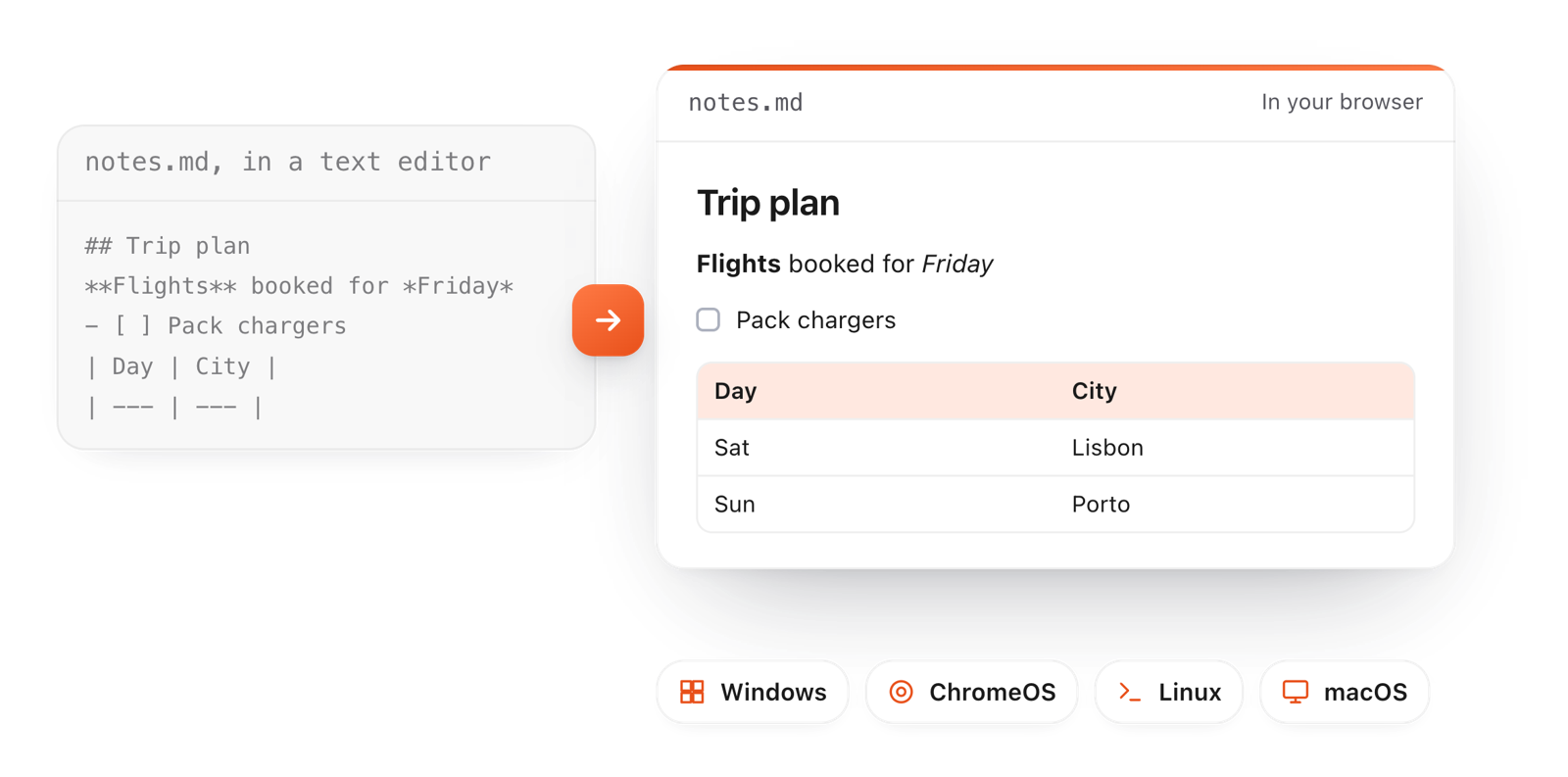
The same .md file shown as raw text in a text editor and formatted in the browser, on Windows, ChromeOS, Linux or macOS
Free for Mac and Chrome

Like this editor? Get TypeFire.

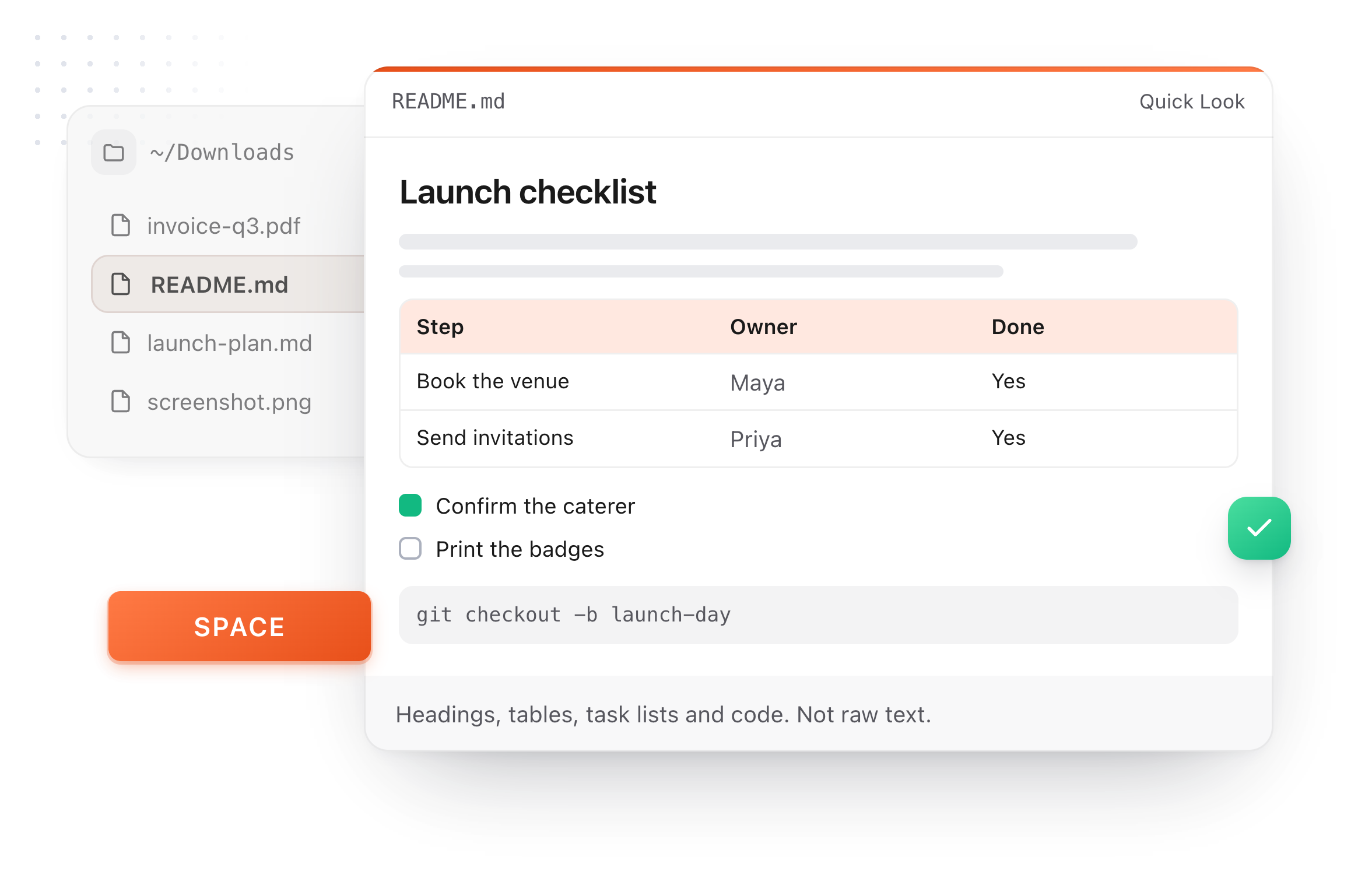
The same editor on your whole folder of Markdown notes, plus a text expander and a clipboard manager. On a Mac, every .md file previews in Finder when you press Space.

Download free for MacAdd to Chrome7 day Pro trial, no card required.

Free text expander, clipboard manager and markdown notes. $18 once for unlimited clips, notes sync and AI prompts.

A README.md previewed in Finder with Quick Look on a Mac, after pressing Space
On your computer

Opening a .md file, computer by computer

Every computer can open a .md file as text. Here's what you get by default, and how to see it formatted.

Windows
By default:Windows 11 Notepad formats basic Markdown; Windows 10 shows the raw symbols.
To read it formatted:Drop it on this page for tables, tabs and export too.
Chromebook
By default:The Files app has no Markdown preview.
To read it formatted:Open this page in Chrome and drop the file in.
Linux
By default:Text editors show the source.
To read it formatted:Drop it on this page in any browser.
Mac
By default:TextEdit shows the source.
To read it formatted:Drop it here, or press Space on it in Finder with TypeFire for Mac.
What it does

Why .md files look strange, and how this fixes it

A .md file is plain text with a few symbols for formatting. Most apps show you the symbols.

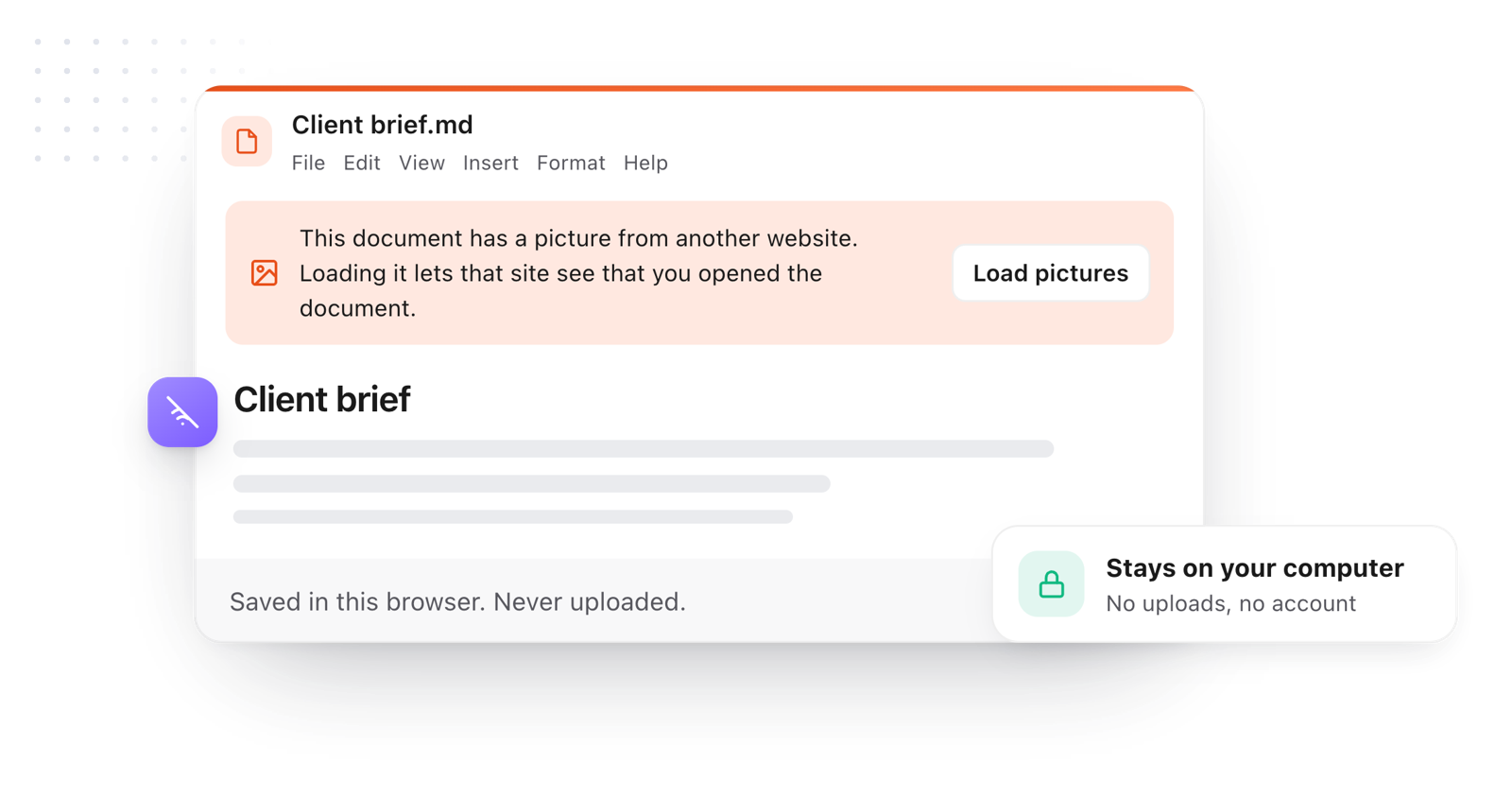
An opened file stays on your computer; pictures from other websites wait for Load pictures
  1. It's just formatted text

    A # starts a heading, **two stars** make bold, a dash starts a list. Many apps show those symbols as they are; this page turns them into the formatting they stand for.

  2. They come from everywhere now

    Software projects (README.md), notes apps, documentation, and more and more, AI tools that write their answers as Markdown files.

  3. Works on any computer

    Windows, ChromeOS, Linux or macOS, in any modern browser. Nothing to install and no account.

  4. Safe to open

    The file is read as text by your browser, nothing in it runs, and pictures from other sites wait until you click Load pictures. Nothing is uploaded.

  5. Want them to open like this automatically?

    On a Mac, TypeFire can be your default app for .md files and shows them formatted in Finder with Quick Look.

Take it further

The same editor, without the browser tab

This editor comes from TypeFire, a free app for Markdown notes, a text expander and a clipboard manager. Here it works on the files you open. In the app, it opens your whole folder.

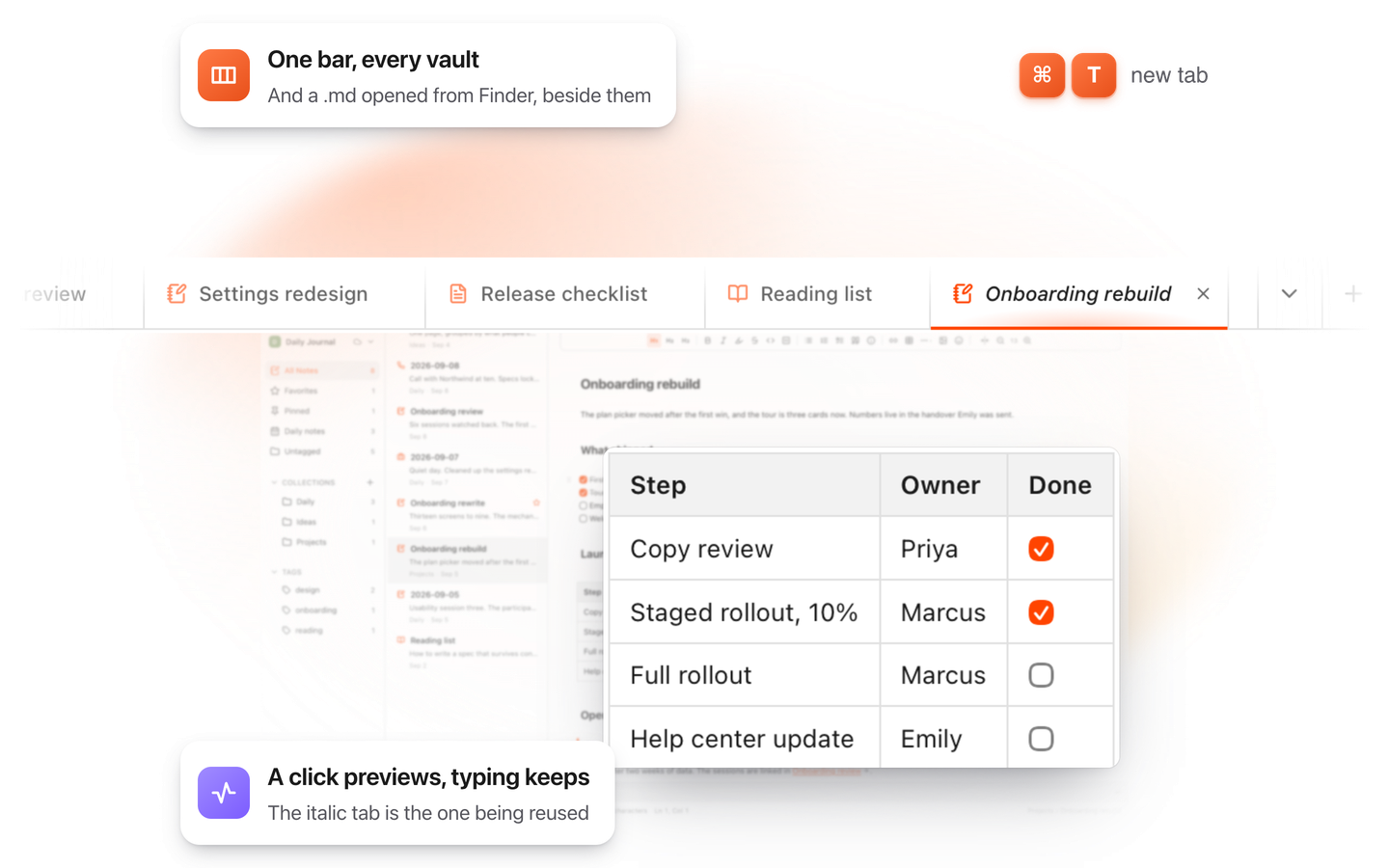
TypeFire for Mac with several Markdown notes open in one tab bar

TypeFire for Mac

  • Press Space on any .md file in Finder and read it rendered, with Quick Look.
  • Open a folder of Markdown, an Obsidian vault included, with tabs, search and links.
  • A text expander and a clipboard history in the same free app.
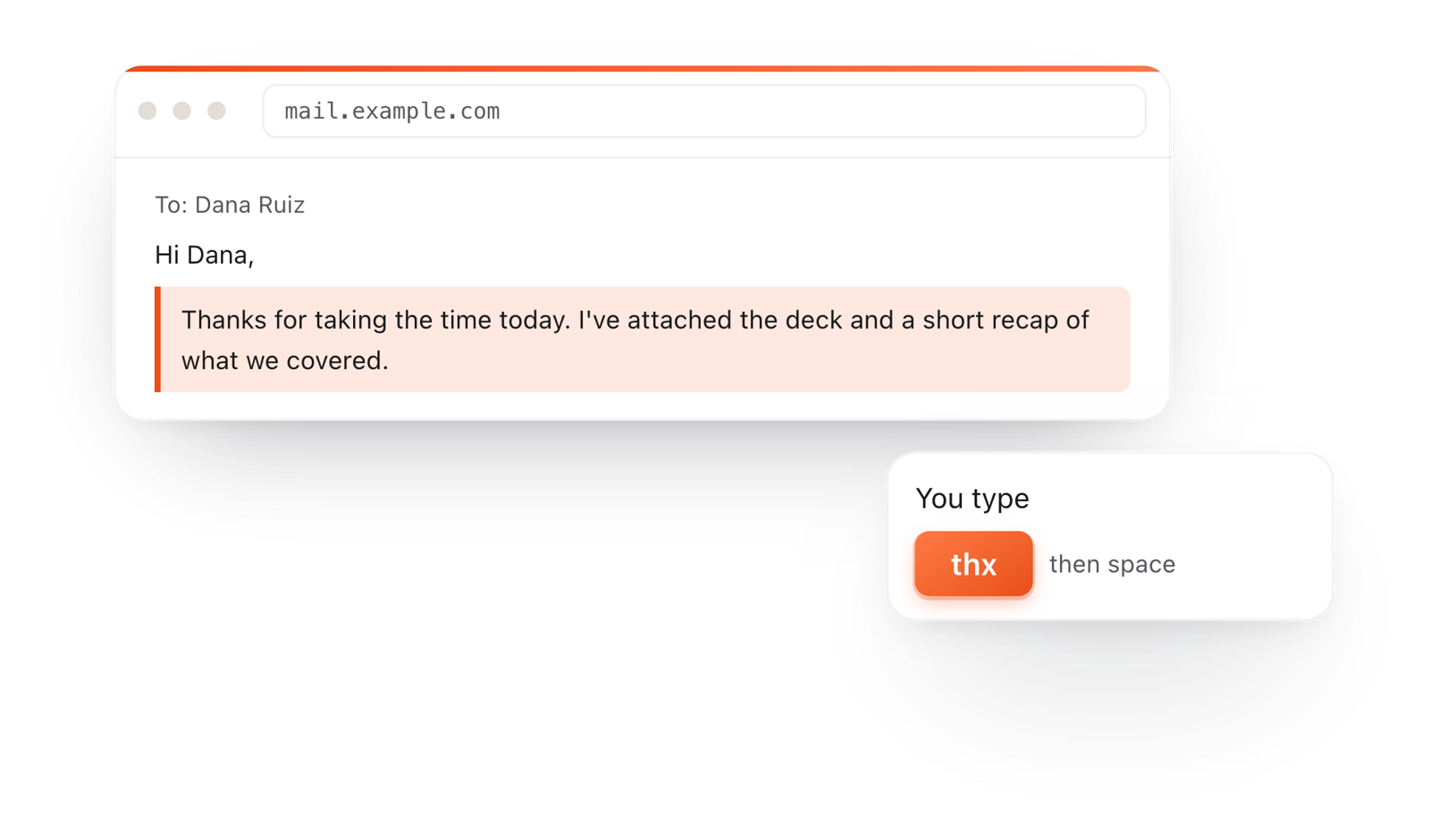
In a browser email, typing thx and a space expands into a whole thank-you reply

TypeFire for Chrome

  • A free text expander for Chrome, Edge and Brave.
  • Type a few letters and get the whole reply, on any site.
  • Works on Windows, Linux, ChromeOS and Mac.

Frequently asked questions

Still not answered?

A Markdown file: plain text that uses a few symbols for formatting, like # for headings and ** for bold.

It's how READMEs, many notes apps and many AI tools save formatted text.

Drag it onto this page or use File > Open, and it opens formatted.

Windows 11's Notepad formats basic Markdown too; this page adds editable tables, colored code, tabs, and saving as PDF or HTML. See the Markdown viewer for Windows.

Open this page in Chrome and drop the file in from the Files app.

It opens formatted, with nothing to install.

Drop it here, or install TypeFire for Mac, which shows .md files formatted when you press Space in Finder and can open them by default.

It's free.

Yes. Markdown is plain text, and this page reads it as text: nothing in the file runs.

Pictures from other websites wait until you click Load pictures, so a file can't track you.

For a PDF, use File > Download > PDF. For Word, use File > Copy > As rich text and paste into your document; headings, lists and tables keep their formatting.

On a Mac? Make .md files open like this, always

TypeFire shows Markdown formatted right in Finder and opens it in this editor, free. It's also a text expander and a clipboard manager.

Download free for MacAdd to ChromeSee what $18 adds7 day Pro trial, no card required.

Free text expander, clipboard manager and markdown notes. $18 once for unlimited clips, notes sync and AI prompts.

your clips your snippets