Free · Every element, live

Markdown cheat sheet you can edit

Every Markdown element in one live document. Change the syntax and watch the result change with it, then copy what you need.

Markdown cheat sheet.md
FileEditViewInsertFormatHelp
Markdown cheat sheet.md

Markdown cheat sheet

Every line below is live: edit the Markdown and watch it change.

Text

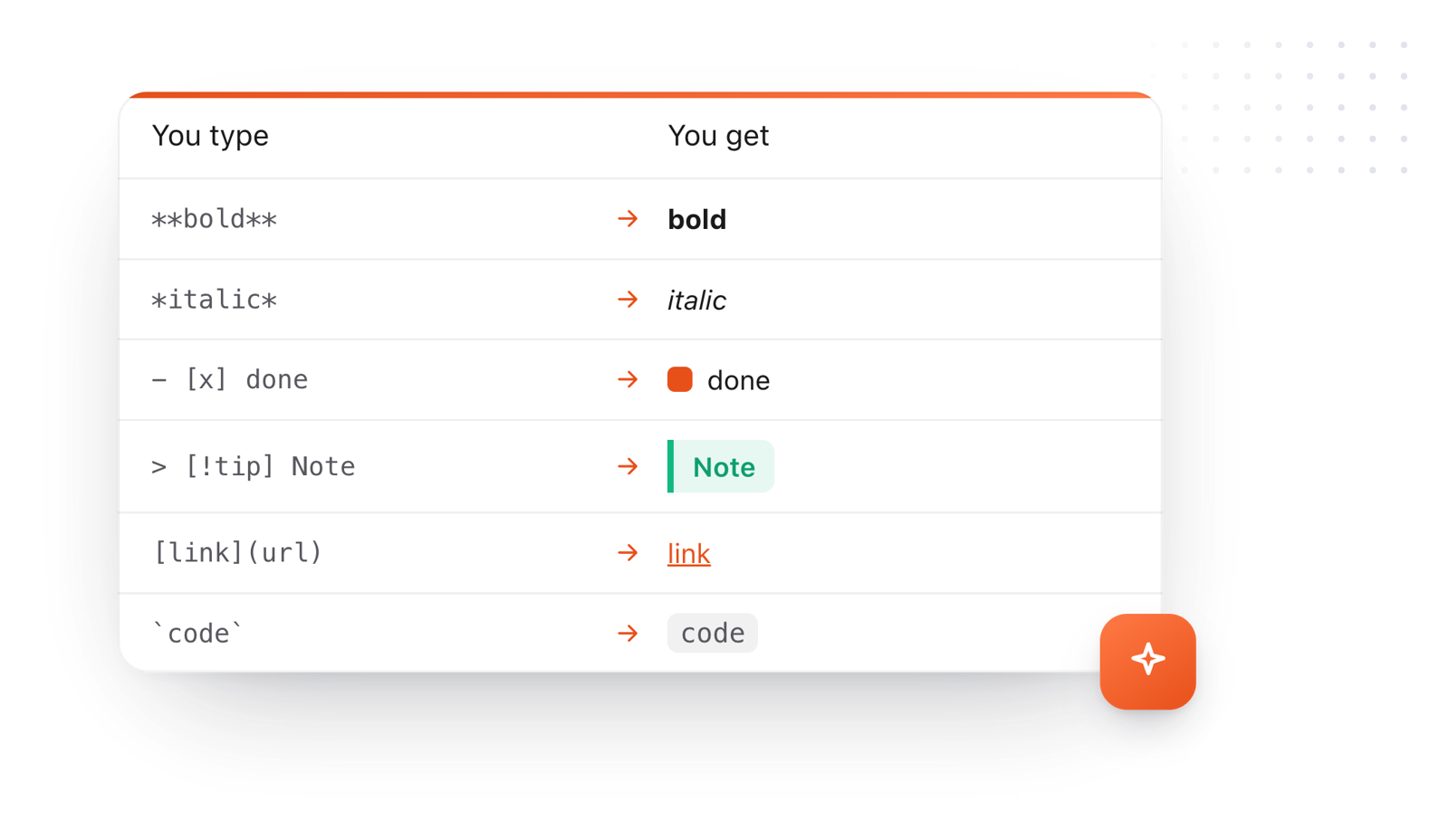
Bold with **two stars**, italic with *one*, strikethrough with ~~two tildes~~, and inline code with backticks.

Headings

Start a line with # for a heading, ## for a smaller one, down to ######.

Lists

  • A dash starts a bullet
  • Indent two spaces for a sub-item
    • like this
  1. A number and a period start a numbered list
  2. The numbers don't even have to be right
  • - [ ] is a task
  • - [x] is a done task

Link text is [Link text](https://typefire.app). An image is the same with a ! in front.

Quotes and callouts

A > starts a quote.

A callout
> [!tip] Title makes a callout. Try note, warning or info.

Tables

Column Another
` ` separates cells

Code

print("Three backticks open a code block")

A line

Three dashes on their own line draw a divider:

Loading the editor…Your files stay in your browser
  • Your files never leave your browser
  • Free, no sign-up
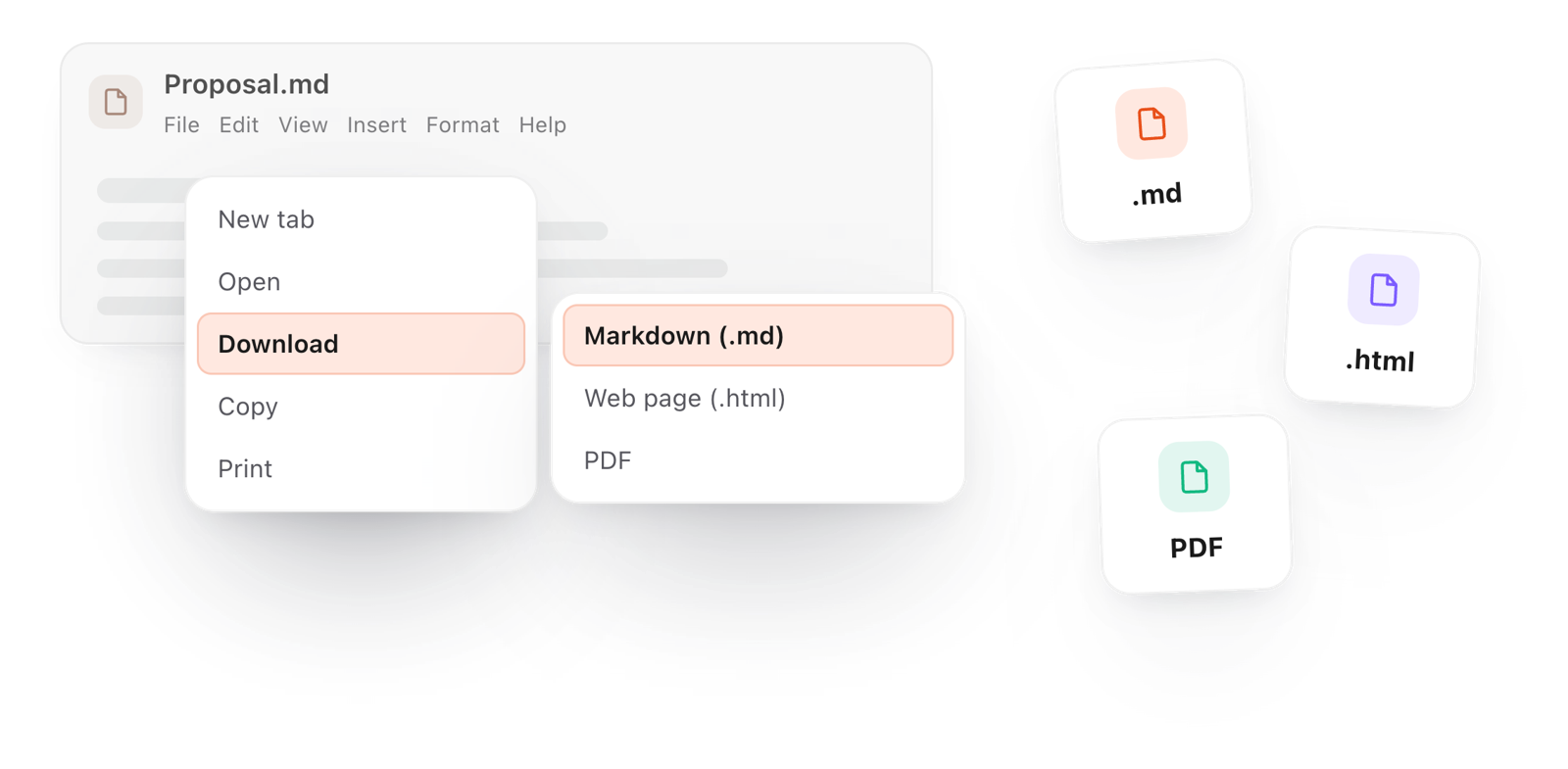
  • Download as Markdown, a web page or a PDF

This editor comes from TypeFire, free for Mac

Your whole folder of Markdown notes in tabs, Quick Look previews in Finder, plus a text expander and a clipboard manager.

How it works

Learn Markdown by changing it

  1. 01

    Read the sheet

    Each section shows the syntax and what it makes, from headings and lists to tables, code and callouts.

  2. 02

    Change something

    Edit any line and watch it re-render. It's the fastest way to see what a symbol does.

  3. 03

    Copy what you need

    File > Copy > As Markdown takes a snippet with you, or File > Download keeps the whole sheet as a .md file.

Markdown syntax and what it makes: bold, italic, a done task, a callout, a link and inline code
Free for Mac and Chrome

Like this editor? Get TypeFire.

The same editor on your whole folder of Markdown notes, plus a text expander and a clipboard manager. On a Mac, every .md file previews in Finder when you press Space.

Download free for MacAdd to Chrome7 day Pro trial, no card required.

Free text expander, clipboard manager and markdown notes. $18 once for unlimited clips, notes sync and AI prompts.

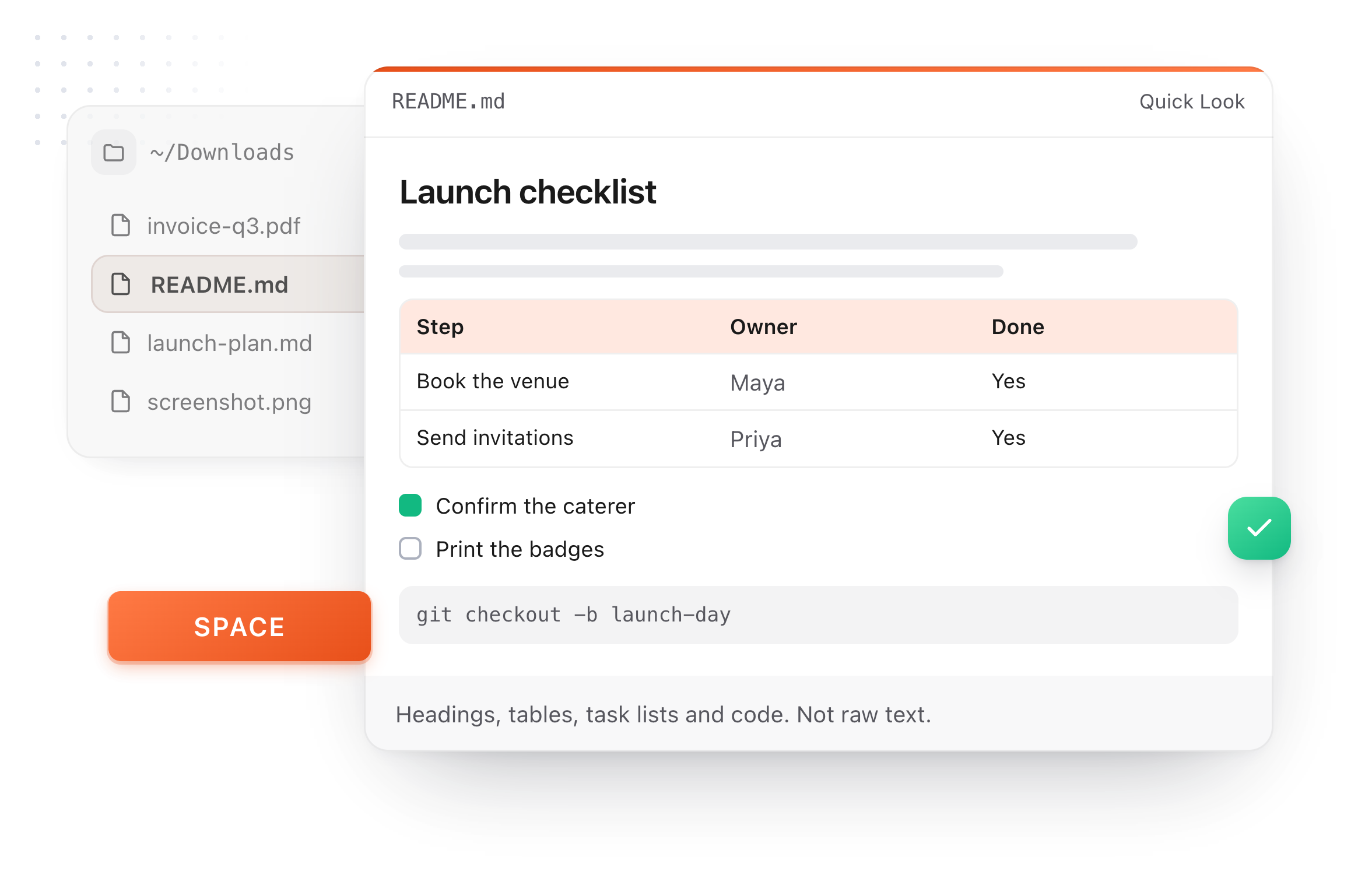
A README.md previewed in Finder with Quick Look on a Mac, after pressing Space
Why live

A cheat sheet that answers back

Reading syntax is slow. Changing it and watching the result is how it sticks.

Keep the cheat sheet by downloading it as Markdown, a web page or a PDF
  1. See it instead of imagining it

    Every symbol on the sheet is live, so you learn what it does by watching it happen, not by reading a description.

  2. Mistakes show right away

    A missing space after a #, a table without its separator row, an unclosed code block: each one looks wrong the moment you type it.

  3. Start writing from the sheet

    Clear a section and write your own. The / menu and the toolbar are there when you forget a symbol.

  4. Keep it

    Download the sheet as a .md file, print it as a PDF, or copy just the part you need.

Take it further

The same editor, without the browser tab

This editor comes from TypeFire, a free app for Markdown notes, a text expander and a clipboard manager. Here it works on the files you open. In the app, it opens your whole folder.

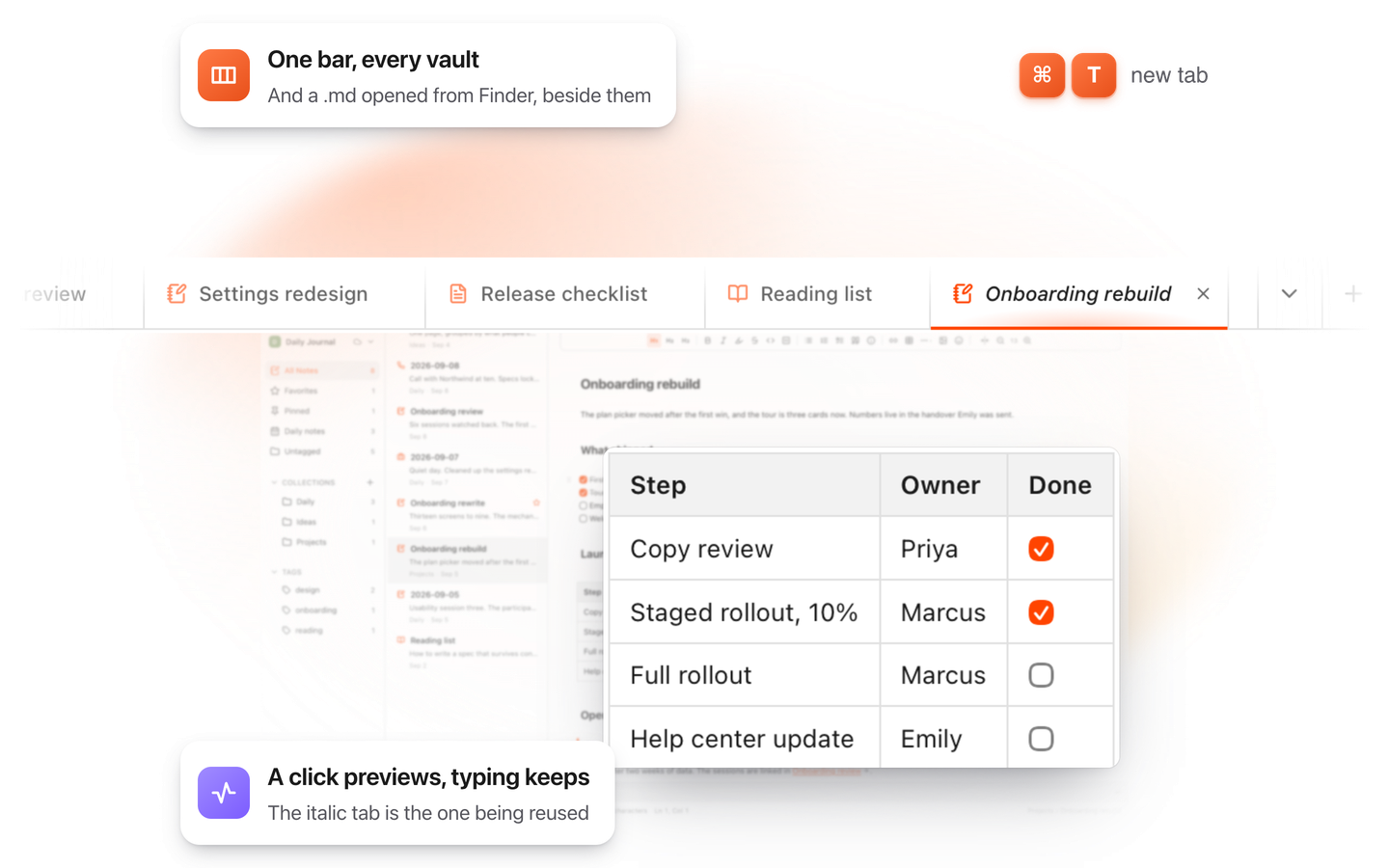
TypeFire for Mac with several Markdown notes open in one tab bar

TypeFire for Mac

  • Press Space on any .md file in Finder and read it rendered, with Quick Look.
  • Open a folder of Markdown, an Obsidian vault included, with tabs, search and links.
  • A text expander and a clipboard history in the same free app.
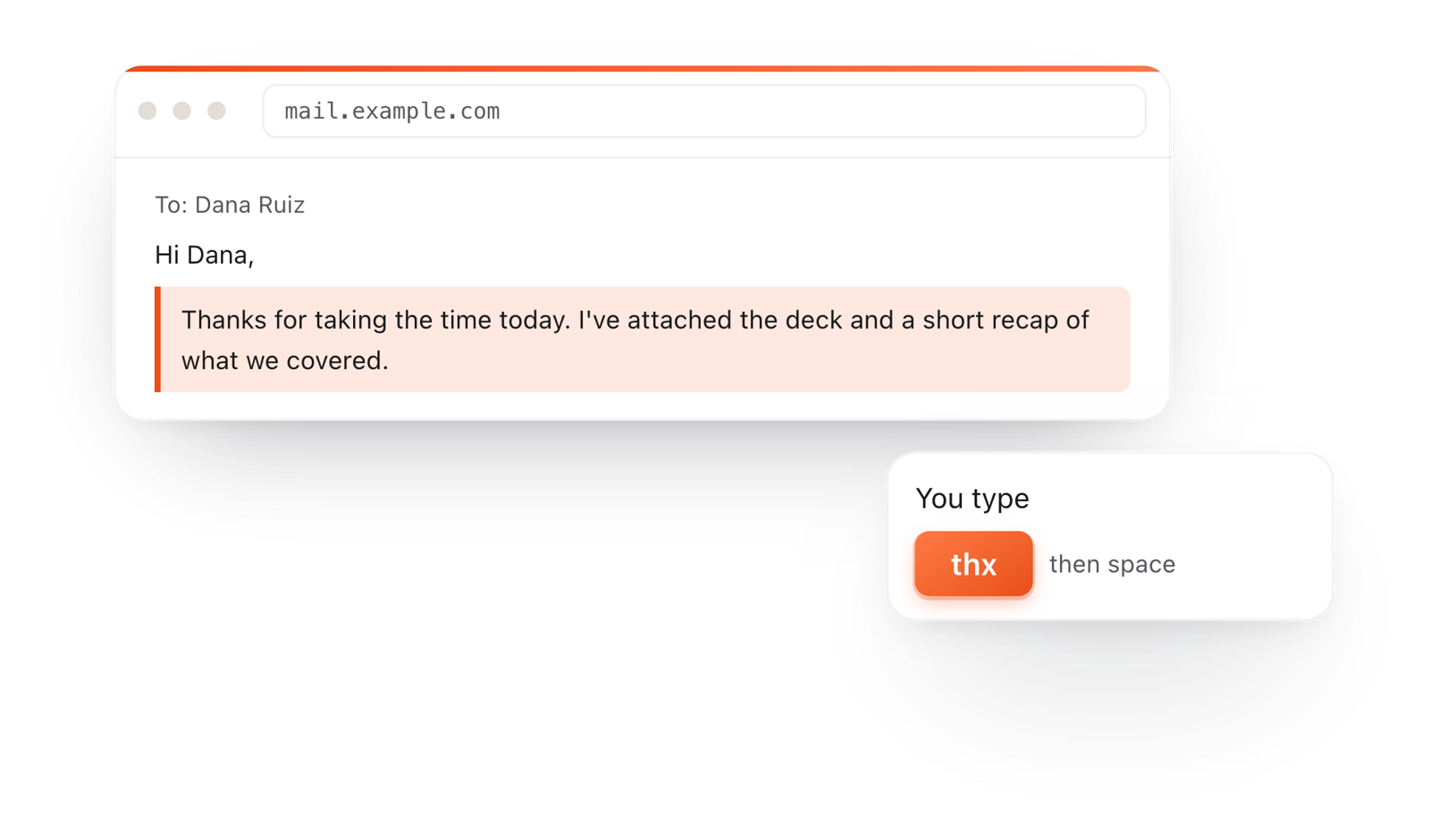
In a browser email, typing thx and a space expands into a whole thank-you reply

TypeFire for Chrome

  • A free text expander for Chrome, Edge and Brave.
  • Type a few letters and get the whole reply, on any site.
  • Works on Windows, Linux, ChromeOS and Mac.

Frequently asked questions

Still not answered?

A way to format plain text with a few symbols: # for a heading, ** for bold, - for a list.

It reads cleanly as plain text and renders as formatted text in apps and on the web.

Write a header row with cells split by |, then a row of --- under it, then one line per row.

In the editor above you can also add rows and columns with a click.

Start a line with - [ ] for an open task or - [x] for a done one.

Leave a blank line between paragraphs. For a break inside a paragraph, end the line with two spaces or a backslash.

GitHub Flavored Markdown adds tables, task lists, strikethrough and automatic links to the original syntax.

This cheat sheet and editor support all of them.

Put a backslash in front of it: \* shows an asterisk instead of starting italics.

Write Markdown without looking it up

TypeFire's editor formats as you type and puts every element a / away, on the Mac and in your browser. Free.

Download free for MacAdd to ChromeSee what $18 adds7 day Pro trial, no card required.

Free text expander, clipboard manager and markdown notes. $18 once for unlimited clips, notes sync and AI prompts.

your clips your snippets