Free · Instant · Nothing uploaded

Markdown live preview

Paste Markdown and see it rendered the moment it lands, right where you pasted it. Fix what's off, then copy it as rich text or export it.

Paste here.md
FileEditViewInsertFormatHelp
Paste here.md

Paste your Markdown here

Select this text and paste over it. It renders the moment it lands, so what you see is what your readers will see.

Pasting from a web page?
Rich text you copy from a site comes in as clean Markdown, with its links, headings and lists kept.

Paste You get
**bold** bold
[a link](https://typefire.app) a link
- [ ] task a checkbox you can tick
Loading the editor…Your files stay in your browser
  • Your files never leave your browser
  • Free, no sign-up
  • Download as Markdown, a web page or a PDF

This editor comes from TypeFire, free for Mac

Your whole folder of Markdown notes in tabs, Quick Look previews in Finder, plus a text expander and a clipboard manager.

How it works

Preview Markdown in three steps

  1. 01

    Paste

    Select the sample text and paste your Markdown over it, or drop a .md file onto the page.

  2. 02

    See it rendered in place

    There's no second pane to watch: the text you pasted is the preview. Tables, code, task lists and links render as they land.

  3. 03

    Fix it and take it

    Edit anything that looks wrong, then copy it as rich text, or download it as Markdown, a web page or a PDF.

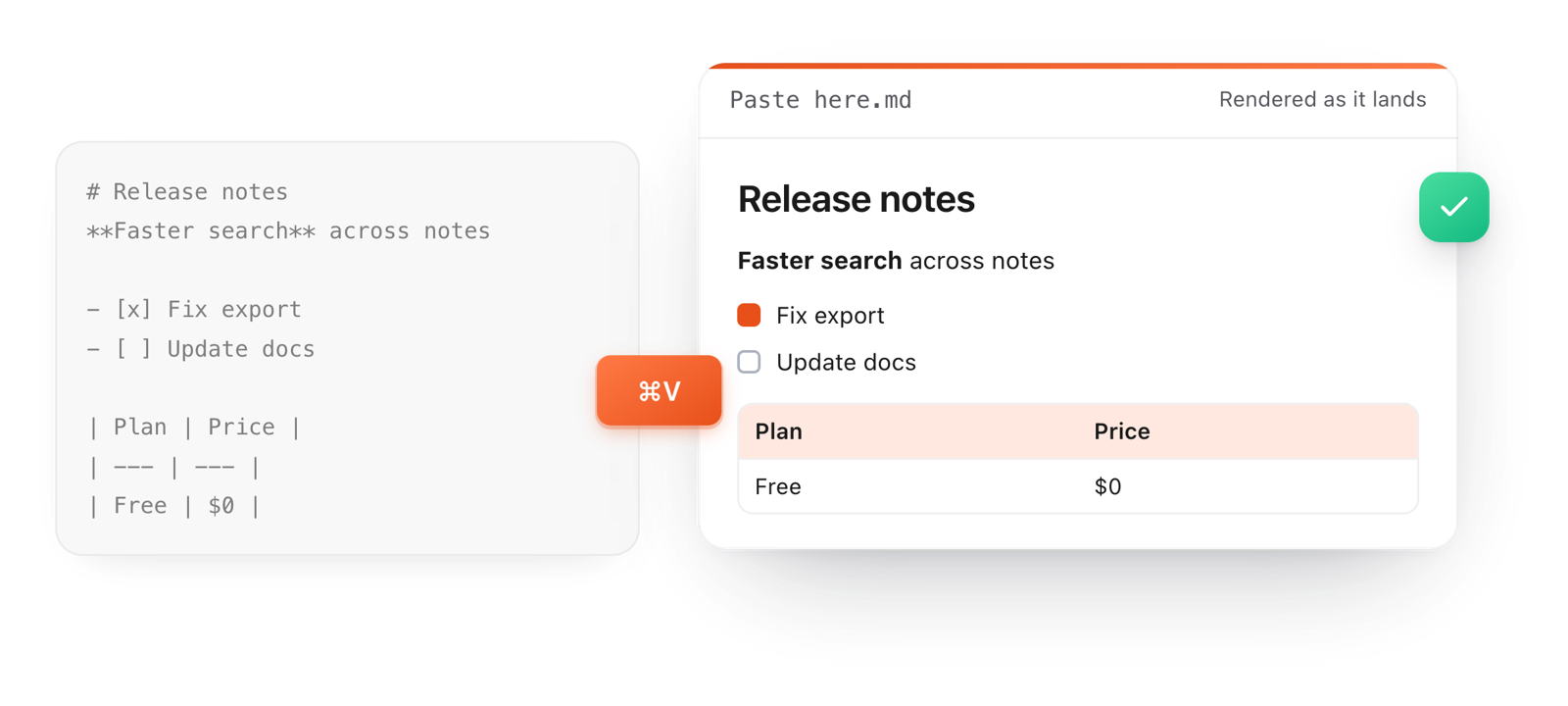
Raw Markdown pasted with Command V renders at once as a heading, bold text, checkboxes and a table
Free for Mac and Chrome

Like this editor? Get TypeFire.

The same editor on your whole folder of Markdown notes, plus a text expander and a clipboard manager. On a Mac, every .md file previews in Finder when you press Space.

Download free for MacAdd to Chrome7 day Pro trial, no card required.

Free text expander, clipboard manager and markdown notes. $18 once for unlimited clips, notes sync and AI prompts.

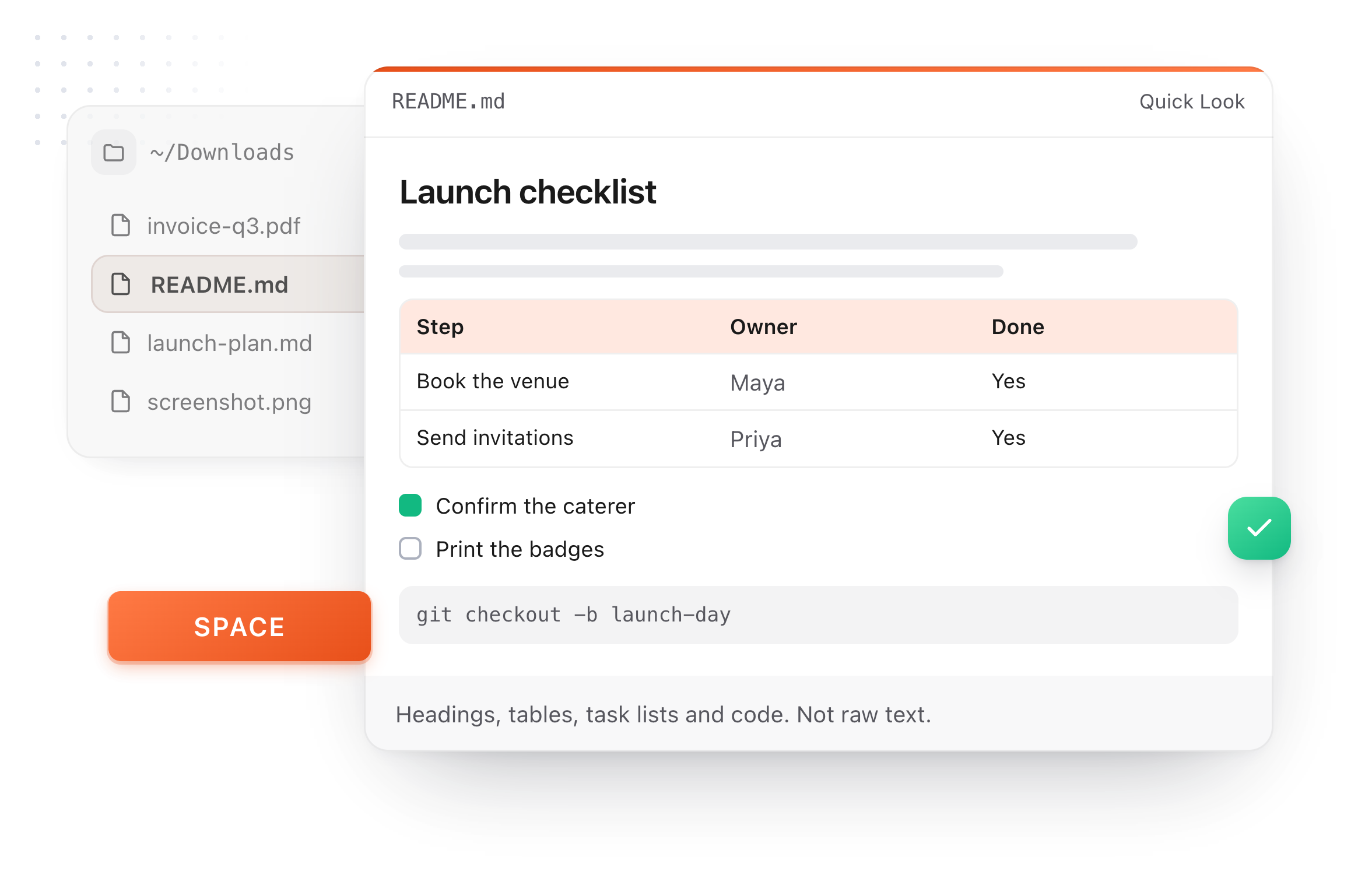
A README.md previewed in Finder with Quick Look on a Mac, after pressing Space
What it does

A preview you can edit

Most previews are read-only. This one is the document.

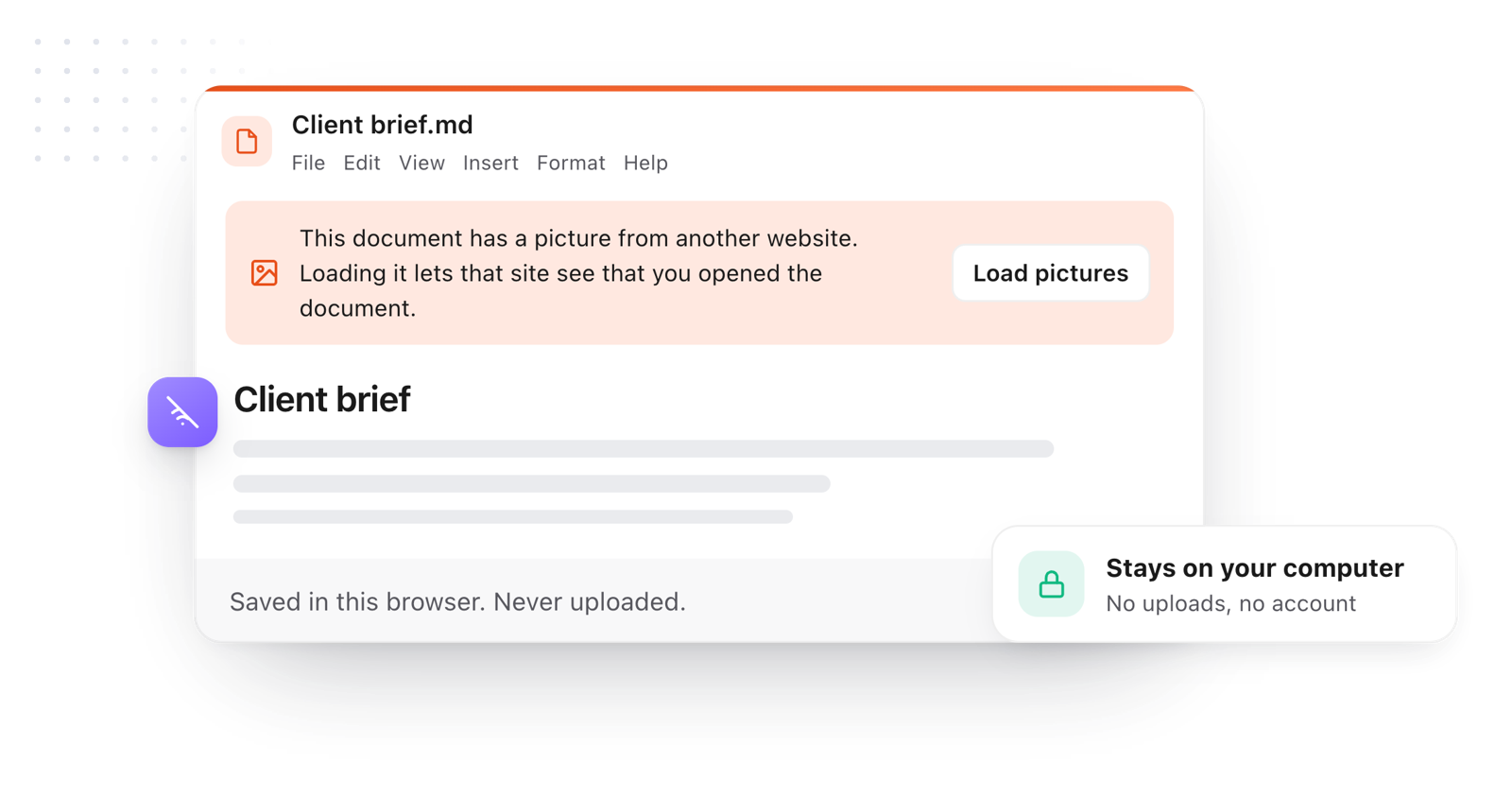
The pasted document stays in the browser; pictures from other websites wait for Load pictures
  1. What you see is what readers see

    Headings, tables, callouts and code blocks render the way a reader will meet them, so mistakes show before you publish.

  2. Paste rich text, get Markdown

    Copy from a web page or a doc and paste here: it arrives as Markdown with its structure kept, ready to reuse.

  3. Check a table before you commit it

    Misaligned columns and a missing separator row show up immediately, and you can fix the table with its handles.

  4. Copy the rendered result

    File > Copy > As rich text pastes the formatted version into an email, a doc or a chat.

  5. Nothing leaves your browser

    Your text is never uploaded, and pictures from other sites wait until you click Load pictures.

Take it further

The same editor, without the browser tab

This editor comes from TypeFire, a free app for Markdown notes, a text expander and a clipboard manager. Here it works on the files you open. In the app, it opens your whole folder.

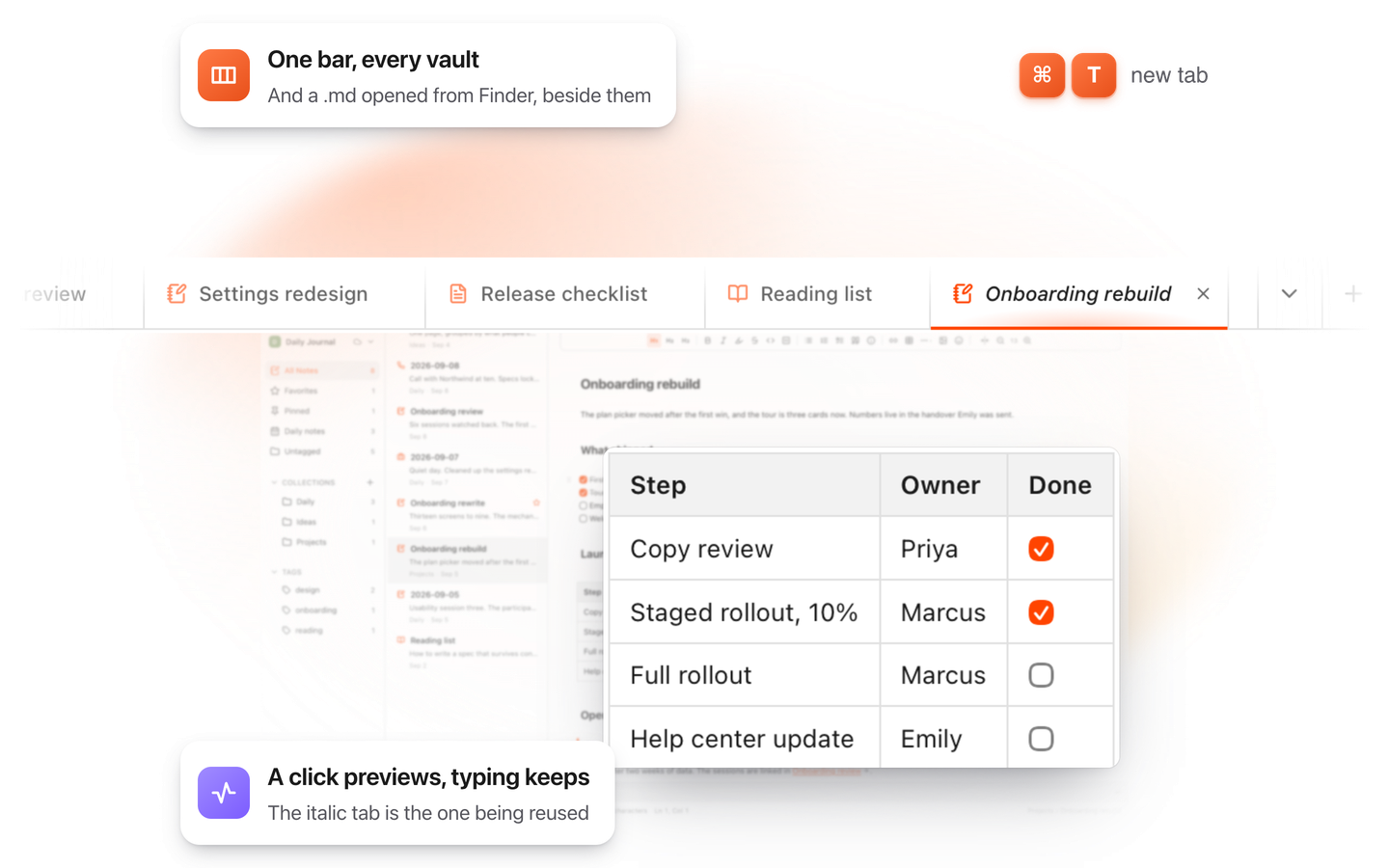
TypeFire for Mac with several Markdown notes open in one tab bar

TypeFire for Mac

  • Press Space on any .md file in Finder and read it rendered, with Quick Look.
  • Open a folder of Markdown, an Obsidian vault included, with tabs, search and links.
  • A text expander and a clipboard history in the same free app.
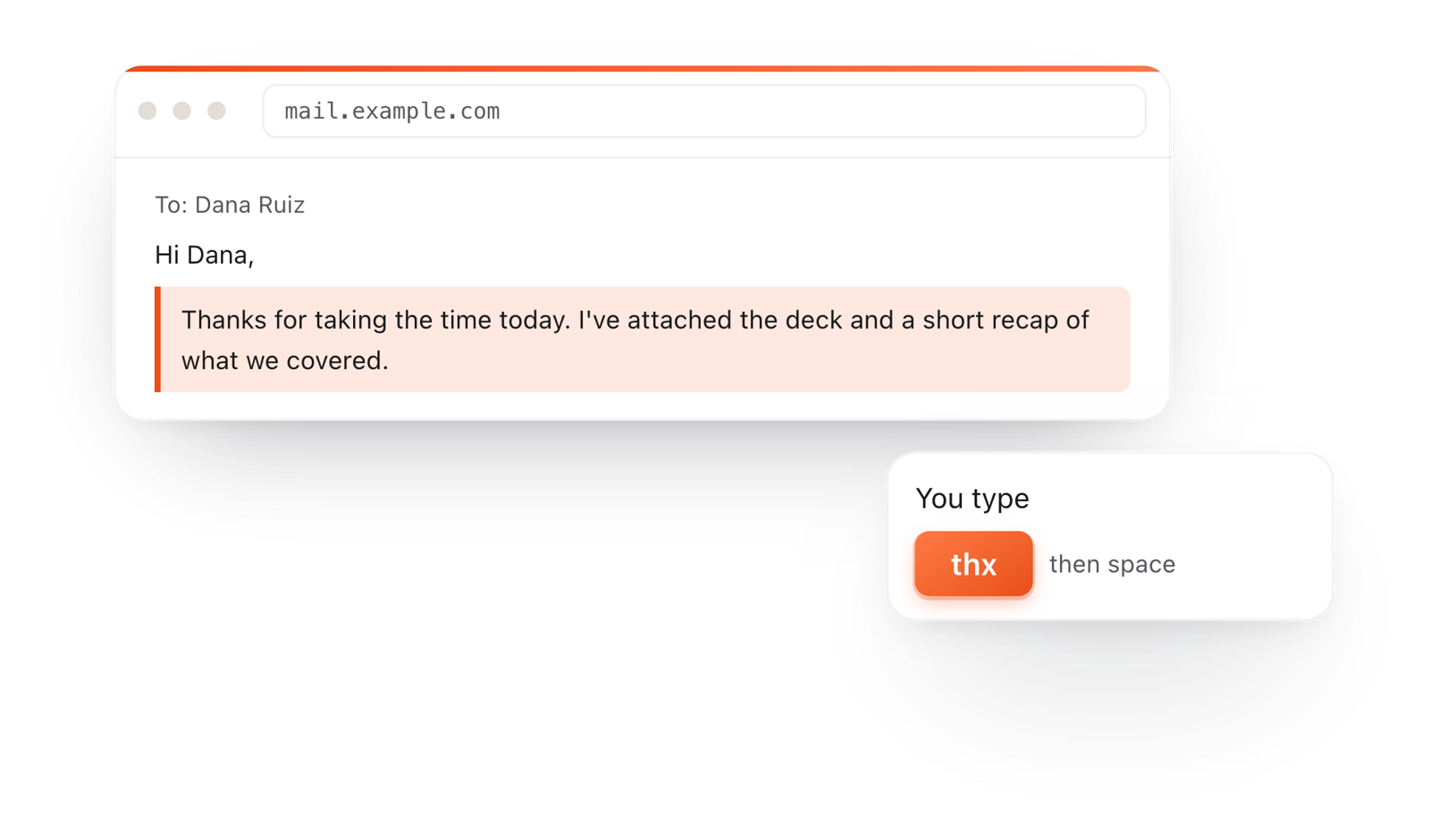
In a browser email, typing thx and a space expands into a whole thank-you reply

TypeFire for Chrome

  • A free text expander for Chrome, Edge and Brave.
  • Type a few letters and get the whole reply, on any site.
  • Works on Windows, Linux, ChromeOS and Mac.

Frequently asked questions

Still not answered?

It shows Markdown rendered as you type or paste, so you can see headings, lists, tables and code the way readers will.

Here the preview and the editor are the same thing: you edit the rendered text directly.

Paste it into the document above, or drop a .md file onto the page.

It renders instantly, with nothing to install and no account.

Yes. Paste your README.md or drop the file in to see its headings, code blocks, tables and task lists rendered, then fix anything before you commit.

The README editor has a ready-made template too.

Yes. Rich text copied from a web page or a document is converted to Markdown as it's pasted, keeping its headings, links, bold and lists.

Yes. File > Copy > As rich text copies the formatted document for an email or a doc, and File > Copy > As Markdown copies the source.

No. Everything happens in your browser. Your tabs are saved locally so a refresh loses nothing, and they stay on this computer.

Preview Markdown straight from Finder

On a Mac, TypeFire renders any .md file when you press Space, and opens your notes folder in this editor. Free.

Download free for MacAdd to ChromeSee what $18 adds7 day Pro trial, no card required.

Free text expander, clipboard manager and markdown notes. $18 once for unlimited clips, notes sync and AI prompts.

your clips your snippets