GitHub Markdown: Alerts, Task Lists, Footnotes and the Full Syntax
GitHub Flavored Markdown is the dialect most developers write every day without thinking of it as a dialect. It's standard Markdown plus the things a repository needs: tables, task lists, footnotes, mentions, issue links and, more recently, alert boxes for notes and warnings.
This is the full set, checked against GitHub's own syntax guide on October 27, 2026.
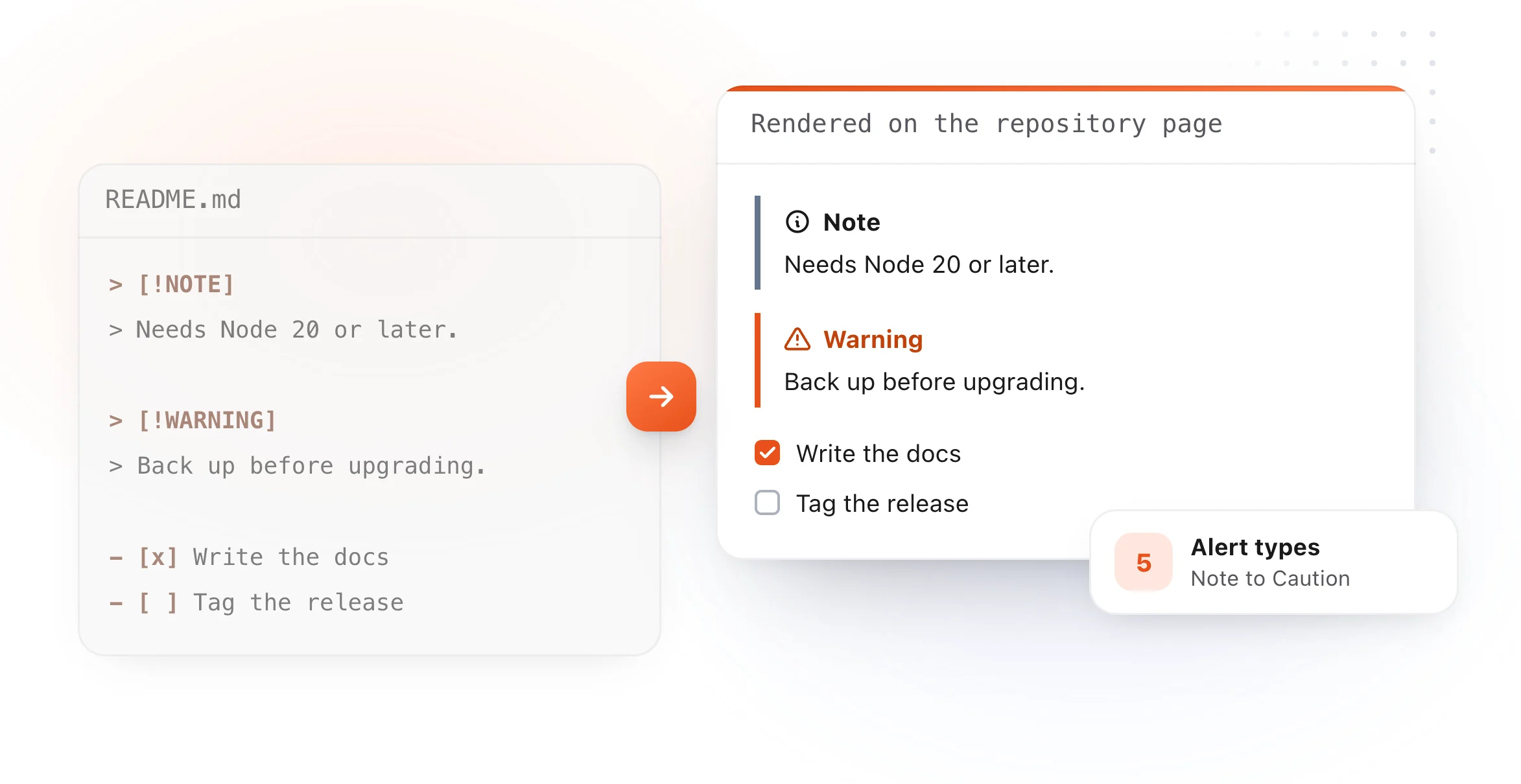
Alerts: notes and warnings that stand out
An alert is a quote whose first line names its type:

> [!NOTE]
> Needs Node 20 or later.

> [!WARNING]
> Back up before upgrading.
There are five, and each one means something:
| Alert | Use it for |
|---|---|
> [!NOTE] |
Something worth knowing, even when skimming |
> [!TIP] |
Advice that makes a task easier |
> [!IMPORTANT] |
Something a reader needs to succeed |
> [!WARNING] |
Something that needs attention right away |
> [!CAUTION] |
A risk, or a consequence of an action |
One or two in a README read as signposts. Ten read as noise, so save them for the lines that really matter.
Text formatting
| Format | Type this |
|---|---|
| Bold | **bold** or __bold__ |
| Italic | *italic* or _italic_ |
| Strikethrough | ~~strike~~ or ~strike~ |
| Bold with italic inside | **bold _and_ italic** |
| Bold italic | ***both*** |
| Subscript | <sub>text</sub> |
| Superscript | <sup>text</sup> |
| Underline | <ins>text</ins> |
| Inline code | `code` |
Lists and task lists
Bullets start with -, * or +, and numbered items with 1.. To nest an item,
indent it so its marker lines up under the text of the item above.
Task lists add a box to each item:
- [x] Write the docs
- [ ] Tag the release
In issues and pull requests, people with access can tick the boxes right on the
page. If an item starts with a parenthesis, escape it as \( so it isn't read as a
box.
Links that only work on GitHub
| What | Type this |
|---|---|
| A file in the repo | [Guidelines](docs/CONTRIBUTING.md) |
| A heading on the page | [Install](#install) |
| A person or team | @username or @org/team-name |
| An issue or pull request | #123 |
| An emoji | :+1: or :shipit: |
Relative links are worth the habit. They keep working when someone forks the repository or renames the default branch, where a full URL breaks.
Footnotes and hidden comments
A footnote marks the text with [^1] and defines it anywhere below:
Supported on macOS 13 and later.[^1]

[^1]: Intel and Apple silicon both work.
A comment is left in the file and hidden on the page, which is handy for notes to the next editor:
<!-- Update the version table with every release -->
Line breaks, the rule that catches everyone
A single return in your file does not start a new line on the page. GitHub
joins the two lines into one paragraph. To break a line, end it with two spaces, a
backslash or <br/>. To start a new paragraph, leave a blank line.
Beyond the basics
GitHub also documents tables, Mermaid diagrams and math in their own guides: tables, diagrams and math. For tables, the free Markdown table generator writes the pipes for you.
Writing the README before you commit it
The free README editor opens a README template in your browser,
formats it as you type, and downloads the .md ready to commit, with nothing
uploaded. On a Mac, TypeFire previews any .md file in Finder when you press
Space, and its text expander keeps the parts you write in every
repository (badges, install blocks, license lines) one abbreviation away.
The same syntax questions come up in chat apps too: see Slack Markdown and Discord Markdown.
Loved by people who type all day.
Unprompted reactions from users, in their own words.
Used by people at
Company names are places where our users work. They do not imply endorsement or affiliation.