Discord Markdown: Headers, Subtext, Spoilers and Every Format Code
Discord's formatting is Markdown with a few extras of its own: underline, spoilers, subtext and a quote that runs to the end of the message. Most of it works the moment you type it, and the bits that fail usually fail for one reason, a missing space.
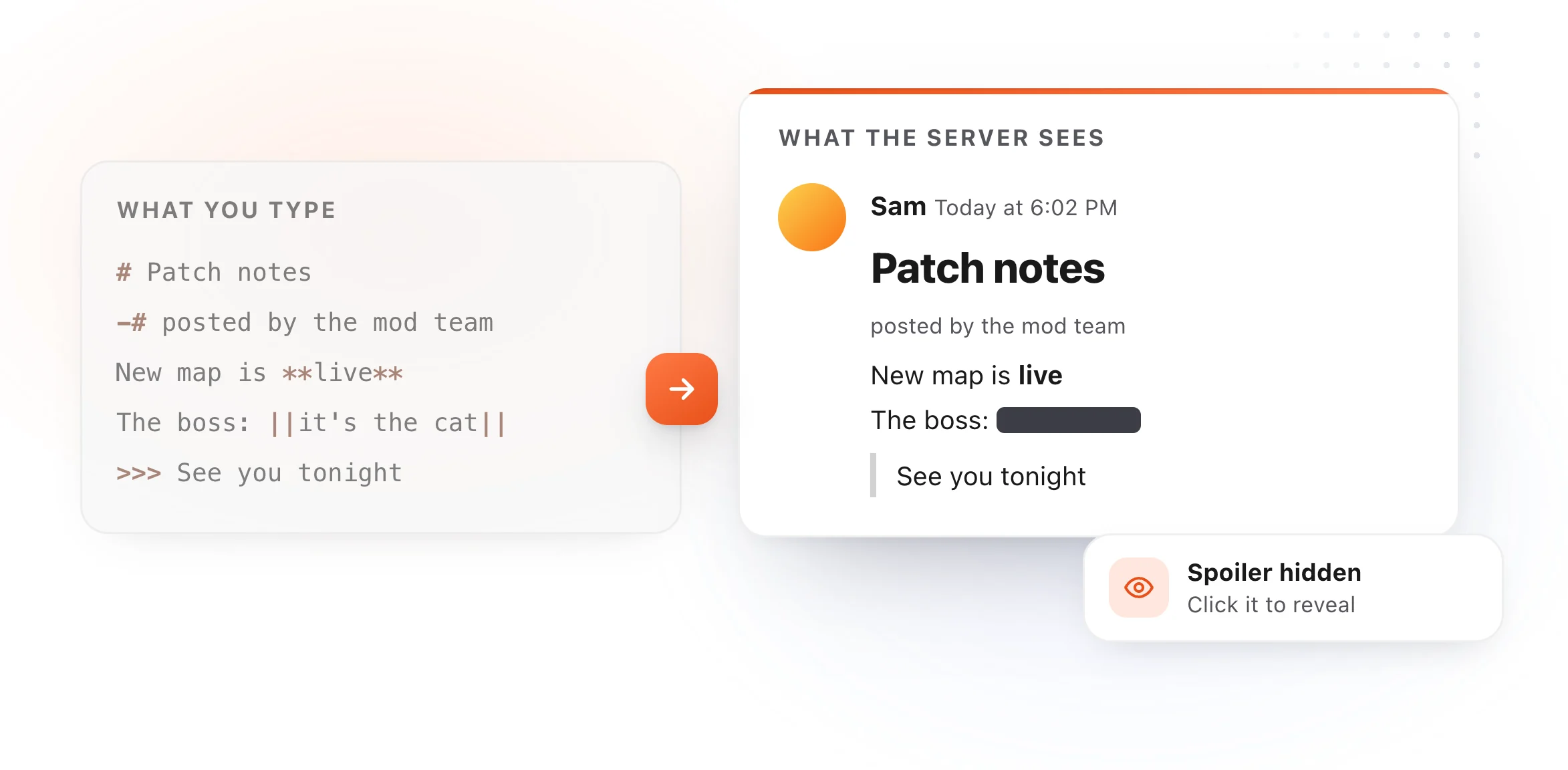
Text formatting
| Format | Type this |
|---|---|
| Italic | *italic* or _italic_ |
| Bold | **bold** |
| Bold italic | ***bold italic*** |
| Underline | __underline__ |
| Underline and bold | __**text**__ |
| Strikethrough | ~~strikethrough~~ |
| Spoiler | ||spoiler|| |
Layout codes, at the start of a line
| Format | Type this | Notes |
|---|---|---|
| Big header | # Header |
The space after # is required |
| Smaller header | ## Header |
|
| Smallest header | ### Header |
|
| Subtext | -# small gray text |
Must be the very first thing on the line |
| Bullet list | - item or * item |
Indent two spaces for a sub-item |
| Quote, one line | > text |
Space after > |
| Quote, rest of message | >>> text |
Everything after it is quoted |
Both tables follow Discord's own Markdown Text 101 article, read on October 27, 2026.

Links with your own words
A masked link puts readable text on an address:
Read the [patch notes](https://example.com/patch) before tonight.
The text goes in square brackets and the address straight after it in parentheses, with nothing in between.
Code, and code with colors
One backtick on each side makes inline code: `/ban`. Three backticks make a
block, and a language name after the opening three adds syntax colors:
```js
const ready = true;
```
Anything inside a code block is shown exactly as typed, which also makes it the way to show Markdown symbols without them turning into formatting. It's why spoiler bars stop working inside one.
When formatting doesn't work
No space after the symbol. #Header posts as plain text with a hash. So do
-#subtext and >quote. Add the space.
Not at the start of the line. Headers and subtext only work as the first thing on a line. Put them on their own line.
Inside a code block. Everything in a code block is literal, so no bold, no spoiler and no links.
You wanted the symbol itself. Put a backslash in front of it, like \*, to show
the character instead of formatting.
Announcements you post every week
Server announcements, event reminders, rules and patch notes tend to repeat with a few details changed. Save each one as a snippet in a text expander, headers and spoilers included, and type a short abbreviation to drop the whole thing into Discord, then edit the details. TypeFire does it free on a Mac, in the Discord app, and the Chrome extension does it in Discord on the web.
For the same codes in other apps, see Slack Markdown, which uses single asterisks for bold, and GitHub Markdown. The Markdown cheat sheet has standard syntax with a live editor to try it in.
Loved by people who type all day.
Unprompted reactions from users, in their own words.
Used by people at
Company names are places where our users work. They do not imply endorsement or affiliation.