Mermaid diagrams in your notes, readable at any size.
```mermaid
flowchart TD
  A[New ticket] --> B{Billing question?}
  B -- Yes --> C[Send to billing]
  B -- No --> D{Urgent?}
  D -- Yes --> E[Page the on-call]
  D -- No --> F[Add to the queue]
  C --> G[(Reply sent)]
  E --> G
  F --> G
```
Draws as you type
Write Mermaid in a note and the diagram appears under it a moment after you stop typing.
Readable at any size
Open it full window and zoom. A wide one scrolls sideways instead of shrinking.
Part of your notes
A box can link to a note, and the link shows in backlinks and on the graph.
Zoom in. Move around. Read every label.
A diagram is only useful if you can read it. TypeFire keeps the text at your note's size, gives every diagram a full-window viewer, and never squeezes a wide one into a strip.
Zoom toward what you're reading
Open any diagram full window. Drag to move, and pinch or Command-scroll to zoom toward the pointer.
Wide diagrams scroll, they don't shrink
A pipeline with ten steps keeps a readable size and scrolls sideways in the note.
Text that matches your note
Labels follow your note's text size, and lines never run through them. A Gantt chart reads at any window size.
Resize it, align it, link it to your notes.
A diagram sits in your note like a picture you can shape. And because a box can be a note link, a diagram can be the map of a project that takes you to each part of it.
Drag to resize
Make a diagram smaller to sit beside the text, or bigger to read the detail.
Left, center or right
Choose on hover. It's saved in the note as a comment other Mermaid apps ignore, so the file stays portable.
Link a box to a note
Write a box as A["[[Welcome email]]"] and it opens that note. The link counts in backlinks and in Weave, and follows a rename.

Flowcharts, Gantt charts, mind maps and more.
Everything people write in Mermaid, drawn in the colors of the rest of the app.
Twelve kinds, drawn and tested
Flowchart, sequence, class, state, entity relationship, Gantt, pie, mind map, timeline, Git graph, user journey and quadrant chart.
In TypeFire's colors
Light, dark, warm, cool and dim, the diagram matches the note. Prefer the classic Mermaid look or a neutral gray? Pick it in Settings, Appearance.
Never a blank box
While a line is unfinished the diagram says what it can't read yet, in words, and an unclosed block stays text.
Already have diagrams in Obsidian? Open the vault.
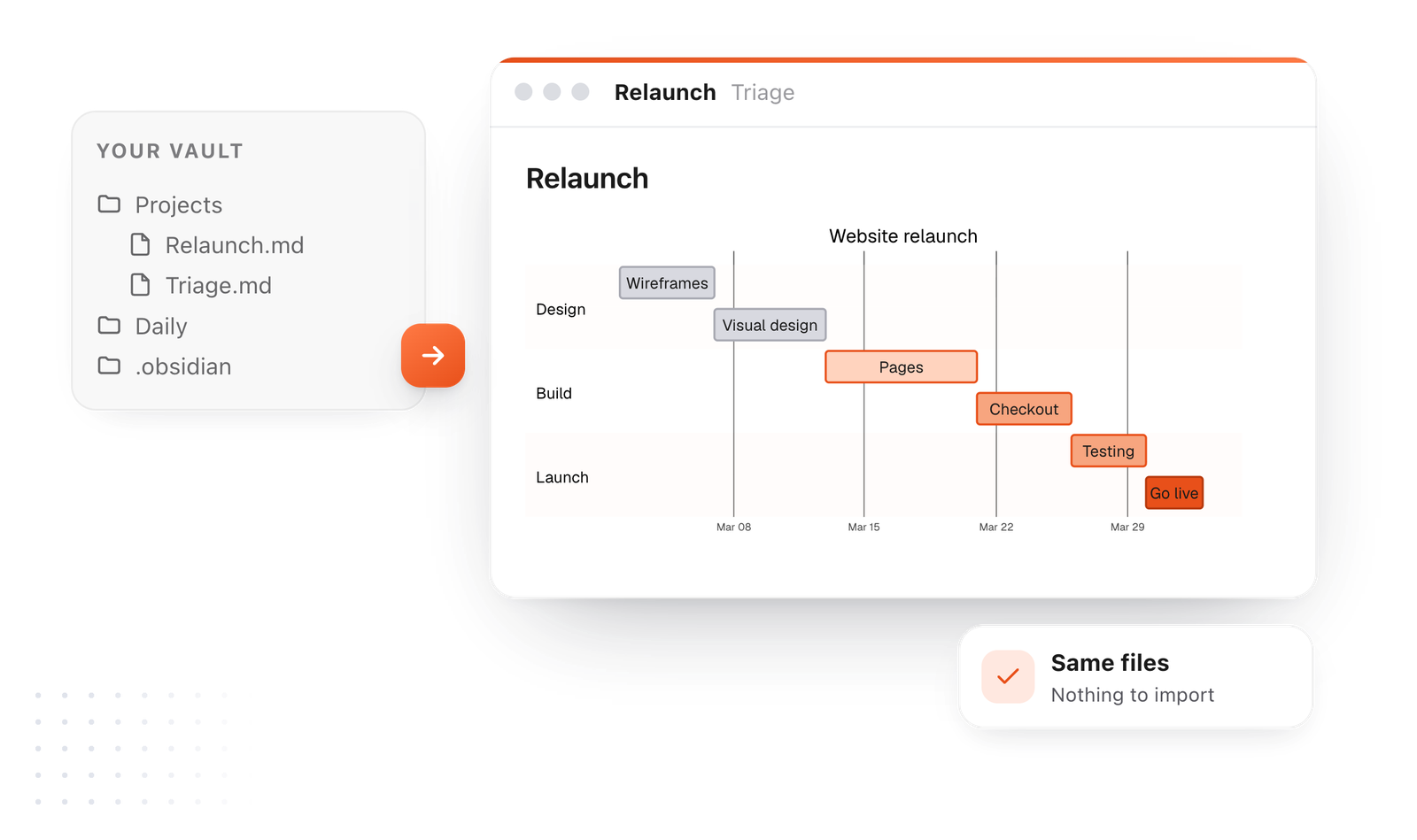
TypeFire opens a folder of Markdown as it is, an Obsidian vault included. The Mermaid blocks you already wrote draw in TypeFire, from the same files, with nothing to import or convert.
The same files
Your notes stay where they are. Use TypeFire and Obsidian side by side if you like.
Every diagram readable
The ones that were too small or cut off open full window, zoomable.
Links that count
Note links inside a diagram show in backlinks and on the graph.
In exports, in Finder and in your browser.
A diagram goes where the note goes: into a PDF, a Word file or a web page, into Quick Look when you press Space, and into TypeFire for Chrome.
Export with the diagrams in
Save a note as PDF, Word or HTML and every diagram comes with it, legible and never wider than the page. Or use Copy as picture and paste it anywhere.
In Finder's Quick Look
Press Space on a Markdown file and its diagrams draw in TypeFire's colors, no app to open.
In Chrome and on the web
TypeFire for Chrome and the free web editor draw the same diagrams, with the same viewer.

Describe a diagram. TypeFire draws it.
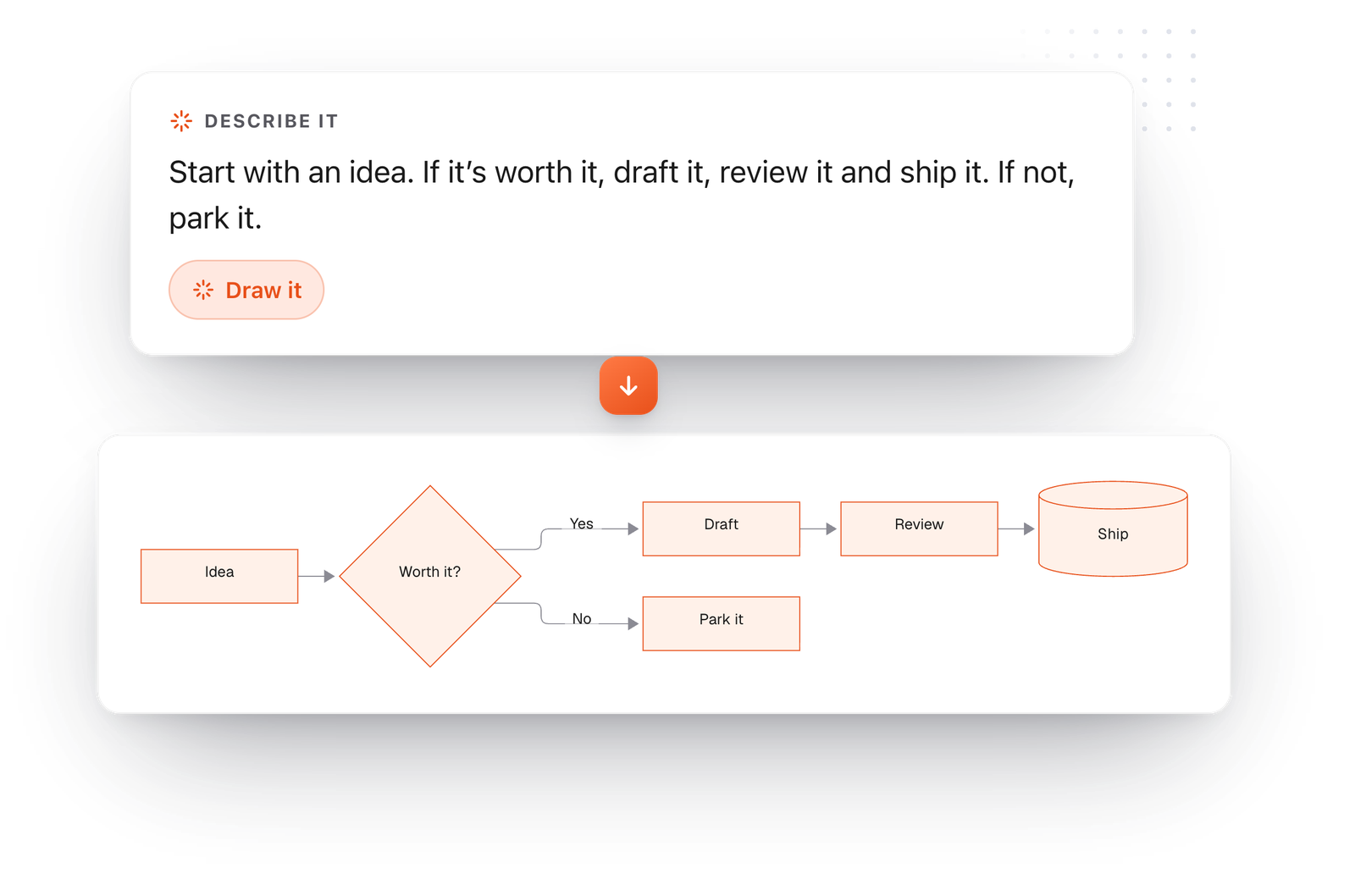
Turn on AI in TypeFire and you can skip the syntax: say what the diagram should show and it's written and drawn in your note, ready to edit.
Describe it
Choose Draw a diagram from the note's AI menu and say what you want in plain words, like the steps of a process or who talks to whom. Or select text and draw it.
Change it
Ask for an extra step or a different direction on a diagram you already have.
Starters and an example note
Insert, then Diagram, gives you a starter for each kind, or type / then Diagram. The Diagrams in TypeFire note shows every one.
Questions about diagrams
What draws, how to read the big ones, and where your diagrams go.
Still not answered?
Yes. A code block marked mermaid draws as a diagram right in the note, while you type.
TypeFire draws twelve kinds: flowchart, sequence, class, state, entity relationship, Gantt, pie, mind map, timeline, Git graph, user journey and quadrant chart.
Yes. Open any diagram full window, drag to move around, and pinch or Command-scroll to zoom toward the pointer.
From there you can save it as SVG or PNG.
Many apps shrink a wide diagram until it fits the page.
TypeFire keeps it at a readable size and lets it scroll sideways, and its text follows your note's text size, so a long Gantt chart stays legible.
Yes. Drag the edge to resize it, and choose left, center or right on hover.
The choice is saved in the note as a comment other Mermaid apps ignore, so the file stays portable.
Yes. Write the box's label as a quoted note link, like A["[[Pricing]]"].
Clicking it opens that note, the link counts in its backlinks and in Weave, and on the Mac it follows if you rename the note.
Yes. Open the vault folder in TypeFire and the Mermaid blocks already in your notes draw as they are.
They're the same files, so there's nothing to import or convert.
Yes. Export a note as PDF, Word or HTML and the diagrams come with it, centered or where you placed them.
Or use Copy as picture on a diagram and paste it into a chat, a slide or a doc.
With AI turned on in TypeFire, open the note's AI menu and choose Draw a diagram, or pick Describe it in the diagram dialog, and say what you want in plain words.
You can also select text and use that as the material. It writes the Mermaid and draws it, and Change it reworks one you already have. It uses the AI provider you set up in Settings.
Yes. Press Space on a Markdown file in Finder and its diagrams draw in TypeFire's colors.
TypeFire for Chrome and the free web editor draw them too, with the full-window viewer.
Keep reading
Same files, readable diagrams
Free Mermaid live editorTry it in your browser
Mermaid flowchart syntaxShapes, arrows, decisions
Mermaid Gantt chart syntaxPlans that stay readable
Mermaid mind map syntaxOutlines that branch
Diagrams in Markdown: the Mermaid guideEvery kind, with examples
Mermaid diagram too small?Six fixes
Link notes inside a diagramBoxes that open notes
TypeFire NotesWhere your diagrams live
WeaveThe graph your diagram links join
Draw your next diagram in a note
TypeFire for Mac: notes, diagrams, a text expander and a clipboard history in one free app.
Free text expander, markdown notes and a clipboard manager. $18 once for unlimited clips, notes sync and AI prompts.
⌘⌃2 your clips⌘⌃1 your snippets
Loved by people who type all day.
Unprompted reactions from users, in their own words.
Used by people at
Company names are places where our users work. They do not imply endorsement or affiliation.