Diwali sale. Pro for $10 instead of $18 with code DIWALI26 at checkout, until November 15.
Free · Live examples · No sign-up

Markdown checkboxes and task lists

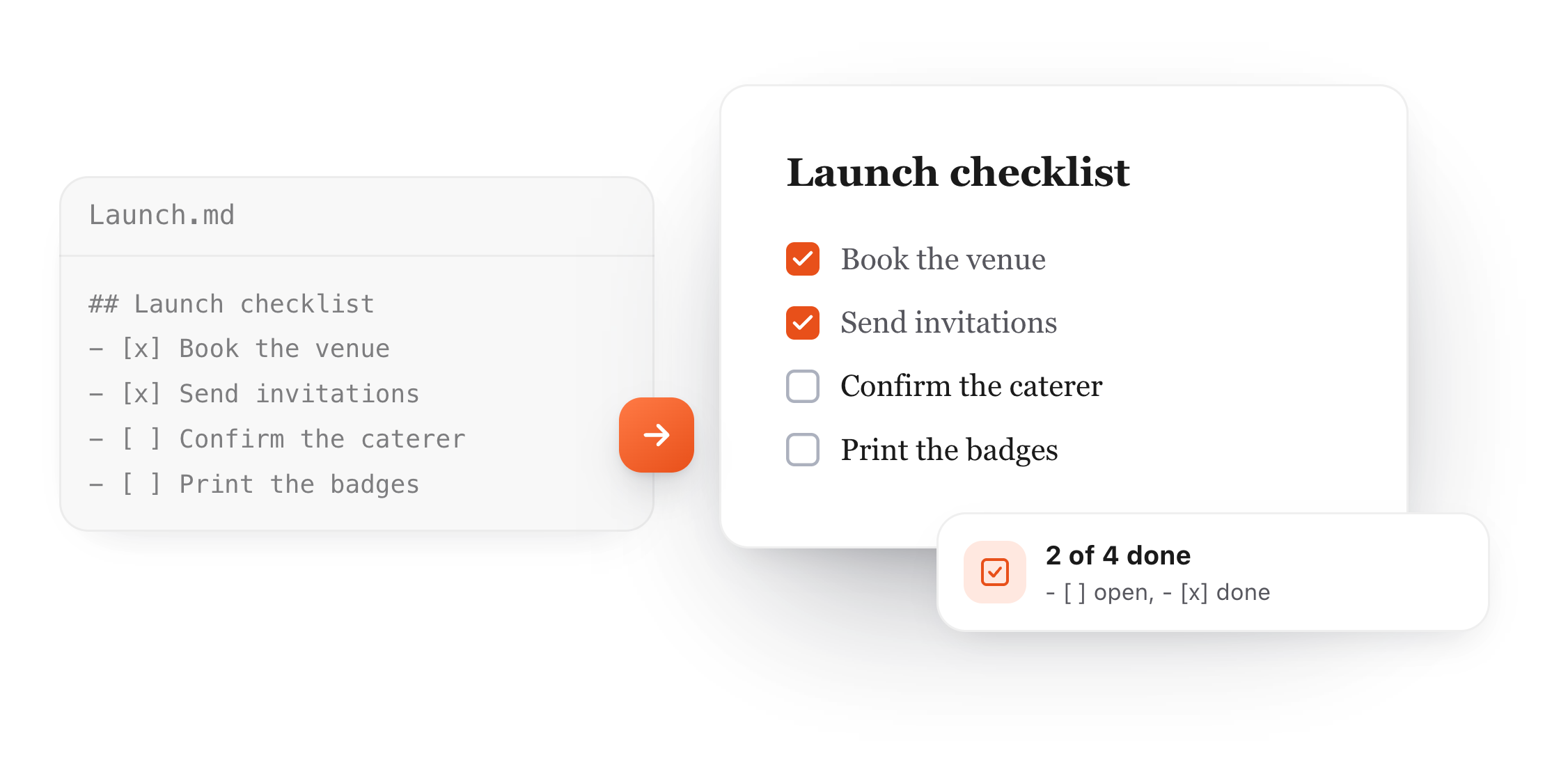
A dash, a space and a pair of brackets: - [ ] makes an open checkbox and - [x] a ticked one. The list below is live, so add a task and see it appear.

Free in your browser. On a Mac, TypeFire opens every .md file like this, right from Finder.Download free for Mac

Launch checklist.md
FileEditViewInsertFormatHelp
Launch checklist.md

Launch checklist

This week

  • Book the venue
  • Send the invitations
  • Confirm the caterer
  • Print the badges

Numbered steps work too

  1. Draft the agenda
  2. Share it with the team
  3. Send the final version

Nested tasks

  • Prepare the room
    • Chairs for 40
    • Projector and cable
Loading the editor…Your files stay in your browser
  • Your files never leave your browser
  • Free, no sign-up
  • Download as Markdown, Word, a web page or a PDF

This editor comes from TypeFire, free for Mac

Your whole folder of Markdown notes in tabs, Quick Look previews in Finder, plus a text expander and a clipboard manager.

How it works

Make a checkbox in Markdown

  1. 01

    Start a list item

    Type a dash and a space, the same as any bullet. A number works too: 1. then a space.

  2. 02

    Add the brackets

    Type [ ] with a space inside for an open box, or [x] for a ticked one. Then a space and the task.

  3. 03

    Nest a task

    Indent two spaces under a task to add a smaller step that belongs to it.

A Markdown task list with - [x] and - [ ] items shown as a launch checklist with two boxes ticked
Free for Mac and Chrome

Like this editor? Get TypeFire.

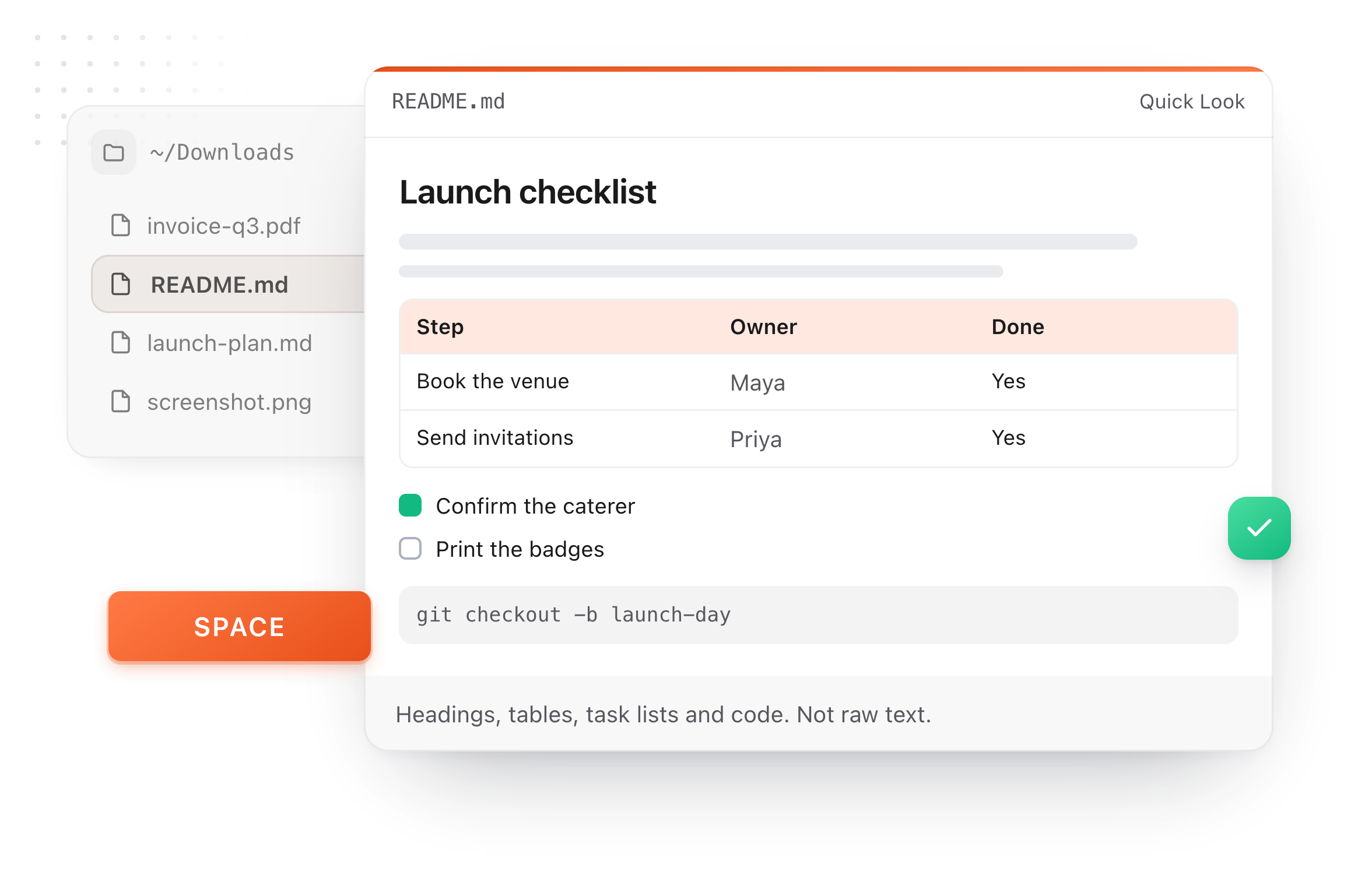
The same editor on your whole folder of Markdown notes, plus a text expander and a clipboard manager. On a Mac, every .md file previews in Finder when you press Space.

Download free for MacAdd to Chrome7 day Pro trial, no card required.

Free text expander, markdown notes and a clipboard manager. $18 once for unlimited clips, notes sync and AI prompts.

A README.md previewed in Finder with Quick Look on a Mac, after pressing Space
At a glance

Where task lists work

Most apps that read Markdown today show the boxes. A few let you click them.

GitHub issues and pull requests
Shows boxes:Yes
Click to tick:Yes, if you can edit it
A README or .md file on GitHub
Shows boxes:Yes
Click to tick:No
Obsidian
Shows boxes:Yes
Click to tick:Yes
GitLab
Shows boxes:Yes
Click to tick:Yes, in issues
Original Markdown renderers
Shows boxes:No, the brackets show as text
Click to tick:No
What it does

Getting checkboxes right

Small details decide whether you see a box or the raw brackets.

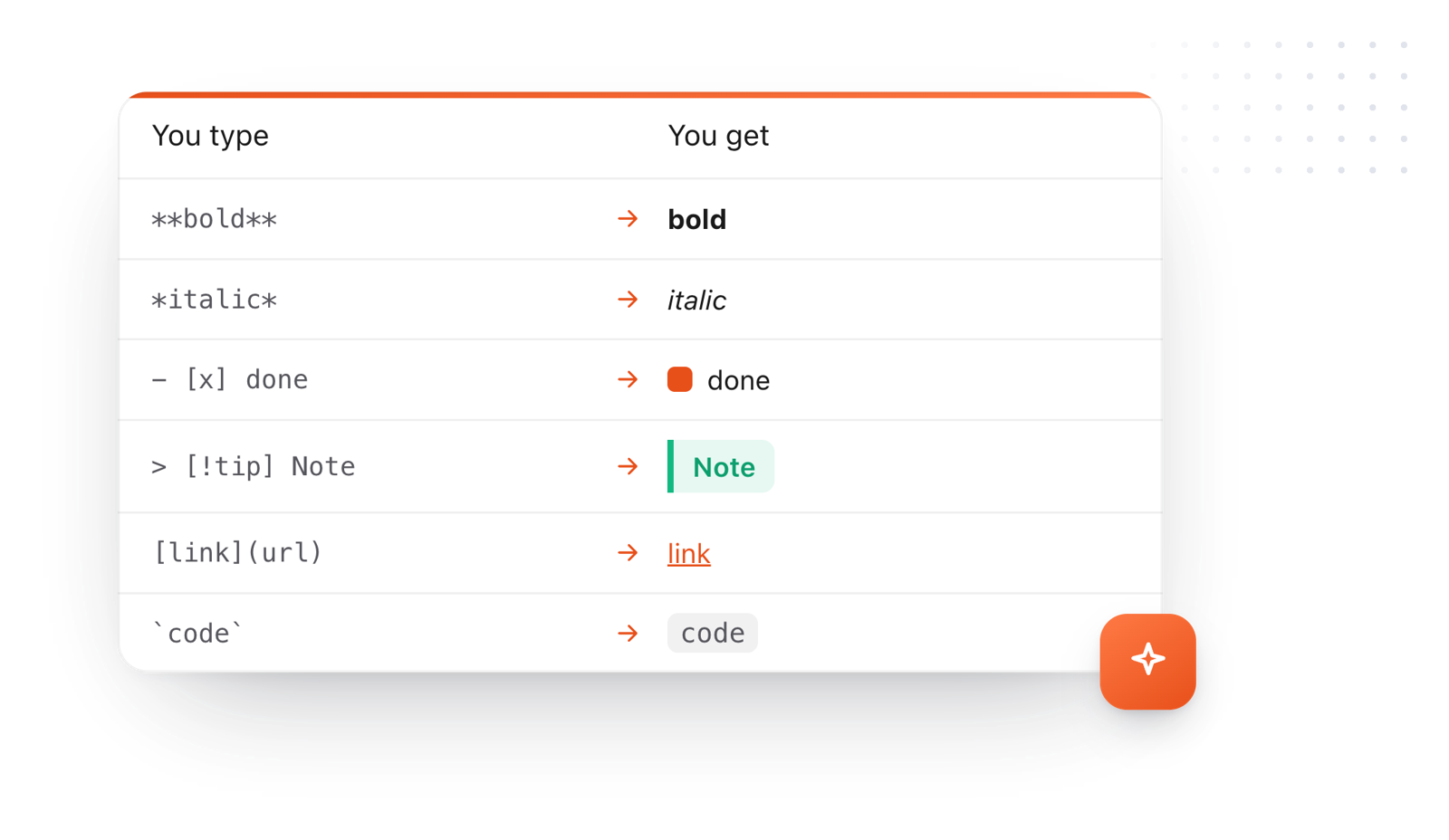
Markdown syntax and what it makes: bold, italic, a done task, a callout, a link and inline code
  1. The space inside matters

    [ ] needs a space between the brackets. [] with nothing inside stays as text.

  2. x or X both tick

    [x] and [X] both mean done. Any other letter stays as text.

  3. It's an extension

    Checkboxes come from GitHub Flavored Markdown, not the original Markdown, so a very old renderer shows the brackets.

  4. Clickable in some places

    In GitHub issues and pull requests, people who can edit can click to tick a box. In a README, the boxes are display only.

Take it further

The same editor, without the browser tab

This editor comes from TypeFire, a free app for Markdown notes, a text expander and a clipboard manager. Here it works on the files you open. In the app, it opens your whole folder.

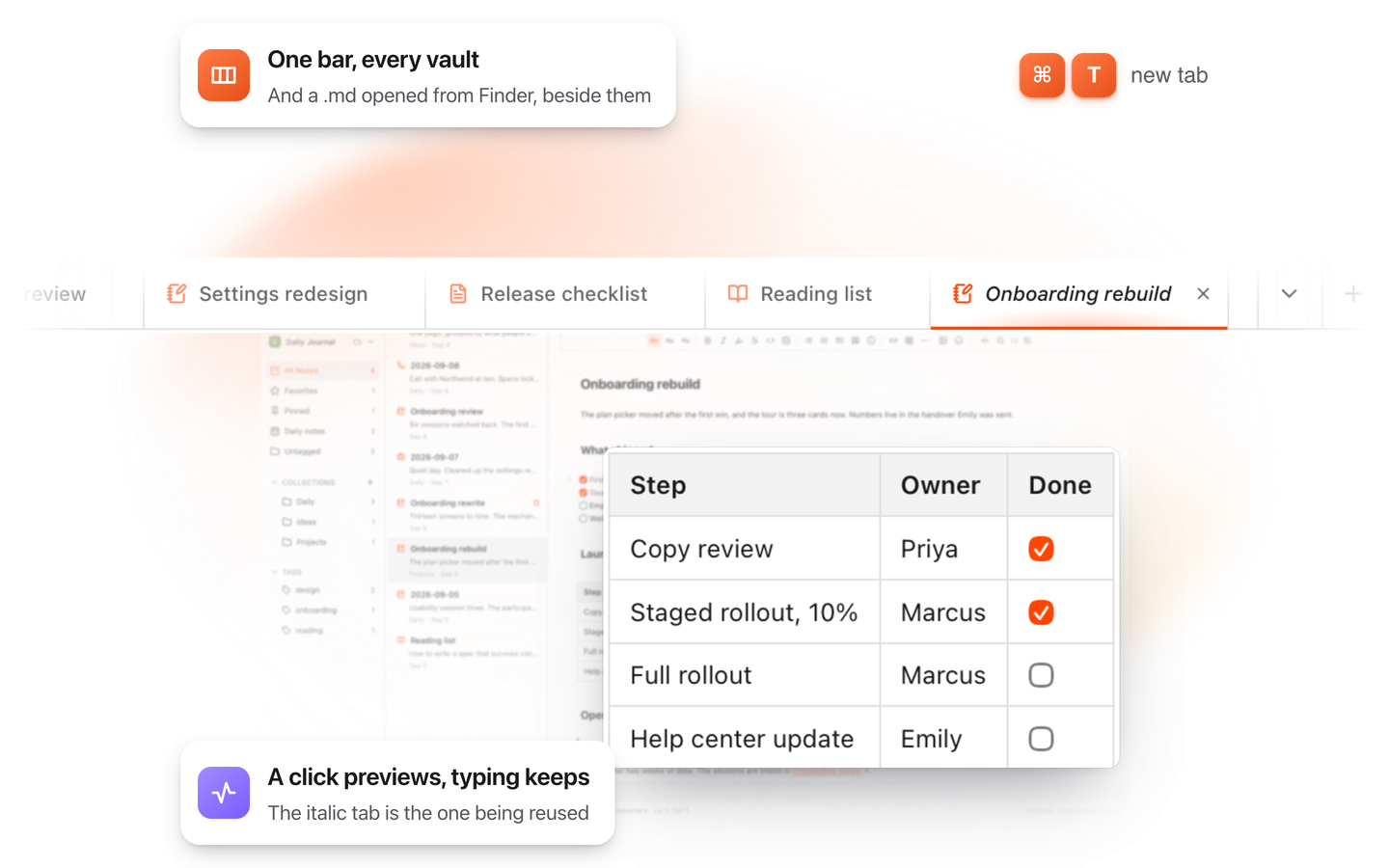
TypeFire for Mac with several Markdown notes open in one tab bar

TypeFire for Mac

  • Press Space on any .md file in Finder and read it rendered, with Quick Look.
  • Open a folder of Markdown, an Obsidian vault included, with tabs, search and links.
  • A text expander and a clipboard history in the same free app.
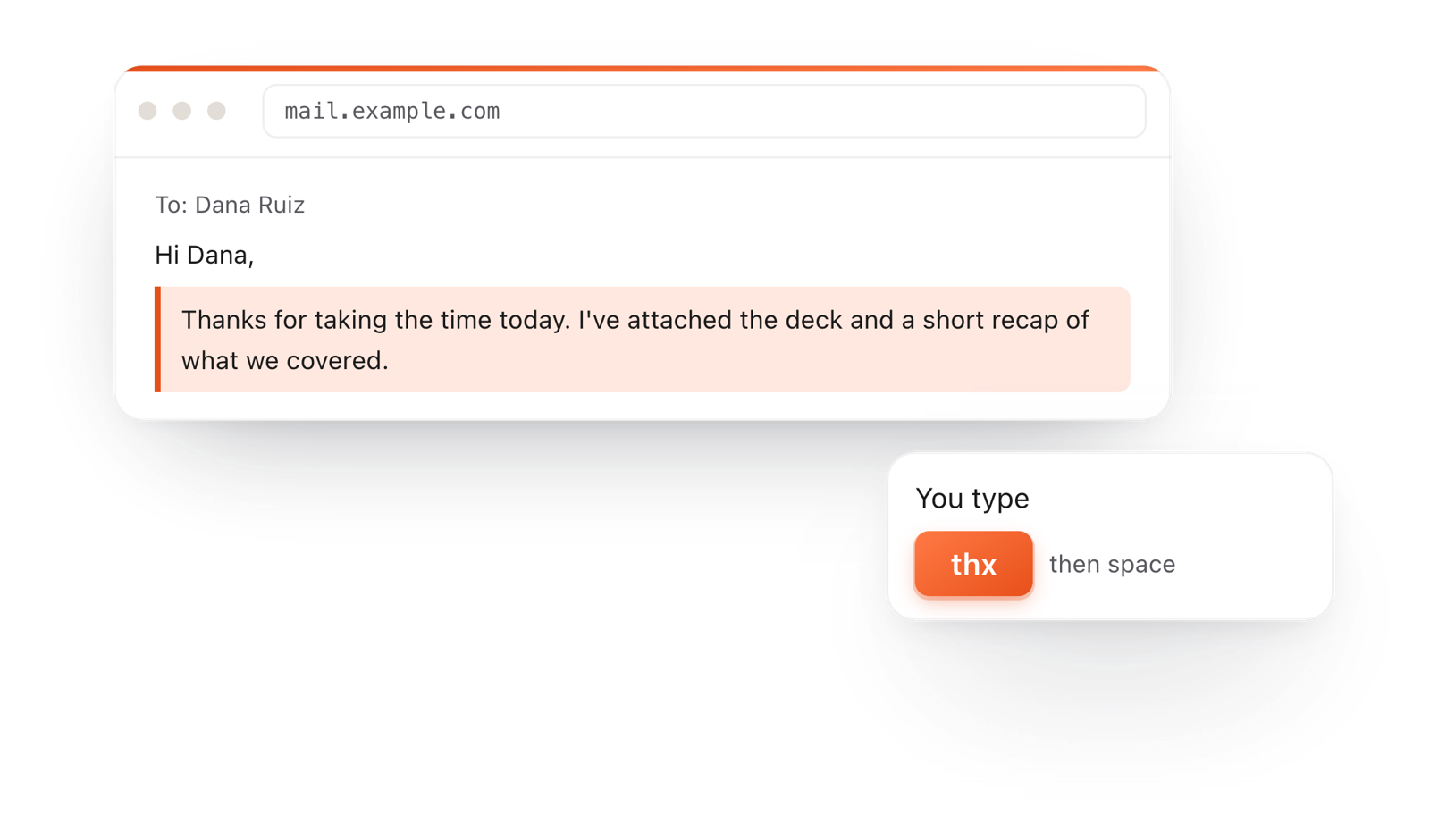
In a browser email, typing thx and a space expands into a whole thank-you reply

TypeFire for Chrome

  • This editor in its own tab, one click from the toolbar.
  • Your folder of .md notes in tabs, with search and links.
  • A text expander and your clipboard history on every site.

Frequently asked questions

Still not answered?

Start a list item with - [ ] followed by the task for an open box, or - [x] for a ticked one.

The space inside the brackets is required.

Put an x between the brackets: - [x]. A capital X works too.

Yes. Use 1. [ ] instead of the dash, and each step gets a number and a box.

Usually the space is missing inside the brackets, or there's no dash and space before them.

A few older renderers don't support task lists at all.

In issues, pull requests and comments, yes, if you have permission to edit them.

In a README or other file, the boxes are display only.

Keep your lists in Markdown

TypeFire's notes are plain .md files with live checklists, on the Mac and in your browser. Free.

Download free for MacAdd to ChromeSee what $18 adds7 day Pro trial, no card required.

Free text expander, markdown notes and a clipboard manager. $18 once for unlimited clips, notes sync and AI prompts.

your clips your snippets