Ask ChatGPT or Claude for a Diagram, and Get One That Draws
Ask an AI assistant to "draw a diagram" and you'll often get a description of a diagram, a blurry generated picture, or ASCII boxes. None of them can be edited.
Ask it for Mermaid instead and you get a few lines of text that draw as a real diagram, and that you can fix by changing a word. Every major assistant knows the syntax.
The short version
- Say "Mermaid", the kind you want, and "in a code block".
- Paste the answer into a Mermaid editor to see it drawn.
- Fix errors one line at a time: quotes around odd labels,
-->for arrows. - Keep the text, not a screenshot, so the diagram stays editable.
Prompts that work
The more specific the prompt, the cleaner the diagram. Name the kind, the parts and the layout.
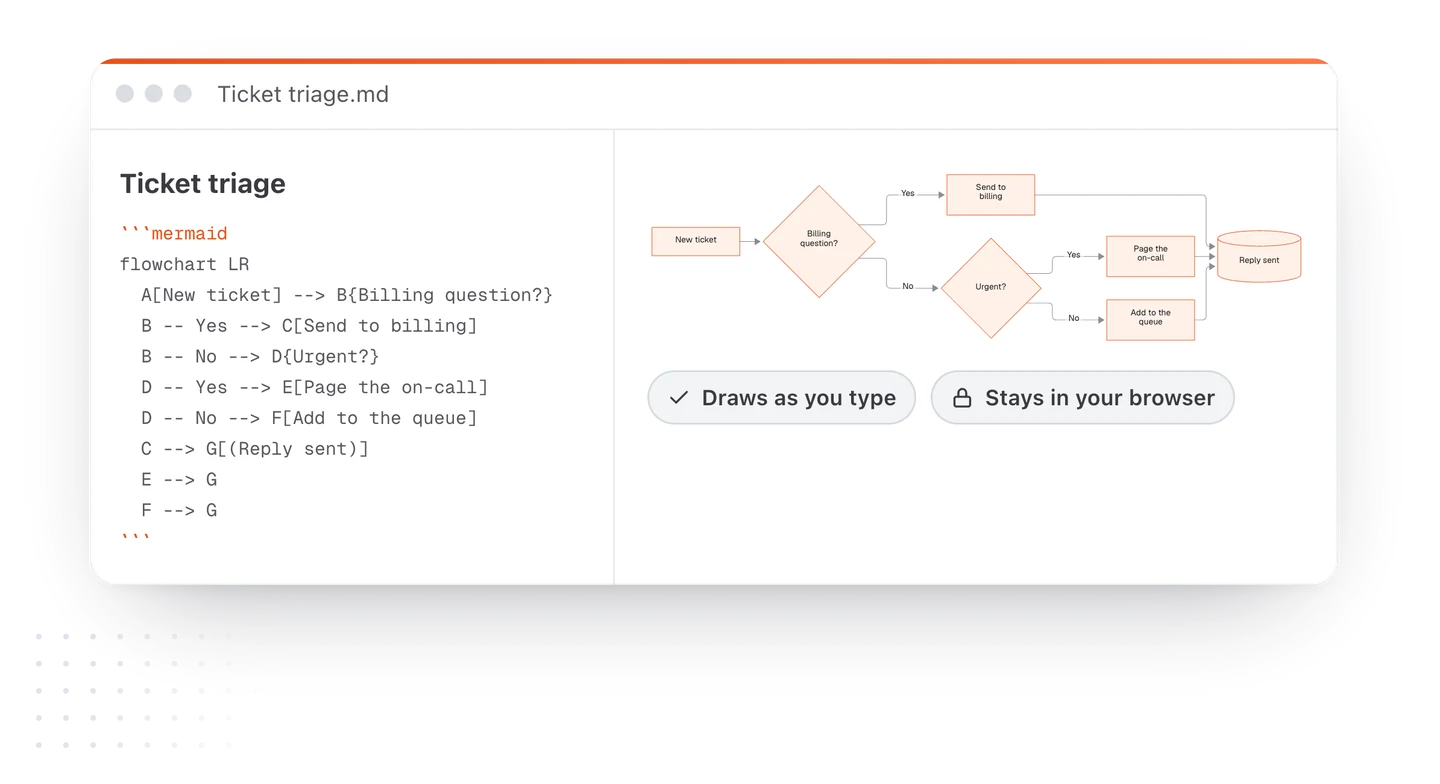
Write a Mermaid flowchart, left to right, in a code block.
A support ticket comes in. Billing questions go to billing.
Urgent ones page the on-call. The rest join the queue.
Every path ends with a reply. Keep labels under four words.
Write a Mermaid sequence diagram in a code block showing an
app asking an API for order 5520, the API reading it from the
database, and the API returning it as JSON.
Turn this plan into a Mermaid Gantt chart in a code block,
dateFormat YYYY-MM-DD, starting 2026-03-02, with sections
Design, Build and Launch: [paste your plan]
The second prompt gives you this:
How to draw the answer
- Copy the code block. Only the part from
```mermaidto the closing backticks. - Paste it into a Mermaid editor. The free live editor draws it at once, in your browser.
- Fix and tidy. Rename boxes, add a branch, change
LRtoTD. It redraws as you type. - Keep it. Download the document as Markdown, or as a PDF with the diagram in it.
The mistakes AI makes, and the fix
| What you see | Why | Fix |
|---|---|---|
| An error on one line | A label has brackets, quotes or a colon | Wrap it in double quotes: A["Price (USD)"] |
| An arrow error | It wrote -> instead of --> |
Use --> in flowcharts |
| A box called "end" breaks things | end is a reserved word |
Rename it: Done or E[End] |
| A huge, cramped chart | Long labels, everything left to right | Ask for short labels, or switch to TD |
| A pie chart drawn as a flowchart | The prompt didn't name the kind | Start the prompt with "Write a Mermaid pie chart" |
Skip the chat entirely
Copying between a chat and a diagram tool works, but there's a shorter path. In TypeFire for Mac, turn on AI, open the note's AI menu and choose Draw a diagram, or pick Describe it in the diagram dialog. Say what you want in plain words and the diagram is written and drawn right in your note. Change it reworks a diagram you already have. It uses the AI provider you set up in TypeFire.
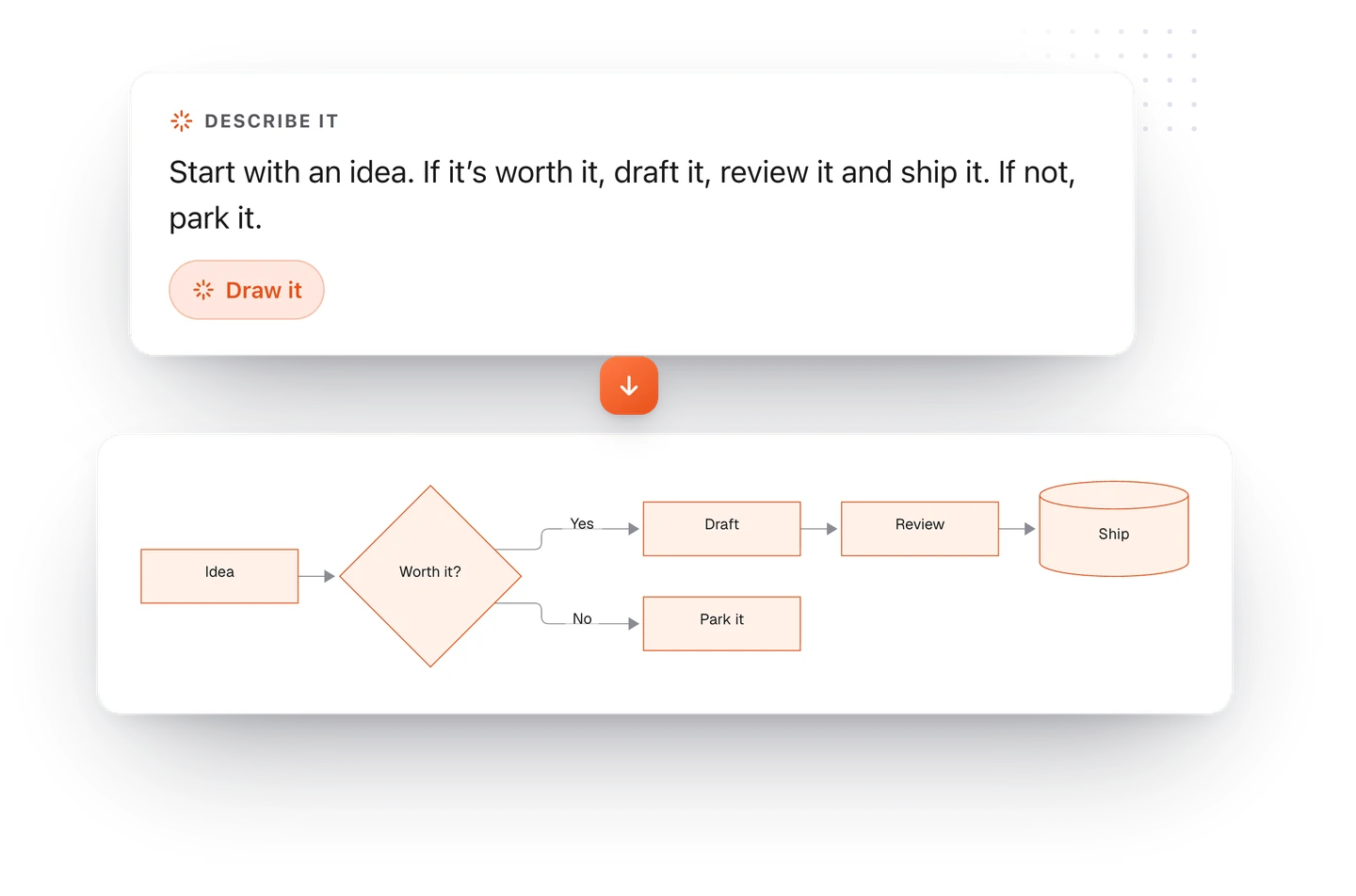
Either way you end up with text, not a picture, so the diagram can grow with the work. For the syntax behind each kind, start with the guide to diagrams in Markdown.
Loved by people who type all day.
Unprompted reactions from users, in their own words.
Used by people at
Company names are places where our users work. They do not imply endorsement or affiliation.