TypeFire 7: Mermaid Diagrams You Can Actually Read
The biggest thing in TypeFire 7 is diagrams. Write Mermaid in a note and it draws as you type, in TypeFire’s colors, light or dark, at a size you can read. Open one full window and zoom in. Drag it to the size you want. Make a box a link to another note.
Here’s everything in the release.
What’s new
- Mermaid diagrams, twelve kinds, drawn as you type and readable at any size.
- A full-window viewer with zoom and pan, and SVG or PNG export.
- Resize, align and link diagrams right in the note.
- Export a note as PDF, Word or HTML, diagrams included.
- Starter packs, 50 free clips, Espanso and Raycast import, and TypeFire for Chrome 2.0.
Diagrams that draw as you type
A code block marked mermaid turns into a diagram in the note. Away from the cursor you see only the diagram; click it and the text appears with the diagram under it, redrawn a moment after you stop typing. A line that isn’t finished says what it can’t read yet, in words.
TypeFire draws twelve kinds: flowchart, sequence, class, state, entity relationship, Gantt, pie, mind map, timeline, Git graph, user journey and quadrant chart. Labels follow your note’s text size, lines never run through them, and a Gantt chart stays readable at any window size. Prefer the classic Mermaid colors or a neutral gray? Pick them in Settings, Appearance.
Readable at any size
Open any diagram full window. Drag to move around, and pinch or Command-scroll to zoom toward the pointer. Save it as SVG or PNG from there. A diagram wider than the note keeps its size and scrolls sideways instead of shrinking.
Sized, aligned and linked
Drag a diagram’s edge to resize it, and choose left, center or right on hover. The choice is saved in the note as a comment other Mermaid apps ignore, so the file stays portable.
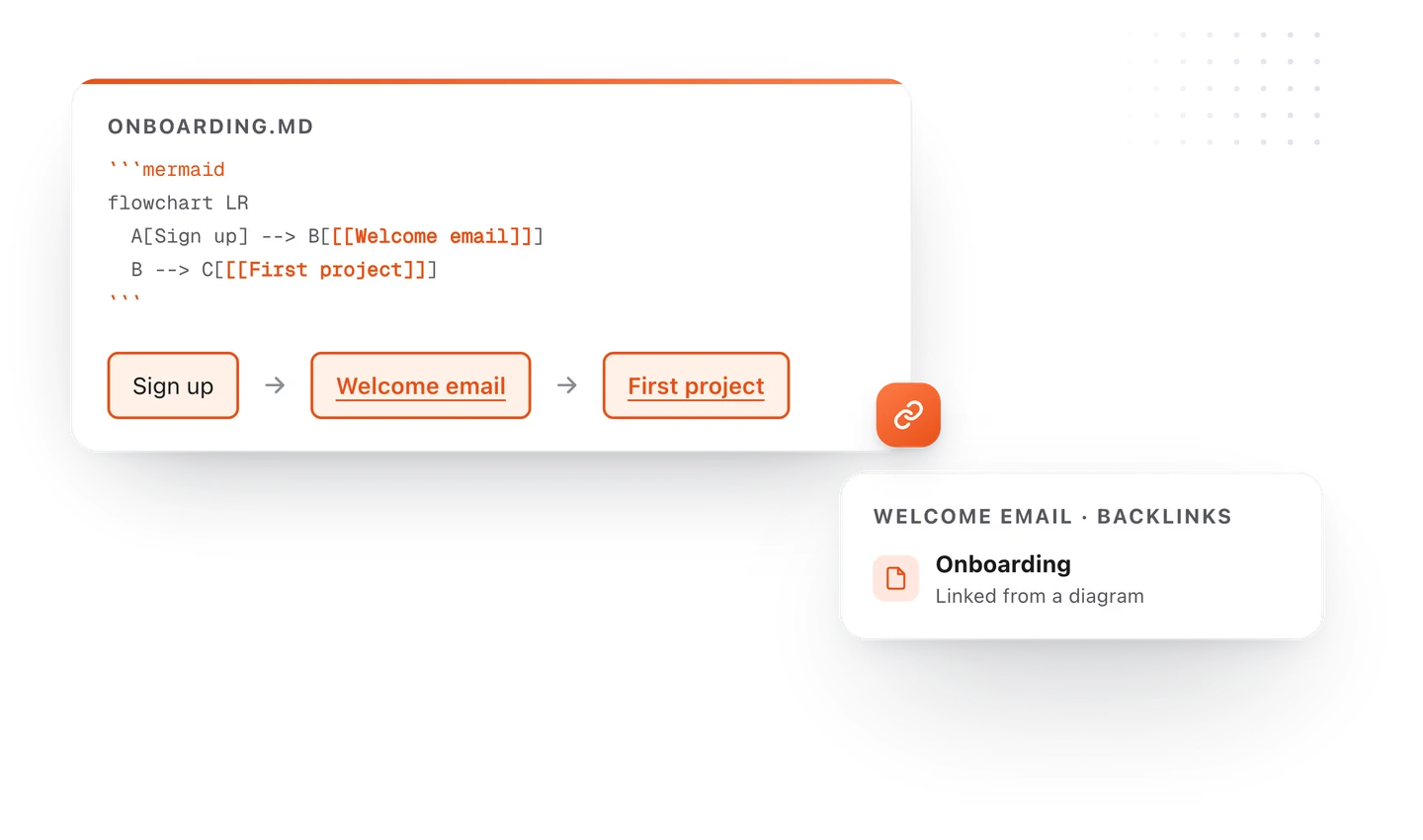
Label a box with a quoted note link, like A["[[Project plan]]"], and clicking it opens that note. The link counts in backlinks and in Weave, and it follows when you rename the note, so a flowchart can be the map of a project. New to diagrams? The Diagrams in TypeFire example note shows every kind.
Describe it
With AI turned on, open the note's AI menu and choose Draw a diagram, or pick Describe it in the diagram dialog. You can select text and draw that. Say what you want in plain words, and the diagram is written and drawn in your note. Change it reworks one you already have. It uses the AI provider you set up in Settings. Insert, then Diagram also has a starter for every kind, and typing / then Diagram in a note does the same.
Export as PDF, Word or HTML
Export any note as a PDF, a Word document or a web page, with its diagrams and math included, never wider than the page. Or use Copy as picture on a diagram and paste it into a chat, a slide or a doc.

Everything else
| What | Details |
|---|---|
| Starter packs | Five packs of ready-made AI prompts under + New, 77 in all. Add or remove a pack any time |
| Project folders | A project’s folders in the Notes sidebar, kept current as files change |
| Properties as a table | A note’s --- block shows as a tidy table |
| 50 clips free | The free plan now keeps your last 50 clips, up from 10 |
| Several clips as one | Tick clips and copy or insert them joined, in the order you ticked |
| Import Espanso and Raycast | Bring your snippets over. An import never overwrites what you have |
| Table column widths | In a rich text snippet, drag a column to the width you want, and Mail, TextEdit and Word keep it when you paste |
| Quick Look | Diagrams in Finder’s Space-bar preview, plus Quarto and TextBundle files |
| Search in Settings | A box at the top of Settings narrows the tabs and settings as you type |
| What’s new | A short card after each update |
TypeFire for Chrome 2.0
The extension gets diagrams with the same viewer, Describe it, starter packs, PDF, Word and HTML export, properties, 50 free clips and joined clips. A snippet’s description is saved, a chain can be typed by its abbreviation, and the launcher works from editors inside frames.
Get it
TypeFire updates itself and shows what’s new after the update. New here? Download TypeFire for Mac, free, and see diagrams in TypeFire for the full tour. Diagrams already living in an Obsidian vault? Open the vault and they draw.
Loved by people who type all day.
Unprompted reactions from users, in their own words.
Used by people at
Company names are places where our users work. They do not imply endorsement or affiliation.