8 Mermaid Flowchart Examples You Can Copy and Change
The fastest way to learn Mermaid is to change a diagram that already works. Here are eight from real work, each with its code, the drawing it makes and the edit most people make first.
Paste any of them into the free Mermaid live editor and start changing labels. For the rules behind them, see Mermaid flowchart syntax.
The short version
- Copy, paste, rename. Each block below is a complete diagram.
LRorTDon the first line sets the direction.{Question?}makes a decision; label its arrows-- Yes -->.[(Text)]draws the cylinder people use for "done" or a database.
1. Expense approval
flowchart LR
  A[Expense submitted] --> B{Over $500?}
  B -- No --> C[Manager approves]
  B -- Yes --> D[Finance reviews]
  D --> E{Approved?}
  E -- Yes --> C
  E -- No --> F[Sent back with a note]
  C --> G[(Paid on Friday)]
Change first: the threshold in {Over $500?} and who approves.
2. User onboarding
flowchart TD
  A(Signs up) --> B[Welcome email]
  B --> C{Opened in 2 days?}
  C -- Yes --> D[Setup guide]
  C -- No --> E[Reminder email]
  E --> D
  D --> F[First project]
  F --> G(Active user)
Change first: the wait in {Opened in 2 days?}. Round brackets give the start and end soft corners.
3. Incident response
flowchart TD
  A[Alert fires] --> B{Customers affected?}
  B -- Yes --> C[Open an incident]
  B -- No --> D[Log a ticket]
  C --> E[Post a status update]
  E --> F[Fix and verify]
  F --> G[Write the review]
  D --> F
Change first: add a step between "Open an incident" and the status update, like C --> H[Page the owner].
4. Deploy pipeline
flowchart LR
  A[Push] --> B[Run tests]
  B --> C{Passed?}
  C -- No --> D[Fix the build]
  D --> A
  C -- Yes --> E[Deploy to staging]
  E --> F[Smoke test]
  F --> G[(Production)]
Change first: add a manual approval before production: F --> H{Approved?} -- Yes --> G.
5. Refund policy
flowchart TD
  A[Refund request] --> B{Within 30 days?}
  B -- Yes --> C{Item returned?}
  B -- No --> D[Offer store credit]
  C -- Yes --> E[Refund the card]
  C -- No --> F[Send a return label]
  F --> C
Change first: the window in {Within 30 days?}. Put this one in your support notes so everyone answers the same way.
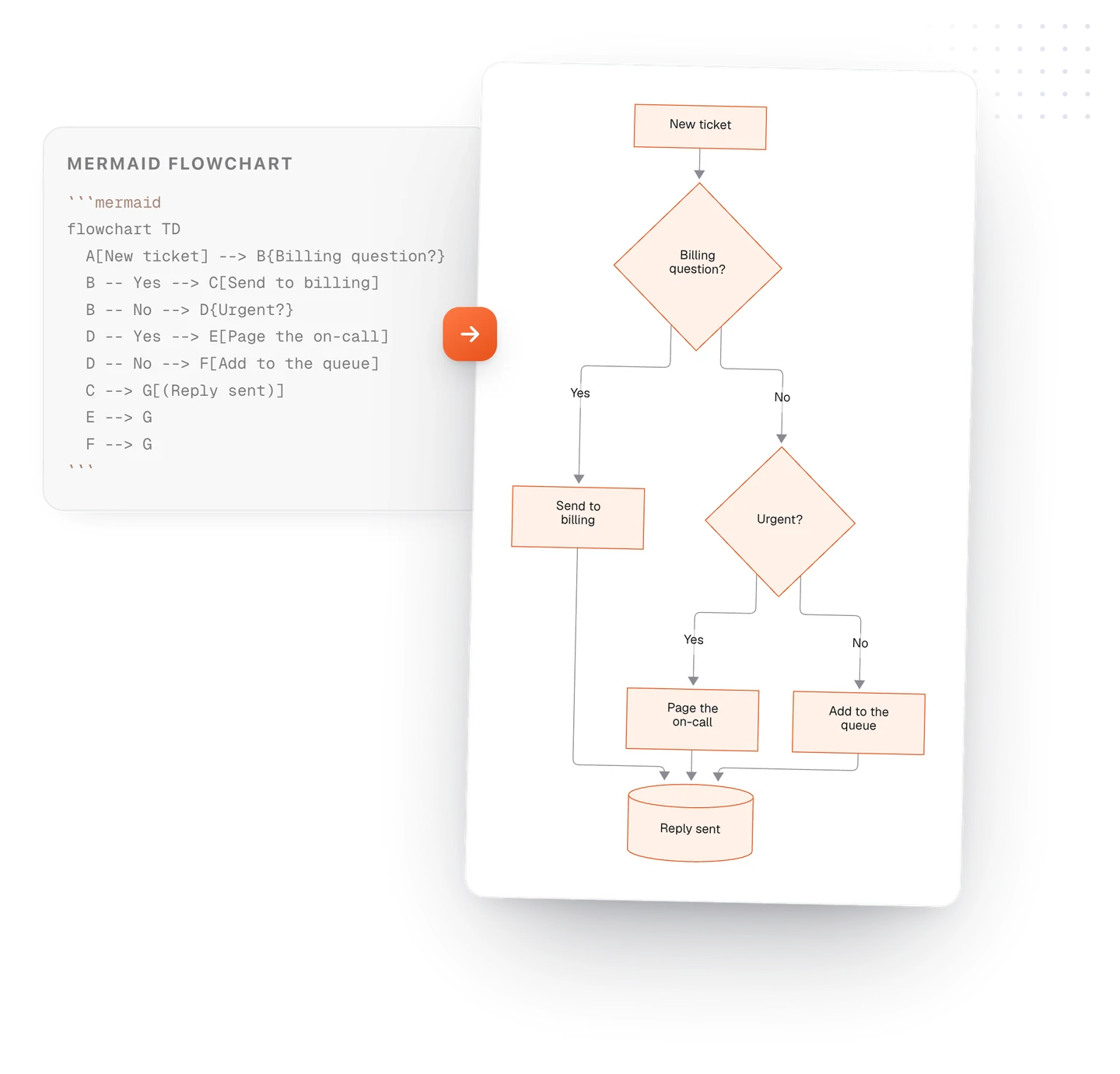
6. Support ticket triage
flowchart LR
  A[New ticket] --> B{Billing question?}
  B -- Yes --> C[Send to billing]
  B -- No --> D{Urgent?}
  D -- Yes --> E[Page the on-call]
  D -- No --> F[Add to the queue]
  C --> G[(Reply sent)]
  E --> G
  F --> G
Change first: add your own queue, like B -- Bug --> H[Send to engineering].
7. A Git branch
gitGraph
  commit id: "Start"
  branch feature
  checkout feature
  commit id: "Add search"
  commit id: "Tests"
  checkout main
  commit id: "Hotfix"
  merge feature
  commit id: "Release"
Change first: the commit names. id: "..." is the label each dot gets.
8. A launch week
timeline
  title Launch week
  Monday : Freeze features
  Tuesday : Final testing
  Wednesday : Press kit out
  Thursday : Launch
  Friday : Read the numbers
Change first: add a second item to a day: Thursday : Launch : Post the announcement.
Keep them in your notes
These diagrams are most useful next to the notes they describe: the runbook beside the incident flowchart, the policy beside the refund flow. In TypeFire for Mac they draw right in the note, open full window to zoom, and a box can link to another note. See diagrams in TypeFire, or try every example free in the live editor.
Loved by people who type all day.
Unprompted reactions from users, in their own words.
Used by people at
Company names are places where our users work. They do not imply endorsement or affiliation.