Diagrams in Markdown: A Plain-English Guide to Mermaid
Most diagrams start in a drawing app and die there. Someone exports a PNG, the process changes, and nobody can find the original file to update it.
Mermaid takes the opposite approach. The diagram is a few lines of text that live in your notes or your repo, right next to the words that explain it, and anyone can change it by editing a line.
The short version
- Mermaid is text that draws. Write
A --> Band you get two boxes and an arrow. - It lives in Markdown, inside a code block that starts with
```mermaid. - Eight kinds cover most needs: flowchart, sequence, Gantt, mind map, class, ER, state and pie.
- It draws on GitHub, Obsidian, TypeFire and many docs sites, and stays readable text everywhere else.
What Mermaid looks like
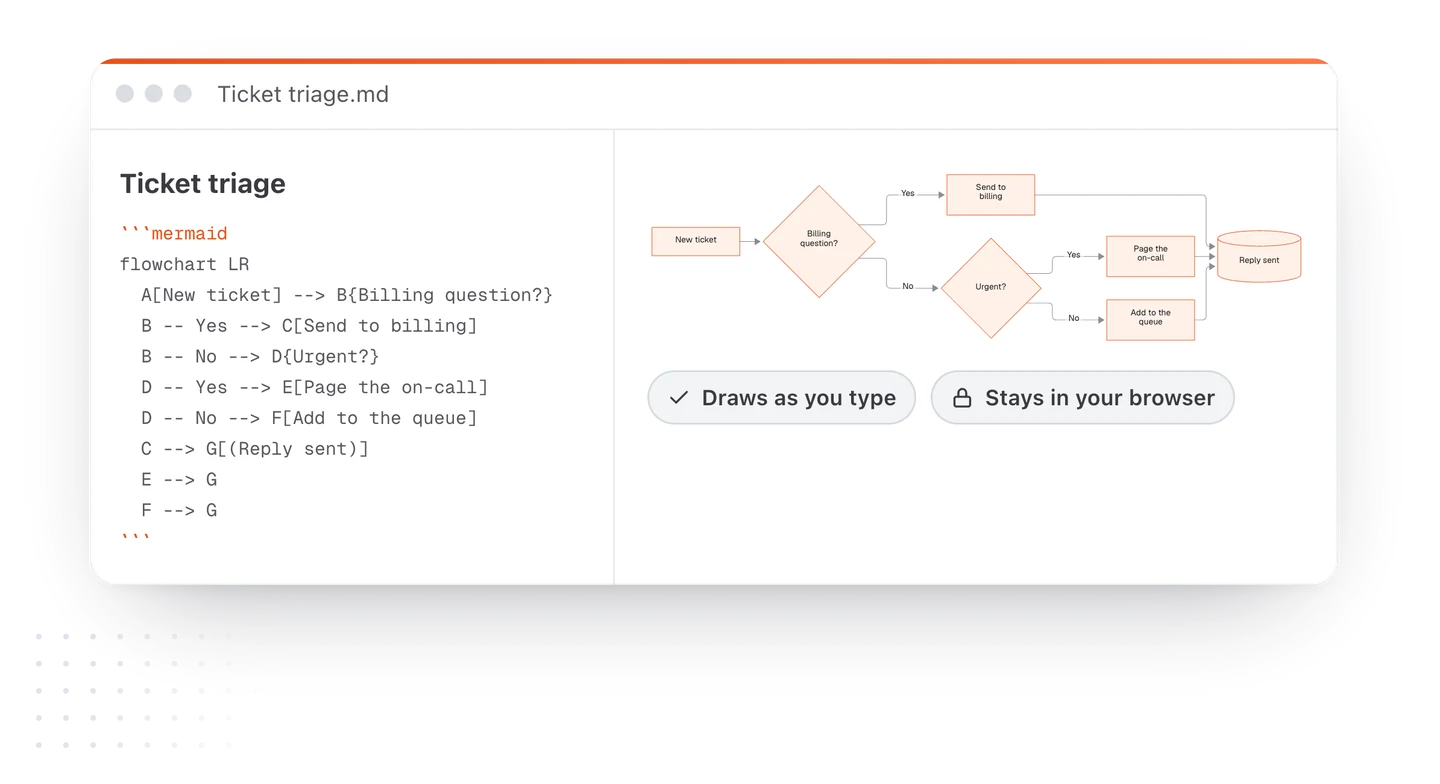
Here's a whole diagram. The first line says what kind it is, and each line after it is one connection.
flowchart LR
  A[Idea] --> B{Worth it?}
  B -- Yes --> C[Draft]
  B -- No --> D[Park it]
  C --> E[Review]
  E --> F[(Ship)]
And here's what any app that understands Mermaid draws from it:
That's the whole idea. You never drag a box or line up an arrow. Rename "Review" and the box resizes; add a line and the layout makes room.
How a diagram sits in a Markdown file
A Mermaid diagram goes in a fenced code block with mermaid after the opening backticks:
# Launch plan

Here's how a request moves through the team.

```mermaid
flowchart LR
  A[Request] --> B[Triage] --> C[Build]
```

The rest of your notes carry on below.
Because it's just a code block, the file stays plain Markdown. An app that draws Mermaid shows the picture. An app that doesn't shows the text, which is still easy to read.
The eight kinds worth knowing
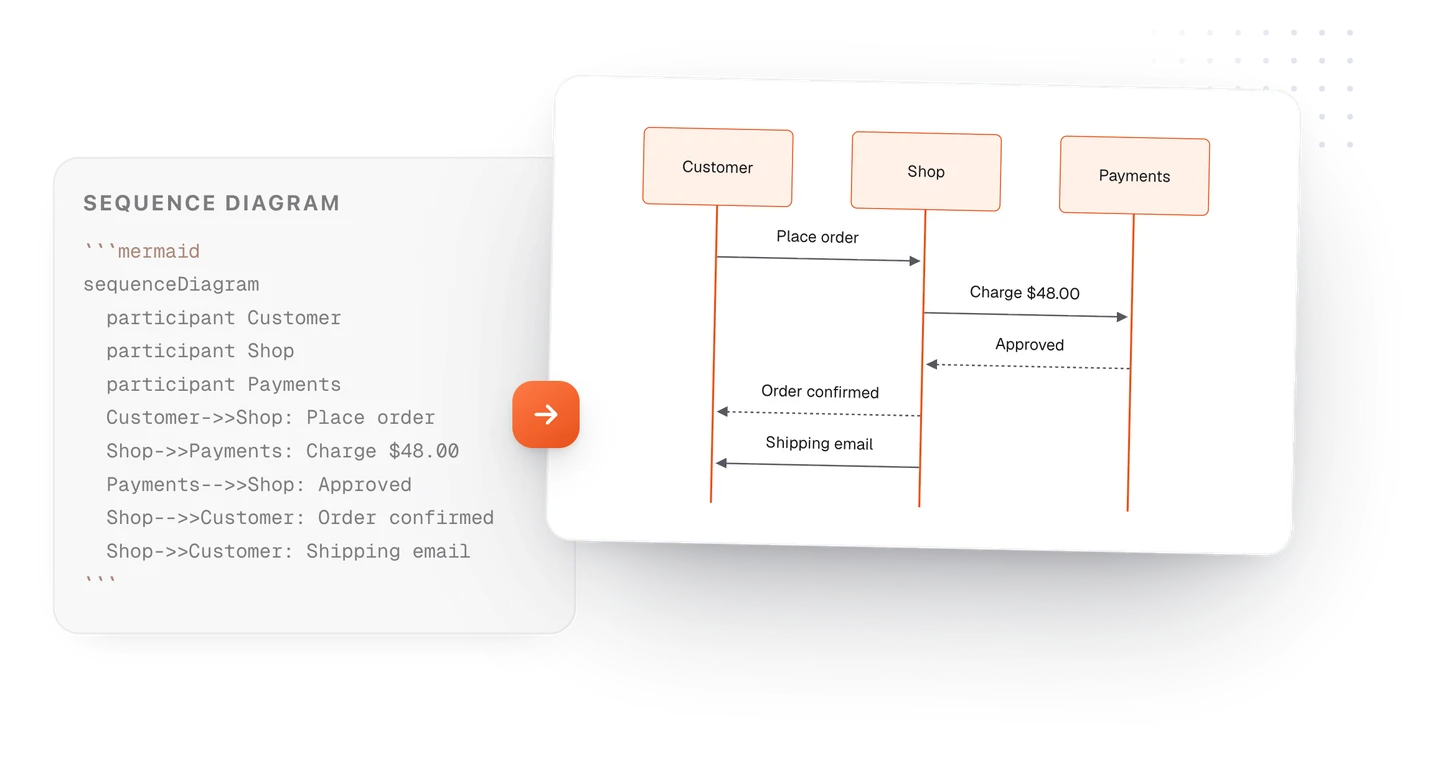
| Kind | First line | Use it for | Guide |
|---|---|---|---|
| Flowchart | flowchart LR |
Processes and decisions | Flowchart syntax |
| Sequence diagram | sequenceDiagram |
Who talks to whom, in order | Sequence syntax |
| Gantt chart | gantt |
Schedules and plans | Gantt syntax |
| Mind map | mindmap |
Brainstorms and outlines | Mind map syntax |
| Class diagram | classDiagram |
Code structure | Class syntax |
| ER diagram | erDiagram |
Database tables | ER syntax |
| State diagram | stateDiagram-v2 |
Statuses and transitions | State syntax |
| Pie chart | pie |
Shares of a whole | Save as an image |
Mermaid has more, including timelines, Git graphs, user journeys and quadrant charts, and they work the same way: one keyword, then one line per thing.
Why people write diagrams as text
- They stay up to date. Editing a word is easier than finding the original drawing file, so people actually do it.
- They live with the notes. The context stays next to the picture, and searching your notes finds the diagram too.
- They work in version control. In a repo, a change to a diagram is a one-line diff someone can review.
- AI can write them. Ask a chat assistant for a diagram and it can answer in Mermaid, which you can draw and fix. More on that in this guide.
Where Mermaid diagrams draw
| Where | What happens |
|---|---|
| GitHub and GitLab | Draws in READMEs, issues, pull requests and wikis |
| Obsidian | Draws in reading view and live preview |
| TypeFire (Mac, Chrome, web) | Draws as you type, in TypeFire’s colors, with a full-window viewer on the Mac |
| VS Code | Draws in the Markdown preview with a Mermaid extension |
| Docs sites | Many static site tools draw it, sometimes with a plugin |
| Anywhere else | Stays readable text |
Common problems, and the fix
| Problem | Fix |
|---|---|
| Nothing draws, you just see code | Check the block starts with ```mermaid, all lowercase |
| A syntax error | Usually an unclosed bracket or a typo in an arrow. Fix one line at a time |
| The diagram is tiny | See how to make a Mermaid diagram readable |
| A label breaks the diagram | Put it in quotes: A["Price (USD)"] |
| You need it as a picture | Export as PDF, or save as SVG or PNG (how) |
Where to start
Open the free Mermaid live editor in your browser. It starts with an example you can change, draws as you type, and saves in your browser, nothing uploaded. When you want diagrams inside your own notes on a Mac, with zoom, resizing and links to other notes, see diagrams in TypeFire.
Loved by people who type all day.
Unprompted reactions from users, in their own words.
Used by people at
Company names are places where our users work. They do not imply endorsement or affiliation.