Claude Skills Explained: What They Are and How to Write One
Ask Claude to do the same job twice and you explain it twice: how your team writes release notes, which columns the report needs, what the form wants in box 7. A skill is how you explain it once.
A Claude skill is a folder that teaches Claude one job. Claude keeps a short list of the skills it has, and opens the right one when you ask for that job.
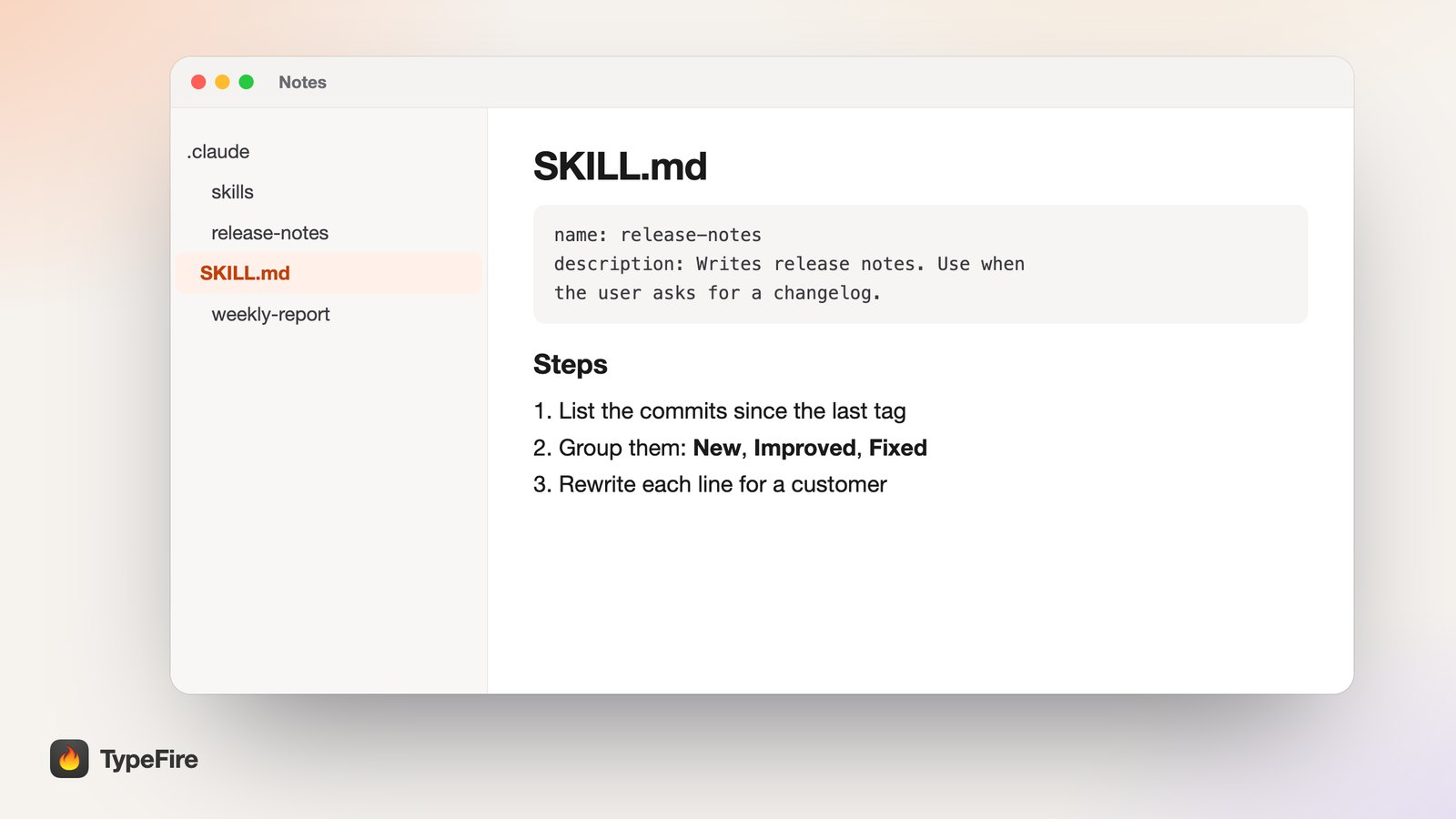
The short version
- A skill is a folder with a
SKILL.mdfile inside: a name, a description, then instructions in plain Markdown. - Claude reads descriptions first. The full skill loads only when your request matches, so fifty skills cost almost nothing until one is used.
- The description is the trigger. A vague one means the skill never runs.
- Rules go in CLAUDE.md, jobs go in skills. One is always loaded, the other only when needed.
What is a Claude skill?
A skill is a folder named after one job, with a file called SKILL.md inside it. The file starts with two settings, a name and a description, and continues with the instructions Claude should follow.
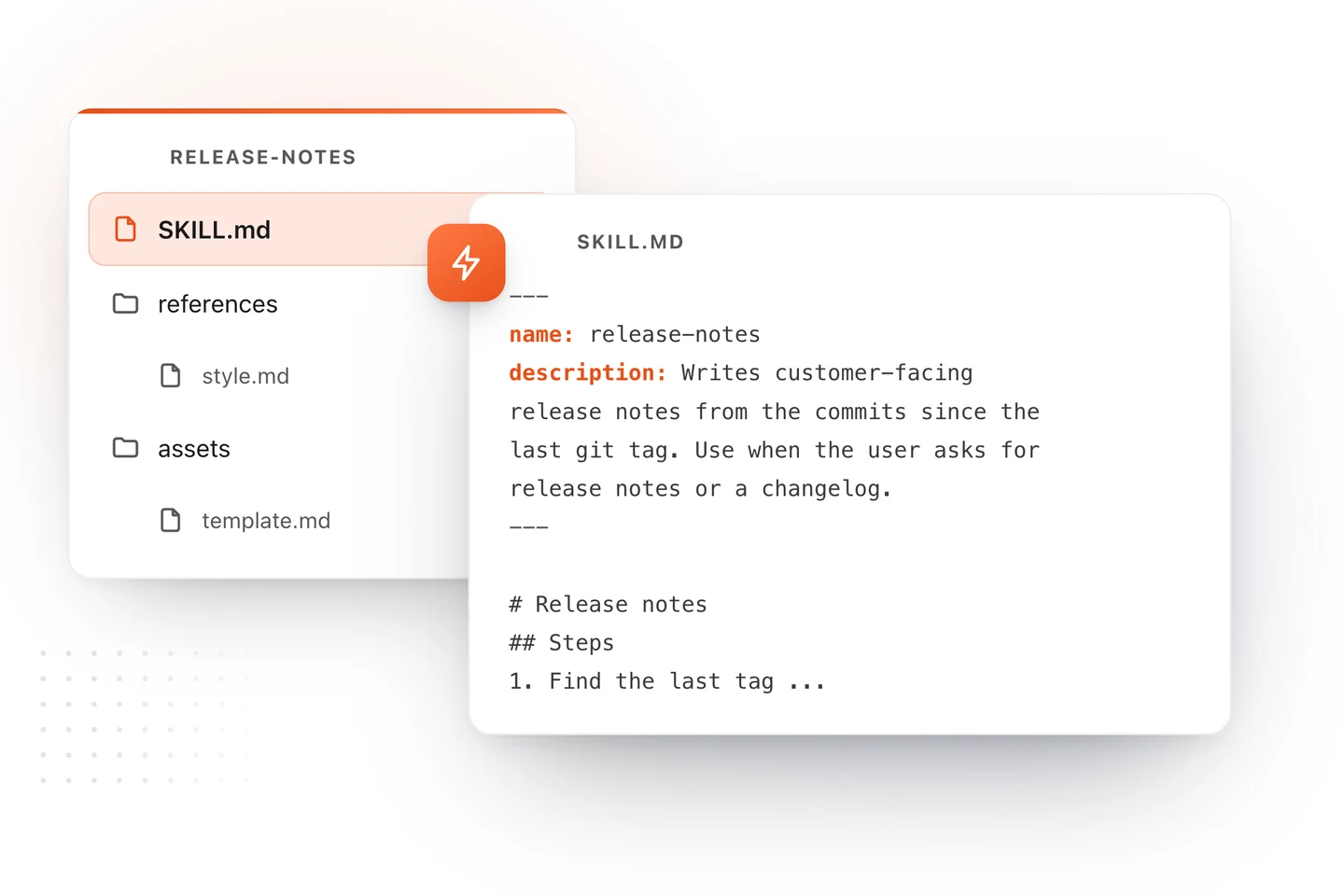
A skill can also carry what the job needs: a script that has to run the same way every time, a style guide, a template. Claude opens those only if the instructions point to them.
Anthropic created the format and published it as an open standard at agentskills.io, which is why a skill written for Claude also works in Codex, Cursor and GitHub Copilot.
How Claude decides to use a skill
Claude does not read every skill in full. That would fill its memory before you typed a word. It loads them in three steps.
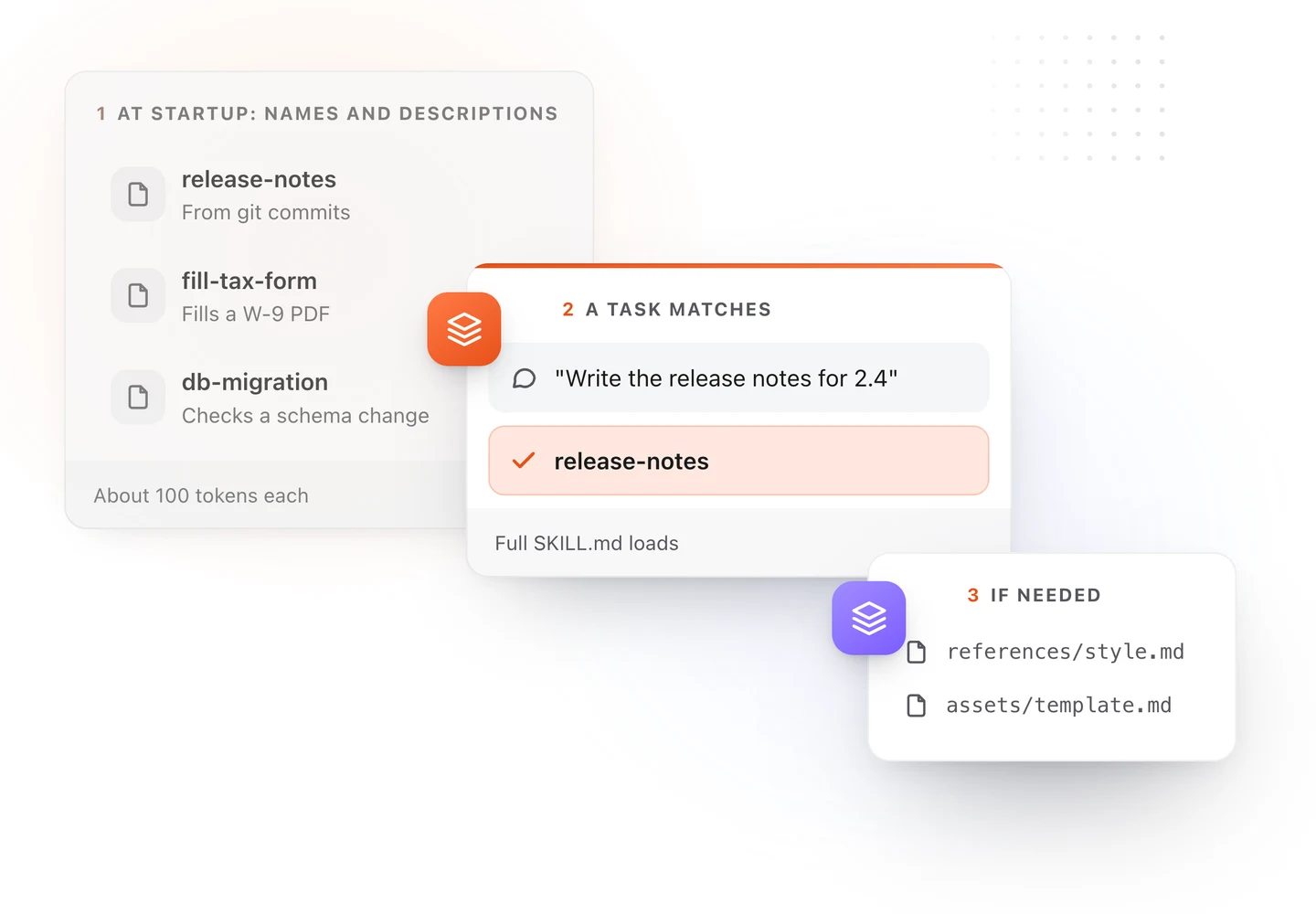
- At the start, Claude reads the name and description of each skill, a line or two apiece.
- When you ask for something, it matches your words against those descriptions and loads the skill that fits.
- While it works, it opens the skill's extra files only if the instructions send it there.
You can also skip the matching and call a skill yourself. In Claude Code, type / and the skill's name.
A complete skill, start to finish
Here is a skill that writes customer-facing release notes. Save it as SKILL.md in a folder called release-notes.
---
name: release-notes
description: Writes customer-facing release notes from the commits since the last git tag. Use when the user asks for release notes, a changelog, "what's new", or is preparing a version for release.
---

# Release notes

## Steps

1. List the commits since the last tag.
2. Group them under New, Improved and Fixed.
3. Rewrite each line for a customer, in plain words.
4. Leave out refactors and test fixes.

## Example

- New: Export an invoice as a PDF from the invoice menu.
- Fixed: Totals no longer round twice on multi-currency invoices.
You can start from this one and change it in your browser with the free SKILL.md template, then download the file.
Two rules for the settings at the top:
nameis lowercase letters, numbers and hyphens, and matches the folder name.descriptionsays what the skill does and when to use it, in the words a person would type.
Where Claude skills go
In Claude Code, a skill's folder goes in one of two places:
| Where | Who it is for |
|---|---|
.claude/skills/release-notes/SKILL.md in the project |
Everyone who works on that project |
~/.claude/skills/release-notes/SKILL.md in your home folder |
You, on every project |
In the Claude apps, skills are added in settings, and they need code execution turned on.
The same folder works in other agents. Only the parent directory changes.
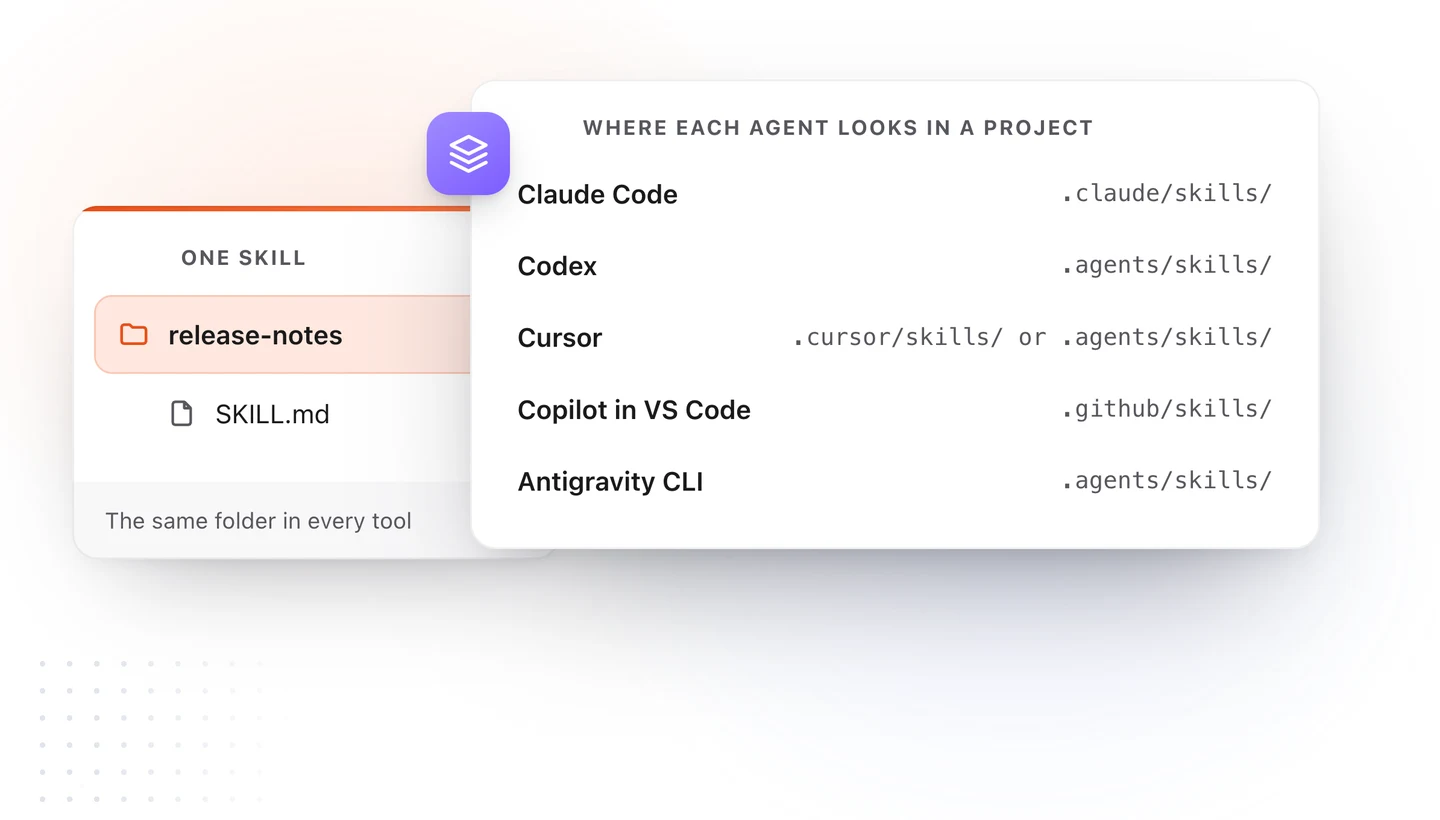
Our SKILL.md guide has the full table of folders for every tool.
Claude skills vs CLAUDE.md
Both are Markdown files Claude reads, and people mix them up. The difference is when each one loads.
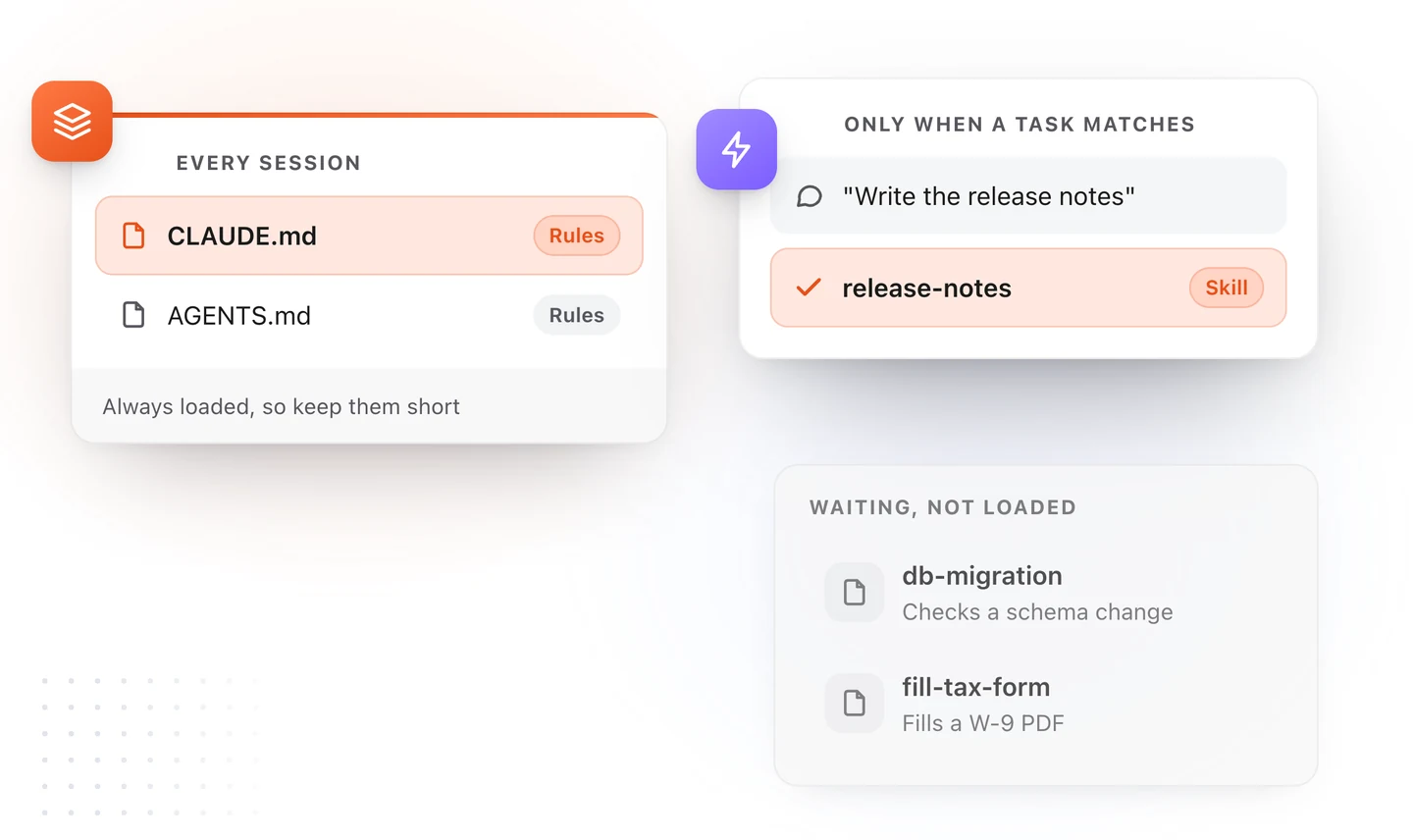
| CLAUDE.md | A skill | |
|---|---|---|
| Holds | Rules for the whole project | One job, in depth |
| Loads | Every session | Only when a request matches |
| Good for | Commands, conventions, things to ask first | Release notes, a report, a migration check |
| Cost | Paid on every request, so keep it short | Almost nothing until it is used |
A simple test: if every task needs it, it belongs in CLAUDE.md. If one kind of task needs it, make it a skill.
How to write a skill Claude will use
- Write the description for the request. Include the words you will type: "release notes", "changelog", "what's new".
- One job per skill. "Release notes" is a skill. "Everything about releases" is three.
- Show one example. A finished sample of the output teaches the format faster than a paragraph about it.
- List the edge cases. What to do when there is no tag yet, or the export is empty.
- Keep it short. Move a long style guide into a file beside SKILL.md and link to it.
- Make risky skills wait for you. For a skill that deploys or deletes, set
disable-model-invocation: truein Claude Code so it runs only when you call it.
See your skills the way you review them
A skill is written for Claude and reviewed by you, and a wall of YAML and symbols is hard to review.
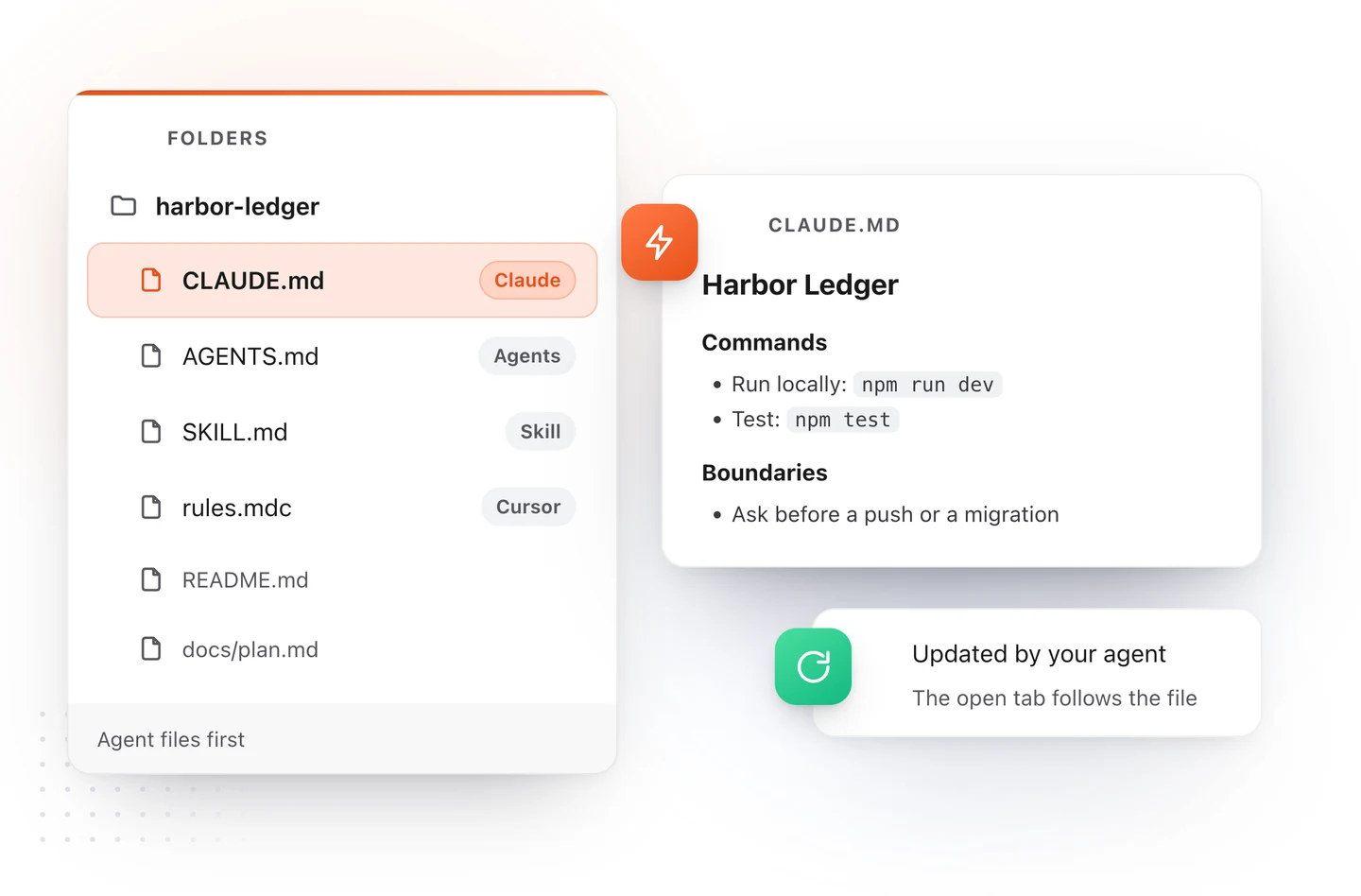
TypeFire 7 for Mac opens a project folder and lists its skills, CLAUDE.md and AGENTS.md first, formatted: the name and description as a small table, the steps as a list. When Claude rewrites a file, the open tab follows. It only reads the folder, so nothing in your project changes unless you edit a file yourself. See AI agent files on the Mac.
Download TypeFire for Mac, free. Or start a skill in your browser with the SKILL.md template.
Loved by people who type all day.
Unprompted reactions from users, in their own words.
Used by people at
Company names are places where our users work. They do not imply endorsement or affiliation.