New: TypeFire 7 and TypeFire for Chrome 2.0.
Free template · Edit in place · Download

SKILL.md template and editor

A SKILL.md file teaches an AI agent one job. Start from the template below, change the name, the description and the steps, and download it. It works in Claude Code, Codex, Cursor and GitHub Copilot.

Free in your browser. On a Mac, TypeFire opens every .md file like this, right from Finder.Download free for Mac

SKILL.md
FileEditViewInsertFormatHelp
SKILL.md

name: release-notes description: Writes customer-facing release notes from the commits since the last git tag. Use when the user asks for release notes, a changelog, "what's new", or is preparing a version for release.

Release notes

Write release notes a customer can read in a minute.

Steps

  1. List the commits since the last tag with git log <last-tag>..HEAD --oneline.
  2. Group them under New, Improved and Fixed.
  3. Rewrite each line for a customer: what they can do now, in plain words.
  4. Leave out internal changes such as refactors and test fixes.

Example

  • New: Export an invoice as a PDF from the invoice menu.
  • Fixed: Totals no longer round twice on multi-currency invoices.

Edge cases

  • No tag yet: use every commit, and say this is the first release.
  • A commit that reverts another: leave both out.
Loading the editor…Your files stay in your browser
  • Your files never leave your browser
  • Free, no sign-up
  • Download as Markdown, Word, a web page or a PDF

This editor comes from TypeFire, free for Mac

Your whole folder of Markdown notes in tabs, Quick Look previews in Finder, plus a text expander and a clipboard manager.

How it works

Write a SKILL.md in three steps

  1. 01

    Name it and describe it

    Set name to the folder name, in lowercase with hyphens. In description, say what the skill does and when to use it, with the words a person would type.

  2. 02

    Write the steps

    Under the --- lines, write the instructions as plain Markdown: steps in order, an example, and the edge cases.

  3. 03

    Download and place it

    File > Download > Markdown, name it SKILL.md, and put it in a folder named after the skill, such as .claude/skills/release-notes/.

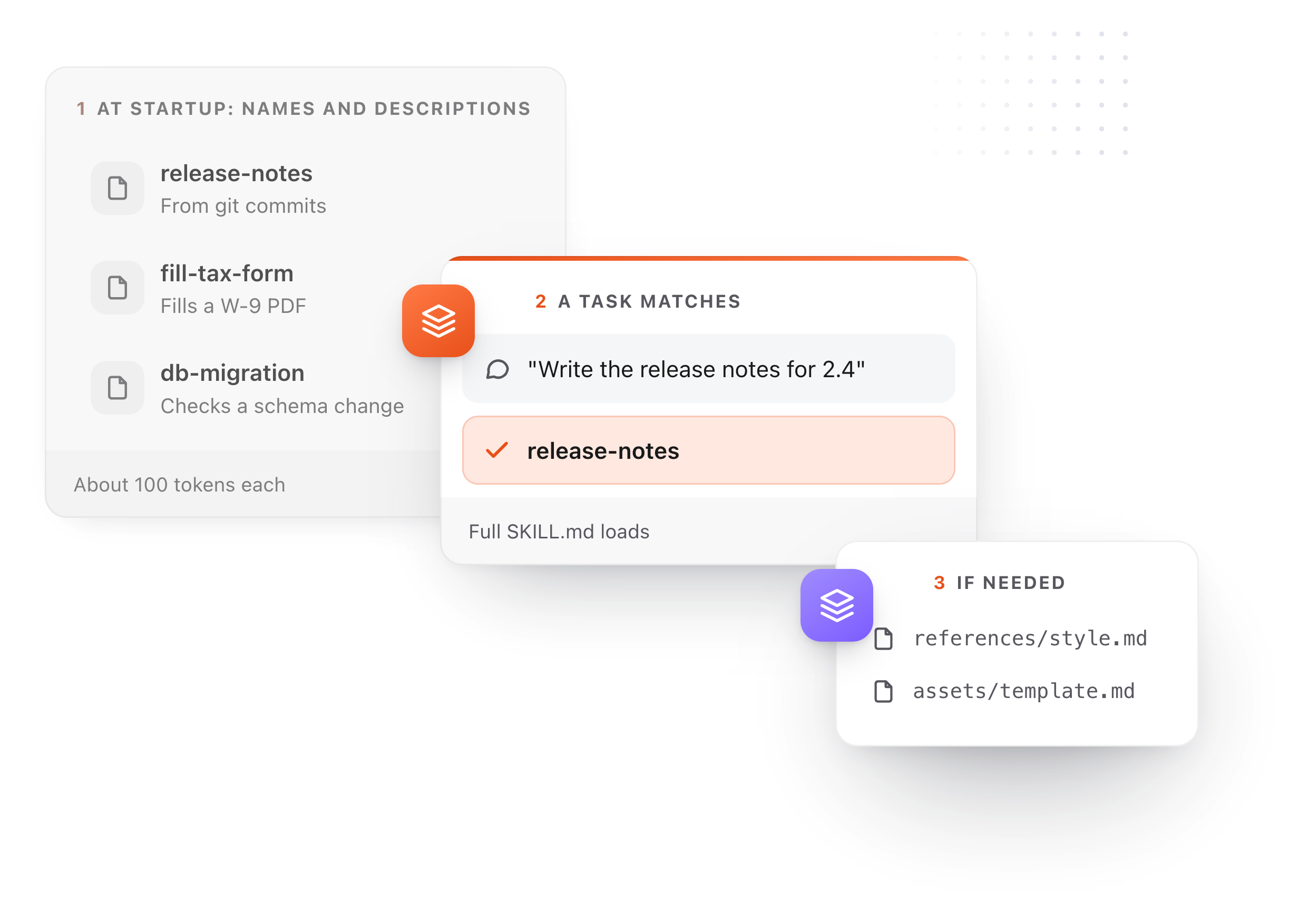
Three steps of a skill loading: names and descriptions at startup, the full SKILL.md when a task matches, reference files only if needed
Free for Mac and Chrome

Like this editor? Get TypeFire.

The same editor on your whole folder of Markdown notes, plus a text expander and a clipboard manager. On a Mac, every .md file previews in Finder when you press Space.

Download free for MacAdd to Chrome7 day Pro trial, no card required.

Free text expander, markdown notes and a clipboard manager. $18 once for unlimited clips, notes sync and AI prompts.

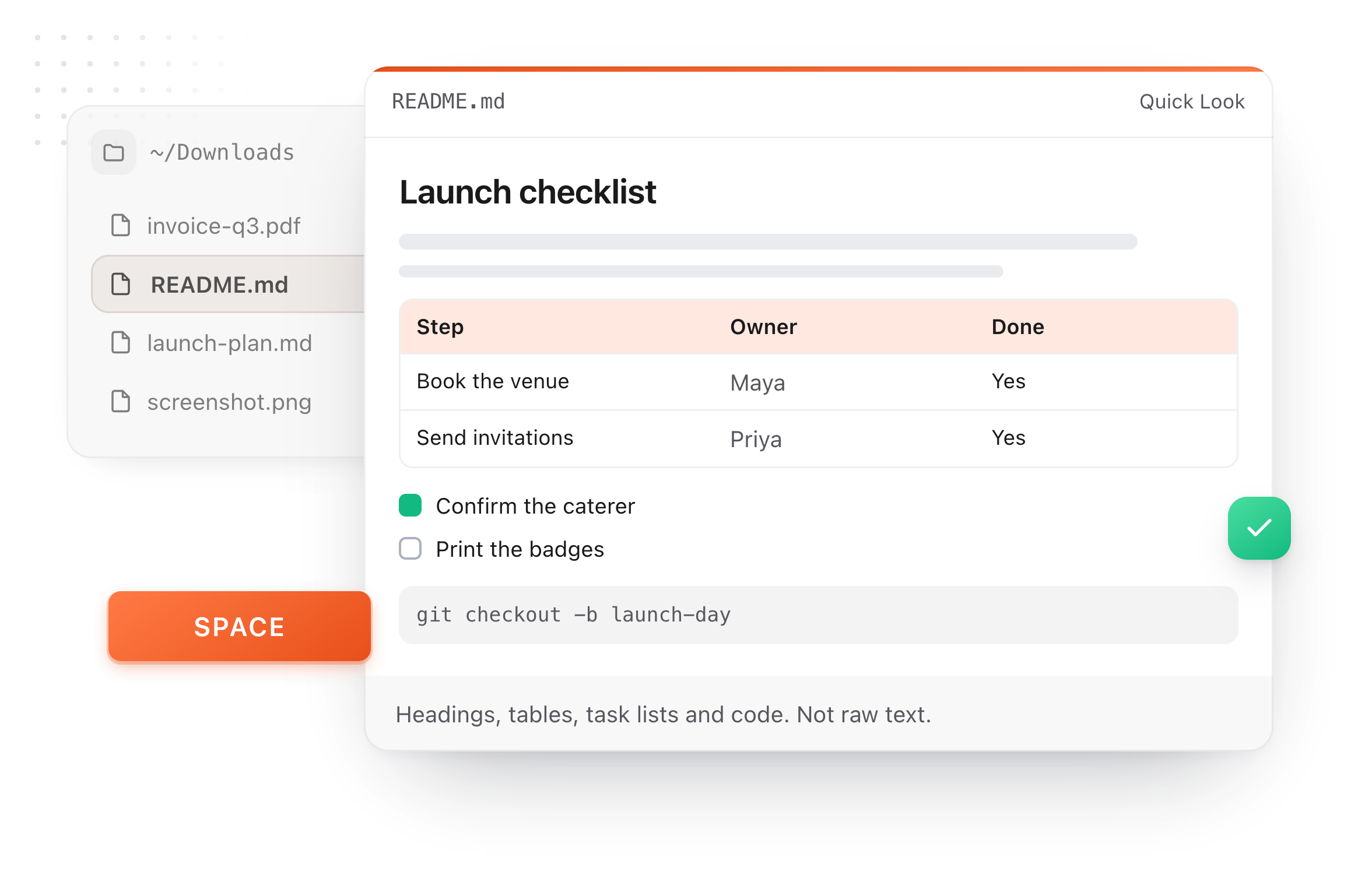
A README.md previewed in Finder with Quick Look on a Mac, after pressing Space
What it does

What goes in a SKILL.md

Two lines of settings and a page of instructions. The agent reads the settings first and the rest only when a task matches.

  1. name

    Up to 64 characters: lowercase letters, numbers and hyphens. It must match the folder name.

  2. description

    Up to 1,024 characters. This is what the agent matches a request against, so name the task and the situations that should trigger it.

  3. The body

    Plain Markdown instructions. Keep it to one job; long reference material goes in separate files the skill links to.

  4. Where it lives

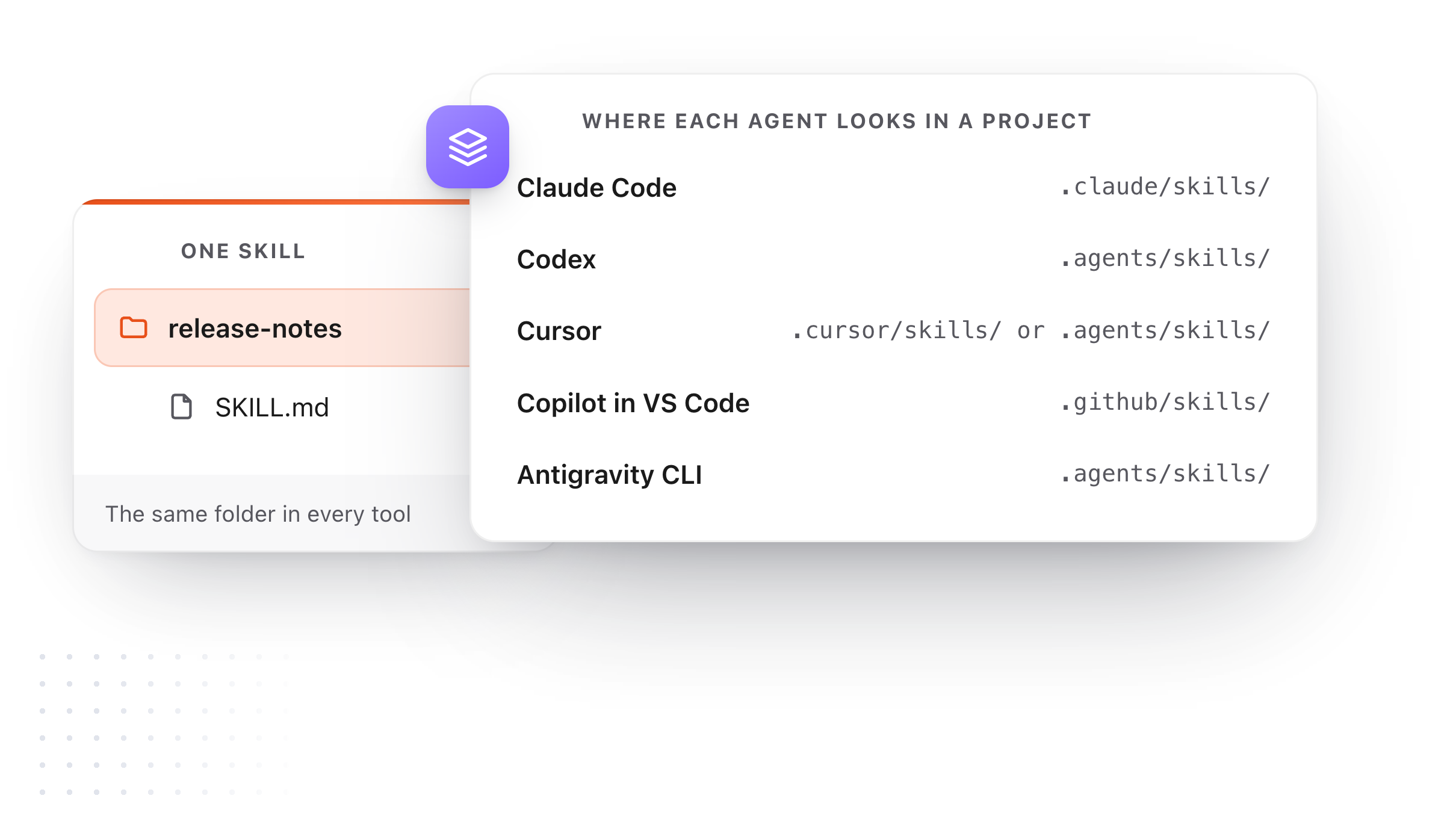
    Claude Code reads .claude/skills/. Codex reads .agents/skills/. Cursor reads .cursor/skills/ and .agents/skills/. Copilot in VS Code reads .github/skills/.

  5. One file, every agent

    The format is an open standard, so the same SKILL.md works across the agents that read it.

One skill folder and the project folder each agent reads it from
Take it further

The same editor, without the browser tab

This editor comes from TypeFire, a free app for Markdown notes, a text expander and a clipboard manager. Here it works on the files you open. In the app, it opens your whole folder.

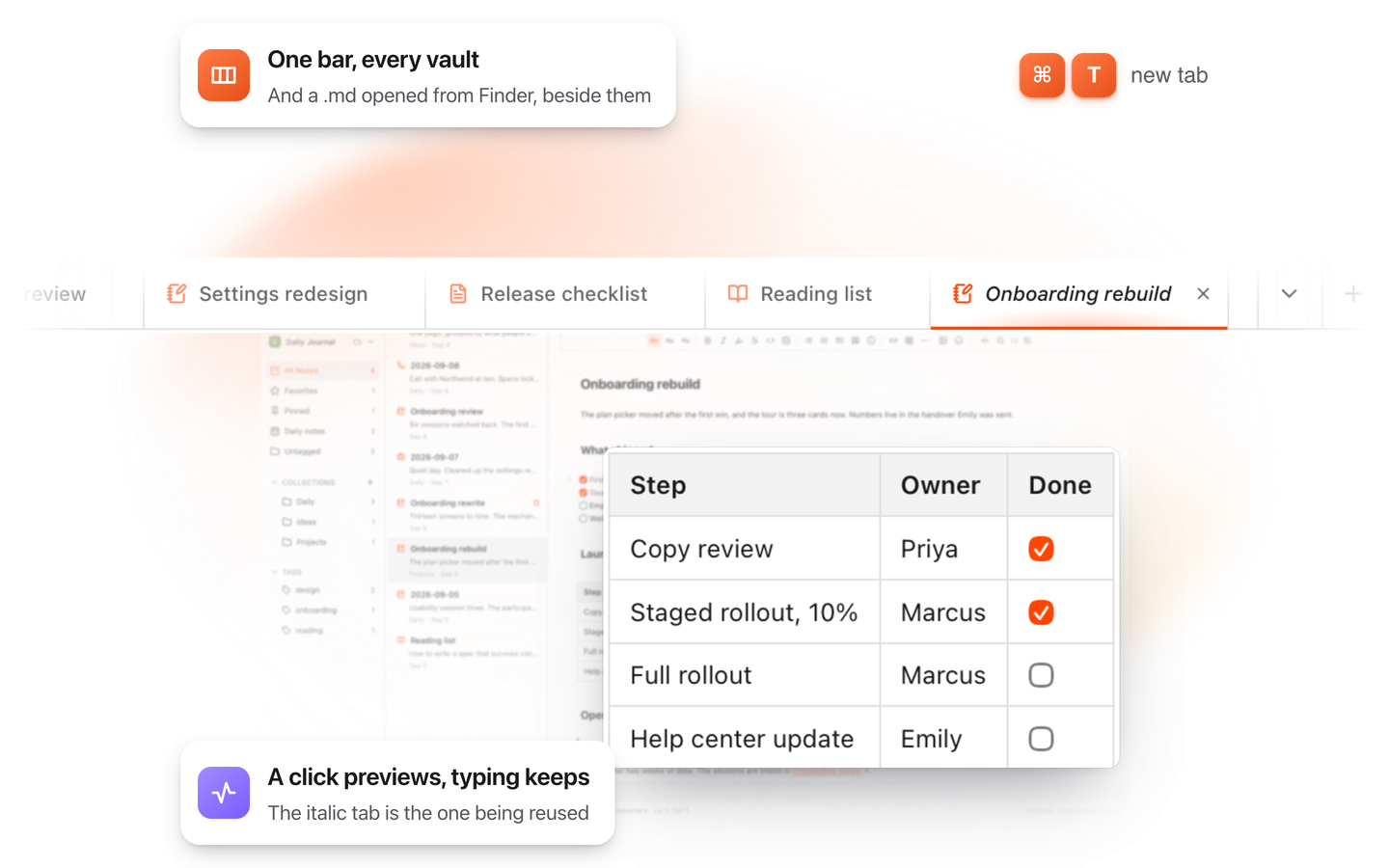
TypeFire for Mac with several Markdown notes open in one tab bar

TypeFire for Mac

  • Press Space on any .md file in Finder and read it rendered, with Quick Look.
  • Open a folder of Markdown, an Obsidian vault included, with tabs, search and links.
  • A text expander and a clipboard history in the same free app.
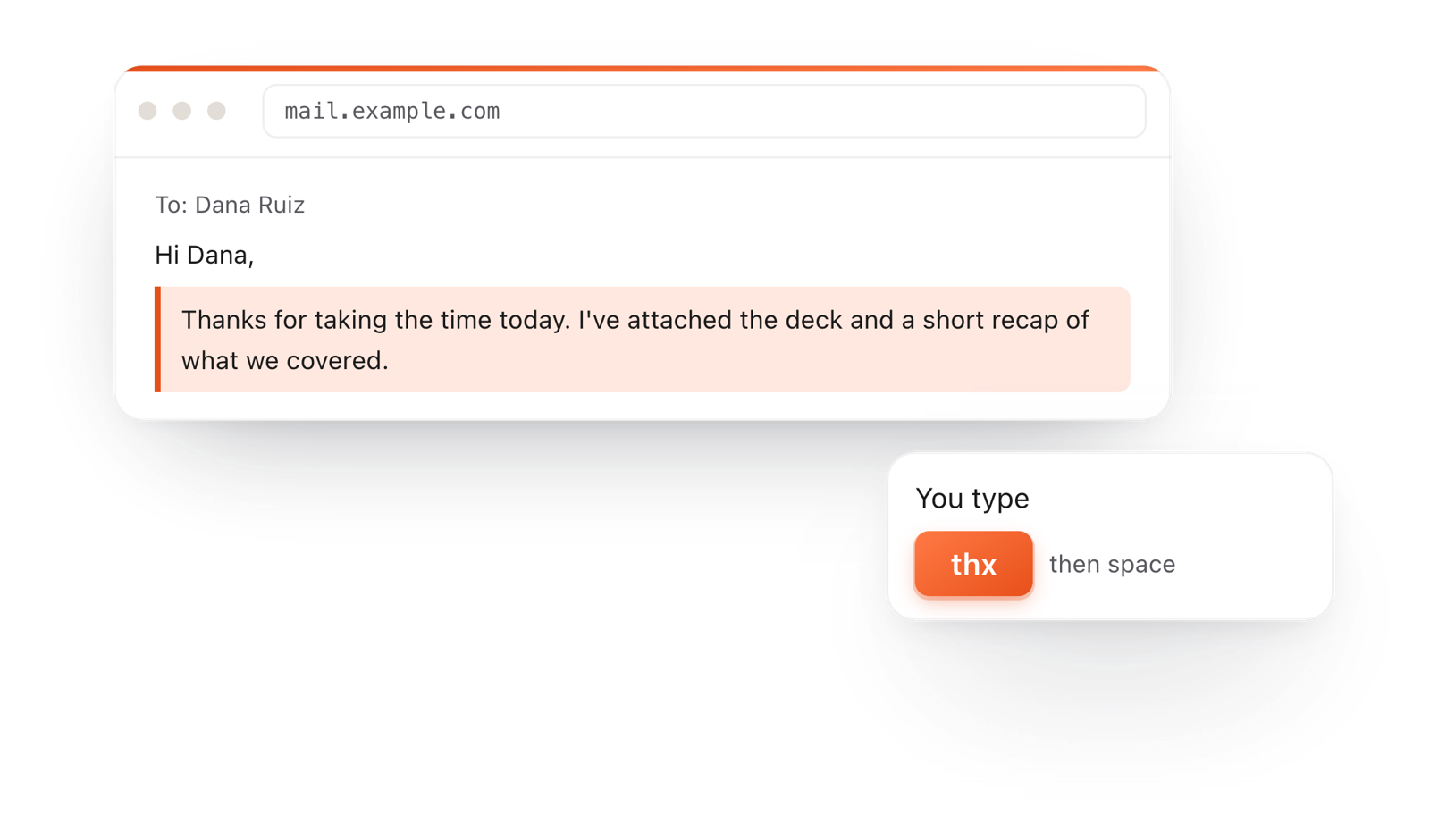
In a browser email, typing thx and a space expands into a whole thank-you reply

TypeFire for Chrome

  • This editor in its own tab, one click from the toolbar.
  • Your folder of .md notes in tabs, with search and links.
  • A text expander and your clipboard history on every site.

Frequently asked questions

Still not answered?

The required file inside an Agent Skill folder.

A few lines of YAML at the top give the skill a name and a description, and the Markdown below holds the instructions the agent follows.

Two: name, which matches the folder, and description, which says what the skill does and when to use it.

In a folder named after the skill. Claude Code reads .claude/skills/ in a project and ~/.claude/skills/ for you personally.

Codex reads .agents/skills/, Cursor reads .cursor/skills/ and .agents/skills/, and GitHub Copilot in VS Code reads .github/skills/.

Almost always the description. The agent picks a skill by matching your request against descriptions, so say what the skill does and list the words and situations that should trigger it.

AGENTS.md and CLAUDE.md load in every session and hold rules for the whole project.

A SKILL.md loads only when a task matches, and teaches one procedure in depth.

It is free with no account, and what you write stays in your browser until you download it.

Keep your skills and agent files in view

TypeFire 7 for Mac opens a project folder and lists SKILL.md, AGENTS.md and CLAUDE.md first, formatted, and updates them as your agent writes. Free.

Download free for MacAdd to ChromeSee what $18 adds7 day Pro trial, no card required.

Free text expander, markdown notes and a clipboard manager. $18 once for unlimited clips, notes sync and AI prompts.

your clips your snippets