The Mermaid diagrams in your Obsidian vault, readable at last.
Relaunch.md, from your vault
How do I make Mermaid diagrams readable in Obsidian?
In Obsidian, people widen diagrams with CSS snippets or a community plugin. Or open the same vault in TypeFire for Mac: each diagram keeps a readable size and scrolls sideways if it’s wide, opens full window to zoom and pan, and can be resized and aligned by dragging. Your files don’t move, and Obsidian still reads them.
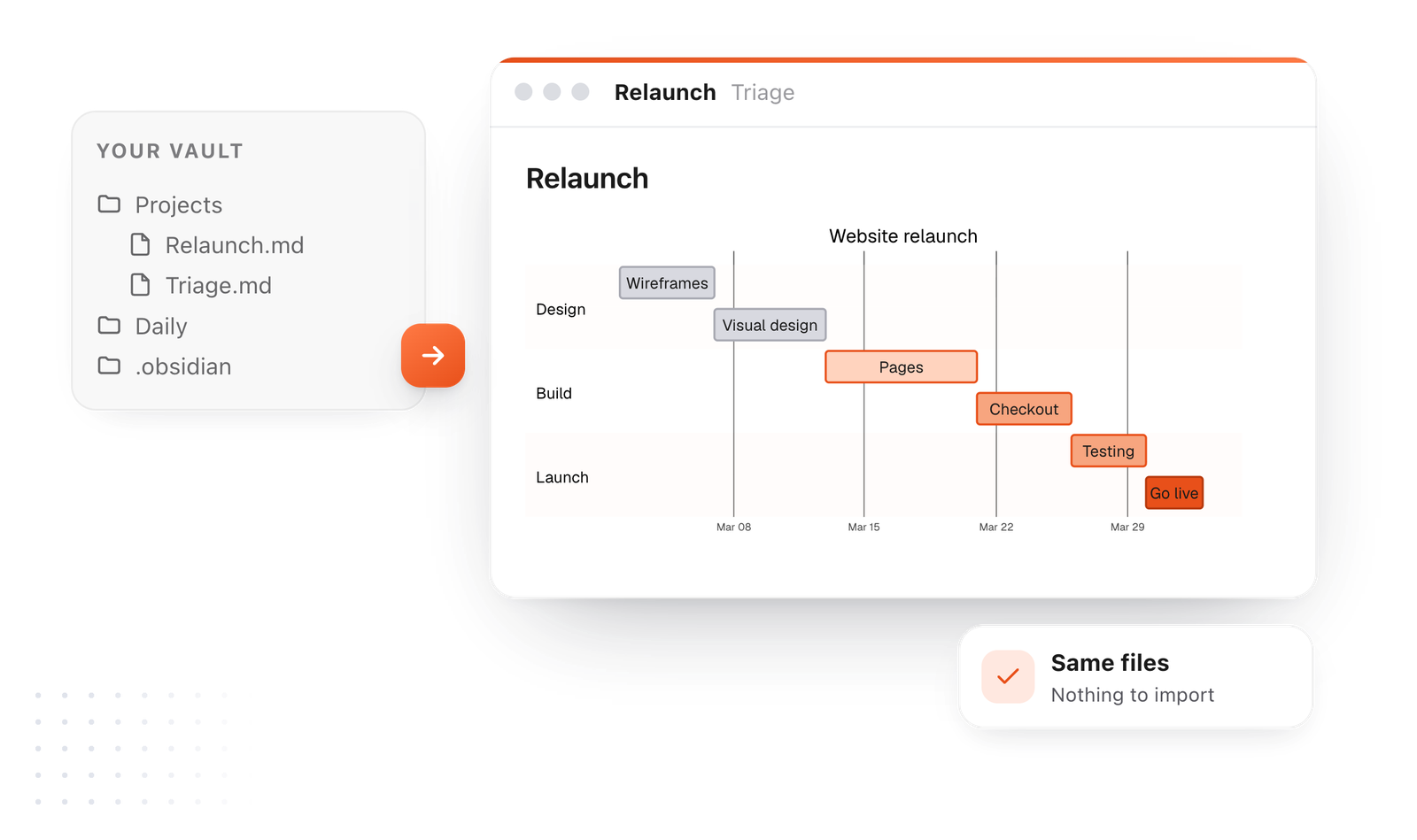
Your vault, as it is
Point TypeFire at the folder. The diagrams you already wrote draw. Nothing to import.
Every diagram readable
Open one full window and zoom. Wide ones scroll instead of shrinking.
Links that count
Note links inside a diagram show in backlinks and on the graph.
Open any diagram full window. Zoom where you're looking.
Big flowcharts and architecture diagrams are the ones worth reading closely. TypeFire gives every diagram a viewer: drag to move, pinch or Command-scroll to zoom toward the pointer, and save it as SVG or PNG.
Zoom toward the pointer
The spot under your cursor stays put as you zoom, so you never lose your place.
One click away
Open the viewer from the diagram itself, read it, and come straight back to the note.
Save it as an image
SVG for something that scales, PNG for slides and chat.
Gantt charts and long pipelines you can actually read.
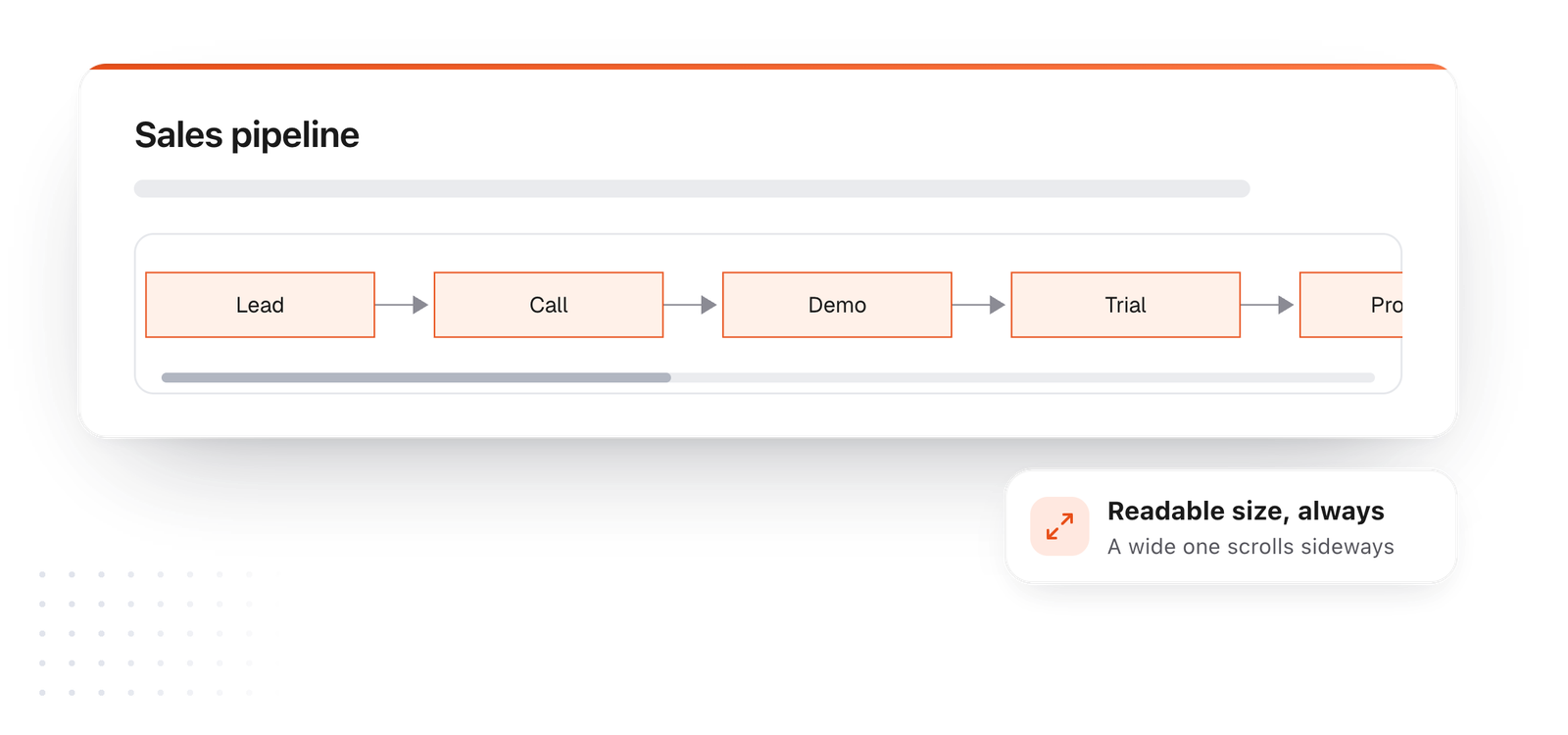
A wide diagram keeps its text at your note's size and scrolls sideways in the note, instead of being shrunk until the labels disappear.
Text follows your note
Make your note text bigger and the diagram's labels grow with it.
Wide means scroll, not shrink
A ten-step pipeline stays readable and scrolls. Open it full window to see it all.
No lines through labels
Lines route around text, so a busy chart stays clean, in light and dark.
Resize and align a diagram by dragging, no CSS.
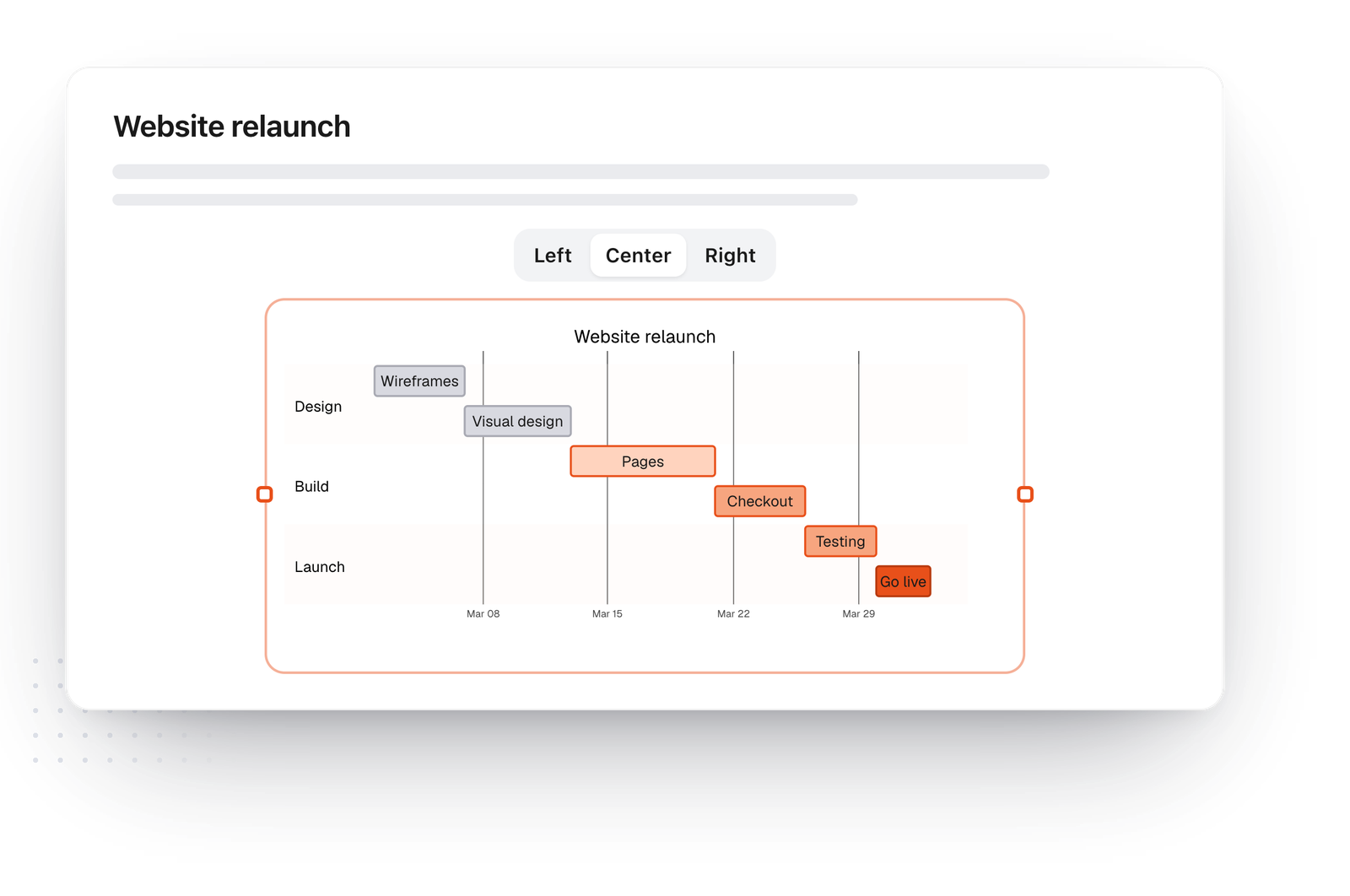
Drag a diagram's edge to make it the size you want, and pick left, center or right. TypeFire saves your choice inside the note as a comment that other Mermaid apps ignore, so Obsidian draws the file just as before.
Drag to resize
Small beside a paragraph, or big enough for the detail.
Left, center or right
Choose on hover. It stays that way every time you open the note.
The file stays portable
The setting is a Mermaid comment, so any other app just skips it.
Link a box to a note, and see it in backlinks.
Write a box's label as a quoted note link, like A["[[Welcome email]]"], or keep Obsidian's class A internal-link. Clicking it opens the note, and the link counts in that note's backlinks and on the graph, like any link you write.
Diagrams as maps
Draw a project as a flowchart whose boxes take you to each part of it.
Backlinks that know
Open the linked note and see which diagram points to it.
On the graph too
Weave draws the link with the rest of your notes.

Open your vault in TypeFire in a minute
No export, no import, no copy of your notes. TypeFire reads the folder where it is.
- 01
Download TypeFire for Mac
It's free. Install it and open it once.
- 02
Point it at your vault
In Notes, choose the folder your Obsidian vault lives in. Your notes appear as they are, folders included.
- 03
Open a note with a diagram
Every ```mermaid block draws. Click a diagram to edit it, or open it full window to zoom.
Questions about Obsidian and Mermaid
Reading, resizing and linking the diagrams you already have.
Still not answered?
Yes. Obsidian draws a code block marked mermaid as a diagram in reading view and live preview.
TypeFire draws the same blocks from the same files, with a full-window viewer, resizing and note links that count in backlinks.
Open the vault in TypeFire for Mac, then open the diagram full window.
Drag to move around and pinch or Command-scroll to zoom toward the pointer. You can save it as SVG or PNG from there.
A long Gantt chart is often shrunk to fit the width of the page.
In TypeFire a diagram keeps a readable size and scrolls sideways, and its text follows your note's text size.
In TypeFire, drag the diagram's edge to resize it and pick left, center or right on hover.
It's saved in the note as a comment other Mermaid apps ignore, so Obsidian still reads the file.
In TypeFire, yes. A box whose label is a quoted note link, like A["[[Pricing]]"], opens that note, and the link counts in its backlinks and in Weave.
Obsidian's class A internal-link works too.
No. TypeFire reads the Markdown files where they are and only writes a note when you edit it.
Nothing is imported or converted, and Obsidian keeps working on the same folder.
Yes. A vault is a folder of Markdown files, so both apps can open it.
Keep Obsidian for its plugins if you like, and open TypeFire for diagrams, quick capture and Quick Look.
Keep reading
Everything diagrams do
TypeFire and ObsidianOne vault, two apps
Running TypeFire and Obsidian on one vaultWhat each should own
Mermaid Gantt chart syntaxWith a live editor
Mermaid flowchart syntaxShapes, arrows, decisions
Obsidian graph viewAnd the TypeFire graph
Link notes inside a Mermaid diagramWikilinks in a box
Obsidian mind map, three waysCanvas, text or a plugin
Point it at the vault you already have
TypeFire for Mac draws your Obsidian vault's diagrams, with a text expander and a clipboard history in the same free app.
Free text expander, markdown notes and a clipboard manager. $18 once for unlimited clips, notes sync and AI prompts.
⌘⌃2 your clips⌘⌃1 your snippets