New: TypeFire 7 and TypeFire for Chrome 2.0.
Free · No install · Saves as .md

Create a .md file, right here

Start typing below and you are writing a Markdown file. Format it with the toolbar or the / menu, then download it as a .md file. Free, in your browser, with nothing to install.

Free in your browser. On a Mac, TypeFire opens every .md file like this, right from Finder.Download free for Mac

Untitled.md
FileEditViewInsertFormatHelp
Untitled.md

My first Markdown file

Replace this text with your own. The page formats it as you type.

Things to try

  • Press / on an empty line for headings, lists, tables and code

  • Select a word and press the B button to make it bold

  • Type - [ ] and a space for a checkbox

  • Write the file

  • Name it at the top of the editor

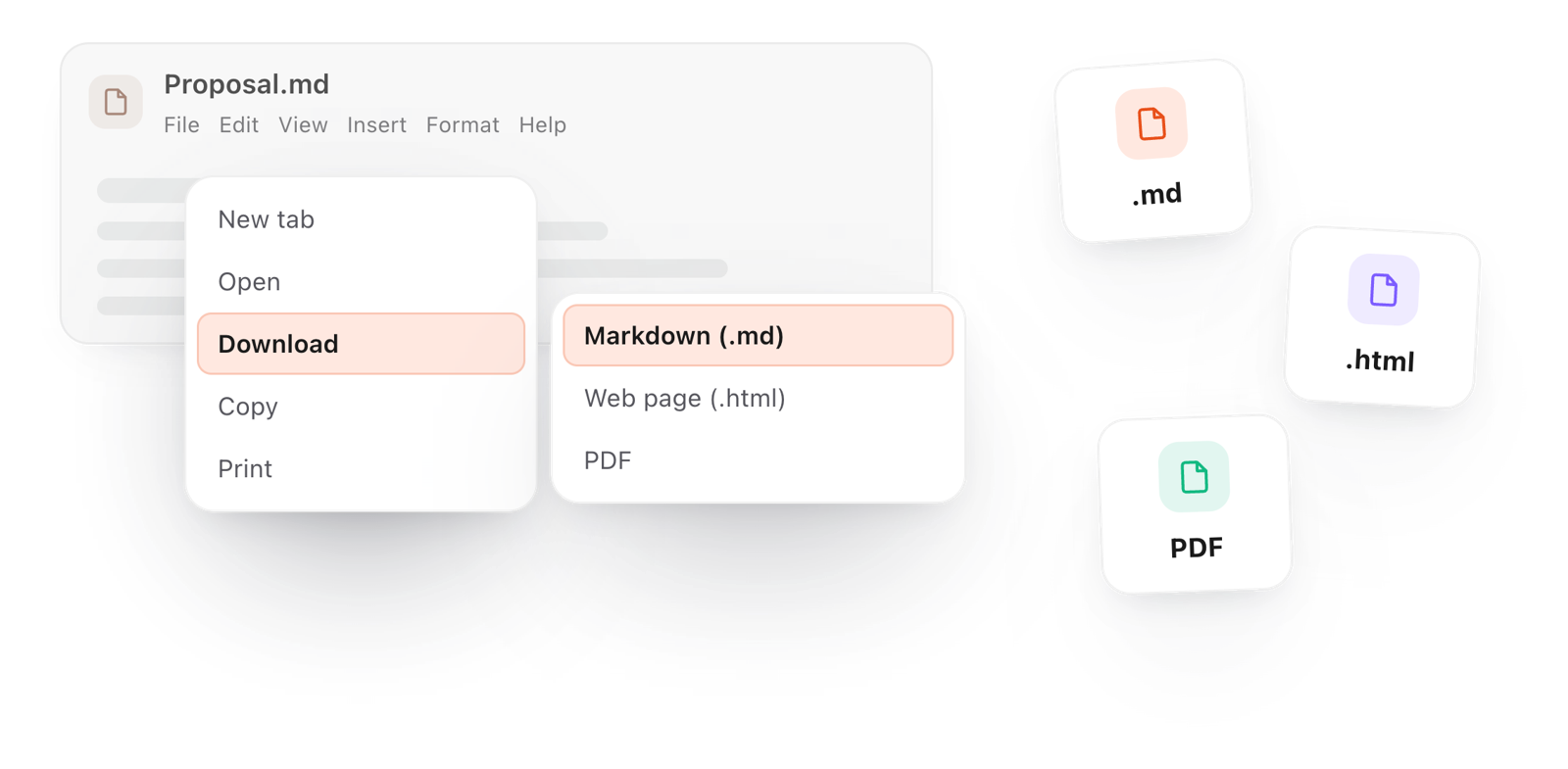
  • File > Download > Markdown (.md)

A small table

Step What to do
1 Write
2 Download

When you are done, File > Download > Markdown (.md) saves it to your computer.
Loading the editor…Your files stay in your browser
  • Your files never leave your browser
  • Free, no sign-up
  • Download as Markdown, Word, a web page or a PDF

This editor comes from TypeFire, free for Mac

Your whole folder of Markdown notes in tabs, Quick Look previews in Finder, plus a text expander and a clipboard manager.

How it works

How to create a .md file

  1. 01

    Write

    Clear the sample and type. Use the toolbar or press / for headings, lists, tables and code, so you do not need to know the symbols.

  2. 02

    Name it

    Click the file name above the editor and type your own, such as README or notes.

  3. 03

    Download it

    File > Download > Markdown (.md) saves the file to your computer, ready for GitHub, an AI tool or a notes app.

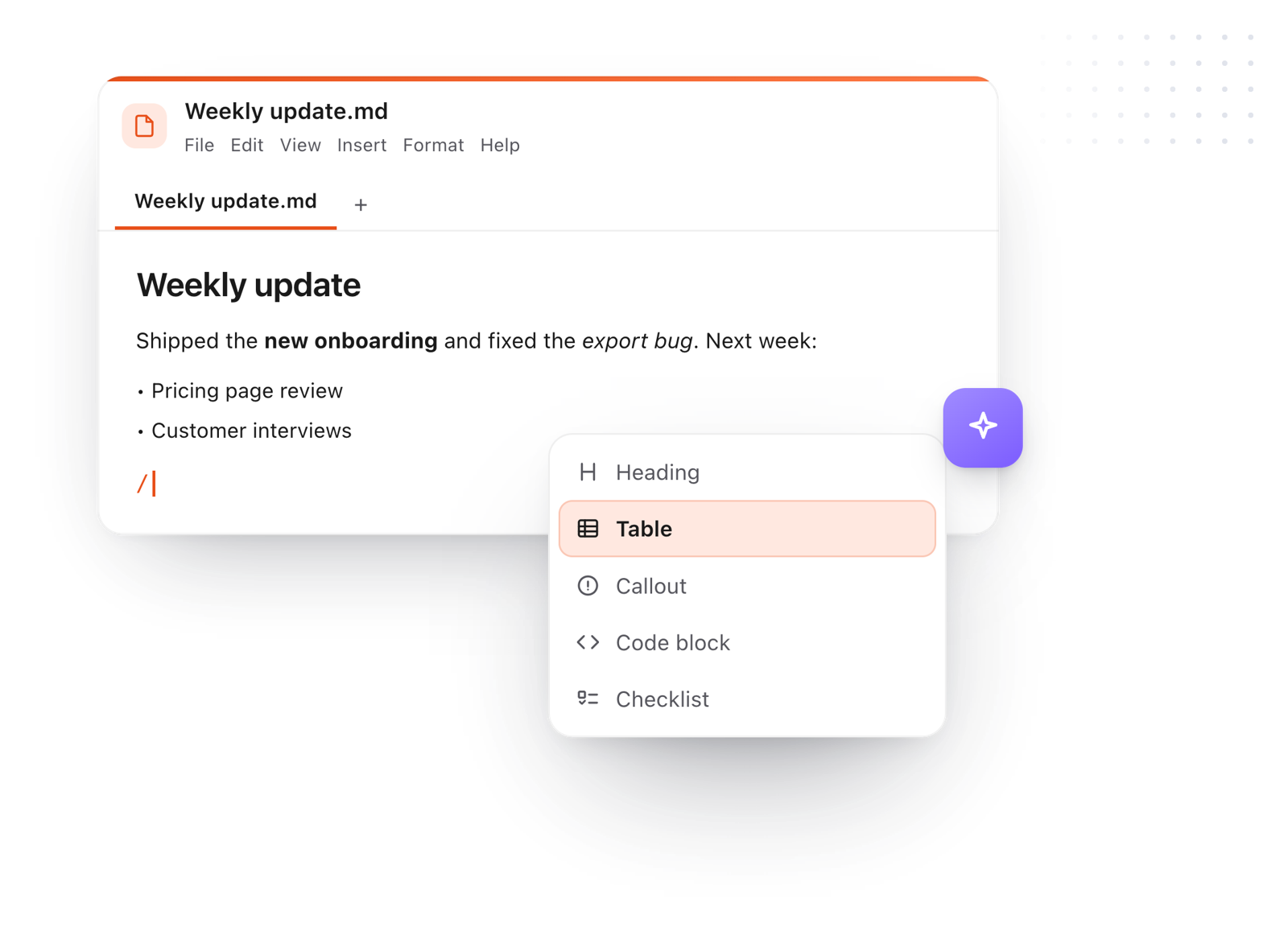
The slash menu adding a heading while writing a Markdown file
Free for Mac and Chrome

Like this editor? Get TypeFire.

The same editor on your whole folder of Markdown notes, plus a text expander and a clipboard manager. On a Mac, every .md file previews in Finder when you press Space.

Download free for MacAdd to Chrome7 day Pro trial, no card required.

Free text expander, markdown notes and a clipboard manager. $18 once for unlimited clips, notes sync and AI prompts.

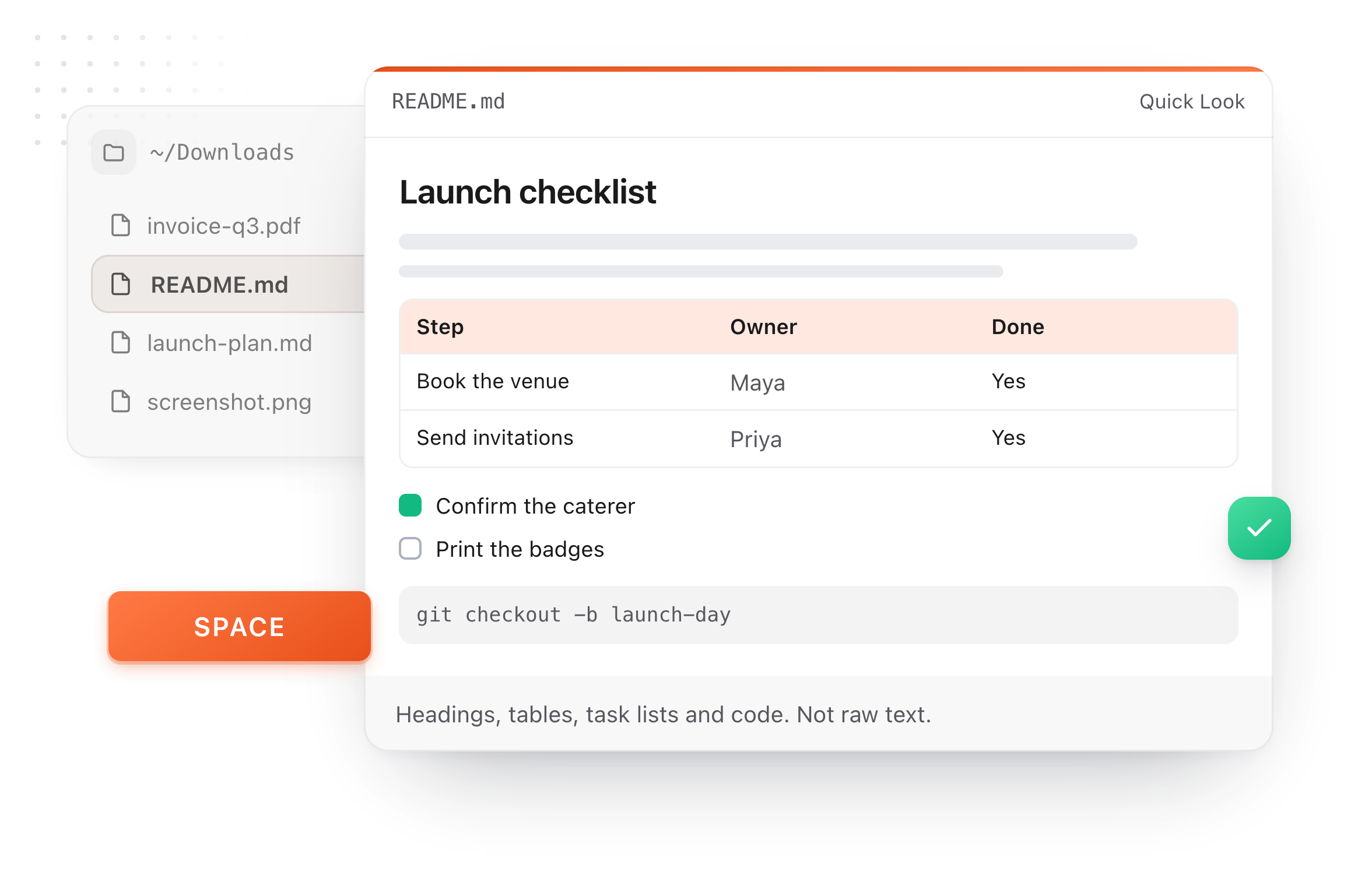
A README.md previewed in Finder with Quick Look on a Mac, after pressing Space
What it does

Every way to make a .md file

A .md file is a plain text file whose name ends in .md. Any of these makes one.

  1. On this page

    Type, then File > Download > Markdown. You see the formatting as you write, on any computer.

  2. On a Mac, with TextEdit

    Choose Format > Make Plain Text first, then save with a name ending in .md. Otherwise TextEdit saves a rich text file.

  3. On Windows, with Notepad

    Choose Save as, set the type to All files, and end the name in .md.

  4. In a terminal

    touch README.md creates an empty file, on a Mac or on Linux.

  5. In a notes app

    TypeFire keeps every note you write as a .md file in a folder you choose, with no saving step at all.

The File menu, downloading the document as a Markdown file
Take it further

The same editor, without the browser tab

This editor comes from TypeFire, a free app for Markdown notes, a text expander and a clipboard manager. Here it works on the files you open. In the app, it opens your whole folder.

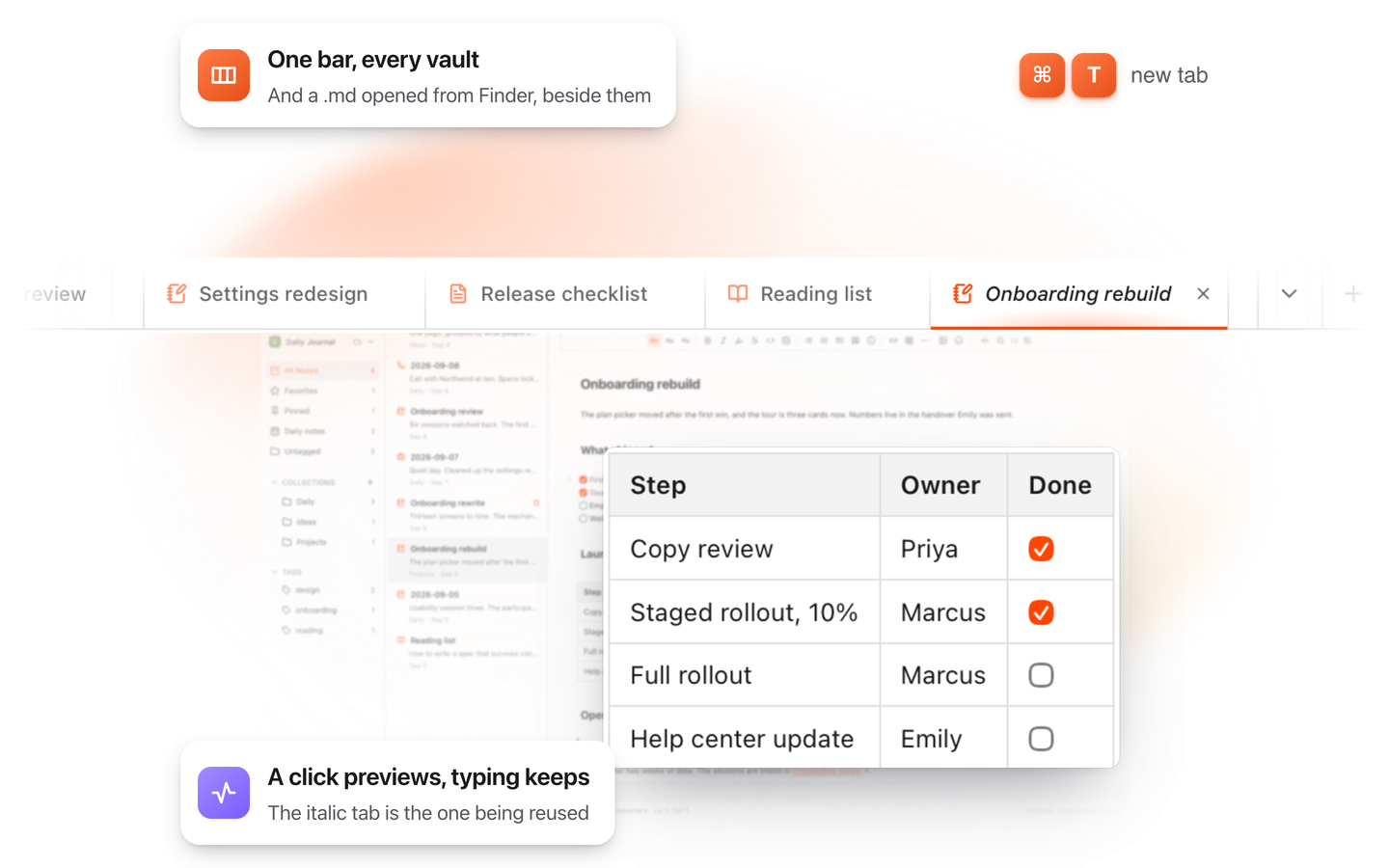
TypeFire for Mac with several Markdown notes open in one tab bar

TypeFire for Mac

  • Press Space on any .md file in Finder and read it rendered, with Quick Look.
  • Open a folder of Markdown, an Obsidian vault included, with tabs, search and links.
  • A text expander and a clipboard history in the same free app.
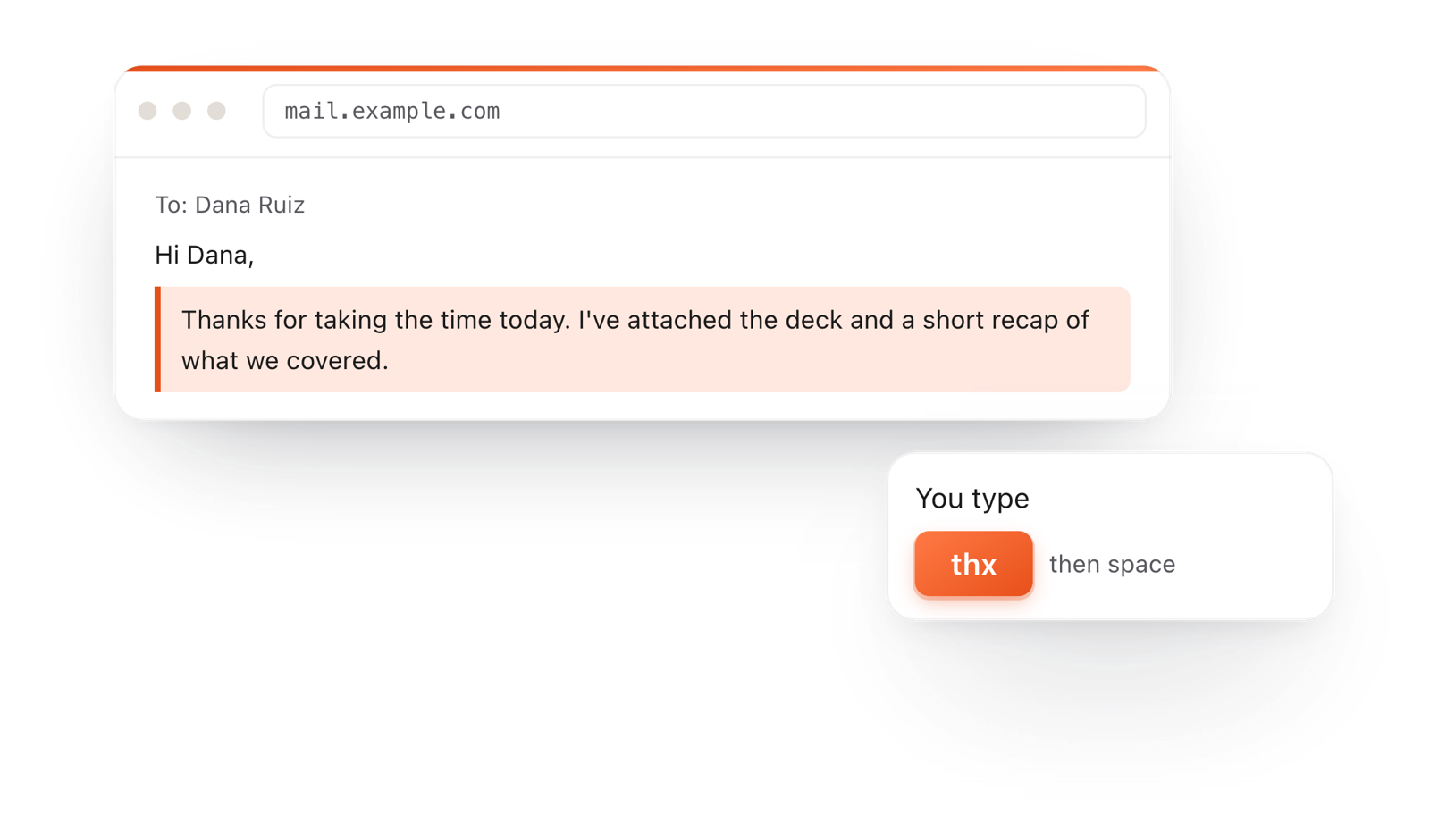
In a browser email, typing thx and a space expands into a whole thank-you reply

TypeFire for Chrome

  • This editor in its own tab, one click from the toolbar.
  • Your folder of .md notes in tabs, with search and links.
  • A text expander and your clipboard history on every site.

Frequently asked questions

Still not answered?

Write your text on this page and choose File > Download > Markdown (.md).

Or save a plain text file from any editor with a name ending in .md.

Plain text, with a few symbols for formatting: # for a heading, - for a list item, ** around bold text.

The toolbar and the / menu on this page add them for you.

Name the file README, write a short description, how to install and how to use the project, then download it as Markdown and put it at the top of the project folder.

Both are plain text. The .md ending tells apps to show the formatting: GitHub, notes apps and AI tools all draw a .md file with headings and lists.

Yes. This page works in any modern browser, and the download is an ordinary file.

It is free with no account. What you write stays in your browser until you download it.

Writing .md files every day?

TypeFire for Mac keeps every note as a .md file in a folder you choose and opens any .md file formatted. Free.

Download free for MacAdd to ChromeSee what $18 adds7 day Pro trial, no card required.

Free text expander, markdown notes and a clipboard manager. $18 once for unlimited clips, notes sync and AI prompts.

your clips your snippets