New: TypeFire 7 and TypeFire for Chrome 2.0.
Free · Any computer · Nothing uploaded

MD reader: read any .md file, formatted

Drop a .md file here and read it the way it was meant to look: headings, tables, checklists, code and diagrams, not a page of symbols. Free, in your browser, and the file never leaves your computer.

Free in your browser. On a Mac, TypeFire opens every .md file like this, right from Finder.Download free for Mac

Reading.md
FileEditViewInsertFormatHelp
Reading.md

Reading a .md file

Open your own file
Drop any .md file on this page, or use File > Open. It opens as a new tab and never leaves your computer.

A .md file is plain text with a few symbols for formatting. A reader turns the symbols into the page you are looking at now.

What you will see

In the file In the reader
# Title A heading
- [x] Done A ticked checkbox
**bold** bold
A row of pipes A table like this one

A checklist reads like a checklist

  • Open the file
  • Read it formatted
  • Save it as a PDF for someone else

Code stays readable

npm install
npm run build

Use the outline on the right to jump between sections of a long file.
Loading the editor…Your files stay in your browser
  • Your files never leave your browser
  • Free, no sign-up
  • Download as Markdown, Word, a web page or a PDF

This editor comes from TypeFire, free for Mac

Your whole folder of Markdown notes in tabs, Quick Look previews in Finder, plus a text expander and a clipboard manager.

How it works

Read a .md file in three steps

  1. 01

    Drop the file on the page

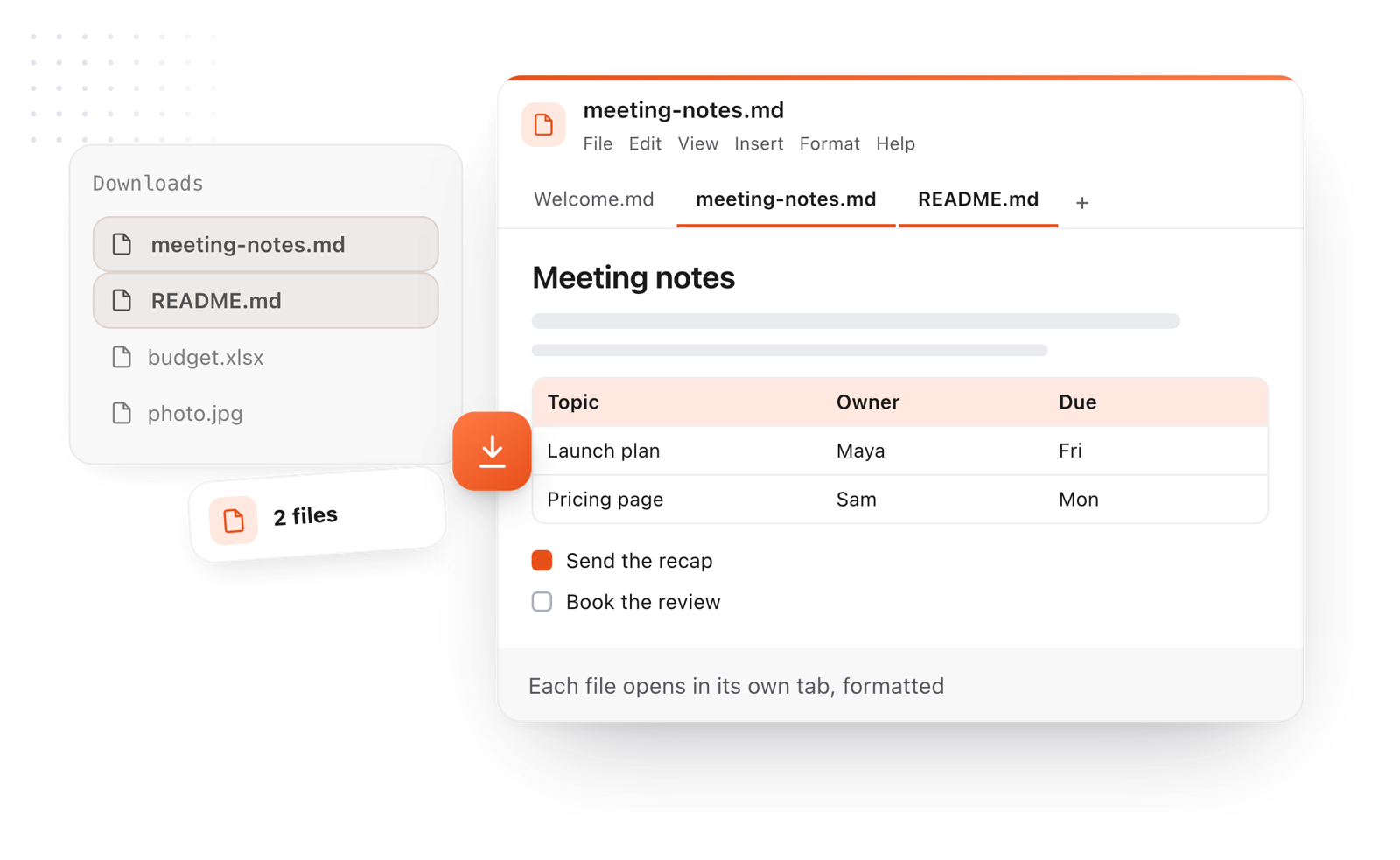
    Or choose File > Open. Pick several and each one opens in its own tab.

  2. 02

    Read it formatted

    Headings, lists, tables, code and Mermaid diagrams are drawn. Use the outline to jump between sections.

  3. 03

    Keep or share it

    File > Download saves it as a PDF, a Word document or a web page, for someone who does not read Markdown.

Markdown files dropped on the page, each opening formatted in its own tab
Free for Mac and Chrome

Like this editor? Get TypeFire.

The same editor on your whole folder of Markdown notes, plus a text expander and a clipboard manager. On a Mac, every .md file previews in Finder when you press Space.

Download free for MacAdd to Chrome7 day Pro trial, no card required.

Free text expander, markdown notes and a clipboard manager. $18 once for unlimited clips, notes sync and AI prompts.

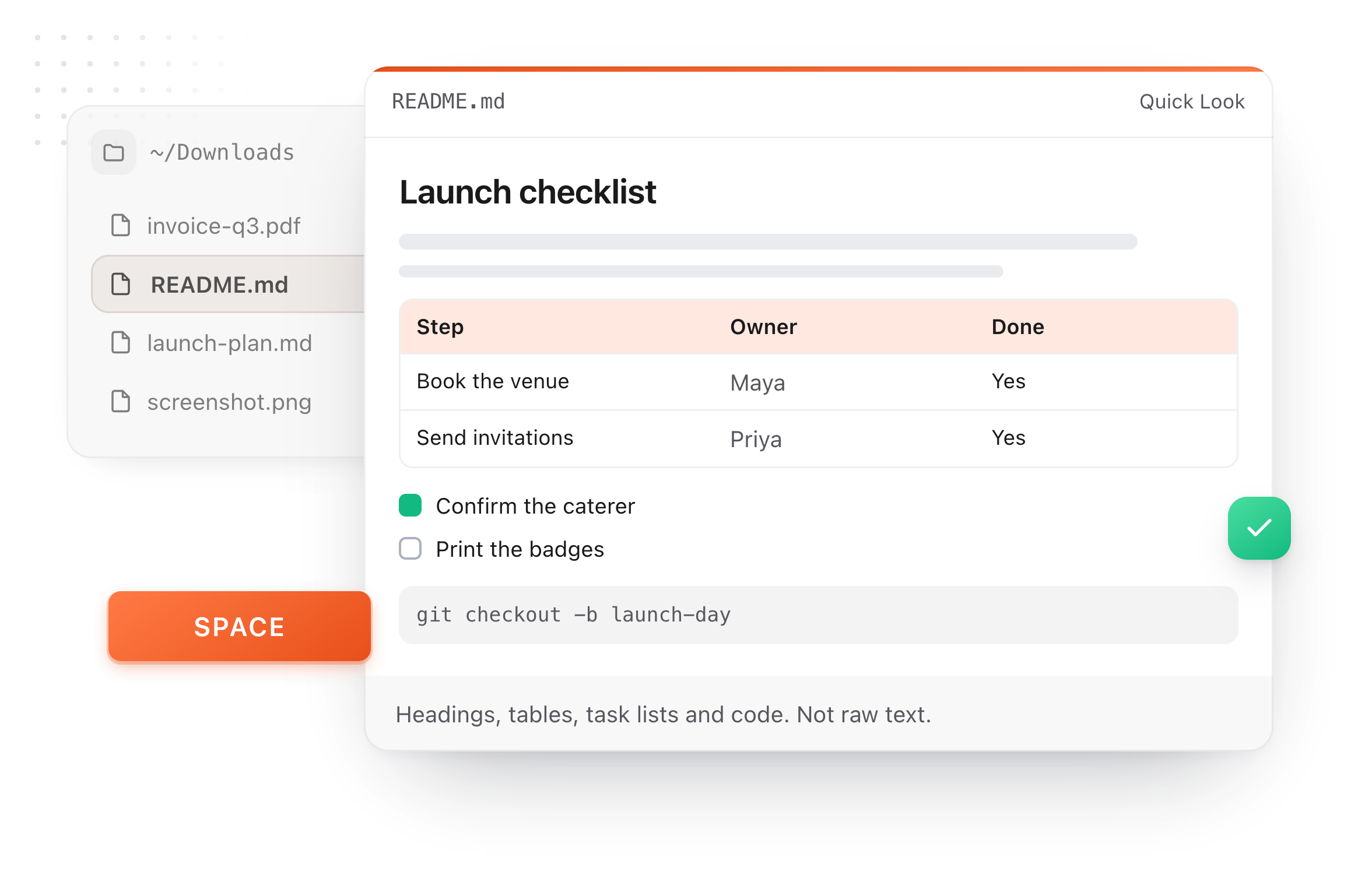
A README.md previewed in Finder with Quick Look on a Mac, after pressing Space
What it does

A reader built for the files AI and developers hand you

Most .md files arrive from somewhere else: an AI answer, a project README, a set of notes. This shows them as documents.

  1. Looks like a document

    A # becomes a heading and a list of pipes becomes a table. No symbols left on the page.

  2. Several files, one window

    Open a folder of files and switch between them in tabs. They are still there when you come back.

  3. Long files stay easy

    An outline, a word count, find and replace, and a dark mode for reading at night.

  4. Private by design

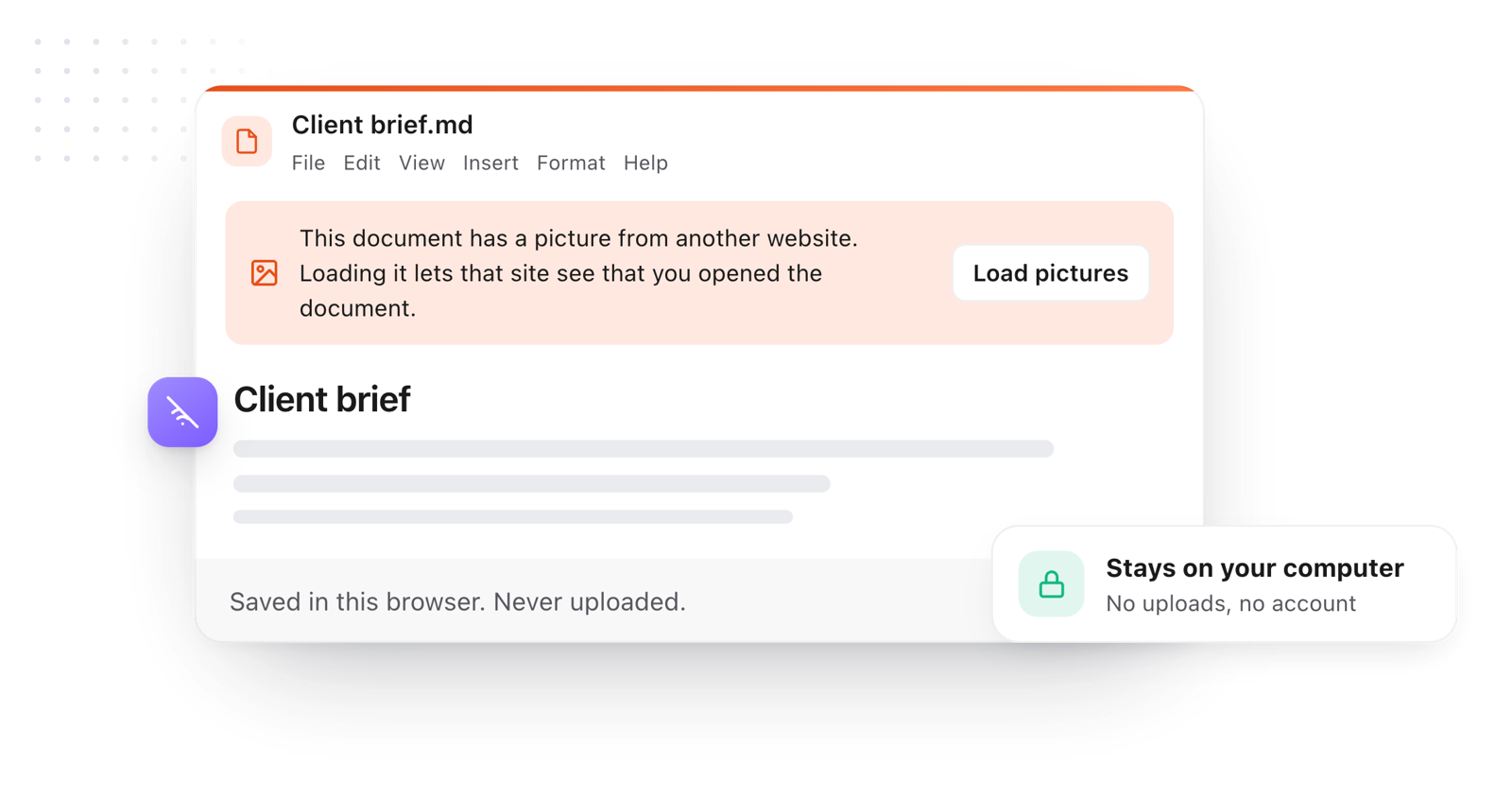
    The file is read by your browser. Nothing is uploaded, and there is no account.

  5. Edit when you need to

    Click anywhere to fix a typo or tick a box. It is an editor as well as a reader.

The opened file stays in the browser and is never uploaded
Take it further

The same editor, without the browser tab

This editor comes from TypeFire, a free app for Markdown notes, a text expander and a clipboard manager. Here it works on the files you open. In the app, it opens your whole folder.

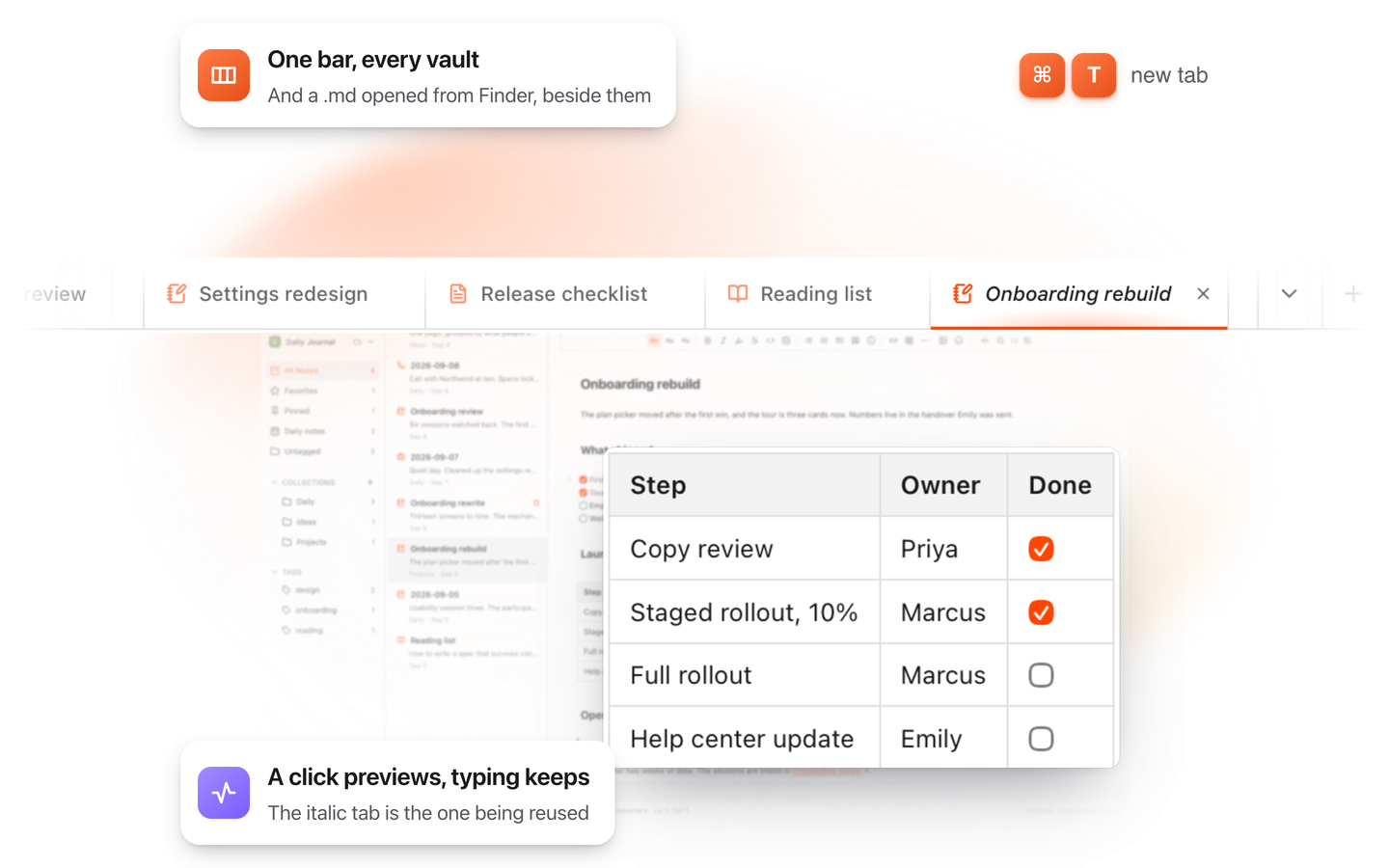
TypeFire for Mac with several Markdown notes open in one tab bar

TypeFire for Mac

  • Press Space on any .md file in Finder and read it rendered, with Quick Look.
  • Open a folder of Markdown, an Obsidian vault included, with tabs, search and links.
  • A text expander and a clipboard history in the same free app.
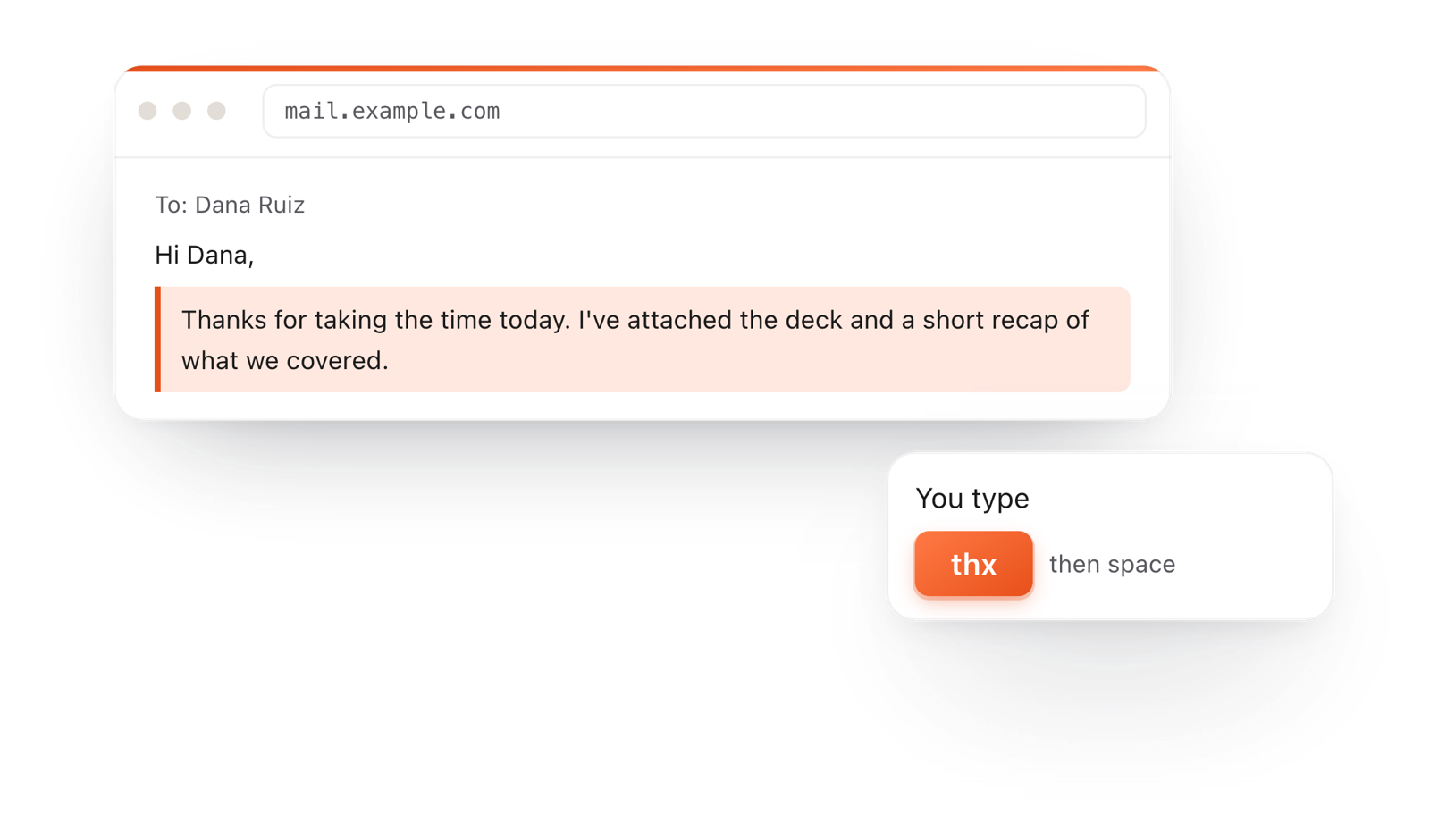
In a browser email, typing thx and a space expands into a whole thank-you reply

TypeFire for Chrome

  • This editor in its own tab, one click from the toolbar.
  • Your folder of .md notes in tabs, with search and links.
  • A text expander and your clipboard history on every site.

Frequently asked questions

Still not answered?

An app or a web page that opens a Markdown (.md) file and shows it formatted, with headings, lists and tables, instead of the plain text and symbols it is written in.

Drop it on this page, or choose File > Open. It opens formatted, in any modern browser, on Windows, a Mac, a Chromebook or Linux.

Yes. There is no account, no sign-up and no limit on files.

No. Your browser reads the file on your own computer.

Nothing is sent to a server.

Yes. TypeFire for Mac shows any .md file formatted when you press Space on it in Finder, and opens it formatted when you double-click.

It is free.

Yes. .md, .markdown, .mdown and README files with no extension are all Markdown, and they all open here.

Yes. File > Download > PDF saves the formatted document, diagrams included.

Reading .md files on a Mac every day?

TypeFire for Mac shows a .md file formatted when you press Space in Finder, and opens it formatted on a double click. Free.

Download free for MacAdd to ChromeSee what $18 adds7 day Pro trial, no card required.

Free text expander, markdown notes and a clipboard manager. $18 once for unlimited clips, notes sync and AI prompts.

your clips your snippets