Checkout flow
What happens between "Place order" and the confirmation email.
Retries
If Payments doesn't answer in 10 seconds, the shop tries once more before showing an error.
Drop your own .md file anywhere on this page to open it in a new tab.
Got a README, a design doc or an AI's answer full of Mermaid code? Drop the .md file here, or paste the text, and every diagram draws in place, with the headings, tables and lists around it formatted too.
Free in your browser. On a Mac, TypeFire opens every .md file like this, right from Finder.Download free for Mac
What happens between "Place order" and the confirmation email.
Retries
If Payments doesn't answer in 10 seconds, the shop tries once more before showing an error.
Drop your own .md file anywhere on this page to open it in a new tab.
This editor comes from TypeFire, free for Mac
Your whole folder of Markdown notes in tabs, Quick Look previews in Finder, plus a text expander and a clipboard manager.
Drag a .md, .mmd or .mermaid file onto the page, or choose File, then Open. It opens as a new tab, a bare Mermaid file as its diagram.
Paste Markdown or a bare ```mermaid block into the editor. It draws the moment it's on the page.
Click a diagram to see its text. Change anything and it redraws. Download the result when you're done.
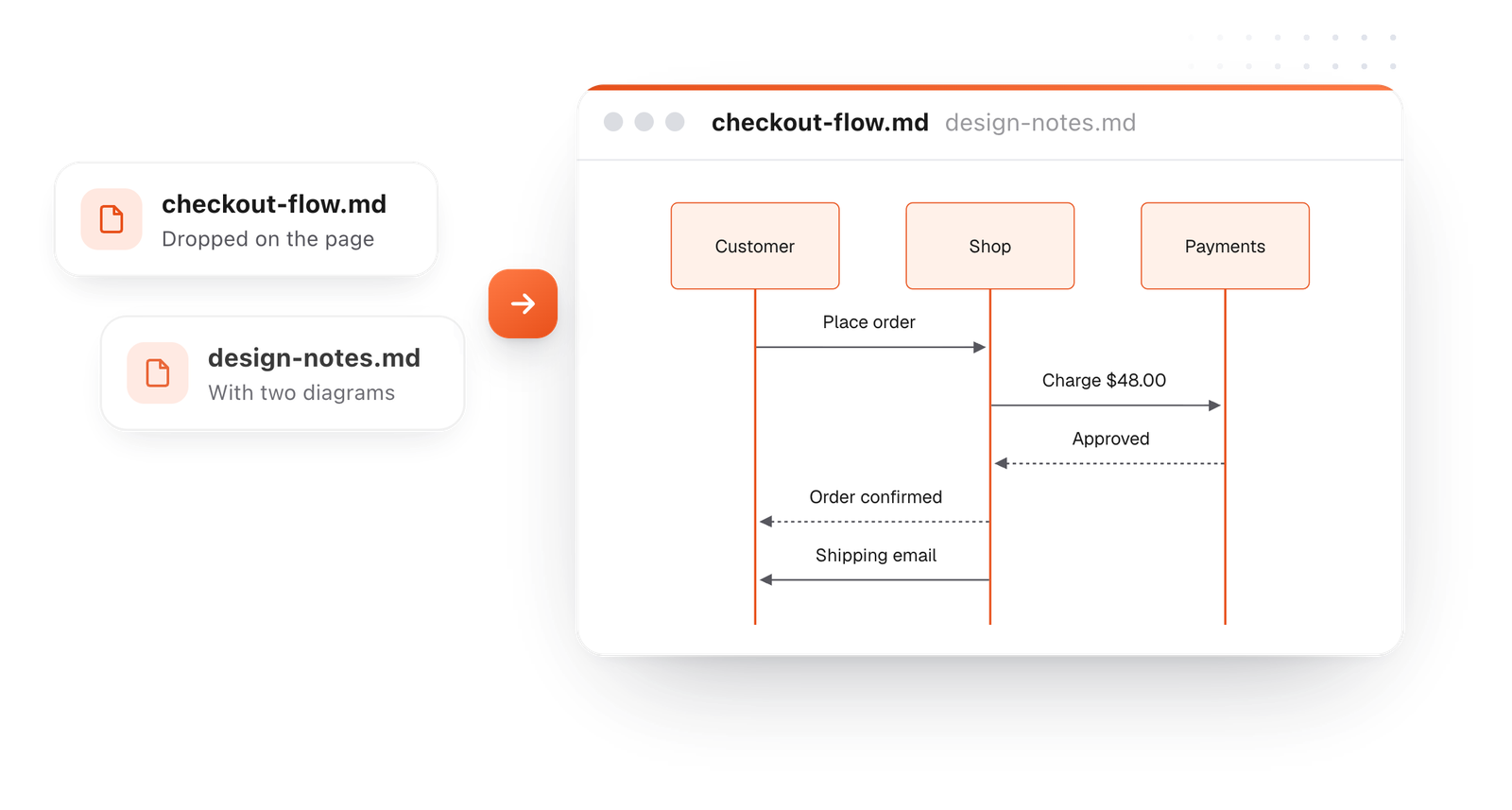
On the Mac, every Mermaid block in your notes draws in TypeFire's colors. Open one full window to zoom in, resize it, link a box to another note, and save it as SVG or PNG.
Free text expander, markdown notes and a clipboard manager. $18 once for unlimited clips, notes sync and AI prompts.
Mermaid shows up in more places than people expect.
Drawn from the example above
A diagram rarely travels alone. Here the notes, tables and links around it are formatted too.
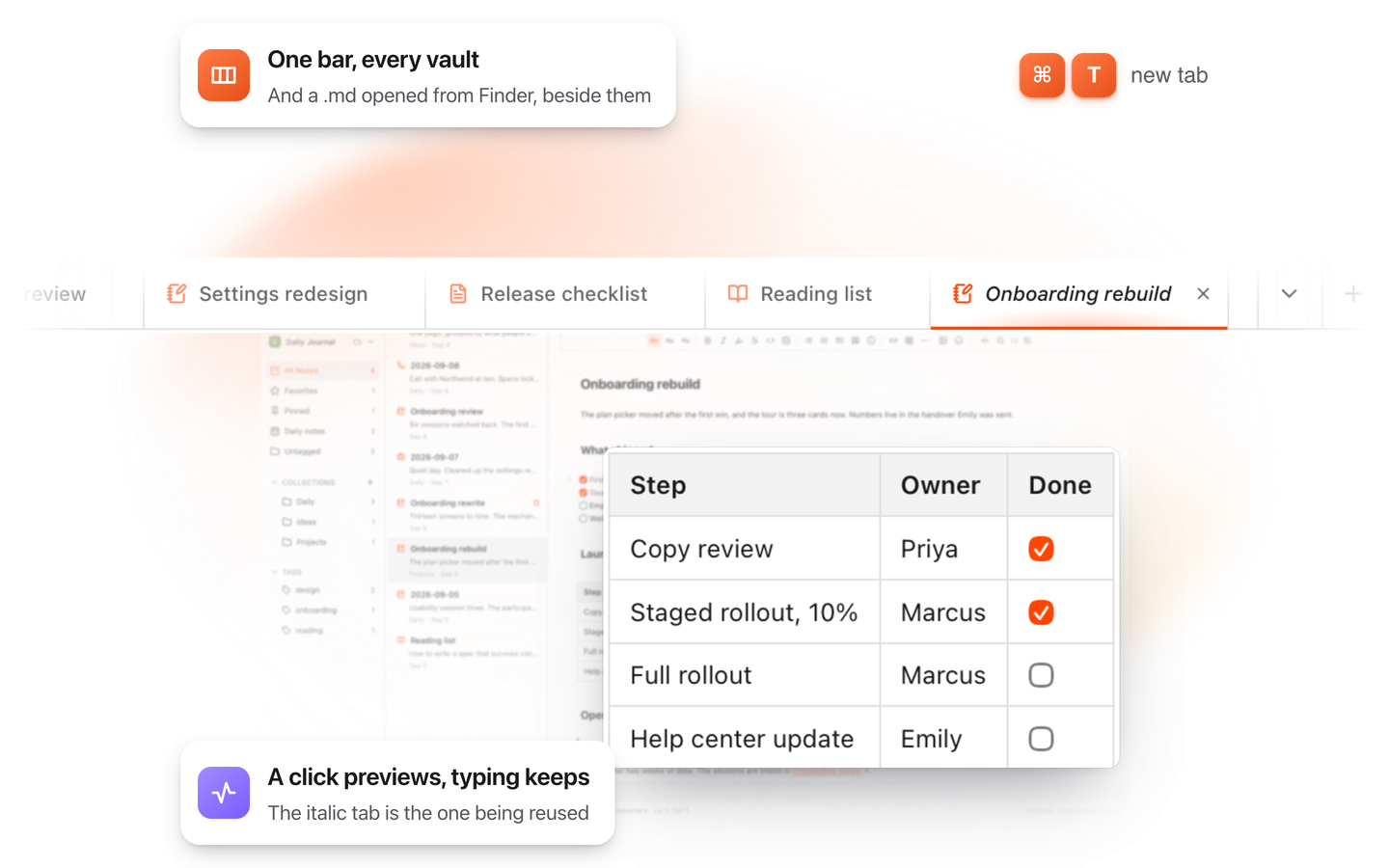
Each file opens in its own tab, so you can flip between a spec and its diagrams.
The file is read in your browser. It isn't uploaded, and there's no account to make.
Spot a wrong arrow? Edit the line in place and download the corrected file.
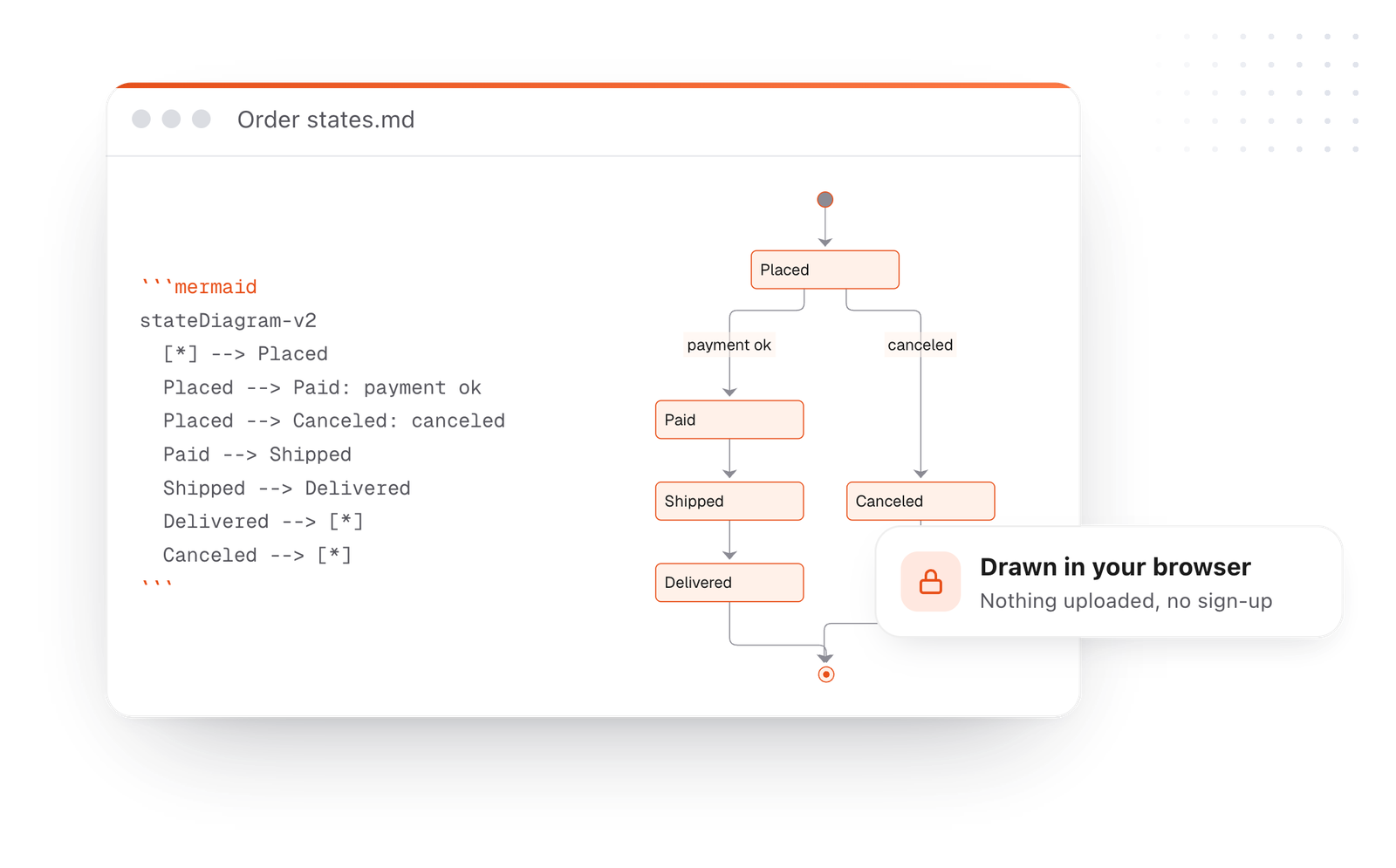
This editor comes from TypeFire, a free app for Markdown notes, a text expander and a clipboard manager. Here it works on the files you open. In the app, it opens your whole folder.
Still not answered?
Open this page, then drop your .md file on it or paste the text.
Mermaid code blocks draw as diagrams right away, in your browser.
No. The file is opened and drawn in your browser and is never sent to a server.
Yes. Drop a .mmd or .mermaid file on the page and it opens as a tab holding that diagram, drawn.
Yes. Every ```mermaid block in the file draws in place, in order, with the text between them formatted.
Check that the block starts with three backticks and the word mermaid, and ends with three backticks.
If a line can't be read, the viewer says which one.
Yes. Save a diagram as PNG or SVG, or copy it as a picture, from its hover bar.
Download the whole document as Markdown, a web page or a PDF that keeps the diagrams.
Zoom, resize, link a box to a note
Diagram too small?Six ways to read a big one
Link notes in a diagramBoxes that open notes
With TypeFire, press Space on a Markdown file in Finder and its diagrams draw in Quick Look. Free.
Free text expander, markdown notes and a clipboard manager. $18 once for unlimited clips, notes sync and AI prompts.
⌘⌃2 your clips⌘⌃1 your snippets